Welcome Guest ( Log In | Register )

Bump Topic Topic Closed RSS Feed
125 Pages « < 116 117 118 119 120 > » Bottom

Outline · [ Standard ] · Linear+

 HP Pavillion DV6-6XXX series Owners Lounge V4, -162 owners. Y U NO INTEL + AMD CFX!!

views
     
keyzjh
post Dec 15 2011, 10:17 PM

Getting Started
**
Junior Member
296 posts

Joined: Aug 2008


Lately I've been getting the Synaptics pointing device helper popup from UAC at windows startup. I don't recall this happening before previously. How can I disable this if I don't want to disable UAC?
gundamsp01
post Dec 15 2011, 10:22 PM

gunpla procrastinator
*****
Junior Member
900 posts

Joined: Oct 2009
QUOTE(lee_what2004 @ Dec 15 2011, 10:04 PM)
That pop up should be referring to the AMD graphic driver..
You didn't uninstall the HP AMD driver when you install the 11.11c, right ?
*
err...no, but previously when i update the version, didnt have this pop up...so why now?

just want to verify, my version now, is it the 11.11c?

Attached Image


This post has been edited by gundamsp01: Dec 15 2011, 10:38 PM
chahupping
post Dec 15 2011, 10:47 PM

Getting Started
**
Junior Member
137 posts

Joined: May 2009
sifu lee, done.

EDITED: 1 more problem here, something wrong with my firefox, my mouse course keep blinking and keep open some prize contest tab. =.=

This post has been edited by chahupping: Dec 15 2011, 11:06 PM


Attached thumbnail(s)
Attached Image
RiverDrifte
post Dec 15 2011, 11:40 PM

Getting Started
**
Junior Member
56 posts

Joined: Jan 2005
From: Pee Jay


Failed thermal paste reapplication sad.gif

average temp on normal room under U3 (Performance) = 50C
average temp on normal room under U3 (Coolest) = 45C

going to retry again... sad.gif
amie_the_fakes3
post Dec 15 2011, 11:47 PM

Getting Started
**
Junior Member
277 posts

Joined: Aug 2010
hello...i try to install autocad inventor 2012 and when 80% install its says finish already...but when i try to run it...its says stop working...and i try and try again...same result for sure..
when my frends try to install it...she says my winrar not support the installer...
how can i update the latest winrar...thanks
RiverDrifte
post Dec 16 2011, 12:16 AM

Getting Started
**
Junior Member
56 posts

Joined: Jan 2005
From: Pee Jay


QUOTE(amie_the_fakes3 @ Dec 15 2011, 11:47 PM)
hello...i try to install autocad inventor 2012 and when 80% install its says finish already...but when i try to run it...its says stop working...and i try and try again...same result for sure..
when my frends try to install it...she says my winrar not support the installer...
how can i update the latest winrar...thanks
*
laugh.gif uninstall and reinstall? but if u need latest Winrar.. should go to winrar's website and download the latest 1? hmm.gif
amie_the_fakes3
post Dec 16 2011, 12:38 AM

Getting Started
**
Junior Member
277 posts

Joined: Aug 2010
ya...i have done it...
but still problem...
one more thing..
i cannot play simple game like cs souce..worm 3d...simple game but some time stuck and super laging...some time cant play at all..
keyzjh
post Dec 16 2011, 12:56 AM

Getting Started
**
Junior Member
296 posts

Joined: Aug 2008


QUOTE(amie_the_fakes3 @ Dec 16 2011, 12:38 AM)
ya...i have done it...
but still problem...
one more thing..
i cannot play simple game like cs souce..worm 3d...simple game but some time stuck and super laging...some time cant play at all..
*
That's because those are openGL programs. You need to change switchable graphics to fixed then turn on the Radeon.
amie_the_fakes3
post Dec 16 2011, 01:12 AM

Getting Started
**
Junior Member
277 posts

Joined: Aug 2010
more detail please...
kAmilli
post Dec 16 2011, 02:39 AM

New Member
*
Newbie
0 posts

Joined: Nov 2011


Fan 90 B start-up problem, goddamn it XD Now i have to go to a service center. So unexpected, din't update BIOS, din't drop it, nothing. Started it up and got that error. Tried some solutions from internet - din't work
Coisox
post Dec 16 2011, 03:03 AM

On my way
****
Senior Member
517 posts

Joined: Jan 2003
From: Seri Kembangan, Selangor


How does the Switchable Graphic works? Mine when plugin/take out power, it will prompt whether to switch or not even I have tick "Automatically select power saving GPU when on battery". So its not seemless switching. Normal or not?
keyzjh
post Dec 16 2011, 03:19 AM

Getting Started
**
Junior Member
296 posts

Joined: Aug 2008


QUOTE(amie_the_fakes3 @ Dec 16 2011, 01:12 AM)
more detail please...
*
Go to your BIOS during startup. Change the switchable graphics option to Fixed instead of Dynamic. Then press F10 to save and exit.

When windows is started up, choose High Performance GPU in CCC to stay on the radeon card across all applications.

QUOTE(Coisox @ Dec 16 2011, 03:03 AM)
How does the Switchable Graphic works? Mine when plugin/take out power, it will prompt whether to switch or not even I have tick "Automatically select power saving GPU when on battery". So its not seemless switching. Normal or not?
*
If your model is 6001TX, then you will not have dynamic switching. Only 6114, 6108, and 6168 have dynamic switching.
Yes, fixed switching is not seamless as it will black out during switching. Dynamic switching is seamless.

This post has been edited by keyzjh: Dec 16 2011, 03:21 AM
Coisox
post Dec 16 2011, 03:43 AM

On my way
****
Senior Member
517 posts

Joined: Jan 2003
From: Seri Kembangan, Selangor


yup. 6001TX sad.gif
SUSngkhanmein
post Dec 16 2011, 09:22 AM

カラカラ Karakara
*******
Senior Member
7,727 posts

Joined: Jan 2010
From: Ara Damansara, Petaling Jaya & Batu Pahat, Johor.


this is 11.12 WHQL i can confirm that openCL is not installed. so there is no dev0 at openCL there. so i reinstalled 11.12 again & tested with 11.10 it doesn't work.
at last 12.1 works opencl confirm installed. run opencl 4D get around 5x fps but still got error during installation driver at view log. the view log din stated any error. all success so i bet again C++ bug like @Lee said b4. i dunno what happened but since openCL tick at gpu-z then is ok. the font look smaller than b4.

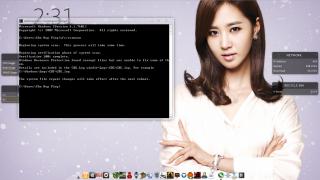
i still getting this error (look at the pic) warning occurred during installation how to solve it any1??

This post has been edited by ngkhanmein: Dec 16 2011, 01:13 PM
TSAcid_RuleZz
post Dec 16 2011, 02:27 PM

ミウ ❤
*******
Senior Member
6,612 posts

Joined: Jan 2003
From: Tomorrow


QUOTE(gundamsp01 @ Dec 15 2011, 10:22 PM)
err...no, but previously when i update the version, didnt have this pop up...so why now?

just want to verify, my version now, is it the 11.11c?
*

I get that randomly too, usually when that happened i reboot after the installation. If it's the green "no problem" message i don't reboot.

QUOTE(chahupping @ Dec 15 2011, 10:47 PM)
EDITED: 1 more problem here, something wrong with my firefox, my mouse course keep blinking and keep open some prize contest tab. =.=
*

Virus? blink.gif

QUOTE(RiverDrifte @ Dec 15 2011, 11:40 PM)
Failed thermal paste reapplication sad.gif

average temp on normal room under U3 (Performance) = 50C
average temp on normal room under U3 (Coolest) = 45C

going to retry again... sad.gif
*

45C on AMD GPU? Not bad imo. hmm.gif

QUOTE(kAmilli @ Dec 16 2011, 02:39 AM)
Fan 90 B start-up problem, goddamn it XD Now i have to go to a service center. So unexpected, din't update BIOS, din't drop it, nothing. Started it up and got that error. Tried some solutions from internet - din't work
*

Oh shi... so the fan didn't run at all?

QUOTE(Coisox @ Dec 16 2011, 03:03 AM)
How does the Switchable Graphic works? Mine when plugin/take out power, it will prompt whether to switch or not even I have tick "Automatically select power saving GPU when on battery". So its not seemless switching. Normal or not?
*

6001TX use manual switching and it is not seamless even if u tick "Automatically select power saving GPU when on battery" it will auto-manually switch the GPU for u.

QUOTE(ngkhanmein @ Dec 16 2011, 09:22 AM)
i still getting this error (look at the pic) warning occurred during installation how to solve it any1??
*

Use Atiman Uninstaller and do automatic uninstallation.

user posted image
SUSngkhanmein
post Dec 16 2011, 02:30 PM

カラカラ Karakara
*******
Senior Member
7,727 posts

Joined: Jan 2010
From: Ara Damansara, Petaling Jaya & Batu Pahat, Johor.


So that's basically what you have to do: extract the installation files as always, then open the destination folder, C:\ATI\Support by default. You will see the folder that contains the xxx catalyst, open it than go to the folder named "Config". Inside this folder you will see the file "InstallManager.cfg". At the end of this file there is this string: "WorkaroundInstall=false". All you have to do is to change it by writing "true" instead of "false", don't forget to save. After i did this, both divers and control center magically reappeared in the installer, so i hope this will help you.

i grabbed from a website.. if this method can't work i will use atiman! if both also can't then i will format. if format still like this.. i wan dell solved it. ur atiman wat version?? 6.1.3??? got any step by step procedure how to use atiman??

out of topic! my house outside de tree kena stole.. during my mum, bro & maid all fall asleep. that tree just tanam nia.. damn expensive!!!

This post has been edited by ngkhanmein: Dec 16 2011, 02:38 PM
amie_the_fakes3
post Dec 16 2011, 03:51 PM

Getting Started
**
Junior Member
277 posts

Joined: Aug 2010
QUOTE(keyzjh @ Dec 16 2011, 03:19 AM)
Go to your BIOS during startup. Change the switchable graphics option to Fixed instead of Dynamic. Then press F10 to save and exit.

When windows is started up, choose High Performance GPU in CCC to stay on the radeon card across all applications.
If your model is 6001TX, then you will not have dynamic switching. Only 6114, 6108, and 6168 have dynamic switching.
Yes, fixed switching is not seamless as it will black out during switching. Dynamic switching is seamless.
*
when i use battery its not change to intel hd lor...
my battery can hold about 30minute when playing game using hd6770m and surf internet about 2 hours ...
its normal..

chahupping
post Dec 16 2011, 04:04 PM

Getting Started
**
Junior Member
137 posts

Joined: May 2009
QUOTE(Acid_RuleZz @ Dec 16 2011, 03:27 PM)
I get that randomly too, usually when that happened i reboot after the installation. If it's the green "no problem" message i don't reboot.
Virus? blink.gif
45C on AMD GPU? Not bad imo. hmm.gif
Oh shi... so the fan didn't run at all?
6001TX use manual switching and it is not seamless even if u tick "Automatically select power saving GPU when on  battery" it will auto-manually switch the GPU for u.
Use Atiman Uninstaller and do automatic uninstallation.

user posted image
*
ok, i found out its 1 of the page thats cause this.
SUSngkhanmein
post Dec 16 2011, 04:14 PM

カラカラ Karakara
*******
Senior Member
7,727 posts

Joined: Jan 2010
From: Ara Damansara, Petaling Jaya & Batu Pahat, Johor.


chahupping ^ what u mean ???
chahupping
post Dec 16 2011, 04:25 PM

Getting Started
**
Junior Member
137 posts

Joined: May 2009
lol, sorry, i quote wrong post. its about my problem i find out.

125 Pages « < 116 117 118 119 120 > » Top
Topic ClosedOptions
 

Change to:
| Lo-Fi Version
0.0193sec    0.61    6 queries    GZIP Disabled
Time is now: 5th December 2025 - 07:12 AM