Welcome Guest ( Log In | Register )

4 Pages  1 2 3 > » Bottom

Outline · [ Standard ] · Linear+

 3DTV and 3D content impression, 3D content n nt reflection screen rated

views
     
TSazsace
post Apr 7 2011, 11:45 AM, updated 14y ago

Casual
***
Junior Member
412 posts

Joined: Nov 2006
From: Ipoh


Want to buy 3D content
Download the sample here http://www.3dtvworld.com.au/3d-downloads/

2011 3DTV LIST
Panasonic: Plasma; ST30, GT30, VT30; LED; DT30
Samsung: Plasma; D490 (HD Ready); D550, D6900, D7000, D8000, LED; D6600, D7000, D8000
Sony: LED EX720, NX720
Sharp: LED LE830
LG: Plasma PZ950, PZ750, PZ550, LG PZ250, PW350; LED LW9500, LW7700, LW6500 (Passive), LW5700 (Passive), LW4500 (Passive)

3DTV CONSIDERATION

HD Ready or Full HD Ready.
The least important based on other HD expert from various reviewers. Unless you planning to use this TV as a computer screen or viewing it in a very near distance (perhaps less than 1m). And if the price difference is insignificant, may opt for the Full HD spec.
Point to ponder: If you buying a 40" flat panel display, are you planning to watch it in less than 1m, seriously??? Check this 3D TV Resolution Chart here; http://3dtvscdn.3dtvs.netdna-cdn.com/wp-co...ution-Chart.png
Additional Info: I have a 37" Full HD LCD... initially set the DVI output to resolution 1920 X 1080.. watching the screen from approx 2.5m distance is a hassle.. Now I set it to 1366 X 768. HD and Full HD source is indistinguishable whether is gaming or movie. If i'm buying a 55" TV perhaps I'll chose a Full HD (since I usually watch TV around 2.5m distance)

Full HD is not Full HD... Wow
Interesting fact to know about your TV, not all Full HD TV is Full HD
A 1920X1080 resolution, does not actually make the TV a real Full HD... a real Full HD TV will hav the scanning rate / moving picture resolution of 1080lines... Currently, only plasma TV can achieve this full HD scanning rate (top end).
For LCD/LED, best is 900lines, normal LCD/LED is 600lines, low end is 300lines. (Oh yeah, so far only one manufacturer claim their LCD/LED is full HD with scanning rate of1080lines)

Typical HD ready plasma uses 720lines scanning rate
Typical HD ready LCD/LED uses 600lines (older use 300lines)
Typical full HD plasma uses 900lines
Typical full HD LCD/LED uses 600lines

oh yeah, but no need to worries about the no... nowadays most tv whether lcd/led or plasma will display 600lines or a bit more.. if the tv scan at 300lines, it may pose problem to those who has really2 sensitive eyes... more than 600lines, the eyes can't tell the difference....

another reason why full hd is not important

HD ready with 1024 X 768 resolution.
Best avoid if possible as this resolution is not native 16/9. A HD ready TV with 1024 X 768 resolution requires additional interpolation for 16/9 viewing and also 4/3 viewing. Some viewer may notice uneven scaling of pictures. To avoid if user planning to connect this with a PC.

LCD, LED or Plasma for 3D viewing:
As of 2011, watching 3D content using LCD/LED 5U5KS big time... a lot of crosstalk/ghosting. This crosstalk/ghosting can be reduce, if you watch the 3D content in a extreme low brightness and contrast. This will loses lose most of the picture quality especial the shadow detail...
Quick Shop Test: If you insist getting LED 3D TV, do a quick shop test. Just ask the seller to test the 3D content using Sony 3D demo disk, and play the San Paolo Indy video. If you don't notice any crosstalk/ghosting. Then go ahead...

ISSUES

Reflection and Glaring
Plasma reflection and glaring are extremely, extremely annoying. Is this an issues. Definitely. Watching plasma TV in natural lighting 5U5K5 big time... I feel I just wanna throw the TV to the bin... Is this manageable? Yep, but a lot of hassle. I spend additional rm150 to install shades and plain curtain to reduce natural light entering the room.
Under the natural-lit room, the setting is (with no shades and curtain, the TV is unwatchable because of the reflection and glaring)
Cell Light: 15
Brightness: 80
Contrast: 45
Sharpness: 40
Colour: 40
Tint: G50/R50
Gamma: 0
Flesh tone: 0
If you planning to restrict yourself in viewing the TV from 7pm till 7am... then, this is non-issues.

This is how the TV look when watching at 3.30pm-5.30pm, with curtains n shades was pulled away
Attached Image
5uck5 right, but with the shades and curtain, not a big issues


Other high end model has a very good anti-reflection coating such as Panasonic Infinite Black or Samsung Real Black Filter which significantly suppressed reflection and glaring. Thus this maybe not an issues depending on Model

Lost of communication between 3D glasses and 3DTV
Non Issues except for 2010 Samsung IR communication active shutter which losses sync a lot of time.
Based on quick shop 3D demo. Pana, Sony, Sharp Infra Red communication active shutter is non issues as long as the 3D glasses within the IR transmitter line of sight.
2011 samsung bluetooth, has the most range and has little limitation on its line of sight. Samsung bluetooth active shutter does not support 2010 3D TV....

Other so called issues
Each manufacturer has their own pros and cons.. so at the end of the day... u need to trust yourself what TV y wanna buy and conformtable with. As an example
When I wanna buy the 3DTV, I have look several TV... at the end of the day, the competition was between 2011 Samsung Plasma n 2010 Pana Plasma
I didnt get 2010 Pana Plasma (the VT20 series) because when I demoed it, the 3d glasses will be out of syn with the TV at certain position (i feel this limit myself in term of gaming, like playing SOCOM4 n Killzone 3 cause I use sharpshooter)
2010 Pana Plasma hav other issues which is floating black. I experience it, but I dont think its an issues cause I dont mind it. (So, i have problem with non-native 16/9 ratio using 1024X768, but other user may find it as no issues)
So different people hav different criteria. So, trust yourself n ur eyes.. cause its your money, n u going to watch it


3D CONTENT: MY IMPRESSION
3D rating: 1 poor; 3 good; 5 excellent (content with 4 and above rating, you can 100% view it from start to beginning with no issues)

3D viewing setting for Movies and Games

Game tested: Super Stardust HD, PS3 Console
3D rating: 5/5 (Excellent)

Game tested: Killzone 3 (3D Demo), PS3 Console
3D rating: 3/5 (Good, occasional ghosting/crosstalk)

Game tested: Motorstorm Apocalyse, PS3 Console
3D rating: 4/5

Game Tested: Mortal Kombat, PS3 Console
3D rating: 3/5

Game Tested: SOCOM 4, PS3 Console
3D rating: 4.5/5 (near excellent).
similiar to Motorstorm 3D setting. if u hav a 3DTV n like tactical shooter.. u should play this.. hei.. if u hav 3D TV... i think u should just get this game..

Game Tested: Top Spin 4, PS3 Console
3D rating: 4.5/5 (near excellent)
if u have the PS3 move, the game is much more enjoyable

Game Tested: Prince of Persia Classic Trilogy 3D
3D rating: 4/5
since this is a remake from PS2, the textures count for this game is less compared to normal PS3 games... but they have sharpen the model... n it really look good...

Content tested: Tangled 3D, 3D Blu Ray, PS3 Console
3D rating: 5/5

Content tested: Shakira Waka Waka 3D, half SBS, DVICO Media Player
3D rating: 4.5/5

Content tested: Looney Tunes Rabid Rider 3D, half SBS, DVICO Media Player
3D rating: 4/5

Additional note: Most of the time, when playing 3D sbs content, to achieve a more pleasurable viewing, I need to swap L/R to R/L.


SAROWIN ANTI REFLECTION SCREEN

Recently I bought the sarowin anti reflection/glare screen for my plasma... and since a lot of people ask... below are my impression on this screen

The GOOD
The best thing about the the screen protection, it turns ur highly reflective flat panel tv to a matte screen. The screen is extremely good in toning down the reflection and thus your viewing will not be distracted by all the glare and reflection during daytime viewing (or at brightly lit area). But of course this screen is not perfect... when u put this screen on ur flat panel tv u will definitely lose some picture quality...
but the important thing is... does the lost of pq make a lot of difference????
For this test, I purposely play a copy of HD the Corpse Bride (since this movie has a lot of dark scene content) and i purposely open up my curtain and shades to let all the light entering the room... the test was conducted around 4.45pm, where during this time, the room is at its brightest condition

FRONT VIEW
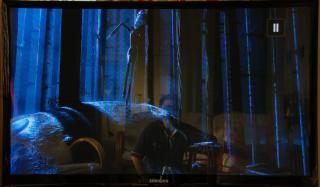
Attached Image With No Screen
Attached Image With Screen
The image with no screen, the reflection is clearly visible... u can even see my taking pic reflection
The image with screen, the reflection is effectively tone down... u can't see my reflection at all.
To me, the image with screen does not strain my eyes much... im more comfortable viewing the dark content with the screen on.. (+1 adv)
but the problem with the screen, it does not only muted the reflection, it also muted the brightness and sharpness of the images. brightness of the image is non issues cause you can increase the brighness and contrast of the flat panel.
the lost of sharpness, maybe an issue to some people.. but for me, for HD content, lost of sharpness is not an issue at all, but for SD content, it does annoy me a bit (-1 cons)

SIDE VIEW
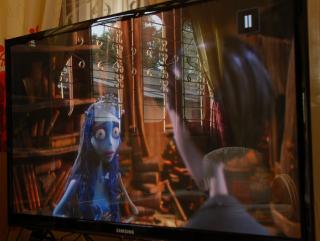
Attached Image Attached Image
again, with the screen is on, the image is more comfortable to view...
at this angle of viewing, lost of contrast was identify.. but the good news is... the lost of contrast is extremely gradual n to me personally, it doesnt effect my viewing pleasure (a LED/LCD lost of contrast is more noticeable) (-1 cons since the lost of performance cant be compensated by other means)

SIDE EXTREME VIEW
Attached Image Attached Image
the angle of view for this test was approximately around 80degC.. (giving a viewing angle of 160degC, compared to LED/LCD with 178degC)
to me at this angle, the image is non-viewable at all... (-1 cons since it has limit the plasma viewing angle)
again, to me this is not issues because i dont think any people will actually sit at this angle to watch the movie. and if compared to most LED/LCD, the LED/LCD at this viewing angle performance is worst... usually a tolerable angle of view for LED/LCD is around 65degC (giving viewing angle of 130degC, due to lost of contrast, to add some note, also not a big problem as i dont think people are watching tv at this angle, usually angle of view is at 0degC, perpendicular to 60degC)

CONCLUSION
only +1 pro with the screen, n 3 cons with the screen.. mathematically, the anti reflection screen is not a good solution at all... but to me personally, its definitely a recommended product to buy especially if you hav a plasma tv which doesnt hav its own reflective coating
all the 3 cons, doesnt bother me at all.. ( for me, its +1).. but for other it may not be....


MY REVIEW

Quick spec of the TV
Manufacturer: Samsung
Model: PS51D490
Resolution: 1365 X 768 pixels
Aspect ratio: Native 16:9

3D setting for Movies and Games

Cell Light: 8
Brightness: 65
Contrast: 42
Sharpness: 40
Colour: 45
Tint: G50/R50
Gamma: -2
Flesh tone: 0

White balance
R-Offset: 27
G-Offset: 25
B-Offset: 26
R-Gain: 32
G-Gain: 20
B-Gain: 25

All other settings is set to OFF

Crosstalk/Ghosting Performance: refer to this post; http://www.avforums.com/forums/3d-plasma-t...3d-tv-test.html

With Nvidia 3D Vision Player or PS3 Console (uses 3D MPO image); setting set to 720p@60Hz
Left eye open/right closed -> top half screen smaller visible number -> 1
Left eye open/right closed -> bottom half screen smaller visible number -> 11
Right eye open/left closed -> top half screen smaller visible number -> 11
Right eye open/left closed -> bottom half screen smaller visible number -> 1

My opinion, the 3D performance on this TV is not really that good. It just acceptable under this setting. Under this setting, no significant crosstalk is noticeable, I dont get a headache, and I enjoy the picture quality. I was hoping under this setting I'll get measurement as below
Left eye open/right closed -> top half screen smaller visible number -> 1
Left eye open/right closed -> bottom half screen smaller visible number -> more than 20
Right eye open/left closed -> top half screen smaller visible number -> more than 20
Right eye open/left closed -> bottom half screen smaller visible number -> 1

To get to the above setting, I need to reduce the cell light, brightness and contract. and decreases the gamma. By doing that, the picture quality degrade.. So, i'll stick to my preferred 3D setting.

3D impression.
Crosstalk and Ghosting is still an issues. After a quick shop 3D test, plasma crosstalk/ghosting is the least noticeable compare to its LCD/LED counterpart. Will it be resolved... hopefully in 2012, and I do hope manufacturer will increase the refresh rate of 3D glasses to 240hz.
Other 3D technology to look forward is the 3D ZScreen technology (http://www.engadget.com/2011/01/04/samsung-reald-announce-rdz-tech-that-puts-active-shutter-3d-int/)
Thinking to get a new 3D tv... why dont wait after Apr 2011, this is the time where 3D TV price will be very very competitive since most majpr player will completely release most of their new 3DTV model.


CONTROL BREAK-IN METHOD
Control Break-in Period: Approx 150hrs

Two Picture setting (other setting which can be set to OFF to be set OFF, such as edge enhancement; colour temperature standard; other setting is default like flesh tone, white balance, gamma). Use the break-in images from this sites http://www.eaprogramming.com/downloads/download_main.htm

1. 3/4 Brigtness and Contrast
Cell Brightness: 15%
Contrast: 75%
Brighness: 75%

2. Maximum picture setting
Cell Brightness: 20%
Contrast: 100%
Brighness: 100%

My break-in procedure (assuming start monday).
First Day:
i. First 2hours set to 3/4 Brigtness and Contrast
ii. Rest one hour, run the TV for 1hr brighness 100, contrast 100, and cell 20. Continue next day

2nd, 3rd and 4th day:
i. Run the tv under Maximum picture setting for 3hrs (7pm start)
ii. Rest one hour, run the TV for 8hr brighness 75, contrast 75, and cell 15. (11pm start, tidur, wake-up tutup TV)

5th day
i. Run the tv using brighness 75, contrast 75, and cell 15 for 24hrs (7pm start)

6th day
i. Run the tv using brighness 100, contrast 100, and cell 20 for 18hrs (10pm start)

Additional Break-In
i. Run the tv at maximum setting for 12hrs (start at 7pm)

Other methods
Taken from AVSForum.com and AVforums.com
Continous run the TV 24h/3d with TV dynamic setting with the break-in images. Each images run at 30sec durations.

Other method can be obtain from ISF Guide, HDGuru, etc.


To comment and discuss the 3D issues, please state your reference when giving your opinion.

This post has been edited by azsace: Jul 4 2011, 12:55 PM
TSazsace
post Apr 7 2011, 01:04 PM

Casual
***
Junior Member
412 posts

Joined: Nov 2006
From: Ipoh


QUOTE(b16a @ Apr 7 2011, 11:59 AM)
nice review. thanks.
quite noob at this. can u give me your reasoning on gamma +1 and the white balance setup?<---can it eliminate "yellowish" white
*
fuiyo... maut nye soalan.. good question.

To get an ideal white, u need to do a white balance calibration and also the colour temperature. My white calibration is not actually the ideal white because some people have difference preference. like eg, some people like hot white, yellowish to njoy the picture quality.
For my setting i use standard colour temperature (some may prefer warm, cool n others colour temperature). Adjust the RGB gain and Cut-off until the picture looks good.
If you dont have a proper equipment, the best way to do a white balance setting it just take some sunny outdoor picture and calibrate it with the TV... u just tweak the RGB value until the picture u taken is similiar to what you see.
Read it here http://www.cs.mtu.edu/~shene/DigiCam/User-...wb-concept.html

The Gamma +1 setting is used to set the luminance. I used this to compensate for the crosstalk when view in 3D. When i offset it to +1, the picture quality is reduced and I lost some shadow details of the image i'm viewing. But offsetting the to +1 increase the luminance and reducing unwanted (and also wanted) shadow effect from the crosstalk/ghosting

Usually, people will leave the gamma to its factory setting or reduce it.

Hope this clear...


Added on April 7, 2011, 1:15 pm
QUOTE(Optiplex330 @ Apr 7 2011, 12:17 PM)
Most common comment on Plasma: This is old technology so cannot be good. Going to be out-of-production soon. Don't buy bla bla bla rubbish.
*
Well... since I have the another LCD and LED tv, i will say plasma will not die off soon. Its old technology but they have put a lot of improvement... eg, last time burn in was an issues. now its no more... a year ago image retention was annoying, but newer plasma is less susceptible to IR. It just they havent make anti-reflection technology reasonable is plasma. Anti-reflection technology like Samsung Real Black Filter is really superb. My friend has a 2010 C7000 plasma and it uses the Real Black Filter... really reduces the annoying reflection and glaring. Its as good as its LED counterpart
for 2011, samsung use the RBF to its plasma D8000 series.. the high end series.. n its expensive...
I hope RBF will be a common tech for plasma...

This post has been edited by azsace: Apr 7 2011, 01:18 PM
TSazsace
post Apr 7 2011, 01:40 PM

Casual
***
Junior Member
412 posts

Joined: Nov 2006
From: Ipoh


QUOTE(Optiplex330 @ Apr 7 2011, 01:24 PM)
How does Samsung Read Black Filter compares with the higher end Panasonic Plasma anti reflective coating?
*
This one, maybe other forumer can share their view. I dont have the opportunity to actually test side by side samsung and pana anti reflective coating..
I manage to test my friend plasma C7000 with my samsung LED ultra clear panel, side by side. I purposely bought my tv to his house just to do the comparison, because when I saw the plasma C7000 at the shop, i thought it was an LED tv, because the reflection and glaring reduction is really, really impressive.
I did saw a pana VT20 at best denki, but it didnt impress me on reflection and glaring. Actually I was thinking to get the pana GT20 (the GT was around rm4.5k)... but opt for a bigger screen. so samsung


Added on April 7, 2011, 1:54 pm
QUOTE(pierreye @ Apr 7 2011, 12:51 PM)
Thanks for the first hand experience write up. Basically confirm that for 3D TV, go for plasma. After considering all the 3D technologies available, I finally go for Acer H5360BD which is a 720p 1.4a certified projector. So far the review pointed that DLP had zero crosstalk issue due to the tech is using micro mirror for light reflection thus no phosphor decay time issue or LCD slow refresh issue. Personally I feel that crosstalk and brightness are the no 1 issue in 3D using active glasses.

Based on some feedback from avsforum, it seems that Panny 3D TV had better 3D performance due to their fast phosphor tech which reduce phosphor decay time. It exist in last year VT20 model. Not sure if this tech will exist in ST30 model.
*
Yep.. I do agree that DLP has a near zero crosstalk. But crosstalk cant be totally eliminated because of the 3D system design with active shutter. Since active shutter is LCD based, it still leak lights (as typical LCD screen) and also current active shutter uses 120hz.
A more promising technology is the RealD ZScreen technology which uses polarised 3d glasses..
To reduce crosstalk with active shutter, perhaps require to use 240hz active shutter and higher contrast ratio for the glass...
Hmmm

This post has been edited by azsace: Apr 7 2011, 02:15 PM
TSazsace
post Apr 9 2011, 11:19 AM

Casual
***
Junior Member
412 posts

Joined: Nov 2006
From: Ipoh


QUOTE(pierreye @ Apr 8 2011, 08:01 AM)
Had to get it from Amazon.de. Looks lke Acer launch this projector in Europe first.

Agreed that current Active glasses LCD can't block 100% of the light, the best case scenario at around 90% to 95%. Also another report mention why samsung had higher crosstalk issue is the sync timing issue. The previous model had a firmware upgrade that improve the sync thus lower the crosstalk. So far, my understanding that Passive display is not immune from the crosstalk issue. Most expert agree that Active shutter with good implementation is still better from passive display using polarizer. Plus the current tech, you have the resolution cut half for each eye due to the nature of polarizer having to split the image half for each eye.
*
Thanks for the info on the side by side...
Yep, seems that my TV have some problem playing the SBS 3D content. Now I understand why the SBS film looks bit weird and lose some fine detail...
TSazsace
post Apr 10 2011, 01:02 PM

Casual
***
Junior Member
412 posts

Joined: Nov 2006
From: Ipoh


QUOTE(dausmat @ Apr 9 2011, 06:38 PM)
notworthy.gif
*
hahahah.. me also beginner. still learning. other forumers are welcome to give feedback


Added on April 11, 2011, 9:36 am
QUOTE(pierreye @ Apr 9 2011, 01:49 PM)
I had done more testing with Acer H5360BD and overall I would say the 3D is awesome. It's better than local cinema 3D because the color is still saturated and zero crosstalk. I try few movies and also play some 3D pc game such as MOH and the 3D experience is superb. Total cost is quite cheap compare to 3D TV and the big screen does make a huge different for 3D.

If you are using 1080p SBS and using HTPC for playback, download the nvidia stereo player. Then use ffdshow as the codec, resize the video to 2560x768. This will give you a very sharp picture.

Overall, in 2D, full HD projector is sharper than 720p projector. But once in 3D mode, you no longer can differentiate the pixel in 720p.
*
Thanks for the tips. Really appreciate it. Will definitely try it...


Added on April 12, 2011, 11:16 am
QUOTE(dausmat @ Apr 9 2011, 06:38 PM)
notworthy.gif
*
Out of curiosity, what 3D tv did you get... is it sony ex720 series... Care to share your 3D view setting
Anyway, I found this in a forum, seems that this TV does not handle 3D content that good
http://www.avsforum.com/avs-vb/showthread.php?t=1323189


This post has been edited by azsace: Apr 12 2011, 11:16 AM
TSazsace
post Apr 22 2011, 11:24 AM

Casual
***
Junior Member
412 posts

Joined: Nov 2006
From: Ipoh


QUOTE(Boy96 @ Apr 21 2011, 08:48 PM)
Its a Sony, should be good right?
*
Well, i think when we buy stuff we should not have the mentality.. of one manufacturer is good. Actually every manufacturer has their advantages and disadvantages.

Anyway, on Sony.. do they make a very good advertisement and marketing strategy. biggrin.gif

Perhaps you can ask dausmat n kakigamer69 on their sony 3d LED tv experience.. I do hope kakigame69 will share his experience..

This post has been edited by azsace: Apr 22 2011, 11:26 AM
TSazsace
post Apr 28 2011, 03:40 PM

Casual
***
Junior Member
412 posts

Joined: Nov 2006
From: Ipoh


QUOTE(MoonRider @ Apr 28 2011, 10:31 AM)
if plasma .. panasonic should be the one u should looking for .. panasonic is more focus on plasma ..
*
Yep, currently panasonic makes the best plasma. If planning to get a 3D Plasma, wait for the 2011 model.. the ST30, GT30 and VT30


Added on April 28, 2011, 3:42 pm
QUOTE(Boy96 @ Apr 21 2011, 08:48 PM)
Its a Sony, should be good right?
*
Can share what 3D TV u get?

This post has been edited by azsace: Apr 28 2011, 03:42 PM
TSazsace
post Apr 29 2011, 10:33 AM

Casual
***
Junior Member
412 posts

Joined: Nov 2006
From: Ipoh


QUOTE(Boy96 @ Apr 28 2011, 06:57 PM)
LG 42LX6500, but watching 3D is so dizzy using this TV coz got alot of crosstalk
*
Hmm... all not lost. My recommendation for playing 3D content, reduce the brighlight, contrast and also gamma.

LG 42LX6500 is an LED TV, so ghosting/crosstalk is more noticeable compared to plasma.

Cheap or expensive is not actually make the product good. As you know, I'm using a HD Ready 3D plasma which cost around 4k.. I think my plasma is more cheaper than ur LED/LCD 3DTV.

Oh yeah, on the good side, this LG is not the worst 3DTV... currently the worst 3DTV (read from forum and other reviewer), the honours goest to SONY EX720 series... (For 3D content only, but do take note for 2D content, this TV have a very good review)
U can read the review here... http://www.trustedreviews.com/sony-bravia-...ex723_TV_review
TSazsace
post May 3 2011, 04:21 PM

Casual
***
Junior Member
412 posts

Joined: Nov 2006
From: Ipoh


QUOTE(livedangel @ May 3 2011, 12:04 AM)
Hi azsace,

I am planning to get a 46" LED 3D TV?
I was hoping you will recommend me a good one ( current model )
or should i wait for a better one? ( upcoming model )
hope to hear from u soon.
thx in advance.
*
As far as 3DTV concern (as of this year), I would avoid recommending people to get LED 3DTV... However, there is some postive review on the net on some 2011 LED 3DTV model..

On pana 2011 model, they have been some great review on the DT30 series on 3D performance which is said to be almost as good as typical 2011 plasma 3DTV. But the bad new, its come only with 32 and 37 size
This TV is not out in Msia yet, most likely to be at end of May, thus I have not actually test it

On Samsung 2011 LED 3DTV... their lower end UAXXD6600 series 3D performance is not impressive at all. I have quick tested it during my search for 3DTV... Noticeable crosstalk/ghosting
But all not lost since their higher end model, the UAXXD7000 (motion rate of 600) and UAXXD8000 (motion rate of 800) have received good review from the user. So, im looking forward to quick test it if its available at local shop

On Sony 2011 LED 3DTV, I have tested the EX720 series, and I find it to be the worst 3D performance.... They have higher end model, such as the HX920,HX820 and HX720. But I'm not sure whether they will sell this model im Msia.
Other series is NX720... which I would avoid as well.

In a way, to rank the 2011 current LED 3DTV
i. Panasonic DT30
ii. Samsung UAXXD8000
iii. Samsung UAXXD7000

Oh yeah, I havent read any reviews on Sharp 2011 LE830 model and LG 2011 LW7700/LW9500. Oh yeah, LG will introduce passive 3DTV, model LW6500/LW5700


Any particular reason why u dont want to get a plasma??? And avoid 2010 model

This post has been edited by azsace: May 3 2011, 06:26 PM
TSazsace
post May 4 2011, 11:45 AM

Casual
***
Junior Member
412 posts

Joined: Nov 2006
From: Ipoh


QUOTE(fx_53_xt @ May 3 2011, 08:56 PM)
problem with sony current line up is that they still offering last year's 3D glasses TDG-BR100 and TDG-BR50. There is a new 3D glasses TDG-BR250 which promises better 3D performance but its not released in Malaysia yet.

HX series wise, Sony seems to be only bringing in the HX92x series but not the HX82x, HX72x series.
*
Hmm... thanks for the info... A bit funny on their marketing strategy, perhaps the dont want to dilute their high-end 3D sales...


Added on May 4, 2011, 12:35 pm
QUOTE(livedangel @ May 4 2011, 12:34 AM)
Thanks for the great advise.
The reason i'm choosing led is bcoz im currently using samsung (ua46b8000), and i'm in love with the colour, contrast and clarity.
The only thing im not satisfied is the Auto Motion Plus.
So far the current samsung ua46c8000 is only 200Hz, which i believe 3d technology require a higher motion plus in order to produce a better quality picture & total new gaming experience.
correct me if im wrong.
Guess i'll wait for the new series to come, hopefull with better features.
Thanks again.
*
No worries. Glad to help.
Anyway, before I bought my 3DTV, I was thinking to get a LED 3DTV but due to unfavorable outcome when I demoed the unit at the shop (significant crosstalk/ghosting), I bought a Plasma 3DTV instead. Did some further studies n research regarding crosstalk/ghosting in LED, n due to panel switching from energized state to off state, reducing ghosting to an acceptable level (in par with Plasma) in LED 3DTV is definitely a challege.

Oh yeah, if u worried about plasma screen reflection and glaring, you can check out samsung D8000 Plasma 3DTV with their real black filter (Pity in msia we dont have samsung D7000 Plasma 3DTV)
And to make it more interesting, try to compare it with their LED counterpart samsung D8000 LED 3DTV. See whether you can tell the difference...


This post has been edited by azsace: May 4 2011, 12:35 PM
TSazsace
post May 11 2011, 11:02 AM

Casual
***
Junior Member
412 posts

Joined: Nov 2006
From: Ipoh


QUOTE(nerA @ May 10 2011, 05:57 AM)
can somebody comment on Sony NX720.....
there s an offer nx720 40"+ Bluray BPD S370+ GLSSES
For arnd RM 5000
WORTH???
*
Cant give a comment on this TV. But i did try the ex720 a few weeks back. The 3D experience was very unpleasant.

From the spec, the NX720 is a 100hz frequency panel with XR200 MotionFlow engine. The EX720 panel is also a 100hz frequency panel with XR200 MotionFlow engine. But I dont think they share the same panel, EX720 might uses Samsung Panel, and NX720 might be Sharp

Oh yeah when you test the TV, do use the new 2011 3D glasses, TDG-BR250/ TDG-BR200/

If you have the opportunity, you can try the pana plasma GT30 42". Just check it out since pana has improved their anti reflection coating for their 2011 model.

Read this out to know where does the panel comes http://www.avforums.com/forums/lcd-led-lcd...els-placed.html

This post has been edited by azsace: May 11 2011, 11:33 AM
TSazsace
post May 13 2011, 08:27 PM

Casual
***
Junior Member
412 posts

Joined: Nov 2006
From: Ipoh


QUOTE(RaedeanBF2 @ May 13 2011, 04:29 PM)
HI guys..i'm planning to get the Panasonic TH-P42GT20K..for obvious reason of 3d. Is it recommended?.  unsure.gif
Thanks!  wub.gif  wub.gif
*
Well.. it is a good buy... but if possible, you should get the new model. TH-P42GT30K, this is the 2011 model. I managed to demoed the 3DTV recently... managed to see it side by side with VT20K and PS43D490.
My opinion during that demo
the best was
i. Pana GT30K
ii. 2010 Pana VT20K hav a slight advantage with the 2011 Samsung D490.. seems that the D490 has noticeable crosstalk during high contrast screen.. other than that, near 3d performance

GT20K is 2010 model. Oh yeah, when I tried this model, the only thing I was unhappy was the loss of sync of the 3d glasses with the TV.. Any GT20 series owner want to comment on this...
For 2010 model, my opinion of their 3d glasses sync, the best was Sony, Sharp, the not that good, Pana.. the worst was samsung... This is for 2010 model...

This post has been edited by azsace: May 13 2011, 08:49 PM
TSazsace
post May 15 2011, 12:11 PM

Casual
***
Junior Member
412 posts

Joined: Nov 2006
From: Ipoh


QUOTE(krk24 @ May 13 2011, 10:39 PM)
how bout this LG CINEMA 3D TV...comin soon... LG 3D 2011
*
Havent actually seen this TV yet in the market, is it out yet?

However manage to read some technical paper regarding this FPR (Film Patterned Retarder) technology uses by LG. Definitely have some pros and cons. Anyway, "LG Display claims that FPR nearly eliminates the “crosstalk,’’ or overlap of images, and flickering, which is a frequent problem reported by shutter-glasses 3D television viewers after long viewing hours"

Eliminates flickering.. from the technical discussion, this is true since the polarised 3D glasses doesnt uses any active component like its active shutter counterpart.. The only way, active shutter will not have any flickering issues if they uses 100Hz/120Hz response rate for each eye (making the 3d glasses response at 240Hz, now active glasses has 120hz response)
Most likely with this technology (passive), 3D can be watch in a well lit room (currently active can only be watched at low-lit environment)

Eliminates crosstalk/ghosting. Seems this a debate from the technical paper I read, if u manage to eyeview is perpendicular (angular at 0deg) to the TV screen, the passive 3DTV can manage crosstalk much more better compared to active 3DTV... but if ur viewing angle is more than +/-15deg, the crosstalk performance is worst compared to active...
To have a better understanding, read it here http://www.tcodevelopment.com/pls/nvp/docu...id=4146&mid=821

Anyway, hope I can demoed this TV and see whether is true or not... if other forumer can demoed the TV, just give their first impression here..


Added on May 15, 2011, 12:22 pm
QUOTE(Ninja @ May 10 2011, 11:11 AM)
Another good software for HTPC 3D playback; PowerDVD 10 and 11. Can convert 2D content to 3D as well. biggrin.gif I'm currently using it. Very vivid colours and quite sharp also in 3D mode.

Thinking of getting Legends of The Guardians 3D Blu-Ray. Anyone bought it already?
*
Hmm, legend of the guardian, can't comment on this 3D movie. Anyway, from my experience, if the movie was done in CG, the 3D implementation is very good...
But usually, when I bought blu ray, i will always ask myself whether the movie is fun to watch and can watch many2 times.... Legend of The Guardian, is it really a nice movie?
Oh yeah, if u have the time u can download the 3D demo here http://www.3dtvworld.com.au/3d-downloads/
It can give u a better idea how it looks like... its a sbs format


This post has been edited by azsace: May 15 2011, 12:22 PM
TSazsace
post May 17 2011, 09:18 AM

Casual
***
Junior Member
412 posts

Joined: Nov 2006
From: Ipoh


QUOTE(krk24 @ May 16 2011, 12:49 AM)
went to harvey norman at ikano today, they said next month maybe this LG CINEMA 3D is comin to the shores..and its LED only...
*
Yep.. for passive 3D is only applicable to their low end and mid end
Their high end still uses active shutter, and all their plasma uses active shutter...

Oh yeah, I notice, only the 400/480Hz uses active shutter, the 200/240Hz and 100/120Hz uses passive...

This post has been edited by azsace: May 17 2011, 09:20 AM
TSazsace
post May 19 2011, 08:47 AM

Casual
***
Junior Member
412 posts

Joined: Nov 2006
From: Ipoh


QUOTE(Boy96 @ May 17 2011, 09:49 PM)
this LG ah, no take responsibilty, at least fix the goddamn crosstalk issue in the LX6500 series via firmware update before launching new model la, dah la the LX6500 is barely a year...
*
Hmmm, true2, at least if they update the firmware, the 3d quality improve a bit...
Anyway, did u try to reduce the backlight of the TV, see whether the 3D is watchable or not..
btw, u use 3d for gaming or movies?


Added on May 19, 2011, 8:57 am
QUOTE(pierreye @ May 18 2011, 10:15 PM)
Looks like most owners mention if the VIP product is use with 60hz TV or projector, there is noticeable flicker due to low refresh rate. Doesn't match well with LCD TV or projector due to severe ghosting but 60hz DLP Projector seems to eliminate the ghosting with RF emitter and RF glasses (same as Monster RF glasses which had few tuning parameters to adjust the sync signal/shutter on/off delay). Looks like older gen JVC LCOS projectors are having issue too as the sync will drift due to no frame lock in older firmware.

The VIP Displayer is quite expensive with RF glasses which is close to USD 600. I would advice get a cheap 720p DLP 3D projector until 1080p DLP 3D projector is affordable.

Trust me on this, 3D need to be seen in BIG SCREEN...
*
Wow.. expensive.. maybe not worth the money..
Anyway, DLP 3D projector is great, if u have a movie room.. other than that, a bit unpractical...

Btw, what ur screen size???

This post has been edited by azsace: May 19 2011, 08:57 AM
TSazsace
post May 19 2011, 07:28 PM

Casual
***
Junior Member
412 posts

Joined: Nov 2006
From: Ipoh


QUOTE(plateau @ May 19 2011, 05:36 PM)
Sorry guys but maybe my question is a dumb one so no one want to answer  cry.gif
*
Hahah.. no la
ur question is quite unspecific.. very hard to answer...
u remember the TV u look at, what model?

I want to recommend the new samsung D550 plasma, but its very reflective since it doesnt have an anti reflective coating.

This post has been edited by azsace: May 19 2011, 07:30 PM
TSazsace
post May 21 2011, 09:33 PM

Casual
***
Junior Member
412 posts

Joined: Nov 2006
From: Ipoh


QUOTE(yuszairi @ May 19 2011, 07:41 PM)
i got my plasma 51" samsung ps51d491 from senheng at rm3799.
promo still on until end of may
woryh buying on 0% 24mth epp. n very worth watching big screen esp astro b.yond content n 'jack sparrow' dvd biggrin.gif

if u r hardcore bluray n ps3, go for d550 as azsace recommend. priced ar rm4600 foc 2pcs 3d glass (cash n carry only)
*
Good, good... me ada geng. I tot me lone ranger on this TV... So, whats your opinion on this TV (PS51D490)?

The only bad thing about this TV is it doesnt have an anti reflective coating.. other than that, superb

Hmm, i wish next year samsung can make their HD ready TV with real black filter... Now I truly convince that Full HD is not really important... after more than 2 month using this TV

Wow, now the TV really cheap... u get with 2 glass or 1 glass?

So, before this u full HD or use HD ready only... u think got difference?

hmmm, the d550 is rm4600, d490 is rm3800, around 800 difference, if plus another 250 can get ps3 n play 'jack sparrow' game... brows.gif


Added on May 21, 2011, 9:40 pm
QUOTE(pierreye @ May 20 2011, 10:19 PM)
Actually I prefer HTPC for SBS movie. I feel that the built in scaler not so good. But if you watch Astro 3D program which is SBS, then you need projector that can support SBS or external converter. Only advantage I can see is 1080p 24hz 3D and 720p framepacking from PS3. Using Nvidia Stereoscopic Player + ffdshow and resize option to 2560x720 with Lancoz algorithm give me the best quality for SBS movie. But if possible, I still prefer either L/R separate MKV file or 3D ISO format.
*
hmm, funny...
need ur advise, how ur connect ur PC to ur projector, is it 2 cross 1 (2dvi out to 1hdmi), or direct cable (hdmi to hdmi)

Previously i use generic driver for my TV to use 3dplay, cant get that resolution. I play 3d game.. no problem (this i direct connect using hdmi-hdmi or dvi-hdmi)
Now, i use update driver (which supposely support my tv), cannot use 3dtvplay at all... wat laaa, nvidia.. anyway me revert back to generic
Now me busy with dragon age 2, so dont wanna do test on the 2cross cable 1. got some advise...

Oh yeah, u guys should play dragon age 2 in 3D....


This post has been edited by azsace: May 21 2011, 09:40 PM
TSazsace
post May 22 2011, 09:58 AM

Casual
***
Junior Member
412 posts

Joined: Nov 2006
From: Ipoh


QUOTE(pierreye @ May 21 2011, 10:04 PM)
dragon age 2 had major problems in 3D. The light and sky are render at wrong level. Nvidia just release a beta driver 275 that support majority of the Samsung new 3D TV. Just connect your pc HDMI output directly to your receiver (1.4 compatible) then to your display. The driver should detect 1.4 3D compatible display and enable 3DTV Play. If you can't get nvidia to detect your display, then you need EDID hack.

If you do not have a 1.4 compatible receiver, you need to connect the HDMI output to your receiver and get a DVI to HDMI adapter and connect to the video card and have another cable directly to your tv.
*
Oh... currently im using the EDID hack...
--Previously i use generic driver for my TV to use 3dplay, cant get that resolution. I play 3d game.. no problem (this i direct connect using hdmi-hdmi or dvi-hdmi)-- This is the EDID Hack

--Now, i use update driver (which supposely support my tv), cannot use 3dtvplay at all... wat laaa, nvidia..-- this im refering to the new 3dtv play driver 270.61 with 3DTV Play Update Utility 1.0.0.25

Anyway, seems that my method is correct.. connecting direct to the tv...
hmm... why i still cant get the resolution u suggested.. nvm, i'll relook again... hmmm

Not sure on the sky issues.. perhaps it has been resolved in their latest driver... im using the latest driver

This post has been edited by azsace: May 22 2011, 09:59 AM
TSazsace
post May 23 2011, 08:55 AM

Casual
***
Junior Member
412 posts

Joined: Nov 2006
From: Ipoh


QUOTE(pierreye @ May 22 2011, 12:51 PM)
The sky issues will not fix from driver point of view. It's the game developer that had to fix the problem. As it's the same engine as Mass Effect 2, I doubt they will solve the problem.
*
This seems to be very interesting... Anyway, i try to check the sky when I'm playing the game later. Didnt notice this before...
TSazsace
post May 25 2011, 10:45 PM

Casual
***
Junior Member
412 posts

Joined: Nov 2006
From: Ipoh


QUOTE(RaedeanBF2 @ May 25 2011, 09:11 PM)
I'm very interested to buy the GT30...any good place u guys can recommend?

Thanks smile.gif
*
R u from ipoh... i know one place already have this TV.... and already demoed it
oh yeah, the shop owner inform me that for this TV, they only bring the 42" size... bigger size 50" need to go for VT30 or the still good ST30...

Any comment from KL?

4 Pages  1 2 3 > » Top
 

Change to:
| Lo-Fi Version
0.3795sec    0.68    7 queries    GZIP Disabled
Time is now: 11th December 2025 - 07:05 AM