Outline ·
[ Standard ] ·
Linear+
Samsung Galaxy 5 v4(GT-i5503), A Galaxy series budget model!
|
josenigel
|
 Aug 14 2011, 02:48 PM Aug 14 2011, 02:48 PM
|
Getting Started


|
QUOTE(alexysc @ Aug 14 2011, 02:26 PM) Get the latest version, v.1.1 + hotfix2. Then install the hotfix3 candidate 1: http://www.multiupload.com/1UK8VM6T2HThis upgrades wpa_supplicant to v6 and replaces the Samsung dhcpcd with the CyanogenMod version. Please test this hotfix and see if your wifi signal and wifi performance (transfer speed, connect/reconnect) has improved. Note: if you use Blade Wifi Fix or any other "hack" apps to fix wifi issues, please remove them. http://www.madteam.co/forum/development/%2.../?topicseen#newNOTE : I don't think it's because of the baseband as I'm using the same JP6 and my network/wifi is working great. Thx Alex, will try it. 1 question? Must I keep downloading the Google Apps package? I mean I already have the previous one. Is it different to each update? |
|
|
|
|
|
josenigel
|
Aug 22 2011, 03:09 PM
|
Getting Started
|
QUOTE(alexysc @ Aug 22 2011, 02:40 PM) It's okay to do it using titanium. If you want to be safe, I recommend doing it one at a time as sometimes titanium backup messes with some data applications and result in corruption of the apps.
Added on August 22, 2011, 2:42 pmGo back a few post here (post #2472) and get the latest market app from that link.
Added on August 22, 2011, 2:43 pmMuch stable, responsive, smooth and the GPS locks immediately! mad2sd is history now....  thx alex. my bad for not looking back 
Added on August 22, 2011, 3:26 pmOdd thing tho, I've done everything as you described in your tut but after checking the boxes in simple2ext and then I reboot and check back my SD card details, it doesn't show the partition. This post has been edited by josenigel: Aug 22 2011, 03:26 PM |
|
|
|
|
|
josenigel
|
Aug 22 2011, 08:57 PM
|
Getting Started
|
QUOTE(curiouso9 @ Aug 22 2011, 08:53 PM) just playing with S2E then my phone wont reboot and not detected by adb. so everyone else be carefull. swap? you need to make swap partition then to turn swap on, open terminal then type "su" then "mad2sd swapon" im totally a noob with this. at first it showed only 64MB left, then i activated S2E and after reboot, i get 14+MB. i had over 800MB previously when using mad2sd |
|
|
|
|
|
josenigel
|
Aug 23 2011, 01:20 AM
|
Getting Started
|
» Click to show Spoiler - click again to hide... « QUOTE(alexysc @ Aug 22 2011, 10:14 PM) You should have something like this with S2E : [attachmentid=2400536] Cache - This is the cache (it cannot be empty or else your system will be unresponsive. Data - This is where all your data/apps are stored Ext - This is the partitioned ext4 where it functions as your internal memory. Downloaded apps are stored here automatically. SD card - This is your FAT32 where you store your personal stuffs, like pictures, videos, music, etc. System - This is where all the system data are stored.
Added on August 22, 2011, 10:19 pmCM version 1.2 don't have mad2sd script. It has been removed. So you won't be able to use it.
Added on August 22, 2011, 10:31 pmQuote from Psyke : On mad2sd total space is the size of your Ext4 partition. On Simple2EXT the total space remains the phone default and when you install apps, the space will decrease. This is normal.
Mad2sd and S2E just works differently. The mad2sd script would show free space on the external drive, but it still had the same restrictions as simple2ext in reality.
The internal storage will decrease much more slowly when you've moved the folders. If you move /data/data (which is disabled by default for a good reason - lag), your internal storage will almost never decrease.ok I think i'm beginning to understand now. these are my current screen shots with s2e enabled. so is this how it's suppose to look like?  lol 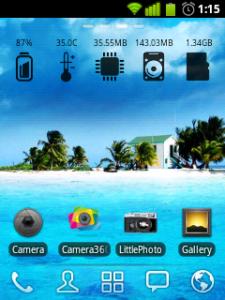


|
|
|
|
|
|
josenigel
|
Aug 24 2011, 08:37 PM
|
Getting Started
|
QUOTE(zam_changloon @ Aug 24 2011, 06:06 PM) I'm currently using Go Launcher Ex -v2.52.. Yes.. your home screen will not rotate even though you have enable Auto-rotate screen.. But it just for android setting.. You need to enable Screen Rotation through Go Launcher Ex also.. Go to preference/operation settings/tick the box "Screen Rotation".. Then ur home screen will rotate... I see u online but no reply when i message you.. Perhaps u're not on ur pc again... Tomorrow we'll chat...By the way... A lot of thing you can share inside your blog... Sharing is caring..  By the way... Thanks to alex for your advice... Finally i've successfully flashed to CM 7.1 v.1.2.. So far so good.. Look at my signature on the CPU setting. Is it save maintaining my current performance setting? Thx for the help, appreciate it  |
|
|
|
|
|
josenigel
|
Aug 24 2011, 08:49 PM
|
Getting Started
|
QUOTE(alexysc @ Aug 24 2011, 08:39 PM) Hey, Curiouso, I didn't realized that that's your blog till I saw zam asking you.  That's great! Formerly I have a few blogs, but due to my work schedules, I discontinued writing...  . Maybe someday I'll start again.... When I have the time, I'll definitely visit your site..... .... and Hi Folks, I'm glad be able to help.... that's what friends are for..... sharing and helping.... right? Hi alex Hey, have you guys tried the "[CM7 Theme Chooser]NTSense - Sense for CM7!!!" from XDA? http://forum.xda-developers.com/showthread.php?t=970459I like the NTSense Blue This post has been edited by josenigel: Aug 24 2011, 08:53 PM |
|
|
|
|
|
josenigel
|
Aug 29 2011, 11:42 PM
|
Getting Started
|
hi alex, shld we select the auto link to sd in link2sd? u think its best to restore back without the fix? thx alex
|
|
|
|
|
|
josenigel
|
Aug 29 2011, 11:56 PM
|
Getting Started
|
QUOTE(alexysc @ Aug 29 2011, 11:49 PM) Yes, select the auto link. It's up to you whether to use the hotfix or not. But if you want to install the hotfix, the simple solution is to : 1) restore back to v.1.2 (without hotfix1) 2) install hotfix1 3) download link2sd. alright, as always thx alex |
|
|
|
|
|
josenigel
|
Aug 30 2011, 12:02 AM
|
Getting Started
|
currently, i followed your guide and this is the result. 
btw...Selamat Hari Raya to all Muslim forumers  This post has been edited by josenigel: Aug 30 2011, 12:04 AM This post has been edited by josenigel: Aug 30 2011, 12:04 AM |
|
|
|
|
|
josenigel
|
Aug 30 2011, 12:18 AM
|
Getting Started
|
QUOTE(alexysc @ Aug 30 2011, 12:13 AM) Oh, ya...did you uninstalled the S2E? The auto link settings in L2SD is for newly installed apps. For previous apps which are already installed, you have to manually link them by opening L2SD, tap on the app > Create link. Whereas system apps cannot be linked. and also.... 'SELAMAT HARI RAYA AIDIL FITRI" to all Muslim forumers too.  ya only just un-installed S2E. ok, manually linking them now haha...thx again bro..happy holidays |
|
|
|
|



 Quote
Quote


 0.0495sec
 0.65
0.65
 7 queries
 GZIP Disabled