Outline ·
[ Standard ] ·
Linear+
Canon EOS thread V31, The White Knights
|
sam240
|
 Nov 17 2010, 12:28 PM Nov 17 2010, 12:28 PM
|

|
Model = 550D
Remote control = Meiko
When I press on remote control, it directly auto focus and take a photo.
How to enable it with remote control + timer?
Means, after I press on remote control, photo will take after few second (not directly).
Need some advise, thanks.
|
|
|
|
|
|
sam240
|
Nov 17 2010, 04:59 PM
|
|
|
QUOTE(pengster @ Nov 17 2010, 03:12 PM) Change your drive mode to 2 sec timer or 10 sec timer. It's that simple. I just try it, timer is working, but not working with remote control. One more thing, as normal timer, there are 2sec timer and custom timer (2sec-->10sec), but the custom will take continuous shooting. Question: 1) how to enable 10sec with one shoot? (by finger press on shutter button and IR remote control) 2) how to enable/set take photo with IR remote control with 2sec delay? Model = 550D IR Remote control = Meiko Anyone can help  |
|
|
|
|
|
sam240
|
Nov 17 2010, 09:14 PM
|
|
|
QUOTE(pengster @ Nov 17 2010, 07:05 PM) I have a Phottix IR trigger and a China cable trigger for my 5D Mark II, and it will take the delayed shot (2 or 10 seconds) as long as I choose the respective drive mode in my camera. Maybe your trigger isn't fully compatible?  oh really? My this Meiko IR trigger only remote directly to the body, do not come with cable trigger. Anyone has problem to trigger the shutter with delay timer? (with IR remote control)? Wondering why my this set cannot work. |
|
|
|
|
|
sam240
|
Nov 19 2010, 12:38 AM
|
|
|
QUOTE(vikingw2k @ Nov 18 2010, 05:37 PM) One street candid from my Taiwan trip. Was raining heavily and the night market closing down. » Click to show Spoiler - click again to hide... « Hi, just wondering did you focus to one point then move your camera then shoot? If yes, which area you focus to? nice shoot and timing  |
|
|
|
|
|
sam240
|
Nov 19 2010, 08:05 AM
|
|
|
QUOTE(-kytz- @ Nov 19 2010, 06:57 AM) I got my 550D with a nifty fifty, having "tahan" the past 1 week, imma desperate for 18mm  Plus, 18-55 has IS yo! Great for video recording  Hi, can the 18-55 IS can automatically focus on object/face when recording the HD movie? Need some advise on the recording movie on 550D, I failed to do that with Tamron 17-50. Thx. |
|
|
|
|
|
sam240
|
Nov 19 2010, 01:51 PM
|
|
|
QUOTE(azrinarizz @ Nov 19 2010, 09:02 AM) @goldfries: When he says automatically, I was thinking about Nikon's new feature. Autofocus will track the subject constantly. I never liked that feature. Always seem to absorb sound from the lens when it is focusing.  Can hear transformers sound when you play back the video. yeah, using Tamron 17-50, by half pressing and hold it, it really can continuous focus when recording video, but the problem is....the motor auto focusing is very noisy....anyone can let me know which len is cheap and more quite and suitable for recording video? can use 50mm f/1.8 to recording video?...is quiet USM and cheap one? But cannot zoom...haha... before i get this 550D, I don't notice it cannot auto-focus when recording video....little sad.... |
|
|
|
|
|
sam240
|
Nov 23 2010, 09:26 AM
|
|
|
QUOTE(-kytz- @ Nov 21 2010, 02:04 AM) Oh my! But...but... Di622 is only RM410 while 430EXII is around RM1K+ Got another choice YongNuo YN-468, support E-TTL. Detail: http://speedlights.net/2010/10/10/yongnuo-...8-flash-review/BTW, anyone using this YN-468 with your DSLR? Appreciate if you can share your experience / comment. Planning to get one YN-468 and then maybe later will use as off camera after get 580EX II. Thanks. |
|
|
|
|
|
sam240
|
Nov 23 2010, 01:13 PM
|
|
|
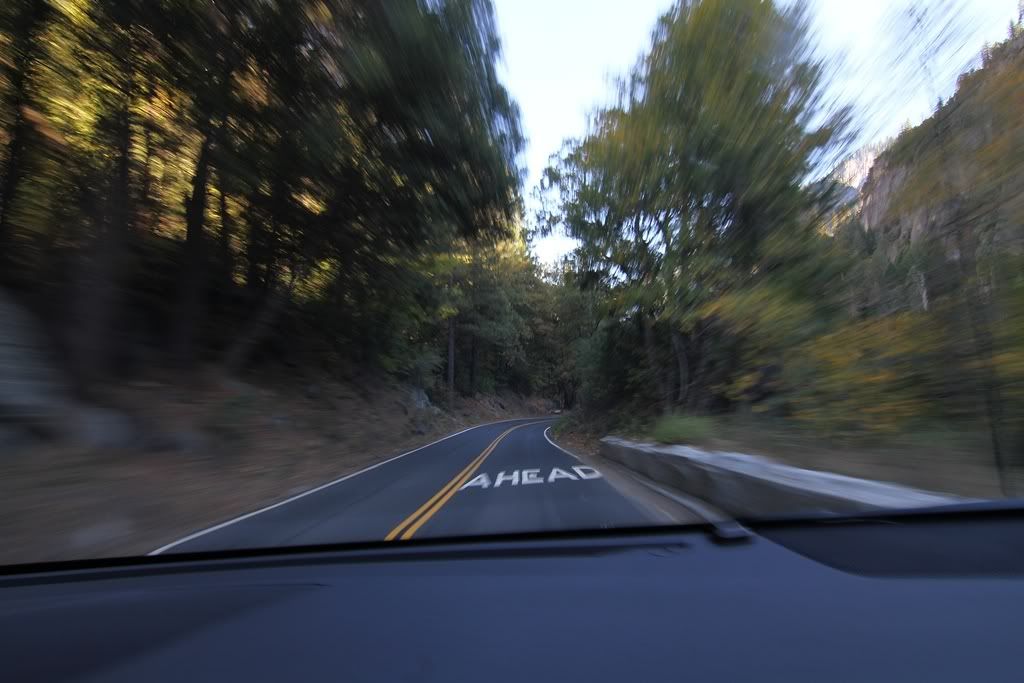
QUOTE(jaycee1 @ Nov 22 2010, 10:17 PM) Yosemite National Park The best part. The Driving. » Click to show Spoiler - click again to hide... « Hi Jaycee, how to shoot to get this effect? Wanna try on it myself. Appreciate if you can share for this, thanks. |
|
|
|
|
|
sam240
|
Nov 24 2010, 05:53 AM
|
|
|
QUOTE(jaycee1 @ Nov 23 2010, 06:05 PM) TV mode, Slow shutter speed. Match speed of moving car. Spam. Takes practice. I just looked up my exif. I went down to 1/10...the faster the car, the faster the shutter speed can be to get the effect. ok, noted and thanks. will try for it one day  |
|
|
|
|
|
sam240
|
Nov 24 2010, 10:52 PM
|
|
|
 2sec is for 2sec timer, but what is "C"? I set to 10, then it countdown 10sec then shoot about 18 or 20pcs pictures. where is the standard 10sec take 1 photo only? where is the detail setting as I cannot find it. and I'm using IR remote control (Meiko), choose the remote timer (number 3 from left), no response, how to take photo with timer when using IR remote control? Model = 550D |
|
|
|
|
|
sam240
|
Nov 25 2010, 06:03 AM
|
|
|
QUOTE(farscope @ Nov 24 2010, 10:59 PM) the 3rd 1 is actually the 10 sec timer.. oh really? then i need to test it. but why my IR remote control cannot trigger when I set on this mode (3rd)? for the "C", how to set the number of shooting within those second? |
|
|
|
|
|
sam240
|
Nov 25 2010, 09:04 AM
|
|
|
QUOTE(ckdenion @ Nov 25 2010, 09:02 AM) C means continuous shooting...nth to do wif timer... means if u set to 10 it will continuous take 10 photos even if u press n release d shutter button 1 time... oh, i test before, i set to "10", it take about 18-20 photos after countdown 10sec. I tot can set how many pictures will take after the countdown. |
|
|
|
|
|
sam240
|
Nov 27 2010, 10:40 AM
|
|
|
How to take a photo which ppl facing back to background in high lighting without fire flash and can take a natural lighting with all faces?
Need some guard newbie here.
Which model need to use? thx.
|
|
|
|
|
|
sam240
|
Nov 27 2010, 12:03 PM
|
|
|
QUOTE(ropt @ Nov 27 2010, 11:49 AM) Guys, what is the different between canon ef 35mm f1.4 and canon ef 50mm f1.2 ? When we need to use 35 ?when to use 50 ? when taking potrait, which one more suitable ? Thx for the feedback
Added on November 27, 2010, 11:51 amany model of camera for my opinion , i would go for dslr( cuz i only know that ) for canon EOS, you aim at a point, then lock the aiming, and move back and take the shot. Hi, sorry typo, not "model"....should be what "mode" to use  P...AV...TV...M oh, is using the AE lock? But I seem fail to lock it. Can guide me step-by-step how to use the AE lock (*)? Need do setting first? Thanks. |
|
|
|
|
|
sam240
|
Dec 1 2010, 06:19 PM
|
|
|
QUOTE(xk2 @ Nov 25 2010, 11:48 PM) This version only for 1.0.8 to upgrade? How about 1.0.7, any idea? |
|
|
|
|



 Quote
Quote


 0.0396sec
 1.08
1.08
 7 queries
 GZIP Disabled