QUOTE(nxfx @ Oct 8 2010, 12:08 AM)
can anyone help me to test.
I can't login to my web game using android default web browser.
After login it just show the login page again. No error displayed.
help me to troubleshoot.
go to www.piratewarfare.com
register and try to login if you can.
I have no ideal the webgame you mentioned
but Android does not support flash, so most of the game unable support
(Actually thats PC game, not smartphone game, smartphone unable run)
Added on October 8, 2010, 9:05 amQUOTE(techsavvyguy @ Oct 8 2010, 12:10 AM)
Is the a-GPS with navigation software good enough to be useful? Example, the screen size is not too small to be illegible when driving, screen brightness is bright enough in the car, available voice/audio turn-by-turn direction, hands-free, battery life not drained in few hours. In other words, it doesn't need a passenger to read it and tell the driver. If it's good enough, I'll consider this phone and it'll save quite a bit of not needing to buy a dedicated GPS navigator.
By the way, what is the recommended navigation software for this phone? Thanks in advance.
Screen size wont affect the navigation software, it still be able view clearly.
Papago come with voice(English,BM,mandarin,cantonese,hokien etc......). it will guide you turn-by-turn direction via phone's speaker
Yes, the battery life drain fast using gps, only be able stand for few hours, but for your info, the dedicated GPS also be able stand for few hours only, what your expect? anyway it can be solve if you bought a 3rd party car charger
Added on October 8, 2010, 9:07 amQUOTE(Moon0126 @ Oct 8 2010, 12:30 AM)
papago x5 ^^ but i still cant manage to apply map to the app ^^ shame~

The Papago X5 i gave you is automatic match the map...........
just extract the Navisea folder into SD card
root directorythen install the apk......done
This post has been edited by StupidGuyPlayComp: Oct 8 2010, 09:08 AM 

 Oct 8 2010, 12:08 AM


 Quote
Quote





 Yes, my phone show the first day is Sunday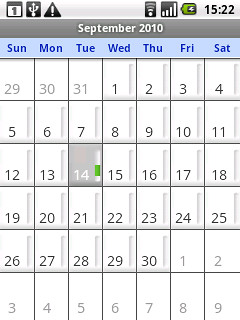
 We no need worry about whether froyo for Galaxy 5 ..........someone in china already success with Galaxy 5 using apps2sd
 0.0295sec
 0.21
0.21
 6 queries
 GZIP Disabled