Welcome Guest ( Log In | Register )

Outline · [ Standard ] · Linear+

Home Networking N Router By Asus RTN-66U / Asus RTN-16 / RT-N56U, Asus RT-N Series Supported Unifi

views
     
klseet
post Nov 5 2011, 03:56 PM

Getting Started
**
Junior Member
130 posts

Joined: Mar 2008
RT-N13U-B1 UniFi users

http://klseet.com/index.php?option=com_con...id=74&Itemid=70

A revised beta firmware has just been released, accordingly to ASUS engineer, they've fixed quite some bugs/issues including the wireless, they've tested over in Taiwan without vlan tagging, now we have to test based on our vlan-UniFi.

I'm using & testing since this morning, so far so good.
As I'm quite busy & may not online frequently, appreciate others can help to test this out.
Please email me klseet@gmail.com to confirm whether it's ok or any major issue encounter.

Again, this model is for normal usage, it is not design for heavy torrenting freak, please don't expect it will run & behave like those RT-N56U & RT-N16 higher range models, they are different league. nod.gif

For others including RT-N16, TL-WR1043ND, etc ... I've included the MD5 checksum, please check your downloaded beta firmware file with my site reference again.

Lately I noticed some rather unusual things happened on UniFi network, my routing got screw up even I'm on Google DNS. Also some files I downloaded from 4Shared are not consistent, on same source file, the MD5 checksum sometime correct but sometime incorrect.

That's the reason i ask you guys to re-check the beta firmware MD5 again which I've uploaded to 4Shared. No worry I've check & confirm the source file is correct. nod.gif

Also lately my VPN traffic routing also screw up, seem to go to Europe (particularly in France & UK), from there only goes to US. But SpeedTest detect I'm in UK, even the GeoIP & the VPN provider has confirmed that my VPN IP is in US-East, really don't know what's wrong with UniFi backend .... rclxub.gif
klseet
post Nov 7 2011, 10:32 PM

Getting Started
**
Junior Member
130 posts

Joined: Mar 2008
QUOTE(klseet @ Nov 5 2011, 03:56 PM)
RT-N13U-B1 UniFi users

http://klseet.com/index.php?option=com_con...id=74&Itemid=70

A revised beta firmware has just been released, accordingly to ASUS engineer, they've fixed quite some bugs/issues including the wireless, they've tested over in Taiwan without vlan tagging, now we have to test based on our vlan-UniFi.
...
RT-N13U-B1 UniFi beta firmware 2.0.2.5g test result:
http://klseet.com/index.php?option=com_con...=118&Itemid=109

with primary test on torrenting wirelessly, after more than 2 days testing over the weekend, 33GB downloaded & 38GB uploaded, NO disconnection/hang/hiccup issues at all, still running now, but I don't have things to download liao ... sweat.gif

This beta firmware is good, better than those previously released for this device. nod.gif

QUOTE(raist86 @ Nov 6 2011, 02:45 PM)
updated to RT-N13U.RB_2.0.2.5g firmware.. seems that the disconnection issue is more frequent with this firmware. Used to be once a day the router will hang.. now it's more frequent.. around few hours.
*
1. Check the bottom of your router, make sure push it to set as "Router" mode
2. check the downloaded firmware's MD5
3. clear your all browser caches
4. MUST perform factory restore, BEFORE & AFTER flashing the firmware
5. DO NOT connect any WAN cable during flash & setup, use wired LAN2/3, NOT wireless

If for whatever reason your device is brick or corrupted, use Firmware Restoration to rescue:
http://klseet.com/index.php?option=com_con...id=79&Itemid=75

It should work just fine. nod.gif

QUOTE(vickyrao @ Nov 7 2011, 05:06 PM)
hi guys... i was using 2.0.2.0 on my rt-n16u. then found the 2.0.2.5 from klseet site... tried to upgrade firmware and i think its bricked now. no access to it at all. power light is blinking. tried all the manual hard reset methods and it failed. any idea how to get this fixed?
*
I suppose you mean RT-N13U-B1, please see above.
klseet
post Nov 8 2011, 12:21 AM

Getting Started
**
Junior Member
130 posts

Joined: Mar 2008
Strange, I have 2 units of RT-N13U-B1, I've been playing & messing around to/fro those beta firmwares, even to/fro DD-WRT, all without any problem. Whenever it brick, I always use Firmware Restoration process to return back to any ASUS firmware I want it to be, I'm using Win7 Pro 32Bit & WinXP. nod.gif

If you confirm your unit is RT-N13U-B1 and still unable to Firmware Restoration, I suggest you RMA with ASUS. No worry, it's still cover even you brick it by flashing the UniFi beta firmware.

Good luck!
klseet
post Nov 10 2011, 12:08 AM

Getting Started
**
Junior Member
130 posts

Joined: Mar 2008
Attached Image
More than 4 days liao, still kicking alive .... flex.gif

Attached Image
and still torrenting wirelessly at full speed ..... flex.gif
I'm running out things to download, I even double-download again .... sweat.gif

QUOTE(-ahtiang- @ Nov 9 2011, 09:21 PM)
hmm... 4shared download is a bit slow for the firmware, perhaps maybe my end only... sad.gif
*
Attached Image
Just test, it's indeed very slow...
In fact, I noticed all internet direct download is extremely slow, but torrent still can full speed .... hmm.gif
Something must be wrong at TM back-end .... doh.gif

Anywhere, you may email me: klseet@gmail.com
so i'll send the firmware to you nod.gif
klseet
post Nov 18 2011, 07:56 PM

Getting Started
**
Junior Member
130 posts

Joined: Mar 2008
QUOTE(vergas @ Nov 18 2011, 12:08 AM)
RT-N13U.RB_2.0.2.5g, more than 5 days already, so I guess confirm its working properly now. rclxms.gif
*
Mine also more than 5 days until nothing to download ..... tongue.gif
klseet
post Nov 18 2011, 08:07 PM

Getting Started
**
Junior Member
130 posts

Joined: Mar 2008
QUOTE(natzakaria @ Nov 14 2011, 11:13 AM)
Gurus

I have flashed the N13 to DD-WRT but I seem to get intermittent internet access.
What is the procedure to revert back to ASUS firmware?
Can anyone suggest a router with VPN support as that was the reason why I flashed to DD-WRT in the first place
*
If you want a DD-WRT router on UniFi with the capability of 3rd party VPN loaded, you may try OverPlay:
https://overplay.net/

They have a package for DD-WRT routers, quite easy to setup though:
https://overplay.net/setup.php

Sometime ago I tested on a <RM50 Atheros router, didn't publish as it's prototype, you may refer to:
http://klseet.com/index.php?option=com_con...=article&id=105

I remembered there were some kind of memory leak issue after few days, I'm not sure whether it's the DD-WRT builds and/or the OP package, no time to check also .....

Test at your own risk !

This post has been edited by klseet: Nov 18 2011, 08:08 PM
klseet
post Nov 21 2011, 10:45 PM

Getting Started
**
Junior Member
130 posts

Joined: Mar 2008
QUOTE(zack8373 @ Nov 19 2011, 03:07 PM)
Firmware 9.22.2.37 - rt n16
After 3 day using my router keep disconnecting.. Can't connect wireless asus router page through laptop. ..
I didn't have such issues on my last test, please read through the following detail to clean flash again:
http://klseet.com/index.php?option=com_con...id=84&Itemid=79

Setup may refer to the RT-N12-B1:
http://klseet.com/index.php?option=com_con...=125&Itemid=112
(Try not to use QoS on RT-N16)

Anywhere, I'm pulling out my RT-N16 again will find some time to test further smile.gif

QUOTE(vergas @ Nov 21 2011, 06:48 PM)
Did you use the IPTV as well? ...
Yes, I did, my IPTV is setup at dining area, mostly watching news, always on it whenever if we have meal & drinks. nod.gif

I do notice of lately occasionally the IPTV will break-off a while then comes back, or sometime it will freeze for few seconds (especially 122 & 123 news) while other channels are ok, really not sure what's wrong ....

Anywhere the router didn't hang even there was some glitch on the IPTV.

This post has been edited by klseet: Nov 22 2011, 01:32 AM
klseet
post Nov 22 2011, 09:00 PM

Getting Started
**
Junior Member
130 posts

Joined: Mar 2008
RT-N16
Attached Image
Attached Image

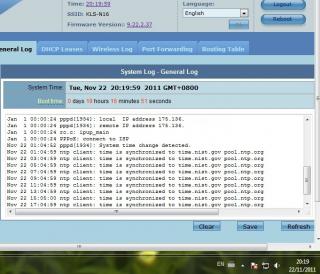
Started last night, just came back, so far so good, moderate wifi torrenting total down/up about 17/25 GB, just threw in another single file 13GB torrent ....

QUOTE(ericngai @ Nov 22 2011, 03:27 PM)
I am facing the same problem as well. My Asus RT-N16 keep on disconnect, and the only way to make it work is to reboot ....
QUOTE(soonsian @ Nov 22 2011, 07:50 PM)
I upgraded my firmware to RT-N13U.RB_2.0.2.5g. After 1 1/2 day. The router is not responding and have to power on off....
I really not sure what's wrong with you guys device, try to:
- check your downloaded beta firmware MD5
- refer & follow below detail steps to clean flash again:
http://klseet.com/index.php?option=com_con...id=84&Itemid=79
- setup may refer to:
http://klseet.com/index.php?option=com_con...=125&Itemid=112

- don't use the stock EzQoS or manual QoS
- try not to change or mess around the settings (if corrupt or become unstable, always perform Factory Restore again, then restore your last good setting)
- try not to keep the router logon session constantly on (login only when necessary, always clear browser cache, close & re-open new to login, avoid IE)

It should work just fine, good luck!

klseet
post Nov 26 2011, 12:55 AM

Getting Started
**
Junior Member
130 posts

Joined: Mar 2008
QUOTE(klseet @ Nov 22 2011, 09:00 PM)
RT-N16
Attached Image
Attached Image
Started last night, just came back, so far so good ...
More than 3days, no problem, same IP throughout nod.gif :
http://www.klseet.com/index.php?option=com...=128&Itemid=113

Again, please don't use any of the stock QoS on RT-N16, the current UI2.0 has issue, according to source, the up-coming new ASUSWRT UI has resolved this issue, be patient to wait for the release.
klseet
post Dec 15 2011, 12:15 AM

Getting Started
**
Junior Member
130 posts

Joined: Mar 2008
RT-N16 - New UI Released ! And it's UniFi supported !!

http://klseet.com/index.php?option=com_con...=130&Itemid=115
Thanks to ASUS team, you guys really rock !! notworthy.gif

Complete re-write QoS engine & Torrent Client --> now we have Transmission on it !! brows.gif

Attached Image
Attached Image
Attached Image

This post has been edited by klseet: Dec 15 2011, 12:21 AM
klseet
post Dec 15 2011, 08:43 AM

Getting Started
**
Junior Member
130 posts

Joined: Mar 2008
QUOTE(kokcheng99 @ Dec 15 2011, 01:17 AM)
...I follow all your intrusction and successfully patch the RT-N13U-B1 firmware to 2.0.2.5g but ... i having problem of the whole router will hang which mean i can not ping the router either connect using WIFI or LAN cable. The router just reply Request Timed Out when i ping it....
May I know how you "patch" the firmware?

Your problem sounds like bad flash, please follow the steps below to perform clean flash:
http://klseet.com/index.php?option=com_con...id=84&Itemid=79

Also remember to check the downloaded firmware MD5 checksum before flashing.

Setup steps may refer the following links:
http://klseet.com/index.php?option=com_con...id=77&Itemid=76
http://klseet.com/index.php?option=com_con...=125&Itemid=112

QUOTE(InSplre @ Dec 15 2011, 05:59 AM)
err, where to download and try?
Still testing & using it, will only post at least after 3 days of no issue and with ASUS's permission.
So far seem to be stable, if everything goes well, should be uploaded the new UI by this weekend, stay tuned !
klseet
post Dec 16 2011, 02:01 AM

Getting Started
**
Junior Member
130 posts

Joined: Mar 2008
QUOTE(barry80 @ Dec 15 2011, 07:29 PM)
..... flashed to dd-wrt (just to try out the dd-wrt interface) find out the 3g modem dongle function is gone doh.gif

now the problem is, the AFRT for rt-n13u-b1 utilities 4.1.3.9 no longer in the asus official site http://my.asus.com/Networks/Wireless_Route...TN13U/#download

where i can download it & revert back to default firmware?

[attachmentid=2587454]
*
Please note the DD-WRT on this device is still not really stable, especially on the USB features & functions.
There were few releases just this month alone, I haven't got time to test out yet ....

To restore your device, go download the latest utility & stock firmware from the official site:
http://my.asus.com/Networks/Wireless_Route...TN13U/#download

then use Firmware Restoration process to restore stock firmware:
http://klseet.com/index.php?option=com_con...id=79&Itemid=75
klseet
post Dec 21 2011, 12:26 AM

Getting Started
**
Junior Member
130 posts

Joined: Mar 2008
RT-N16 ASUSWRT 3.0.0.3.78
Now available at ASUS official site ! smile.gif
http://www.asus.com/Networks/Wireless_Rout...RTN16/#download

Accordingly to source, the DM should be more stable compare to the beta 3.0.0.3.74

QUOTE(vergas @ Dec 19 2011, 08:39 AM)
Cool!!! Looking forward for it to be release for RT-N13U B1. smile.gif ...
QUOTE(cosmicmeadow @ Dec 19 2011, 01:55 PM)
Same here, waiting for RT-N56U....
Already request, no news yet, RT-N56U likely nod.gif
I'm "fighting" for the RT-N13U-B1, hope they will put the same UI & DM onto it to fully utilise the USB, also as the alternate option for those who can't afford the RT-N16 ....

QUOTE(cbsim @ Dec 19 2011, 05:14 PM)
ASUS RT-N16 Firmware Version:3.0.0.3.74
... Wireless performance drop from 300Mbps to 100+Mbps ...
May I know what's your actual transfer rate (MB/s)?

I personally don't trust those Mbps as advertised/shown, I always test it physically by copying huge file (at least few GB) from my NAS wirelessly.

For the RT-N16, so far I have no problem getting 8~8.8MB/s, from previous to the current new ASUSWRT firmware. At this moment, the RT-N16 it's the highest I've ever tested so far on 2.4GHz spectrum, this ASUS device with Broadcom BCM47xx really powerful .... sweat.gif

Assuming you've clean flashed, try to check your wifi settings again, eg, keep channel at least 5 away from those closest wifi spot, Enable Burst, etc ....

QUOTE(InSplre @ Dec 19 2011, 09:48 PM)
One more issue is, when add torrent to dm, always say, failed to add without any reason.
*
QUOTE(mamasos @ Dec 19 2011, 10:01 PM)
After restore back to old version, utorrent is flying again.
*
I have no such issues, I setup the DM as follows:

Assign a TCP port for Torrenting, use higher port say 56789, PortForward it to the device's IP, say 192.168.1.1
Attached Image

BT setup, usually I prefer to set limit
Attached Image

no problem Torrenting, even a 15GB HD movie! (no download if poor seeding or no peers)
Attached Image


Again, try to clean flash again before setup:
http://klseet.com/index.php?option=com_con...id=84&Itemid=79
it should work just fine!

QUOTE(peter32 @ Dec 20 2011, 07:34 PM)
....But there is one thing I cannot get it right is the port forwarding features.  I have the same port forwarding setting with the old 615 router with no problem.  But no matter how I do it, I don't seem to be able to get the router enabled the port forwarding....
What are you trying to PortFoward? And exactly how did you setup? Pictures may help to understand better....

For those routers I've tested, including ASUS brand, I always setup some PortForward as I have couple of things running behind the router. So far I have no issue on ASUS routers & firmwares.

You may refer the above PortForward for some idea.
klseet
post Dec 21 2011, 12:52 AM

Getting Started
**
Junior Member
130 posts

Joined: Mar 2008
The only thing really mind-boggling me it's the traffic statistic:
Attached Image

I admit I'm heavy user, but I really doubt the figures as shown .... sweat.gif
klseet
post Feb 25 2012, 09:53 PM

Getting Started
**
Junior Member
130 posts

Joined: Mar 2008
Please see here for some update:
http://forum.lowyat.net/index.php?showtopi...post&p=49254958

ASUS RT-N16
- use either FW 3.0.0.3.84 (from official site) or .74 (from my site)
- the latest .94 & .96 have some issues including IPTV, already reported, waiting for fixes, hopefully next release.
klseet
post Mar 16 2012, 11:05 AM

Getting Started
**
Junior Member
130 posts

Joined: Mar 2008
Was doing some quick test last weekend the latest DD-WRT released (based on kernel 3.2) on RT-N13U-B1:
ftp://dd-wrt.com/others/eko/BrainSlayer-V24-preSP2/2012/
(WARNING: read BrainSlayer's readme file !)

Vlan.500 internet working (no vlan.600 for IPTV)
and the wireless performance seem to improve:
Attached Image
Attached Image
klseet
post Aug 1 2012, 09:03 PM

Getting Started
**
Junior Member
130 posts

Joined: Mar 2008
Recently over the weekend tested the Dark Knight (RT-N66U-B1) with latest FW3.0.0.3.162 on my UniFi-VIP5:
http://www.klseet.com/index.php/asus/asus-rt-n66u-b1
more than 4 days no problem at all!

Also bridge it (Ethernet mode) to the Pyramid (EA-N66) FW 1.0.1.6d :
http://www.klseet.com/index.php/asus/asus-ea-n66

The RT-N66U + EA-N66 combination result --> easily hit over 22MB/s wireless transfer rate, impressive! thumbup.gif

However, I still believe it can perform better/faster, I'm wondering whether there is any limitation on my existing laptop/NAS/network setup ..... hmm.gif
klseet
post Aug 1 2012, 09:24 PM

Getting Started
**
Junior Member
130 posts

Joined: Mar 2008
Look at past few pages seem like there are lots of RT-N13U-B1 users having problem....

Have not been playing with the N13 for a long time, few weeks ago I just flashed it to dd-wrt r19342:
ftp://dd-wrt.com/others/eko/BrainSlayer-V.../Asus-RTN13UB1/
and make it a standalone Transmission:
http://klseet.com/index.php/asus-ddwrt/rt-...aretransmission

The r19342 really make optware+Transmission installation much easier!

At first I thought the device sure dead/crash if torrenting gao-gao since it's only 64MB (I didn't configure any Swap as stock dd-wrt does not support it), however it's still kicking alive despite hundres of GB down/up-load ! sweat.gif

When running the Transmission, the CPU almost full load with less than 10% mem left, but it will still running until completed the download.

I remembered also tested the vlan2.500 on r19342 and it's working also.

So this might be another option for RT-N13-B1 user to consider.
If you decided to install Optware+Transmission, just make sure you start torrent only when no one using the internet, otherwise the hungry Transmission will eat all the CPU+mem !

As for IPTV, try to login the DIR-615, either disable the vlan.500 interface or set it to dial manual.
Then connect it to the modem's port2, should be able to watch IPTV via the DIR-615 vlan.600 at LANport4.
klseet
post Aug 18 2012, 01:56 PM

Getting Started
**
Junior Member
130 posts

Joined: Mar 2008
QUOTE(eugene88 @ Aug 18 2012, 01:43 PM)
If flash DD-WRT download master still can use?
*
Nope.
The ASUS Download Master only works on stock firmware

See below if you want to flash RT-N13U-B1 to dd-wrt, complete with Optware+Transmission => then you can torrent gao-gao tongue.gif

QUOTE(klseet @ Aug 1 2012, 09:24 PM)
Look at past few pages seem like there are lots of RT-N13U-B1 users having problem....

Have not been playing with the N13 for a long time, few weeks ago I just flashed it to dd-wrt r19342:
ftp://dd-wrt.com/others/eko/BrainSlayer-V.../Asus-RTN13UB1/
and make it a standalone Transmission:
http://klseet.com/index.php/asus-ddwrt/rt-...aretransmission

The r19342 really make optware+Transmission installation much easier!

At first I thought the device sure dead/crash if torrenting gao-gao since it's only 64MB (I didn't configure any Swap as stock dd-wrt does not support it), however it's still kicking alive despite hundres of GB down/up-load !  sweat.gif

When running the Transmission, the CPU almost full load with less than 10% mem left, but it will still running until completed the download.

I remembered also tested the vlan2.500 on r19342 and it's working also.

So this might be another option for RT-N13-B1 user to consider.
If you decided to install Optware+Transmission, just make sure you start torrent only when no one using the internet, otherwise the hungry Transmission will eat all the CPU+mem !

As for IPTV, try to login the DIR-615, either disable the vlan.500 interface or set it to dial manual.
Then connect it to the modem's port2, should be able to watch IPTV via the DIR-615 vlan.600 at LANport4.
*
The above is my setup to use the RT-N13U-B1 as standalone downloader only, I don't use it for RG (router gateway).

RT-N13U-B1 uses the same chip like the DIR-615 & WHR-G300N, but it has double the ram size.
If you want to setup as RG with PPPoE vlan2.500, you may refer to this:
http://klseet.com/index.php/dd-wrt-for-uni...tagging-example


This post has been edited by klseet: Aug 18 2012, 02:08 PM
klseet
post Aug 18 2012, 02:57 PM

Getting Started
**
Junior Member
130 posts

Joined: Mar 2008
Wah, read past few pages, seem to see lots of N13 users have big problem with stock firmware ....

I remembered around end of last year I received quite some emails & PMs on the N13 stock firmware, so I did some testings, my last 2 testings (on my HG850a) was:
FW8.22.2.3
FW2.0.2.5g

Generally I'll test at least 2~5 days, but I did not encounter such frequent daily dc/hang situation.
After that I don't really test or play with the N13 anymore.

I remember normally this is how I flash & setup the N13 stock firmware:
- only connect 1 cable to N13's LANport, NO wifi NO WAN connection
- Restore Factory default both before & after flashing
- always use Firmware Restoration procedure (I do notice the N13 will become unstable later if flashing too frequently using webgui)
- always setup manually, never use the CD or wizard
- on WAN setup, ensure to disable the UPnP
- on LAN setup, change the default IP (say to 192.168.0.1)
- on DHCP, put smaller range (say 192.168.0.101~199), ALWAYS enter the Default Gateway IP (say 192.168.0.1)

On WiFi:
- use Auto mode
- diable the WPS
- enter a channel number (eg, 6 or 11)
- use 20Mhz only
- use auto WPA/WPA2 with TKIP+AES
- don't use TX-burst
(Important: once setup the wifi, try not to mess around or even visit the webgui page again)

On the QoS/EzQoS: DON'T use it! DON'T even touch it or visit the QoS webgui page!!!!

Except for the ASUSWRT, I noticed most stock ASUS (the one with green colour & the rather annoying small doctor) the QoS just won't work properly, it can cause the router to become unstable or become kuku ....

And once the setup is done, except going to the use PortFoward, try not to login the webgui too often.

So this is generally how I setup the N13 up to those last few FW mentioned earlier. In fact this is 1 of the toys which I've tested quite a lot of FWs & feedback to ASUS engineer team. I'm not sure what's the latest development as I have already flashed my N13 to dd-wrt with Transmission as download device only.

Oh btw, just to clarify, I DON'T work for or represent ASUS, those testings I've done is genuine result with print-screen, I have no intention to hide anything here, so please be gentle with me ya! sweat.gif

Anywhere, I'll try to find some time and might test the latest N13 FW later ....

Meanwhile, for those who have problem with the N13 may consider the dd-wrt option which I've posted above. smile.gif


To ASUS team or representatives who are reading this, seeing so many complaints here and potential RG market, honestly I would suggest ASUS Malaysia to seriously consider applying dedicated UniFi/Maxis/P1 (or any up-coming) lines to test those routers thoroughly on varous providers/equipments/vlans.

I believe this is the least a reputable & responsible manufacturer can do to maintain it's reputation continously. nod.gif


Everyone have a nice weekend and enjoy the up-coming Hari Raya holiday, cheers ! icon_rolleyes.gif


3 Pages < 1 2 3 >Top
 

Change to:
| Lo-Fi Version
0.0643sec    0.10    7 queries    GZIP Disabled
Time is now: 2nd December 2025 - 03:37 AM