Welcome Guest ( Log In | Register )

Bump Topic Topic Closed RSS Feed
9 Pages « < 5 6 7 8 9 >Bottom

Outline · [ Standard ] · Linear+

 July 2010 Desktops

views
     
v1c0d1n
post Jul 24 2010, 08:28 PM

Getting Started
**
Junior Member
97 posts

Joined: Mar 2010
» Click to show Spoiler - click again to hide... «
v1c0d1n
post Jul 24 2010, 08:36 PM

Getting Started
**
Junior Member
97 posts

Joined: Mar 2010
yesterday i use white today i use black.... hmmm unsure.gif


Attached thumbnail(s)
Attached Image
c2p
post Jul 24 2010, 09:39 PM

Casual
***
Junior Member
368 posts

Joined: Jun 2006
From: Somewhere past this setting sun...
QUOTE(G-17 @ Jul 24 2010, 04:09 AM)

Nice work. I wish I had something like that back when I used OSX (Tiger was my last)
Must have been quite a chore, considering how hard Apple have made customizing on OSX in recent years.
Current setup on my little netbook;

*
Well I think Apple's made it much tougher for IDK what reason, and frankly I miss shots like yours. It's hard to replicate those on OS X, and that's a shame.


EmperorScorpion
post Jul 25 2010, 10:38 AM

To get rich, you have to be making money while you're asleep
******
Senior Member
1,027 posts

Joined: Aug 2008
From: Money World Status:Looking For Money
QUOTE(GameFr3ak @ Jul 24 2010, 11:51 AM)
[attachmentid=1690903]

here ya go..
*
Wow thanks for sharing thumbup.gif .
Foolproof
post Jul 25 2010, 04:16 PM

New Member
*
Junior Member
28 posts

Joined: Aug 2008
user posted image

Never mod my desktop for months. Thinking of starting it later, just change the wallpaper for now.
V3nz
post Jul 25 2010, 09:02 PM

Chuck to teh rescue !!
*******
Senior Member
2,367 posts

Joined: Oct 2008
From: Penang / Selangor


QUOTE(Foolproof @ Jul 25 2010, 04:16 PM)
» Click to show Spoiler - click again to hide... «


Never mod my desktop for months. Thinking of starting it later, just change the wallpaper for now.
*
the wallpaper is amazing! rclxm9.gif

can share it? brows.gif tongue.gif
Foolproof
post Jul 25 2010, 10:03 PM

New Member
*
Junior Member
28 posts

Joined: Aug 2008
QUOTE(V3nz @ Jul 25 2010, 09:02 PM)
the wallpaper is amazing! rclxm9.gif

can share it? brows.gif  tongue.gif
*
http://vhm-alex.deviantart.com/art/Bloodbeat-169697450
V3nz
post Jul 26 2010, 02:22 AM

Chuck to teh rescue !!
*******
Senior Member
2,367 posts

Joined: Oct 2008
From: Penang / Selangor


QUOTE(Foolproof @ Jul 25 2010, 10:03 PM)
this is the wallie?

so,you juz change the background to white color isit? hmm.gif
G-17
post Jul 26 2010, 04:08 AM

Securely Paranoid
******
Senior Member
1,748 posts

Joined: Mar 2010
user posted image

Still a work in progress.... Haven't had time to make file manager tree-view pixmaps.
Also need to make a more suitable wallpaper. >_<
Foolproof
post Jul 26 2010, 10:17 AM

New Member
*
Junior Member
28 posts

Joined: Aug 2008
QUOTE(V3nz @ Jul 26 2010, 02:22 AM)
this is the wallie?

so,you juz change the background to white color isit? hmm.gif
*
Lets say your desktop resolution is 1600x1200. Create a 1600x1200 file in Photoshop with white background, paste the picture and adjust the position.
KenDiriwan
post Jul 26 2010, 10:55 AM


*******
Senior Member
2,277 posts

Joined: Sep 2007
From: It's a tarp


qwertasdfg


Attached thumbnail(s)
Attached Image
V3nz
post Jul 26 2010, 11:14 AM

Chuck to teh rescue !!
*******
Senior Member
2,367 posts

Joined: Oct 2008
From: Penang / Selangor


QUOTE(Foolproof @ Jul 26 2010, 10:17 AM)
Lets say your desktop resolution is 1600x1200. Create a 1600x1200 file in Photoshop with white background, paste the picture and adjust the position.
*
haha,nice idea! thumbup.gif

i'll try and see,thank you!
v1c0d1n
post Jul 26 2010, 12:32 PM

Getting Started
**
Junior Member
97 posts

Joined: Mar 2010
QUOTE(G-17 @ Jul 26 2010, 04:08 AM)
user posted image

Still a work in progress.... Haven't had time to make file manager tree-view pixmaps.
Also need to make a more suitable wallpaper. >_<
*
damn linux is so cool man...can you teach me how to use it...? btw that is a very white theme...
whatla
post Jul 26 2010, 08:48 PM

New Member
*
Junior Member
33 posts

Joined: May 2009
user posted image


New comer here =)
Spent 15 mins on rainmeter to customize my desktop...
v1c0d1n
post Jul 26 2010, 09:22 PM

Getting Started
**
Junior Member
97 posts

Joined: Mar 2010
QUOTE(whatla @ Jul 26 2010, 08:48 PM)
user posted image
New comer here =)
Spent 15 mins on rainmeter to customize my desktop...
*
good one actually i like the glowing blue on that theme thumbup.gif
G-17
post Jul 27 2010, 01:07 AM

Securely Paranoid
******
Senior Member
1,748 posts

Joined: Mar 2010
QUOTE(v1c0d1n @ Jul 26 2010, 12:32 PM)
damn linux is so cool man...can you teach me how to use it...? btw that is a very white theme...
*
Yeah, sorry about the blinding brightness. I toned it down a bit in this updated version
user posted image


Added on July 27, 2010, 1:07 am@v1c0d1n

As for your Linux question;
Linux distros like Ubuntu or Mint aren't really that hard to learn. Just head over to the website (Ubuntu for example), read the instructions, download and burn the .iso file, install (you can install alongside windows, the installer should have an auto option for that). You can also read one of the many Ubuntu guides available online, like http://ubuntuguide.org or visit the forums.

I suggest you avoid the more advanced distros like Debian, Arch or Slackware for now, since these require quite a bit of configuring and prior Linux experience.

Try learning Ubuntu and it's default Gnome environment first. There are also other deskkop environments available for Ubuntu, like KDE and XFCE, both of which are available in the repositories (you'll know the meaning of repositories once you use Linux/Ubuntu). Then, after you've familiarized yourself and want to try out a standalone window manager (like mine), I could gladly give you some assistance.

Feel free to ask if you need anything, but it would be better to start another thread or ask through PM, since the mods might not like this sort of discussion in the screenshots thread.

Cheers.

This post has been edited by G-17: Jul 27 2010, 01:10 AM
v1c0d1n
post Jul 27 2010, 01:26 AM

Getting Started
**
Junior Member
97 posts

Joined: Mar 2010
QUOTE(G-17 @ Jul 27 2010, 01:07 AM)
Yeah, sorry about the blinding brightness. I toned it down a bit in this updated version
user posted image


Added on July 27, 2010, 1:07 am@v1c0d1n

As for your Linux question;
Linux distros like Ubuntu or Mint aren't really that hard to learn. Just head over to the website (Ubuntu for example), read the instructions, download and burn the .iso file, install (you can install alongside windows, the installer should have an auto option for that). You can also read one of the many Ubuntu guides available online, like http://ubuntuguide.org or visit the forums.

I suggest you avoid the more advanced distros like Debian, Arch or Slackware for now, since these require quite a bit of configuring and prior Linux experience.

Try learning Ubuntu and it's default Gnome environment first. There are also other deskkop environments available for Ubuntu, like KDE and XFCE, both of which are available in the repositories (you'll know the meaning of repositories once you use Linux/Ubuntu). Then, after you've familiarized yourself and want to try out a standalone window manager (like mine), I could gladly give you some assistance.

Feel free to ask if you need anything, but it would be better to start another thread or ask through PM, since the mods might not like this sort of discussion in the screenshots thread.

Cheers.
*
hey man you've been quite a helpy hand thx man...
amalost
post Jul 27 2010, 01:34 AM

Enthusiast
*****
Senior Member
798 posts

Joined: Nov 2006
From: ~~dont remember~~


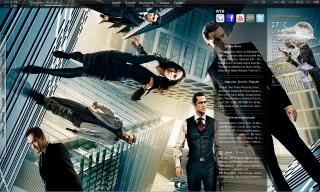
Hi, just wanna share my desktop for the month of "Inception" laugh.gif

Desktop July 2010

This post has been edited by amalost: Jul 27 2010, 01:38 AM


Attached thumbnail(s)
Attached Image
ArianneG
post Jul 27 2010, 01:38 AM

Paidhi-tekikin
*****
Senior Member
890 posts

Joined: Oct 2009
From: Najidama Bay


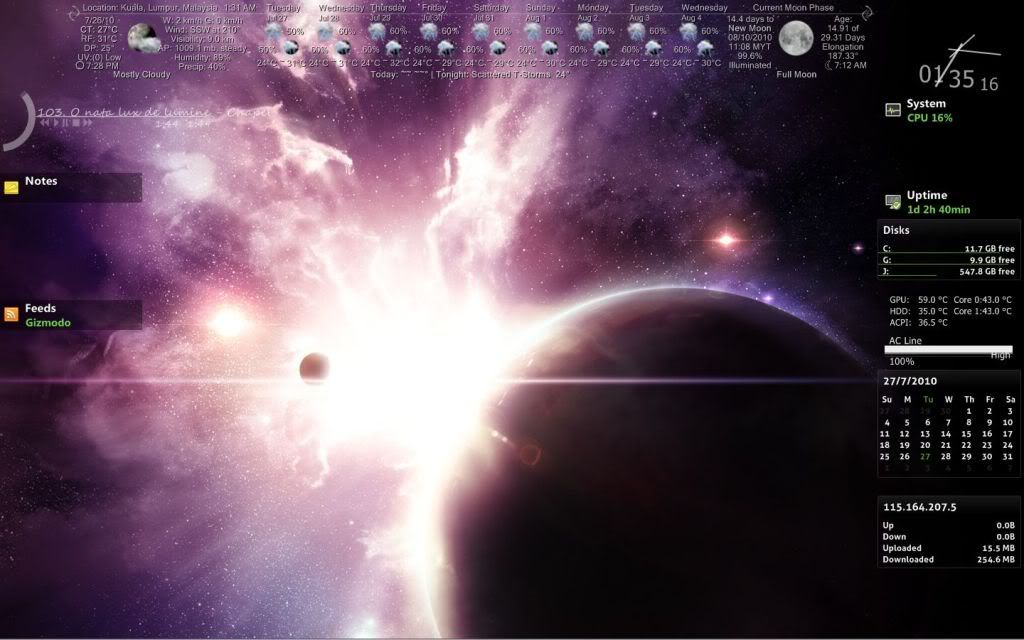
Current desktop #4 (Using Dexpot with 5 desktops), Rainmeter, Circle Dock (not visible). Comments, suggestions for further additions or changes highly welcomed:

user posted image

This post has been edited by ArianneG: Jul 27 2010, 01:40 AM
V3nz
post Jul 27 2010, 03:27 PM

Chuck to teh rescue !!
*******
Senior Member
2,367 posts

Joined: Oct 2008
From: Penang / Selangor


QUOTE(G-17 @ Jul 27 2010, 01:07 AM)
Yeah, sorry about the blinding brightness. I toned it down a bit in this updated version
» Click to show Spoiler - click again to hide... «


Added on July 27, 2010, 1:07 am@v1c0d1n

As for your Linux question;
Linux distros like Ubuntu or Mint aren't really that hard to learn. Just head over to the website (Ubuntu for example), read the instructions, download and burn the .iso file, install (you can install alongside windows, the installer should have an auto option for that). You can also read one of the many Ubuntu guides available online, like http://ubuntuguide.org or visit the forums.

I suggest you avoid the more advanced distros like Debian, Arch or Slackware for now, since these require quite a bit of configuring and prior Linux experience.

Try learning Ubuntu and it's default Gnome environment first. There are also other deskkop environments available for Ubuntu, like KDE and XFCE, both of which are available in the repositories (you'll know the meaning of repositories once you use Linux/Ubuntu). Then, after you've familiarized yourself and want to try out a standalone window manager (like mine), I could gladly give you some assistance.

Feel free to ask if you need anything, but it would be better to start another thread or ask through PM, since the mods might not like this sort of discussion in the screenshots thread.

Cheers.
*
Can share your wallie? brows.gif

9 Pages « < 5 6 7 8 9 >Top
Topic ClosedOptions
 

Change to:
| Lo-Fi Version
0.0253sec    0.30    6 queries    GZIP Disabled
Time is now: 5th December 2025 - 09:28 PM