Outline ·
[ Standard ] ·
Linear+
Streamyx The Official Streamyx 4Mbps Users Club V3, Streamyx 4 Mbps Discussion Thread Q&A
|
Smackers
|
 Jul 16 2010, 12:40 PM Jul 16 2010, 12:40 PM
|

|
Installer came by my place and activated the upgrade to 4mbps. He gave me a dlink dsl 2640B modem.how bout u guys?what modem did u guys get? Modem PicThis post has been edited by Smackers: Jul 16 2010, 12:41 PM |
|
|
|
|
|
Smackers
|
Jul 17 2010, 07:47 AM
|
|
|
Previously before the installer came by my place to activate the 4mbps upgrade,i always get 115.x.x.x IP. But somehow i noticed now that i'm getting 218.x.x.x and 219.x.x.x
|
|
|
|
|
|
Smackers
|
Jul 20 2010, 05:11 PM
|
|
|
My installer came by last friday to activate the upgrade from 1mbps (i get 2mbps) to 4mbps.But till today still at 2mbps.i informed my installer since yesterday and he told me he will change the port for me.But until now no changes. sigh~~~~~
|
|
|
|
|
|
Smackers
|
Jul 20 2010, 08:59 PM
|
|
|
QUOTE(milky @ Jul 20 2010, 05:51 PM) need to wait 2 to 3 working days to get from 1 mbps to 2mbps then towards 4mbps I called up the installer at 6pm and he said that even though he activated 4mbps in the system it seems that the Server had some system problems and now founded out what's the problem ady.He's pushing TM to solve the issue though he couldnt give a time frame. 
Added on July 20, 2010, 9:00 pmQUOTE(AmyDazz @ Jul 20 2010, 08:11 PM) Thanx..my housemates scare me off, because he said, whenever installer comes to your house we have to pay them. At least RM30. Let's say they insist on the money, what should we do? Even though we're charged for installation or activation fee,we always pay through our bill,not by cash.If they insist then you gotta ask for the installer's details and ask TM. This post has been edited by Smackers: Jul 20 2010, 09:00 PM |
|
|
|
|
|
Smackers
|
Jul 21 2010, 07:12 PM
|
|
|
Still no updates though my installer called me up to try to off and on back the modem.apparently TM is still "trying" to solve my issue.It's already been 6 days.
Added on July 21, 2010, 7:13 pmUpdate = Installer told me that DSLAM is down. wth???
This post has been edited by Smackers: Jul 21 2010, 07:13 PM
|
|
|
|
|
|
Smackers
|
Jul 22 2010, 01:05 PM
|
|
|
QUOTE(lgs @ Jul 21 2010, 08:22 PM) I have waited for 3 days and my 4Mbps still not up yet and I am still having my old speed, my installer tell me TM is still "trying" to resolve my issue as well, I wonder what issue can it be, change port also got problem  damn freaking sien sia..from last friday until now waiting for my 4mbps speed.my port changed oso no difference.dunno what freaking problem TM having. |
|
|
|
|
|
Smackers
|
Jul 22 2010, 07:17 PM
|
|
|
Installer told me that Wangsa Maju server currently having problems so that's why even though 4mbps activation is done through the SAMS the server isnt letting users surfing at 4mbps. They doing rectifications and upgrades on the server but no time frame yet for completion.SIGH!  My current details of my connection. 
And my current download speed on torrenting. 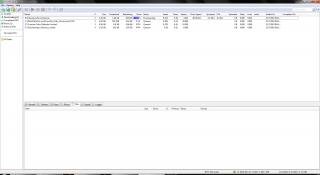
|
|
|
|
|
|
Smackers
|
Jul 22 2010, 08:34 PM
|
|
|
thanks for the email address.i'm giving TM tomorrow the last day to get my connection to 4mbps before resorting to other options.
|
|
|
|
|
|
Smackers
|
Jul 22 2010, 09:14 PM
|
|
|
Just lodged a complain to TM 100.At 1st a guy pick up my call then he transferred my call to another female staff.Conversation was fine until she started asking me to do a speed test and what operating system i'm using which prompts me to give a big piece of my mind to her.
She transferred my call to the "Apparently Advanced" technical department who are TOO BUSY at the moment to pick up my call after waiting on the line for 2minutes.Got a lousy report number and her name.She sounded like wanting to push me off the line.
Side note - She told me that 4mbps was activated on their system and 4mbps have their own division.
-Update- Finally i'm getting 4mbps.After some conversation with TM's advanced technical department,one of the staff will process something for me to get capped at 5mbps.
The staff told me that the premier IP range are 175.xxx / 218.xxx / 124.xxx which are mostly catered for 4mbps users.
This post has been edited by Smackers: Jul 23 2010, 05:43 PM
|
|
|
|
|
|
Smackers
|
Jul 26 2010, 05:46 PM
|
|
|
then u shud try upgrading to 5mbps. like this :  [attachmentid=1694451] |
|
|
|
|
|
Smackers
|
Jul 29 2010, 12:55 PM
|
|
|
i'm always on 218.xxx and no probs with it.
Ip numbers with 218 / 175 / 124 are Premium IPs catered usually for 4mbps users. The advanced technical department staff from TM told me this and if you're having problems with the IPs,u can be configured to be on normal IP range.
|
|
|
|
|
|
Smackers
|
Jul 29 2010, 07:40 PM
|
|
|
My usual ip on 218.xx which works well for me while torrenting wherelse on 175.xx a slight decrease of speed in it.If i were to be on 175.xx then i will just reboot the modem router to get 218.xx
|
|
|
|
|
|
Smackers
|
Jul 30 2010, 04:21 PM
|
|
|
Currently torrenting is like sh1t! i'm stuck at various speed 10kbps ~ 200kbps max.And it's not consistent.i'm on 218.111.xxx.xxx ip
|
|
|
|
|
|
Smackers
|
Jul 30 2010, 04:37 PM
|
|
|
MKV..sien sia...
|
|
|
|
|
|
Smackers
|
Jul 30 2010, 05:03 PM
|
|
|
i wonder how to rename on torrenting?
|
|
|
|
|
|
Smackers
|
Aug 10 2010, 03:59 PM
|
|
|
QUOTE(rsangel @ Aug 10 2010, 03:04 PM) I don't think those operators will understand when we speak too technically lol =_=" i second that big time.  |
|
|
|
|
|
Smackers
|
Mar 14 2011, 11:53 AM
|
|
|
is the wifi light at the modem on? if not,then enter ur modem page at 192.168.1.1 then see if the wifi option is on.
If it's on already,check ur desktop/laptop wireless adapter issit functioning.
|
|
|
|
|





 Quote
Quote


 0.0380sec
 0.91
0.91
 7 queries
 GZIP Disabled