

hahhaha, somehow the corrupted version with the lomo-ish color looks better
Photography The Sony Alpha Thread V37!, The Orange Legion
Photography The Sony Alpha Thread V37!, The Orange Legion
|
|
 Feb 24 2010, 10:53 PM Feb 24 2010, 10:53 PM
Return to original view | Post
#61
|
 
Elite
6,075 posts Joined: Jan 2006 From: 3.1553587,101.7135668  
|
hahhaha, somehow the corrupted version with the lomo-ish color looks better
|
|
|
|
|
|
Feb 24 2010, 11:26 PM
Return to original view | Post
#62
|
|
Elite
6,075 posts Joined: Jan 2006 From: 3.1553587,101.7135668
|
its a one that i DIY-ed... one side white, the other side gray. then put a velcro on it, hooks side on card, twirls side on flash. so it doubles as my bounce card
 Added on February 24, 2010, 11:27 pm  sorry, i was bored played around, 2nd attempt  This post has been edited by lwliam: Feb 25 2010, 12:03 AM |
|
|
Feb 25 2010, 12:54 AM
Return to original view | Post
#63
|
|
Elite
6,075 posts Joined: Jan 2006 From: 3.1553587,101.7135668
|
i wouldnt bet on it
|
|
|
Feb 25 2010, 02:31 AM
Return to original view | Post
#64
|
|
Elite
6,075 posts Joined: Jan 2006 From: 3.1553587,101.7135668
|
guys, you heard him... poison time!
» Click to show Spoiler - click again to hide... « This post has been edited by lwliam: Feb 25 2010, 02:32 AM |
|
|
Feb 25 2010, 02:51 AM
Return to original view | Post
#65
|
|
Elite
6,075 posts Joined: Jan 2006 From: 3.1553587,101.7135668
|
albnok, its in Bali. shot from 1st floor. either way, i could not crop more or less, if less, the trishaw on the right would be dangling half way without its wheel. any lower, the roof would be compromised. thats already 11mm. and any step back would mean including the railing.
 |
|
|
Feb 26 2010, 01:00 AM
Return to original view | Post
#66
|
|
Elite
6,075 posts Joined: Jan 2006 From: 3.1553587,101.7135668
|
QUOTE(albnok @ Feb 25 2010, 12:20 PM) Street TT! There is the SWPA Introduction To Travel & Street Photography Talk by Szetoo Weiwen at Galeri Petronas, KLCC this Sunday 28th February 2010. So we'll have a lunch TT before the talk, and after the talk we'll go street shooting as we should be fresh and inspired by the talk! What: Lunch TT, Street Photography Talk, Street Shooting Session Where: Center food court KLCC then Galeri Petronas KLCC When: 12 noon Sunday 28th February 2010 How Much: Free! Who: Itinerary: 12noon-2pm: Lunchtime TT at center food court in KLCC. The one below TGV Cinemas. 2pm-4pm: Street Photography Talk 4pm-4:30pm: See the SWPA (Sony World Photography Awards) Exhibition (if you haven't). 4:30pm onwards: Street shoot! I would rather we TT first, go for talk, get inspired, then street shoot, instead of street shoot (without the knowledge from the talk), go for talk, then TT, then the talk evaporates. Where will we street shoot? I have two route ideas: A) KLCC to Mandarin Oriental to Wisma UOA to Pavilion. B) KLCC to Zouk to Dang Wangi LRT (and maybe the back of St. John's Institution, if you want some cool vines). Put your preferred route in the list also! 1. albnok (bringing flash gels, Opteka 85mm F1.4, Peleng 8mm F3.5 circular fisheye and Vivitar 24mm F2.0) 2. zicron (route A) 3. finejava 4. Mo0 (80%) 5. RaplaJingga 6. strangex2 7. noprob (50%) 8. destfull 9. lwliam (will be joining for lunch right until after talk then need to chiao d) 10. To know where we'll be, contact me at:  You need to register for the talk. Details are here: http://www.alphanatics.com/viewtopic.php?f=9&t=14649 |
|
|
|
|
|
Feb 26 2010, 12:28 PM
Return to original view | Post
#67
|
|
Elite
6,075 posts Joined: Jan 2006 From: 3.1553587,101.7135668
|
Ksano: u do shoot macro quite a lot, go for SP90
|
|
|
Feb 27 2010, 12:34 PM
Return to original view | Post
#68
|
|
Elite
6,075 posts Joined: Jan 2006 From: 3.1553587,101.7135668
|
Mo0 ffk again?
|
|
|
Feb 28 2010, 02:56 AM
Return to original view | Post
#69
|
|
Elite
6,075 posts Joined: Jan 2006 From: 3.1553587,101.7135668
|
Went photoshooting this evening, sunset wasn't really there, quite cloudy
   |
|
|
Feb 28 2010, 10:52 AM
Return to original view | Post
#70
|
|
Elite
6,075 posts Joined: Jan 2006 From: 3.1553587,101.7135668
|
albnok: why crop the 1st? the flow seems ok, no? if you, how would you crop?
|
|
|
Feb 28 2010, 04:34 PM
Return to original view | Post
#71
|
|
Elite
6,075 posts Joined: Jan 2006 From: 3.1553587,101.7135668
|
achew got the F20 or the cobra?
Added on February 28, 2010, 4:37 pmbraindead_fr3ak: pm-ed you This post has been edited by lwliam: Feb 28 2010, 04:37 PM |
|
|
Feb 28 2010, 06:02 PM
Return to original view | Post
#72
|
|
Elite
6,075 posts Joined: Jan 2006 From: 3.1553587,101.7135668
|
eddy, the 12-24 is for FF and doesnt come cheap...
|
|
|
Feb 28 2010, 11:01 PM
Return to original view | Post
#73
|
|
Elite
6,075 posts Joined: Jan 2006 From: 3.1553587,101.7135668
|
shooting moon cant really use fast shutter up to 1/4000, what u get will be pitch black! wingster, please go try it out before giving advice.
use a tripod, midrange aperture and a low iso. and dont use the extreme ends of the zoom range. |
|
|
|
|
|
Feb 28 2010, 11:28 PM
Return to original view | Post
#74
|
|
Elite
6,075 posts Joined: Jan 2006 From: 3.1553587,101.7135668
|
QUOTE(kmarc @ Feb 28 2010, 11:06 PM) I see.... I guess now I know one limit of my lens..... that one is not a limit, what's limiting you is your creativity to unlimit yourself from what the standard is telling you. knowing facts of the gear u own is one thing, knowing how to push the gear you already own to squeeze the best out of it is another.  Added on February 28, 2010, 11:39 pm QUOTE(wingster @ Feb 28 2010, 11:28 PM) erm I just giving the advise of the fastest shutter speed can going through for A550 and I'm not saying for shooting the moon i seeThis post has been edited by lwliam: Feb 28 2010, 11:39 PM |
|
|
Mar 1 2010, 07:25 PM
Return to original view | Post
#75
|
|
Elite
6,075 posts Joined: Jan 2006 From: 3.1553587,101.7135668
|
QUOTE(junior5417 @ Mar 1 2010, 07:10 PM) How to Add photo Here? here, these links might be of use to you And what is the differance between Program Auto, Appreture, Shutter Speed And Munual on the mode dial?  http://digital-photography-school.com/lear...tal-photography http://www.all-things-photography.com/bett...hotography.html http://www.cambridgeincolour.com/tutorials.htm Added on March 1, 2010, 7:26 pmu can use imageshack.us to upload a pic then paste the direct link here with the [img] tag This post has been edited by lwliam: Mar 1 2010, 07:31 PM |
|
|
Mar 1 2010, 08:43 PM
Return to original view | Post
#76
|
|
Elite
6,075 posts Joined: Jan 2006 From: 3.1553587,101.7135668
|
QUOTE(mastering89 @ Mar 1 2010, 07:59 PM) i took this using Hoya R72 IR filter. how to make it like other people's nice IR shot T,,T wheeee, infrared used this setting » Click to show Spoiler - click again to hide... «   » Click to show Spoiler - click again to hide... « |
|
|
Mar 2 2010, 01:09 AM
Return to original view | Post
#77
|
|
Elite
6,075 posts Joined: Jan 2006 From: 3.1553587,101.7135668
|
QUOTE(junior5417 @ Mar 2 2010, 12:51 AM) Where to change it? I cant find it.. Isit under the Fn Button? i think its easier if you read the manual that comes with the camera 1st before asking. you at least need to know the basic and the buttons, or else you'd be lost when someone here tells u to press this, this and that.. learn how to operate your camera from the manual. it should be fairly easy to understand. And what are the differance between those flash? eg, rear,fill,wireless and so on... |
|
|
Mar 2 2010, 01:38 AM
Return to original view | Post
#78
|
|
Elite
6,075 posts Joined: Jan 2006 From: 3.1553587,101.7135668
|
QUOTE(mastering89 @ Mar 1 2010, 10:09 PM) how u pp woh!! i just made it into black and white adjusting the tones to taste, then played with the tones a bit to give it some simple colors using color balance. please teach me... |
|
|
Mar 3 2010, 06:24 AM
Return to original view | Post
#79
|
|
Elite
6,075 posts Joined: Jan 2006 From: 3.1553587,101.7135668
|
junior5417 : but do you know what's the purpose of turning the image-stabilizer off?
Added on March 3, 2010, 6:26 amdestfull: love your moving train shot. given a proper exposure and probably a direct side view, its gonna be a keeper. This post has been edited by lwliam: Mar 3 2010, 06:26 AM |
|
|
Mar 3 2010, 10:27 PM
Return to original view | Post
#80
|
|
Elite
6,075 posts Joined: Jan 2006 From: 3.1553587,101.7135668
|
QUOTE(destfull @ Mar 3 2010, 03:46 PM) @Moo - here you go.. in this case, i'd prefer the edited one, but if for me, instead of going lomo-color, i'd do it in black and white and also not to burn out the part on the right side's center. so you guys like real colors more than abstract? QUOTE(eddybeh @ Mar 3 2010, 08:59 PM) guys need some comments and suggestion to pp this photo... the white light at the back is too glaring... T.T i believe you're using your flash for this? what i normally do is take a reading of the background 1st (partial metering), then i'd put the values over to manual and let it stay that way, then control the flash's power to light up the subject, probably in this case, 1/16 would be enough do the job.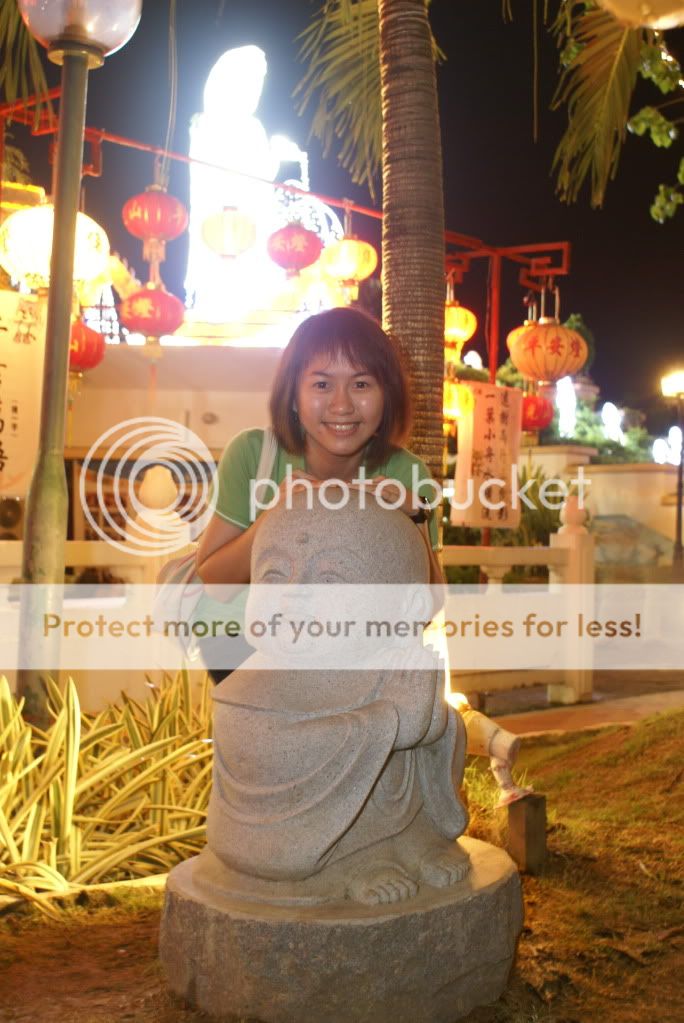 |
|
Topic ClosedOptions
|
| Change to: |  0.0457sec 0.0457sec
 0.24 0.24
 7 queries 7 queries
 GZIP Disabled GZIP Disabled
Time is now: 6th December 2025 - 12:10 AM |
 Quote
Quote

