QUOTE(Krovaxq @ Nov 13 2009, 02:08 PM)
Update:-
I still can't get my 4570 detected, so I jz go to BIOS(using 203, is upgrade recommended here?) and set display to dGPU...n rebooted, now ATIeXpress doesnt show anymore(I hate it anyway xD) and it is on 4570 now...
but 1 thing though...
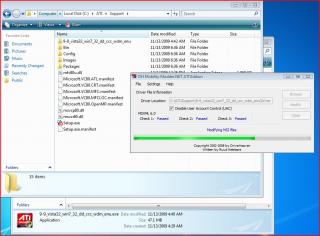
although I have downloaded from webbie, even at ati modder site, it appears that my driver isnt updated as some1 here claimed they have above 8.6...8.7..
Here's mine:-

Im using Vista 32bit, probably this is the latest? i am yet to try out the newly installed driver, will try with Borderlands/F.E.A.R see if there is any significant improvement

(currently sucking bad at Borderlands which I shouldnt, FPS drop even at 640x480, unbelieavable,hope my 1 night struggle worth it)
well.. my fren is having the same problem.. it seems like the bios 213 is the problem...
203 works for u right...
Added on November 13, 2009, 6:33 pmQUOTE(Muhammad Syukri @ Nov 13 2009, 03:28 PM)
damn im slowpoke king here,didnt know the latest driver from Asus already enable the ATI Power Express on Window 7 64 bit!
hmm?? u tried it out and it works?? anyone here??
Added on November 13, 2009, 6:41 pmQUOTE(Najmods @ Nov 13 2009, 10:42 AM)
As promised, here is the picture. The fan connector has 4 pins, you only need 2 wires.
Disconnect it from the fan header on the mobo, use a long thin cable with very thin conductor that can fit inside the fan connctor like picture below

You only need to connect the red to +5V and black to ground on USB ports. The USB port pinout can be found
here. Look at picture below how it connected to USB ports.

This entire thing is reversible of course, no cutting or soldering required on the fan connector so it won't void the warranty

hmm.. so meaning like this?? we have to get ourselves a small thin (conductor) cable??
and also.. we wont be able to cover the bottom edi lor..
This post has been edited by Batusai: Nov 13 2009, 06:41 PM 

 Nov 13 2009, 10:42 AM


 Quote
Quote











 0.0305sec
 0.60
0.60
 6 queries
 GZIP Disabled