guys... i just got the solution for scaling problem in windows 7 .. after googling for hour.. huhu

here the step for display scaling in windows 7 using ati radeon base GC...
please use driver from this website
http://www.donotargue.com/page.php?id=1104download the latest driver available
1. first uninstall you installed driver
2. start the installation using DNA.bat
3. that you will see a option like this.
[attachmentid=951016]
select option number 6 and wait untill it done.
4. reboot.
5 go back to DNA.bat and install option 9 for driver ReadyDriverPlus and use the default option.
6. open the resolution windows
7. Change your monitor resolution to 1280x768 or any res below the native one (Under Display Properties)
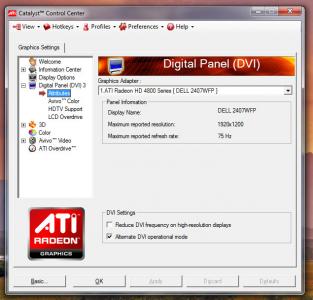
8. Open up ATI Control Panel
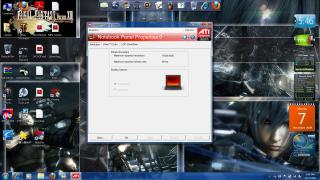
9. go to Notebook Panel Properties
10. select "Full Screen Scaling Options" (2nd option)
11. Click on the "Apply" button
12. In the confirmation window click "Apply"
13. Enjoy Full Screen Stretched For Games and Desktop

NOTE : im using ati mobility radeon HD 2300 and custom driver version 9.2 from do not argue (DNA)
for nvidia im not yet test this method cause i dont have any nvidia gc now.. but i think its quite similar..
try select "Use NVIDIA scaling with fixed-aspect ration" (2nd option)
hope this help you guys that have problem with games on windows 7..


[attachmentid=948883][attachmentid=948884][attachmentid=948885]
UPDATE ON SOLUTION FOR SCALING PROBLEM IN WINDOWS 7 USING NEWEST DRIVER FROM ATI ( version 9.9 and above)
1. Install the latest ATI driver from ati website
HERE and ATI Mobility Modder from
HERE[attachmentid=1251868]
2. Right click the desktop and click on the SCREEN RESOLUTION
[attachmentid=1251869]
3. Change you desktop resolution below your recommended screen resolution and click apply
[attachmentid=1251873]
4. open your ATI catalyst control panel, go to Desktop and display, and then, click on your display configuration.
[attachmentid=1251880]
5. at scaling option, select full screen and click apply and the click ok
[attachmentid=1251888]
6. after done, set back you screen resolution to the one that recomended
[attachmentid=1251889]
7. Enjoy you game at full sreen scaling..

i wan ask if i using dell studio 15 laptop and my grafic card is ati4570 also use this method to fix the problem??
or i need to dowload a new driver?if i use the new version of ati driver i need to choose which??


 May 22 2009, 11:53 AM


 Quote
Quote







 0.0188sec
 0.51
0.51
 6 queries
 GZIP Disabled