» Click to show Spoiler - click again to hide... «
Let's start...» Click to show Spoiler - click again to hide... «
 We can see at bottom of the right, Windows 7 Version is Build 7068.
» Click to show Spoiler - click again to hide... «
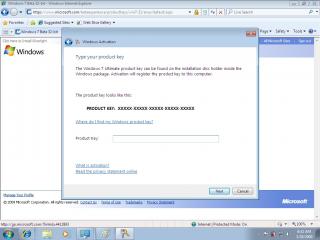
 We can active the Windows after installation. Use any beta key from Microsoft.
» Click to show Spoiler - click again to hide... «

 Windows Experience Index
» Click to show Spoiler - click again to hide... «
 Send Feedbak link had removed.
» Click to show Spoiler - click again to hide... «
 The Jump Lists. I like it much! New taskbar and start menu properties. And the new desktop gadgets, they are free (No more gadget bar)!
» Click to show Spoiler - click again to hide... «
 Drag shortcut to the dock!
» Click to show Spoiler - click again to hide... «

 Windows Media Player in cinema mode.
 Version info.
» Click to show Spoiler - click again to hide... «


 Get whatever drivers you need!
 Wish next Windows OS no need restart after update.
» Click to show Spoiler - click again to hide... «
Control Panel» Click to show Spoiler - click again to hide... «
Paint» Click to show Spoiler - click again to hide... «
My Computer» Click to show Spoiler - click again to hide... «
 Content view.
 Extra large icon
» Click to show Spoiler - click again to hide... «
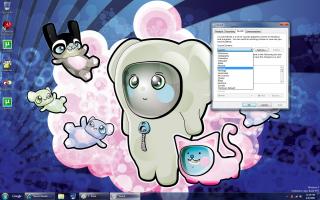
Personalization» Click to show Spoiler - click again to hide... «
 All new and fun!
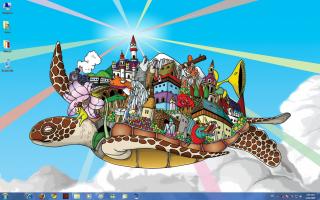
 New and fun wallpapers
» Click to show Spoiler - click again to hide... «
Architecture theme» Click to show Spoiler - click again to hide... «
There is still a lot of interesting place. If i found it, i will upload it as soon as possible!Microsoft Windows 7 Build 7077» Click to show Spoiler - click again to hide... «
System Information» Click to show Spoiler - click again to hide... «
Windows Explorer» Click to show Spoiler - click again to hide... «
My Computer» Click to show Spoiler - click again to hide... «
Windows Sound» Click to show Spoiler - click again to hide... «
Windows Media Player 12» Click to show Spoiler - click again to hide... «
Display Switcher» Click to show Spoiler - click again to hide... «
Web Browser with Tabs and Task Manager» Click to show Spoiler - click again to hide... «
Windows Media Center» Click to show Spoiler - click again to hide... «
On-Screen Keyboard» Click to show Spoiler - click again to hide... «
Control Panel» Click to show Spoiler - click again to hide... «
Pictures Library» Click to show Spoiler - click again to hide... «
Taskbar Top, Left and Right» Click to show Spoiler - click again to hide... «
Windows Experience Index» Click to show Spoiler - click again to hide... «
Improved Taskbar» Click to show Spoiler - click again to hide... «
Run -> Msconfig -> Ok -> Boot (Tab) -> Advanced Options -> Number of Processors and Maximum Memory» Click to show Spoiler - click again to hide... «
Games» Click to show Spoiler - click again to hide... «
Programs and Features» Click to show Spoiler - click again to hide... «
QoS - Limit Reservable Bandwidth» Click to show Spoiler - click again to hide... «


 Mar 26 2009, 07:39 PM, updated 17y ago


 Quote
Quote









 0.0346sec
 0.56
0.56
 6 queries
 GZIP Disabled