Welcome Guest ( Log In | Register )

Bump Topic Topic Closed RSS Feed

Outline · [ Standard ] · Linear+

  iPhone Club v8, Post iPhone News/Queries/HowTo

views
     
mangoman
post Nov 9 2008, 12:42 AM

Retired Member
****
Senior Member
560 posts

Joined: Oct 2005
From: Australia


Mr Cola, glad u like it. This is another joke from Garage Sales, it will make u laugh to tears. laugh.gif

http://forum.lowyat.net/topic/839958

The seller claims that it is an original iphone made from china, but when u see the specifications and dimensions compare to the original apple iphone, u will see there r so many differences. But what me LOL so hard is this:-

QUOTE(candicelkm @ Nov 9 2008, 03:05 AM)
Many people like Iphone these days but the price is very pricy in malaysia...
However, i have a supplier in china that supplies these Mac original Iphone at a lower price

» Click to show Spoiler - click again to hide... «
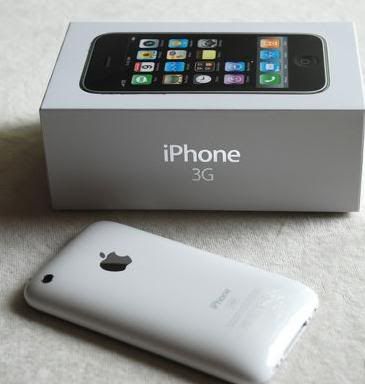

the function is...

Operating Frequency: GSM
Network Frequency: 900/1800/1900MHZ
Talk time: 200--280 minutes
Standby time: 200--320 hours
Time-to-market: 2008.01.12
This post has been edited by mangoman: Nov 9 2008, 12:48 AM
mangoman
post Nov 9 2008, 10:37 PM

Retired Member
****
Senior Member
560 posts

Joined: Oct 2005
From: Australia


yes, just make sure that u use the same itunes account in another computer. wink.gif
mangoman
post Nov 12 2008, 01:58 AM

Retired Member
****
Senior Member
560 posts

Joined: Oct 2005
From: Australia


Btw 1 advice to u guys, dun use Kate and Categories, it really stuffs up ur iphone. sweat.gif I have no choice but to use Categories coz i have too many apps. And also dun install Kate and Five Dock Icons at the same time coz it wont have any effect on the Five Dock Icons.
mangoman
post Nov 14 2008, 09:20 AM

Retired Member
****
Senior Member
560 posts

Joined: Oct 2005
From: Australia


QUOTE(=Hanxz= @ Nov 14 2008, 05:23 AM)
^lol

anyway do any of you guys know about any RSS applications? which is either from apps store or cydia?
*
Byline RSS app for iPhone gets new interface

by Peter Cohen, Macworld.com

Phantom Fish on Thursday announced the release of Byline 2.0, an update to its RSS newsreader software for the iPhone and iPod touch. It’s a free update, and costs $3.99 from the App Store.

Byline helps users stay abreast of the latest happenings on the Web by providing Really Simple Syndication support — you can subscribe to Web site RSS newsfeeds, then read the content offline from your iPhone or iPod touch.

The 2.0 release adds a new streamlined interface for browsing folders from Google Reader. Also new is a built-in Web browser for online and offline browsing, and the ability to create and share notes.

Source

I haven't tried that yet. tongue.gif
mangoman
post Nov 14 2008, 07:40 PM

Retired Member
****
Senior Member
560 posts

Joined: Oct 2005
From: Australia


QUOTE(wilsoncvt @ Nov 14 2008, 10:34 PM)
I see what you guys mean by annoying. Same questions over and over again eh...
*
Well not all users read all the iphone threads in the iphone section here so sometimes couldn't blame them as well. Just point them to the right thread. tongue.gif

This post has been edited by mangoman: Nov 14 2008, 09:26 PM
mangoman
post Nov 14 2008, 09:29 PM

Retired Member
****
Senior Member
560 posts

Joined: Oct 2005
From: Australia


QUOTE(wilsoncvt @ Nov 14 2008, 10:44 PM)
True but still. It is a sticky after all. I wonder how all the info in here is going to evolve to next though. It's still a bit hard to search for certain things. LOL at your avatar mangoman.. ouch
*
I know it hurts, so watch out next time when u pee. tongue.gif

Btw, fieldrunners developer has submitted updated version (1.1) to apple a few days ago, hope apple will approve it quickly, I am waiting for the updates! rclxms.gif
mangoman
post Nov 17 2008, 03:11 PM

Retired Member
****
Senior Member
560 posts

Joined: Oct 2005
From: Australia


From dev team blog,

QUOTE
Update warning!

Now for something a bit more serious,  we’ve explained about the pros and cons of applying Apple’s updates in the past and we’ve warned against the immediate installation of these updates without knowing what they do to your device.

This is indeed true of the iPhone 3G’s upcoming 2.2 release. Installing ‘2.2’ straight away on the iPhone 3G using the iTunes auto-updater could affect your chances of any software unlock in the near future (should one be found and released), so when you see an update in iTunes await our instructions first!

Please don’t blindly install the update and then complain about it later  ;-)


Source
mangoman
post Nov 17 2008, 11:07 PM

Retired Member
****
Senior Member
560 posts

Joined: Oct 2005
From: Australia


QUOTE(milky @ Nov 18 2008, 02:00 AM)
guys,
i got 2 question
1) from this link http://macthemes2.net/forum/viewtopic.php?id=16789820 i oledi DL the lock screen thingy.. but when i dl jor the calender notifier & put inside the themes there.. my lockscreen there got nothin but the battery charging itself..

2) from the picture below y is my celcom beside there got 1 circle is that normal ??
*
It is the GPRS logo. For ur 1st question, i dun have time to look at it yet, later after my exam.
mangoman
post Nov 18 2008, 09:39 AM

Retired Member
****
Senior Member
560 posts

Joined: Oct 2005
From: Australia


QUOTE(milky @ Nov 18 2008, 11:45 AM)
anybody got ideas for my question 1 ?
any ideas how to disable the gprs?
*
You can only disable 3G. GPRS will always be there unless u switch to airplane mode (in which it doesnt have network coverage as well). So as long as u dun open any app that uses internet connection then u wont be using ur GPRS. If there is a dot inside the circle, it means ur GPRS is active now, if there is no circle, it means it is inactive. And if u really want to turn off ur GPRS, 3G or edge, kindly edit the APN setting, just change to whatever u like, without a correct APN setting, so ur iphone cant online. But make sure u put in the correct setting if u want to use internet. Cheers. Btw generally we dun really answer iphone theme questions bcoz there r too many themes out there, unless one of the members here is using the same theme with u, then he might be able to help u.


Added on November 18, 2008, 9:41 am
QUOTE(zee77 @ Nov 18 2008, 02:30 AM)
Hi Sifus,

I am using official unlocked iPhone 3G, 16GB white. Just got 2 questions;

1. Does the phone download data using Wifi when it's turned on or does it still use 3G/EDGE? I am asking this because my maxis bill for Data has suddenly increased after using iPhone to RM400+!! Been playing a lot with the phone but most of the time I connect to Wifi.

*
When u turn on ur wifi and u r connected to ur wi-fi, u would be able to see the wi-fi icon on top left of ur screen, so theoretically speaking, it wont use GPRS and 3G.

This post has been edited by mangoman: Nov 18 2008, 09:41 AM
mangoman
post Nov 18 2008, 03:35 PM

Retired Member
****
Senior Member
560 posts

Joined: Oct 2005
From: Australia


QUOTE(Mike3300 @ Nov 18 2008, 04:40 PM)
The voice search is impressive, it works.  rclxms.gif
*
Really? I try a few times, it can't recognise my voice and didn't return me any result. sad.gif Guess my voice is too bad, worse than paris hilton. sad.gif
mangoman
post Nov 18 2008, 07:48 PM

Retired Member
****
Senior Member
560 posts

Joined: Oct 2005
From: Australia


I will cross my fingers waiting for more racing games. biggrin.gif
mangoman
post Nov 21 2008, 02:31 PM

Retired Member
****
Senior Member
560 posts

Joined: Oct 2005
From: Australia


Firmware 2.2

This update contains many bug fixes and improvements, including the following:
• Enhancements to Maps
– Google Street View
– public transit and walking directions
– display address of dropped pins
– share location via email
• Enhancements to Mail
– resolved isolated issues with scheduled fetching
of email
– improved formatting of wide HTML email
• Improved stability and performance of Safari
• Podcasts are now available for download in iTunes
application (over Wi-Fi and cellular network)
• Decrease in call set-up failures and call drops
• Improved sound quality of visual voicemail messages
• Pressing the Home button from any Home screen takes
you to the first Home screen
• Preference to turn on/off auto-correction in Keyboard
Settings

Products compatible with this software update:
• iPhone
• iPhone 3G

For feature descriptions and complete instructions, see the user guide for your iPhone at:
<http://support.apple.com/manuals/iphone>

For more information about iPhone, go to:
<http://www.apple.com/iphone>

To troubleshoot your iPhone, or to view additional support information go to:
<http://www.apple.com/support/iphone>
mangoman
post Nov 21 2008, 02:37 PM

Retired Member
****
Senior Member
560 posts

Joined: Oct 2005
From: Australia


QUOTE(stringfellow @ Nov 21 2008, 05:32 PM)
Oiii, what are you doing, it's already out! Download now! tongue.gif
*
Wait until quickpwn is out 1st. tongue.gif
mangoman
post Nov 23 2008, 09:17 AM

Retired Member
****
Senior Member
560 posts

Joined: Oct 2005
From: Australia


1. GOLDEN RULE: If you have a 3G iPhone and want potential soft unlock in the near future do NOT use QuickPwn, and do not use the official ipsw or the iTunes update process without using PwnageTool.
2. Read item 1 again and again.
3. At the bottom of this post are the bittorrent files for the latest versions of PwnageTool and QuickPwn.
4. These are suitable for the recent 2.2 release.
5. Please read all parts of this post before downloading and using these tools.
6. The ‘late 2008’ MacBook/air/pro line of computers have an issue with DFU mode, it is possible to go from Pwned 2.1 -> 2.2 but going from stock to Pwned does not work, if in any doubt use a different machine.
7. Choosing the correct tool is crucial. Be warned!


NOTE: ‘Simple Mode’ in PwnageTool currently only works for the iPod Touch. To use PwnageTool for iPhones you will need to use ‘Expert mode’. This is a workaround while we make an update and fix this issue. In order to do this you will need to navigate to the ‘General’ window and change two things: Deselect ‘activate’ ONLY if you are normally able to activate through iTunes (but if you wish to ‘hacktivate’ the iPhone using PwnageTool then leave it selected). You will also need to change the partition size to about 1000MB (type in the value or use the slider).

‘Hactivate’ means to activate the iPhone yourself without Apple. This is used if you live outside an officially supported region and cannot activate the phone using iTunes.


Baseband 101

The ‘baseband’ is the generic name given to the internal components of the iPhone that handle the phone calls and Internet access. This ‘baseband’ is a tiny and unique independent computer system that runs inside your iPhone, it is separate to the main system that handles the applications (such as email and google maps) and it talks to the main part of the phone over an internal communications network. Think of it like a cable modem or other peripheral that is attached to your home PC that needs occasional updates. When a software update is released and presented to you within iTunes the baseband is sometimes updated (to fix bugs or add new features). The 2.2 update for the iPhone 3G contains such an update, so running the vanilla updater straight away with iTunes will reprogram and update the baseband. This could be bad for certain people, depending on your ultimate aim.

SIM Free/SP Unlocked/Factory Unlocked iPhone 3G

This applies if you bought your iPhone 3G for $$$$$$$. This model of iPhone 3G doesn’t have an Service Provider lock (aka factory unlocked) and you are able to put any SIM card into the phone and get service. Your phone is already unlocked so you do not need to worry about baseband updates, simply upgrade to 2.2 using iTunes and then use QuickPwn to Pwn and Jailbreak. This will add Cydia and Installer too.

Locked iPhone 3G - Preserve Baseband

This applies if you have a locked iPhone 3G and you wish to update to 2.2 but preserve the iPhone’s current baseband software. Preserving the baseband will give you the maximum chance for any upcoming software unlock. To upgrade your phone to 2.2 and preserve the state of the baseband you need to create a custom .ipsw with PwnageTool. This custom .ipsw will not contain the baseband update but of course will still allow all the cool new stuff from 2.2.

There are plenty of tutorials about this process on the web, but PwnageTool contains intuitive graphics and easy to follow prompts that should have you up and running in no time at all.

Locked iPhone 3G

If you are using your iPhone with one carrier and have no interest in the possibility of an iPhone 3G unlock in the near future then just restore or upgrade to 2.2 using iTunes and use QuickPwn to Jailbreak and add Cydia and Installer.

Locked iPhone 2G (1st Generation)

Restore your iPhone 2G with iTunes then run QuickPwn to do the magic, ‘nuff said.

iPod Touch 1G (Original iPod Touch)

Update to 2.2 with iTunes and run QuickPwn.

iPod Touch 2G (New iPod Touch)

Sorry, no support at this time.

Topic ClosedOptions
 

Change to:
| Lo-Fi Version
0.0432sec    0.54    7 queries    GZIP Disabled
Time is now: 5th December 2025 - 03:53 AM