I notice that the Helvetica file icon image is different than the other font icons in my phone Helvetica has "TT" others has "O"
hoho.. managed to get fonts working...
I have installed SBsettings.
How do I launch it? I cannot find the icon.. Please help
My lockscreen atm..
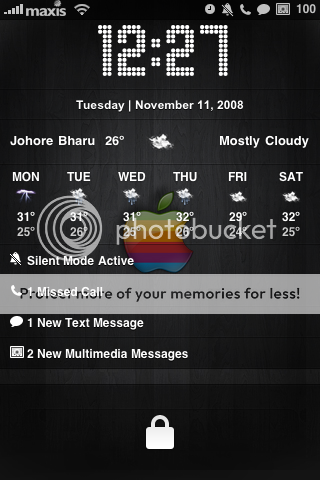
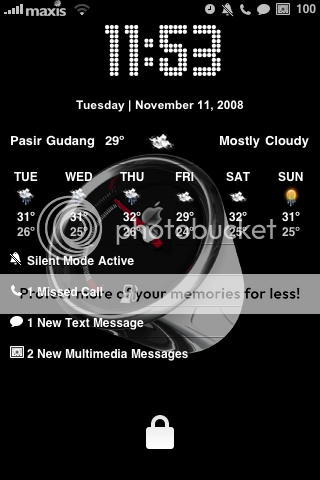
Got Weather, calendar and Status Notifier: includes the number of messages, missed calls, email, etc
Peace..
......................................................................................................................................Update.....
Requirement:1. Status Notifier from cydia
2. Winscp (Recommend)
How To:HomeScreen 2.0- MediaFire1. Paste it ur winterboard.. (if u dont have the folder, make it)
@ /private/var/mobile/Library
/SummerBoard/Themes2. Browser the HomeScreen 2.0, find and edit
configureMe.js: Default Johor Bahru
You can choose either Accuweather or Yahoo Weather (recommend Yahoo Weather)
» Click to show Spoiler - click again to hide... «
// The location field should be a relatively machine-legible string
// if using the default, Apple/AccuWeather parser (originally from Leopard's Weather.wdgt)
var locale = "ASI|MY|MY001|JOHORE+BHARU" //"OCN|AU|VIC|MELBOURNE" //"ASI|PH|RP077|MAKATI" //e.g. 'Defiance, Ohio'|'Moscow, Russia'|'Ledyard, AT'|'London, UK'
Accuweather.comChoose ur location from this list... This Resource from
AccuWeather.com Paste
var locale = "ASI|MY|MY001|JOHORE+BHARU» Click to show Spoiler - click again to hide... «
ASI|MY|MY002|ALOR+SETAR
ASI|MY|MY010|GEORGE+TOWN
ASI|MY|MY008|IPOH
ASI|MY|MY013|KLANG
ASI|MY|MY003|KOTA+BAHRU
ASI|MY|MY011|KOTA+KINABALU
ASI|MY|MY015|KUALA+LUMPUR
ASI|MY|MY014|KUALA+TERENGGANU
ASI|MY|MY007|KUANTAN
ASI|MY|MY012|KUCHING
ASI|MY|MY000|PETALING+JAYA
ASI|MY|MY011|SANDAKAN
ASI|MY|MY006|SEREMBAN
ASI|MY|MY000|SHAH+ALAM
ASI|MY|MY012|SIBU
ASI|MY|MY002|SUNGAI+PETANI
ASI|MY|MY008|TAIPING
OR
Yahoo Weather:» Click to show Spoiler - click again to hide... «
// The location field should be a relatively machine-legible string
// if using the default, Apple/AccuWeather parser (originally from Leopard's Weather.wdgt)
var locale = "Pasir Gudang, Malaysia" //"OCN|AU|VIC|MELBOURNE" //"ASI|PH|RP077|MAKATI" //e.g. 'Defiance, Ohio'|'Moscow, Russia'|'Ledyard, AT'|'London, UK'
var locale = "Johor Bahru, Malaysia"
var locale = "Ipoh, Malaysia"
var locale = "Petaling Jaya, Malaysia"
var locale = "Penang, Malaysia"
and etc.
3.Next Step:To make this HomeScreen 2.0 works, u need to paste this file into ur iphone:
@ System/Library/Frameworks/UIKit.framework/DateFormats
PASTE THIS FILEIf u dont paste this file, u will get redundant date..
Choose HomeScreen 2.0 from ur Winterboard
Respring.. Tada..
Now u done.. Enjoy..
......................................................................................................................................Update-1.....
I just got a pm, regarding the default date
Question: How to recover my default lockscreen, the date thing..?
Answer: Just navigate @ System/Library/Frameworks/UIKit.framework/DateFormats and delete the en.plist.. respring..
How to make the calendar appear? I only managed to make the weather widget work like above.


 Jan 30 2009, 04:10 PM


 Quote
Quote


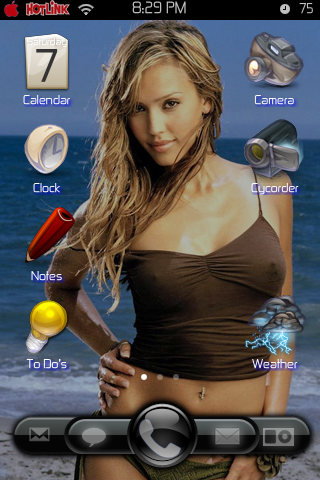
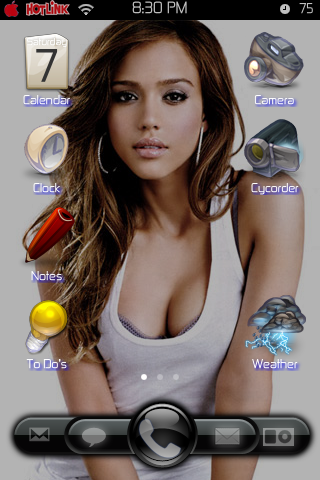
 after trying setoyo method..
 0.0388sec
 0.43
0.43
 7 queries
 GZIP Disabled