Welcome Guest ( Log In | Register )

Bump Topic Topic Closed RSS Feed
128 Pages  1 2 3 > » Bottom

Outline · [ Standard ] · Linear+

Sony-Ericsson ☼ SONY Ericsson P1i ☼ V2, The Ultimate Smartphone

views
     
TSfx_53_xt
post Jan 6 2008, 10:34 PM, updated 18y ago

Look at all my stars!!
*******
Senior Member
2,048 posts

Joined: Oct 2004


General Information

Continued Discussion from Version1 thread : http://forum.lowyat.net/topic/426561
Thumbs up for those who contributed in v1


Official Spec:

* 106 x 55 x 17 mm, 124 gram
* Symbian OS 9.1 UIQ 3
* GSM 900 1800 1900 UMTS 2100
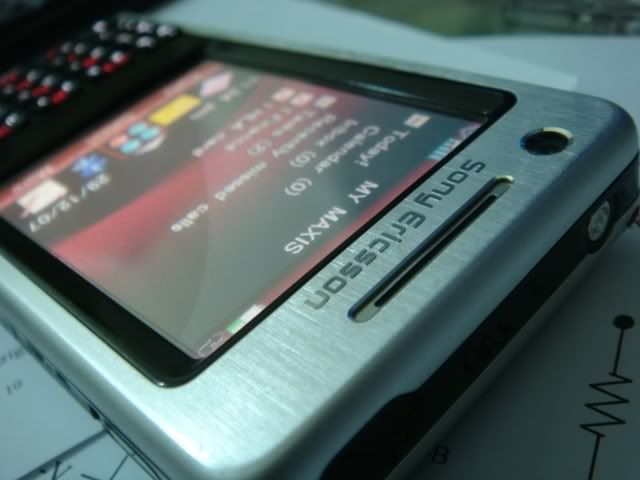
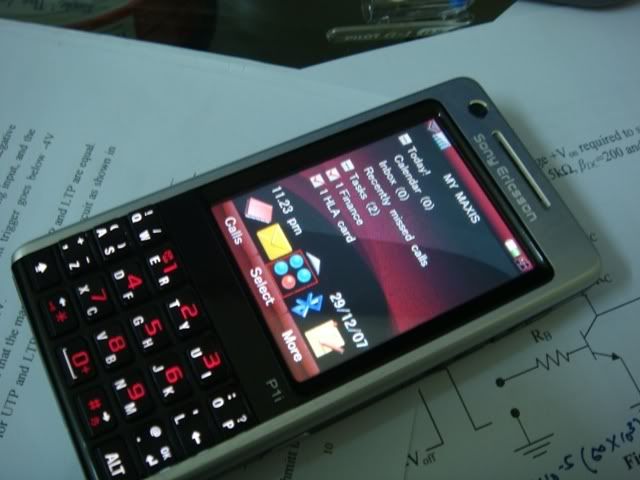
* 2.6″ QVGA 240×320 262k TFT display
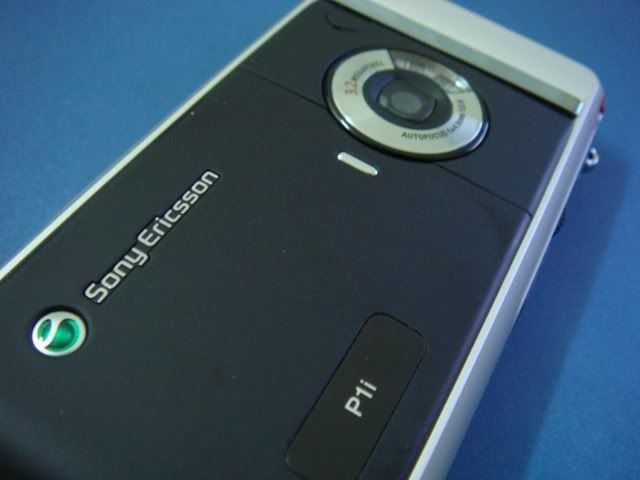
* 3.2 mpx camera with duplex LED flashlight
* Auto Focus, with Macro
* VGA front camera
* 160 MB of internal memory
* 208 MHz TI ARM9 processor
* 128MB RAM
* M2 Memory Slot (support up to 4GB)
* 3G, Bluetoth and Wi-Fi B connectivity
* semi QWERTY keyboard (2 characters per key)
* Embedded Opera 8.5 browser
* Jogdial
* Touch Screen
* FM Radio
* GSM : Talktime 10hours, standby 440hours. UMTS : Talktime 3.5hours, standby 350hours, Video call 2hours
* Software included : Music Player with MegaBass, Video Player, Streaming Media Player, Sound Recorder, Calendar, Tasks, QuickOffice (word, Power point, Excel), PDF+, Notes, Business Card Scanner, Contacts, File Manager, Connection Manager, Remote Sync, Calculator, COnverter, Stopwatch, Time, Timer, Exchange Active Sync (Push Email), Blackberry Connect (Optional)

P1i Standard Package:

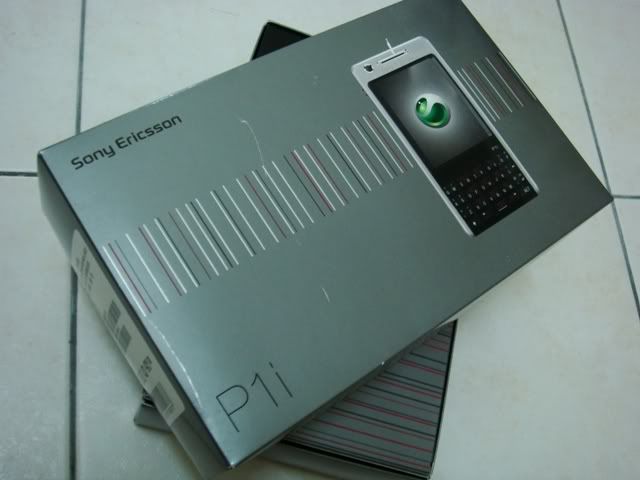
# SONY Ericsson P1i
# BST-40 1120mAh Li-Polymer battery
# HPM-62 Wired stereo handsfree
# CST-60 Travel Charger
# CDS-65 Desk Stand with charger/USB connector and earpiece out connector
# 512MB Memory Stick Micro (M2)
# USB Cable
# Spare stylus
# Soft carrying pouch
# User-Guide
# Software CD : SONY Ericsson PC SUite for smartphone, DIsc2Phone, Apple QuickTime, Adobe Reader
# Pi-choice.com software redeem voucher

Userbar:
user posted image
http://img.photobucket.com/albums/v290/fx53xt/p1i.png

Live Photo :
» Click to show Spoiler - click again to hide... «


Price :
RM10** for AP set
RM18** for original

Can get directly from some of our forumer here :
http://forum.lowyat.net/topic/458689
http://forum.lowyat.net/topic/416650
http://forum.lowyat.net/topic/270218
http://forum.lowyat.net/topic/455794
http://forum.lowyat.net/topic/85393

This post has been edited by fx_53_xt: Apr 24 2008, 12:58 PM
TSfx_53_xt
post Jan 6 2008, 10:35 PM

Look at all my stars!!
*******
Senior Member
2,048 posts

Joined: Oct 2004


Firmware

Firmware Change :

R6G04 (Latest) :
~ Calendar Day View now comes in half-hour interval
~ USB charging option and USB Display on connection option is now moved to "more" menu
~ Improved overall speed
~ Much faster camera focusing speed
~ Camera focusing interface now comes with a center square bracket to let you know where you are focusing.
~ Camera focus status icon will not refresh immediately if focusing mode is changed using shortcut key (4).
~ In File Manager, selected file's properties now left 'Read Only', 'Hidden' has been removed.(thanks to karlcheong)
~ Fixed these problem "Arranged software icons inside specific menu would go back to original location if memory stick removed (if the software is installed in memory stick) (thanks to karlcheong)
~ Previously during text entering the three box which show 中 and 英; now has been change to 中 and En (only on chinese firmware, thanks to karlcheong)
~ The black triangle (HW indicator) on center right of the screen on some menu has been change to transparent (only on chinese firmware, thanks to karlcheong)
~ Hand Writing's color now fixed, black color with white outline. Not like last time you get to choose from various colors. (only on chinese firmware, thanks to karlcheong)

R6F41:
~fixed battery meter showing 98% when fully charged
~new camera interface
~improve in overall speed when transition is switched on
~sliding transition effect removed
~writing and indication arrow are now with white borders (doesn't exist in HK/SG chinese firmware though)
~camera green tint reduced as reported by some user

R6E30 :
~ reported improved battery performance by some user

R6D23 :
~Original P1i firmware

How to check your firmware version
Go to Main Menu > More > System information
under the organizer, the last five words is your firmware version (example : R6xxx)

How to update the official firmware
If you do not have the latest firmware, you can simply use SONY Ericsson Update Service (SEUS) to update the firmware online. To do this, you need the USB cable, P1i with fully charged battery, a PC with SEUS installed and an internet connection. Download SEUS from http://www.sonyericsson.com/cws/download/1...up-2.7.12.4.exe. After the installation, just proceed with on screen instruction and it should be relatively easy. Upgrading firmware through SEUS is an official method and is fully covered by warranty in case anything happen during flashing. Take note that upgrading the firmware will ERASE EVERYTHING inside the phone. Latest firmware does not released for all region at the same time, if you're eager to get the LATEST firmware once they are released, proceed to read about Generic World CDA and how to hack them below.

Chinese firmware
Some of the set doesn't shipped with Chinese firmware and therefore you cant read nor write mandarin character on P1i. If you just need chinese support to read the messages and characters from your files, simply go to the FAQ section below and read the instruction on how to get mandarin character reading by using the font substitution method. If you need a full Chinese support with both reading and input as well, proceed to read about CDA, methods of changing the CDA and finally flashing HK/SG firmware below.

Keep in mind chinese firmware have few differences such as i) no white borders in handwriting system ii) Slower handwriting recognition iii) no anti-aliasing support on fonts iv) have an extra lunar calendar


What is CDA :
» Click to show Spoiler - click again to hide... «


Why change the CDA :
» Click to show Spoiler - click again to hide... «


How to flash to GW1 CDA/firmware (Flashing to the real latest firmware spoon feed guide by shufflerz) :
» Click to show Spoiler - click again to hide... «


How to change to Singapore /95 chinese CDA/firmware
» Click to show Spoiler - click again to hide... «


How to flash to Hong Kong /74 CDA/firmware :
» Click to show Spoiler - click again to hide... «


The risk of altering the firmware/CDA through XS++ / Method of resurrection if the phone got bricked :
» Click to show Spoiler - click again to hide... «


*Some of the information above is originally posted at www.esato.com kudos to them!

This post has been edited by fx_53_xt: Feb 24 2008, 03:56 PM

TSfx_53_xt
post Jan 6 2008, 10:37 PM

Look at all my stars!!
*******
Senior Member
2,048 posts

Joined: Oct 2004


Tips & Tricks

* Holding the back button in standby will lock/unlock the phone
* Hold the back button to return to standby
* press Y for yes in dialogs
* Press N for no in dialogs
* Press ALT twice to turn the respective key to their alternate function permanently until you tap ALT again. (useful for java aps that only recognize numerical keys
* Press up (left bottom corner) twice to turn into capital letters permanently until you tap it again
* Disable wifi to preserve battery life, it still drain power even though in sleep mode.
* Turn off 3G to save power if you don't use it as it draws some power when the phone switching back and forth from GSM n 3G. go to Main Menu > control panel > Connection > mobile networks > More > GSM/3G networks.
* avoid using USB charging as it is reported has very short standby time even it's fully charged
* use TrackID through wifi is free

This post has been edited by fx_53_xt: Feb 24 2008, 03:56 PM
TSfx_53_xt
post Jan 6 2008, 11:18 PM

Look at all my stars!!
*******
Senior Member
2,048 posts

Joined: Oct 2004


Problems & Bugs / FAQ

Known Bugs & Problem :
~Tickbox selection inside application will gone missing if you accidentally pressed and entered other thing.
~ Camera has green tint issue on lower right corner.
~ battery meter showing 98% even when fully charged (fixed in R6F41)
~ Ringtone changed to default when changing to themes with no ringtones attached. (thanks to karlcheong for pointing this out)
~ Arranged software icons inside specific menu would go back to original location if memory stick removed (if the software is installed in memory stick)
~ When a call is ended there will still be a blank dialog box shown and you need to press back again to get back to standby menu
~ Camera focus status icon will not refresh immediately if focusing mode is changed using shortcut key (4). (Only in R6G04)
~ there will not be an notification sound when receiving items through bluetooth beams

FAQ
Q : Why i couldn't login into some of the hotspot while other just work fine?
A : P1i doesn't not support flash and therefore hotspot login tat is using flash interface will not be useable. also note that if hotspot is operating under Wifi-G only mode, P1i will not be able to connect to the network.

Q : How do i view system information / firmware version?
A : go to main menu > more > system information

Q : how do i access the service menu?
A : by scrolling the jog dial up and down, do the following combination trick : up,*,down,down,*,down,*

Q : How do i calibrate the touch screen like the one in windows mobile?
A : go to Main menu > Control Panel > Other > setup wizard. It is available at the last step.

Q : How do i setup the phone for receiving Gmail?
A : Taken from UIQ3 thread :
» Click to show Spoiler - click again to hide... «


Q : can i enable chinese support without messing the firmware?
A : you can add support to view chinese fonts but not input. download the file here unzip and then create a folder called resource/font inside your memory card and put the files there. restart your phone and voila, you should be able to read chinese words (credits to the author at http://secentral.net/forum/index.php?topic=12325.0)

Q : Why i'm not able to stream the video from the mobile youtube using wifi but it works fine with 3G?
A : The reason behind this is the port is not forwarded. If you accessing using home network, simply forward the port from the router. Public network currently has no solution yet

Q : What is the different between P1, P1i and P1c
A : There's no such thing as P1. P1i is what we're getting, the i suffix stands for international. P1c is specifically meant for china, with 3G radio taken off due to licensing problem

Q : What is the difference between P1i and W960?
A : They basically share the same hardware structure except W960i comes with 8GB flash memory, memory card slot taken off, pre-installed with Walkman 3.0 software and using normal 0-9 keypad while P1i has QWERTY keyboard, M2 slot and has business card scanner.

Q : Nokia N95 (Symbian S60) versus SE P1i (UIQ3) versus WM6 device, who wins?
A : a very subjective issue and each of them have their own strength. Suggest that visit a proper Nokia/SE/HTC retail store and test them by urself. N95 has weaker battery life (not sure about 8GB version though), no touch screen while P1i is a lil hard to get used to for first timer and slower response time while WM6 is known for strong software library and being expensive

Q : is there any way i can turn my p1i into W960i?
A : the current answer is, no. but there are people working on it, at the mean time, you can have the Walkman 2.0 installed with some hacks. refer below.

Q : Does P1i support GPS?
A : P1i doesn't have GPS antenna and therefore have to rely on external hardware. Currently the only which has compatible hardware and malaysia map is Garmin and SONY Ericsson HGE-100 GPS adapter. There are other compatible GPS out there but i cant seems to find one with Malaysia map.

This post has been edited by fx_53_xt: Apr 24 2008, 02:08 AM
TSfx_53_xt
post Jan 6 2008, 11:20 PM

Look at all my stars!!
*******
Senior Member
2,048 posts

Joined: Oct 2004


Softwares & Links

Freeware :
~SONY Ericsson update service (SEUS) v2.6.12.4:
http://www.sonyericsson.com/cws/download/1...up-2.7.12.4.exe

~P1i Software Homepage (includes PC Suite, Language Pack, Exchange Active Sync, iSync for mac, Disc2Phone, Blackberry Connect)
http://www.sonyericsson.com/cws/support/pr...p1i?cc=my&lc=en

~ Sony Ericsson Theme Creator (thanks to karlcheong)
http://developer.sonyericsson.com/site/glo...ate=ps3&zone=ps

~ Gdesk v0.24 (very very flexible customization software)
http://attachments.wetpaintserv.us/j5HAg0F...cIQ%3D%3D828421

~ Swiss Manager
http://invitel.hu/zolea/cps/1down.htm

~ M3 (free video encoding for portable system)
http://rapidshare.com/files/27895005/M3-0_...taller.exe.html

~ Opera Mini 4
http://www.operamini.com/download/pc/sonye...onyericsson_p1/

~ SE Screen capture utility
http://developer.sonyericsson.com/getDocument.do?docId=85229

~ Fonts
http://forum.lowyat.net/index.php?showtopi...&#entry15726617

Links :
~ UIQ3 LYN Discussion thread
http://forum.lowyat.net/topic/393735

~ UIQ3 LYN Discussion thread V2
http://forum.lowyat.net/topic/509045

~ Gdesk ready made design thread
http://www.ipmart-forum.com/showthread.php?t=191163

~ Gdesk official page + wiki
http://gdesk.wetpaint.com/

~ SONY Ericsson Application shop
http://applicationshop.sonyericsson.com/enUS/html/index.jsp

~ Icons for your bling bling menu
http://crystalxp.net/galerie/en.cat.1.htm

~ Themes
http://gallery.mobile9.com/c/themes/1/
www.zedge.net
http://www.esato.com/board/viewtopic.php?topic=160874

~ Wallpapers
http://www.se-uiq.com/forum/index.php?showtopic=109

~ Unofficial P1i Blog
http://www.p1iblog.com/

~ R6F41 firmware discussion
http://www.esato.com/board/viewtopic.php?t...=157789&start=0

This post has been edited by fx_53_xt: Apr 23 2008, 05:39 PM
TSfx_53_xt
post Jan 6 2008, 11:21 PM

Look at all my stars!!
*******
Senior Member
2,048 posts

Joined: Oct 2004


P1i Proud Owners :

user posted image

1) fx_53_xt
2) Evirober
3) Karlcheong
4) lovehewit
5) BratPaq
6) Ah Wai
7) Na.Tech
8) Chikanot
9) Kenji82
10) sonyclie77
11) G-Izzat
12) j0ann3
13) JayC75
14) d@odao
15) jason83
16) numerical
17) lowyatguy
18) amplobs
19) joshua_chin
20) ooikl
21) Ravenkean
22) arjenayai
23) maxmove2nd
24) seanjordaneast
25) hanissyazwan
26) - L e O -
27) Seaedge
28) tzyy
29) LivingLife
30) goonzoopera
31) Travies
32) rider28
33) Bujerona
34) lilredridinghood
35) shawnloong
36) lching
37) nohal
38) NIckLJF
39) squall_kay
40) jizzazz
41) powerern
42) ccjett
43) nira_110 x3 tongue.gif
44) chengkiat
45) JdOtL
46) whit3puppy
47) Lestat
48) yuheng
49) littleway
50) TianYin86
51) kingkong88
51) Fattyfei
52) Shufflerz
53) Fallen_D
54) SaltyEgg
55) esssymanex
56) investor
57) crash
58) boapike
59) myqd
60) steel2k2
61) Kyl3
62) Digital_Life
63) williamlee_1985
64) aprisis
65) skullz)
66) uhlaw
67) kader
68) sharkkjerung
69) lcly9394
70) walabies
71) wills
72) hushymushy
73) cuz
74) ccc8910
75) ys_neo86
76) mizandude
77) Glau
78) mivecv6 (fable_faiz)
79) RacingTech
80) Fasap
81) bluehippy
82) Elvinyew (elpha)
83) AcheY87
84) lek_e30
85) amk
86) PeRi0eci
87) chongsang
88) cutiepooh
89) kmheing
90) SpikeTwo
91) gamenoob
92) piratorian
93) yeah_guyz
94) Biskutnaga
95) lord_jagganath
96) LittleD
97) Watashiwa_Baka
98) jojo_lulu
99) jenwai
100) ywy85
101) boyakasha1234
102) Fusion
103) mr-2
104) carbon14
105) atih007
106) NSkyline
107) chooipeng87
108) hsiengloong
109) clieman
110) aut15
111) starwalk2002
112) umang2
113) sprix
114)Carnage11
115) superhero_123

pm me if i missed out you

Ex P1i User :
1) Spoonkin

This post has been edited by fx_53_xt: Apr 24 2008, 02:46 PM
TSfx_53_xt
post Jan 6 2008, 11:23 PM

Look at all my stars!!
*******
Senior Member
2,048 posts

Joined: Oct 2004


Walkman 2.0 Hacks

You need to Unlock the access to file system first before you can attempt the hack, hence i include full tutorials from Unlocking file system access to installing the Walkman 2.0 software. If you already unlocked the file access system, simply start doing from step 12

Step by Step Guide :

1) Download the Walkman 2.0 software here : Attached File  Walkman_2.0.zip ( 728.7k ) Number of downloads: 390

and AppTRK file system unlocking tools here : http://www.filefactory.com/file/06fbbc/ or here http://rapidshare.com/files/109987458/Apps.zip.html

*you need SE PC suite installed first

2) Connect your phone using PC suite under "phone mode"

3) unzip and Install AppTRK.sis on your phone

4) Install following software on your PC in order :
i) python-2.5.1 on your PC
ii) win32-py2.5
iii) pyserial-2.2.win32

5) copy 1.py to your C:\

6) Go to Device Manager on your PC, under "Ports (COM & LPT)", take note of your P1i connected port

7) open 1.py you copied previously on C:\ with notepad. search for the line "ser = serial.Serial(4) # I have COM5" (without quotation)

8) now, change the COM5 to the p1i connected port you noted from device manager earlier, and change serial(4) to the port number minus 1. Save it.
(example, you noted your p1i is connected to COM7, change the line to "ser = serial.Serial(6) # I have COM7")

9) Run AppTRK from your mobile phone with USB cable connected in "phone mode", it should be showing "connected"

10) go to DOS command prompt (type CMD in run for those who don't know) and change the directory to C:\

11) execute 1.py (just type 1.py and press enter), wait for it to run, until it showing Close, End+exit.
*you have now successfully unlocked the file system.

12) Unzip and copy the Walkman 2.0 files into your memory stick and then disconnect the USB cable

13) open a file explorer on your phone(i used Swiss Manager in this case), copy the file one by one from memory stick to C:\ drive according to their directory. REMEMBER DO NOT OVERWRITE THE WHOLE FOLDER IN C:\ IF THERE'S FILE INSIDE IT, you might screw up the whole phone.

14) Restart your phone and you'll notice a "Walkman" application under the tools menu. Enjoy.


# Credits :
1) Moherowy from iPmart for extracting this wonderful software http://www.ipmart-forum.com/member.php?u=630783
2) UIQ blog for providing the unlocking method/software http://www.uiqblog.com/2008/03/27/access-u...ven-on-c-drive/

This post has been edited by fx_53_xt: Apr 24 2008, 05:06 PM
numerical
post Jan 6 2008, 11:43 PM

Casual
***
Junior Member
462 posts

Joined: Nov 2006
waaaa..v2 is on d air..dabel thumbs up for P1i..... thumbup.gif thumbup.gif

This post has been edited by numerical: Jan 7 2008, 12:33 AM
TSfx_53_xt
post Jan 6 2008, 11:49 PM

Look at all my stars!!
*******
Senior Member
2,048 posts

Joined: Oct 2004


it hasn't finalized yet.
still working on it
-.-
NIckLJF
post Jan 7 2008, 12:48 AM

Lost Stars
*****
Senior Member
923 posts

Joined: Nov 2006
From: KL


One question, I am currently using a P990i

i am really wondering is it worth it to throw my brick away for this new baby?

And is the camera's performance acceptable?

Planning to get this or N95 but I love the touchscreen and haven't used a S60 device for 3 years now.

Decisions decisions.

thanks for all those willing to take ur time to clear up my mind =)
naughtyz
post Jan 7 2008, 01:14 AM

Regular
******
Senior Member
1,557 posts

Joined: Jul 2007
From: -KL-


VGa Front camera how many mp erk?
shockk
post Jan 7 2008, 01:18 AM

[ T A R G E T - L 0 C K E D ]
Group Icon
VIP
11,883 posts

Joined: Jan 2003
QUOTE(NIckLJF @ Jan 7 2008, 12:48 AM)
And is the camera's performance acceptable?
*
If you look in the previous thread, many people complaint about the green tint problem affecting photographs taken with the P1i. It only affects like a part of the photo, usually the bottom-right section of the photograh. I find this unacceptable as it cannot even be fixed properly with Photoshop. There are people complaining about this in other forums and it is confirmed it is a hardware problem, not firmware. However, not sure if newer batches of P1i might have this problem or not. Also, some lucky P1i owners do not have this problem too when they bought the first batch, IIANM.
baby26
post Jan 7 2008, 03:25 AM

Getting Started
**
Junior Member
256 posts

Joined: Apr 2007


I was wondering if there are any users who sync with iSync on a Mac and if the calendars, contacts, to do lists sync properly ? I am currently using N73 seamlessly and is thinking to buy the p1i if it works with my Mac. Please let me know. Thanks.
tzyy
post Jan 7 2008, 03:35 AM

Getting Started
**
Junior Member
80 posts

Joined: Aug 2006
From: England


i'm one of the owner too XD
add me to the list haha

okay.. i'm still new to the firmware of handphone..
i would like to update it to the lastest one..
but it's seems too difficult for me to understand..

i want change to R6F41
but.. what's CDA , GW1, RW/95 relating to the firmware?
argghhh..
just vry vry simplify it .. where to download? XD
thanks ya
TSfx_53_xt
post Jan 7 2008, 05:20 AM

Look at all my stars!!
*******
Senior Member
2,048 posts

Joined: Oct 2004


QUOTE(tzyy @ Jan 7 2008, 03:35 AM)
i'm one of the owner too XD
add me to the list haha

okay.. i'm still new to the firmware of handphone..
i would like to update it to the lastest one..
but it's seems too difficult for me to understand..

i want change to R6F41
but.. what's CDA , GW1, RW/95 relating to the firmware?
argghhh..
just vry vry simplify it .. where to download? XD
thanks ya
*
you only bother about CDA, GW1 and the rest of the acronym if you aren't satisfy wif ur current setting tongue.gif
to update to the latest, just simply download SEUS from the link above, execute it and follow the instruction
G-Izzat
post Jan 7 2008, 05:34 AM

Hey Ho!
******
Senior Member
1,173 posts

Joined: Aug 2006
From: Kuala Lumpur


QUOTE(naughtyz @ Jan 7 2008, 01:14 AM)
VGa Front camera how many mp erk?
*
Uhh, VGA. smile.gif
0.3MP

This post has been edited by G-Izzat: Jan 7 2008, 05:35 AM
TSfx_53_xt
post Jan 7 2008, 07:05 AM

Look at all my stars!!
*******
Senior Member
2,048 posts

Joined: Oct 2004


QUOTE(NIckLJF @ Jan 7 2008, 12:48 AM)
One question, I am currently using a P990i

i am really wondering is it worth it to throw my brick away for this new baby?

And is the camera's performance acceptable?

Planning to get this or N95 but I love the touchscreen and haven't used a S60 device for 3 years now.

Decisions decisions.

thanks for all those willing to take ur time to clear up my mind =)
*
if you're currently happy with what P990 offer, you definitely will love P1i.

cant really comment on N95 as i never truly owned one.
but i seriously cannot withstand the battery life of N95 i came into contact wif. The battery barely last a day with normal usage. but i believe with so many users satisfied with N95 out there, battery life should have improved along time.
amplobs
post Jan 7 2008, 07:58 AM

New Member
*
Junior Member
19 posts

Joined: Jul 2006
Wow.. v2 already... nice details u put there fx_53_xt smile.gif
NIckLJF
post Jan 7 2008, 08:17 AM

Lost Stars
*****
Senior Member
923 posts

Joined: Nov 2006
From: KL


QUOTE
shockk Posted Today, 01:18 AM
If you look in the previous thread, many people complaint about the green tint problem affecting photographs taken with the P1i. It only affects like a part of the photo, usually the bottom-right section of the photograh. I find this unacceptable as it cannot even be fixed properly with Photoshop. There are people complaining about this in other forums and it is confirmed it is a hardware problem, not firmware. However, not sure if newer batches of P1i might have this problem or not. Also, some lucky P1i owners do not have this problem too when they bought the first batch, IIANM.


QUOTE(fx_53_xt @ Jan 7 2008, 07:05 AM)
if you're currently happy with what P990 offer, you definitely will love P1i.

cant really comment on N95 as i never truly owned one.
but i seriously cannot withstand the battery life of N95 i came into contact wif. The battery barely last a day with normal usage. but i believe with so many users satisfied with N95 out there, battery life should have improved along time.
*
Thanks for the tips. I am looking for a 'power phone' with a good camera.

I am loving my P990i for its capabilities, but hating it for its sluggishness due to its lack of RAM.
TSfx_53_xt
post Jan 7 2008, 08:36 AM

Look at all my stars!!
*******
Senior Member
2,048 posts

Joined: Oct 2004


QUOTE(NIckLJF @ Jan 7 2008, 08:17 AM)
Thanks for the tips. I am looking for a 'power phone' with a good camera.

I am loving my P990i for its capabilities, but hating it for its sluggishness due to its lack of RAM.
*
sluggishness still exist in P1i but should be better than P990i as the extra 64MB ram make it virtually can run tons of things at once. One thing you will like P1i over P990i is its incredible stability.

Speaking of camera,i'm actually kinda very satisfied with the quality as the green tint wont be really noticeable unless there's a lot of similar color across the whole photo.

128 Pages  1 2 3 > » Top
Topic ClosedOptions
 

Change to:
| Lo-Fi Version
0.0268sec    0.39    6 queries    GZIP Disabled
Time is now: 5th December 2025 - 04:52 PM