Outline ·
[ Standard ] ·
Linear+
Guide foobar2000 customization topic, post screenshot here.
|
cristiano7mu
|
 Nov 4 2007, 10:24 PM Nov 4 2007, 10:24 PM
|

|
Hey i'm new to this foobar found this nice skin 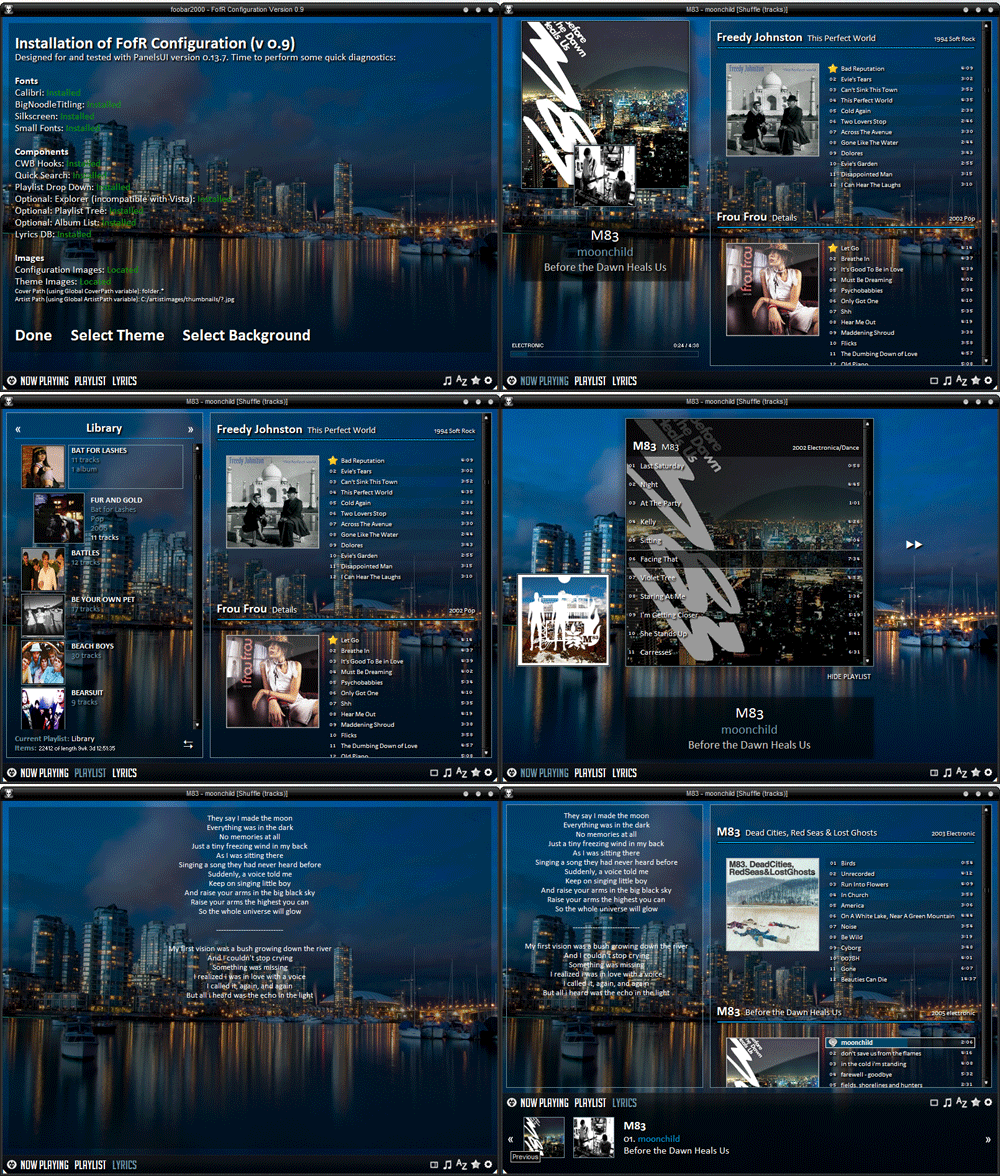 from http://www.fooblog2000.com/but i dunno how to install... after i paste the dll files in "components" folder i still cant see the new skin. any1 mind to share it?? i read the tutorial but dont understand. Thanks
Added on November 4, 2007, 10:25 pmand also i wanna use the lyrics function, how to activate it? This post has been edited by cristiano7mu: Nov 4 2007, 10:25 PM |
|
|
|
|
|
cristiano7mu
|
Nov 5 2007, 09:13 PM
|
|
|
any tutorial so tat i can learn from it??
Added on November 5, 2007, 9:25 pmi'm stuck at preference> default user interface, then dunno wat to do.
pls help... on the diff themes and lyrics function.
This post has been edited by cristiano7mu: Nov 5 2007, 09:25 PM
|
|
|
|
|
|
cristiano7mu
|
Nov 6 2007, 06:39 PM
|
|
|
QUOTE(dOtcO[m) ,Nov 6 2007, 09:09 AM]u got panelsUI (forgot the name) folder in ur foobar folder? .pui files should be placed there..then only u can select the skin. installing skin is not that hard though..i only had problems with images path, components missing, component compatibility..huhu.. skin u download got all components archived together?  OO.... ok i downloaded the Panel UI thing, and paste foo_ui_panel.dll in my component then??? wat should i do nx? This post has been edited by cristiano7mu: Nov 6 2007, 06:58 PM |
|
|
|
|
|
cristiano7mu
|
Nov 6 2007, 09:05 PM
|
|
|
QUOTE(ZGMF-X24S @ Nov 6 2007, 08:22 PM) Lol...so messy. ok, if I'm u, I would: 1. Uninstall my Foobar 2. Then. delete the folder in C:\ 3. Install Foobar again 4. Download PanelsUI and use README 5. Then only I install the theme OK... i reinstall everything and downloaded panelsUI but i couldnt find the "panelsUI" folder in my foobar C:\ do i need to open a new file named PanelsUI myself?
Added on November 6, 2007, 9:16 pmOh... finaly i know how d... thanks all This post has been edited by cristiano7mu: Nov 6 2007, 09:16 PM |
|
|
|
|
|
cristiano7mu
|
Nov 6 2007, 10:37 PM
|
|
|
hey is there a UI like Windows Live Messenger... i remember i saw 1...
|
|
|
|
|



 Quote
Quote

 0.0338sec
 0.24
0.24
 7 queries
 GZIP Disabled