


Guide foobar2000 customization topic, post screenshot here.
Guide foobar2000 customization topic, post screenshot here.
|
|
 Aug 24 2007, 02:15 AM Aug 24 2007, 02:15 AM
|
 
Senior Member
6,410 posts Joined: Jan 2003 From: MLK 
|
I heard panels ui development stopped ?
|
|
|
|
|
|
Aug 24 2007, 01:35 PM
|

Junior Member
180 posts Joined: Jan 2007 From: USJ 9, Subang Jaya  
|
QUOTE(Joseph Hahn @ Aug 24 2007, 02:15 AM) I heard panels ui development stopped ? Yup,it in Hydogenaudio forum,there is a disputed arr argument between fb2k developers and terrestrial (author of PANELsUI) bout the PANELSUI is unstable and such which is they don't want to implement it in foobar..... Look herehere for details why and such.... |
|
|
Aug 24 2007, 09:46 PM
|

Senior Member
1,333 posts Joined: Dec 2005 From: World of Fettish 
|
guys..i have some problem here, my foobar wont minimize to the taskbar there(become a icon oni), how to fix it?
|
|
|
Aug 28 2007, 12:55 AM
|

Senior Member
4,210 posts Joined: Jan 2003
|
no joke guys, need some help here, please... thank you~
 |
|
|
Sep 2 2007, 10:56 PM
|

Junior Member
239 posts Joined: Oct 2005 From: Kota Kinabalu, Sabah.
|
This thing is so complicated. Any link can teach how to change the themes? I mess up with all the files and settings. Have no idea what am i doin.Thanks....
 |
|
|
Sep 5 2007, 10:17 PM
|

Senior Member
1,238 posts Joined: Feb 2006 
|
not only u
but me too tried so many times but still dun get it.. haiyooo.... |
|
|
|
|
|
Sep 7 2007, 02:56 PM
|

Junior Member
453 posts Joined: Sep 2007
|
The BIG disadvantages of this Foobar is very difficult to customize the skin...
 Anyway,Foobar is the best listening music player so far from now...but all u need is patient.. I've been customize the skin before,it takes me 2 hours around to complete my wish...  This post has been edited by juniortit@n: Sep 7 2007, 02:57 PM |
|
|
Sep 7 2007, 09:59 PM
|

Senior Member
1,059 posts Joined: Jan 2007 From: Petaling jaya
|
how tis program work?
|
|
|
Sep 9 2007, 07:23 PM
|

Senior Member
999 posts Joined: Jan 2006
|
newbie here..so, i need a details step by step instructions..
anyone know how to change trillian away status from foobar media info? already copy foo_2hyperim.dll to component folder in Foobar and him_foobar.dll to hyperIM plugins folder..then what? i check here and there still no change of status..? ps:very complicated la ini foobar but interesting though.. This post has been edited by lord_aminkin: Sep 10 2007, 12:43 AM |
|
|
Sep 9 2007, 07:39 PM
|

Senior Member
1,051 posts Joined: Jan 2003 From: Behind you
|
QUOTE(juniortit@n @ Sep 7 2007, 02:56 PM) The BIG disadvantages of this Foobar is very difficult to customize the skin... the big disadvantage is the unique features of foobar. Only l33t uses this player, thus, this is a n00b-free playerAnyway,Foobar is the best listening music player so far from now...but all u need is patient.. I've been customize the skin before,it takes me 2 hours around to complete my wish... |
|
|
Sep 12 2007, 02:19 PM
|
|
Senior Member
1,333 posts Joined: Dec 2005 From: World of Fettish
|
anyone know who to solve my foobar probelm...just cant read jap wordings!!!
|
|
|
Sep 12 2007, 03:58 PM
|

Senior Member
876 posts Joined: Nov 2005 From: /root/Melbourne
|
QUOTE(~Rogue~ @ Sep 12 2007, 02:19 PM) anyone know who to solve my foobar probelm...just cant read jap wordings!!! Foobar can support unicode characters by default. The problem now lies with the installation of east asian language pack on your system. Install it if you haven't. And, if you are still being presented with weird characters, the only factor left is the font style in which you had chosen for the playlist. Certain font styles do not contain the information needed to be displayed as unicode characters. Therefore, you will have no choice but to choose other font styles. |
|
|
Sep 12 2007, 05:03 PM
|
|
Senior Member
1,333 posts Joined: Dec 2005 From: World of Fettish
|
i have installed the east asian language...but the playlist there got some weird wording...how to change the fonts style?
This post has been edited by ~Rogue~: Sep 12 2007, 05:04 PM |
|
|
|
|
|
Sep 13 2007, 08:35 PM
|
|
Senior Member
876 posts Joined: Nov 2005 From: /root/Melbourne
|
QUOTE(~Rogue~ @ Sep 12 2007, 05:03 PM) i have installed the east asian language...but the playlist there got some weird wording...how to change the fonts style? If you are using columns ui's playlist view, you could change the playlist font via the preferences window. I guess i do not need to elaborate much. It's pretty simple and straight forward.If you are using Panels UI's built-in single column playlist or the standalone single column playlist plugins, then just right click on the playlist and select Settings or Preferences. You will be presented with a chunk of formatting strings. Make sure you are viewing the formatting strings for the items. Not groups. Scroll along until you find something like $font(). The first argument for this function is the font's name. What you need to do is just change it to a new font name. Let's say Times New Roman to Segoe UI. After doing that, just click "OK" or "Apply". |
|
|
Sep 13 2007, 09:29 PM
|
|
Senior Member
1,333 posts Joined: Dec 2005 From: World of Fettish
|
tried dat also....cant also!!
|
|
|
Sep 13 2007, 09:37 PM
|

Senior Member
6,339 posts Joined: Jan 2003
|
Does anyone have any crashing problem using foobar v0.9.3.1 on Windows Vista? Mine keeps crashing with an error. I think its to do with some allocations (According to the error message)
|
|
|
Sep 14 2007, 10:09 AM
|
|
Junior Member
180 posts Joined: Jan 2007 From: USJ 9, Subang Jaya
|
 Foobar Clarity....simple and nice plus less CPU hog... |
|
|
Sep 15 2007, 02:26 PM
|

Senior Member
1,615 posts Joined: May 2005
|
QUOTE(karasawamk2 @ Sep 14 2007, 10:09 AM) Foobar Clarity....simple and nice plus less CPU hog... lol ! i suck wei . haih . |
|
|
Sep 17 2007, 01:45 PM
|

Senior Member
691 posts Joined: Jan 2003 From: Melaka
|
my foobar config..
modded from Crusoli's This post has been edited by apek: Sep 17 2007, 01:51 PM Attached thumbnail(s) 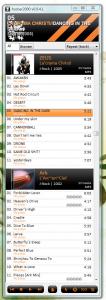
|
|
|
Sep 17 2007, 09:18 PM
|
|
Junior Member
180 posts Joined: Jan 2007 From: USJ 9, Subang Jaya
|
QUOTE(avengers88 @ Sep 15 2007, 02:26 PM) could u like teach me step by step from scratch on getting that ? I can't teach u that since i only know to make modifications my own the code but i give u the link if u want the skin:-lol ! i suck wei . haih . Link Here fcs Clarity fcs requirements - foo_uie_quicksearch - foo_uie_powerpanels - foo_ui_panels - foo_uie_browser Fonts Lucida Grande |
| Change to: |  0.0887sec 0.0887sec
 0.67 0.67
 6 queries 6 queries
 GZIP Disabled GZIP Disabled
Time is now: 4th December 2025 - 12:10 PM |
 Quote
Quote