

 Sep 20 2025, 10:20 AM


QUOTE(dreamthief @ Sep 20 2025, 05:50 AM)
Says the lady changing iPhone every year… oh come on. Go see, that’s how u show thanks.
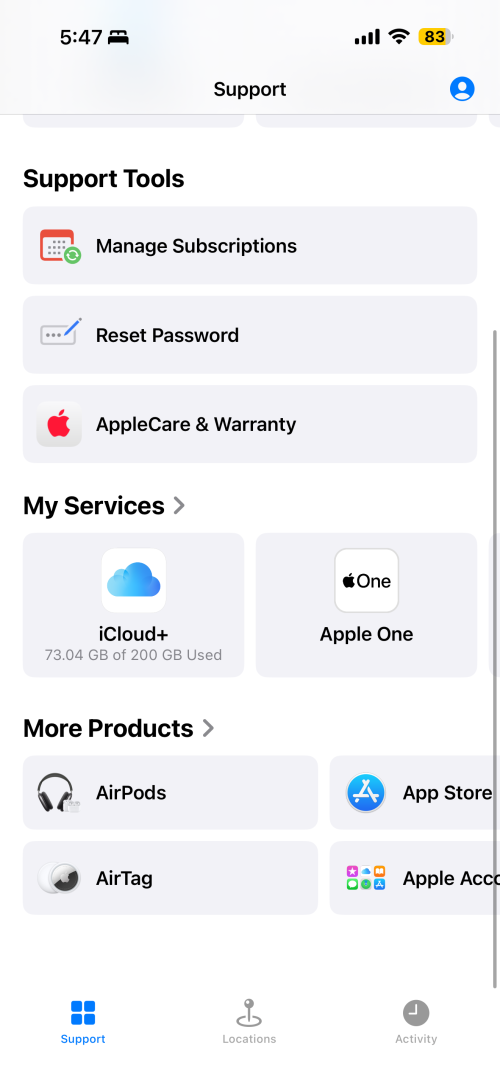
Check steps below. Of course it’s easier via Support app. Not talking to a human being is already faster.
Thought no one will ask.
Easiest way,
1) download the “Support” app.
2) Apple care & warranty
3) choose the device and manage plan.
4) Fill up your bank account name, swift key (code, get from your bank) and account number.

Check steps below. Of course it’s easier via Support app. Not talking to a human being is already faster.
Thought no one will ask.
Easiest way,
1) download the “Support” app.
2) Apple care & warranty
3) choose the device and manage plan.
4) Fill up your bank account name, swift key (code, get from your bank) and account number.
QUOTE(PBDHH @ Sep 20 2025, 09:10 AM)
Bought 16pro max last year October with apple care +.
My question is:-
1) how to get refund as I’m upgrading to 17pro max?
2) also, will I get full refund as my apple care + only covers 2nd year onwards or I’ll get 50% refund since I activated my apple care plus latest year October. Appreciate your advise
1) Follow my guide earlier. My question is:-
1) how to get refund as I’m upgrading to 17pro max?
2) also, will I get full refund as my apple care + only covers 2nd year onwards or I’ll get 50% refund since I activated my apple care plus latest year October. Appreciate your advise
2) no full refund. Apple has a way to calculate it. I got back like rm400 out of rm899 paid last September.
QUOTE(alucard89 @ Sep 20 2025, 09:12 AM)
Just to clarify, can just walk in? Aiming for the 17PM 1tb
You can always walk in but it’s spin ur luck. Why not Check the Apple Store app daily at 6am ish, buy and check out, choose pick up at TRX.QUOTE(Anonymous26 @ Sep 20 2025, 09:41 AM)
Does anyone have issue of transferring e-sim?
So far only people reported umobile had issues. celcomdigi, maxis was okay. Maxis issue is need pay rm10. :| Quote
Quote


 Checked with CS and she said she can see there’s no need for me to do. Ok saves one visit is still a save.




 0.0226sec
 0.37
0.37
 7 queries
 GZIP Disabled