

How do I delete the additional User during login, not shown under family settings
How do I delete the additional User during login, not shown under family settings
|
|
 Mar 4 2025, 09:50 AM Mar 4 2025, 09:50 AM
Return to original view | IPv6 | Post
#1
|
 
Senior Member
7,268 posts Joined: Nov 2008 From: SINGAPORE💃 
|
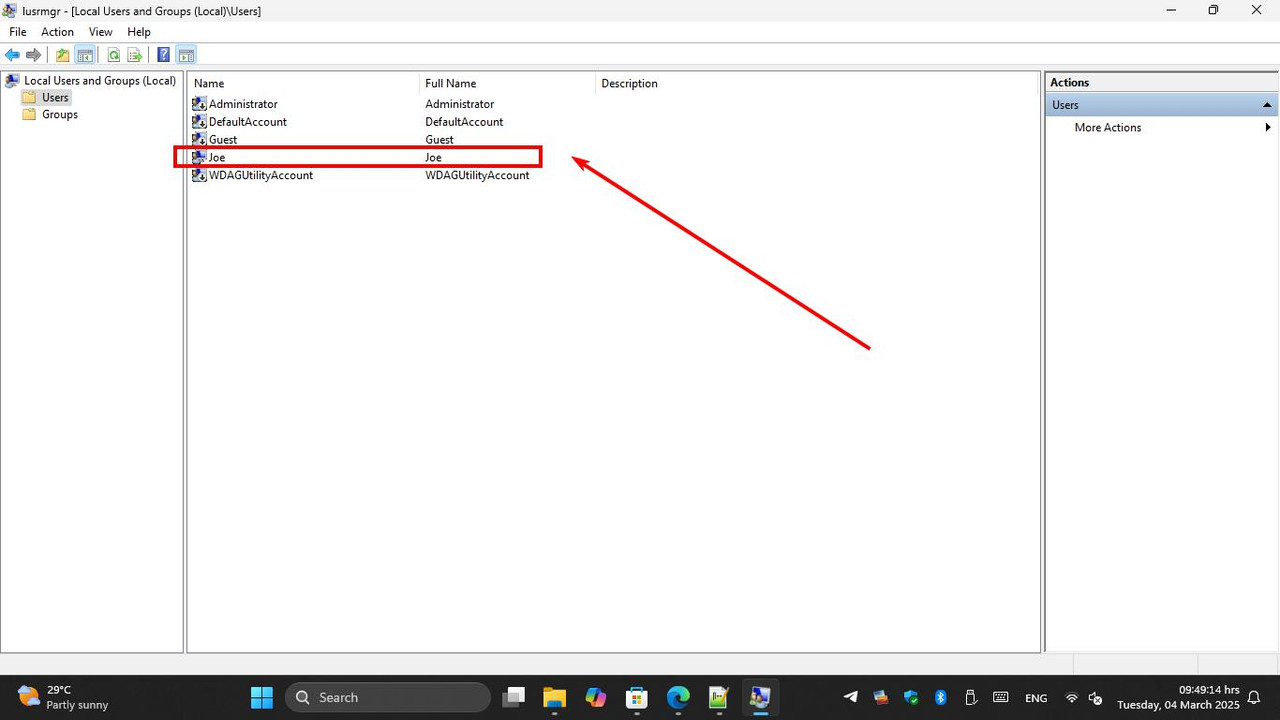
are you logged on as Administrator, .. I mean does your user ID has Administrator privilege? .. in RUN command type lusrmgr.msc see in the list for the ID youre seeking for eg. below mine;
|
|
|
|
|
|
Mar 4 2025, 10:03 AM
Return to original view | IPv6 | Post
#2
|
|
Senior Member
7,268 posts Joined: Nov 2008 From: SINGAPORE💃
|
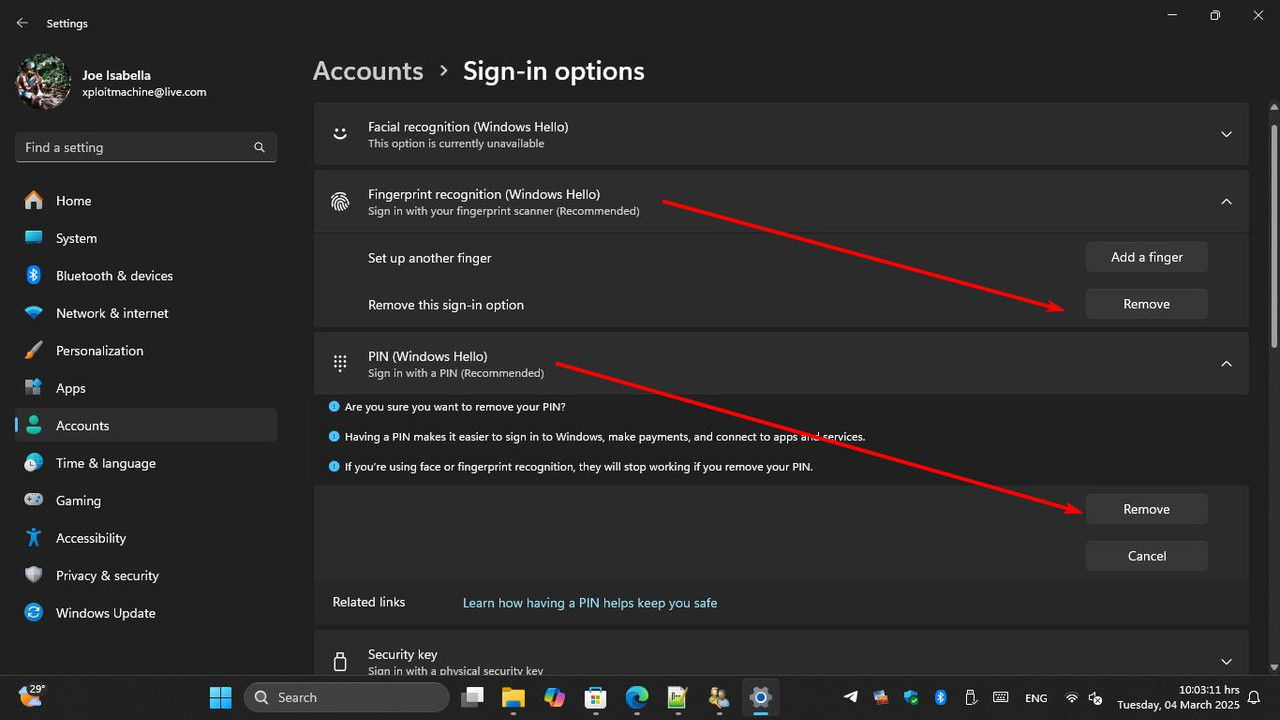
for disable HELLO . tried this?
 |
|
|
Mar 4 2025, 10:12 AM
Return to original view | IPv6 | Post
#3
|
|
Senior Member
7,268 posts Joined: Nov 2008 From: SINGAPORE💃
|
QUOTE(ExCrIpT @ Mar 4 2025, 10:07 AM) yes i am logged in as adminstrator I have removed pin logged in and disabled facial etc....I have to key in my email password to log in everytime after disabling (windows hello) which is even more frustrating.....  I have tested just now, I removed my fingerprint and PIN and restarted .. but my password remains intact (permanently cannot change / remove) and the only way I think that you have to use LOCAL ACCOUNT and quit from Microsoft Account logon  |
|
|
Mar 4 2025, 10:19 AM
Return to original view | IPv6 | Post
#4
|
|
Senior Member
7,268 posts Joined: Nov 2008 From: SINGAPORE💃
|
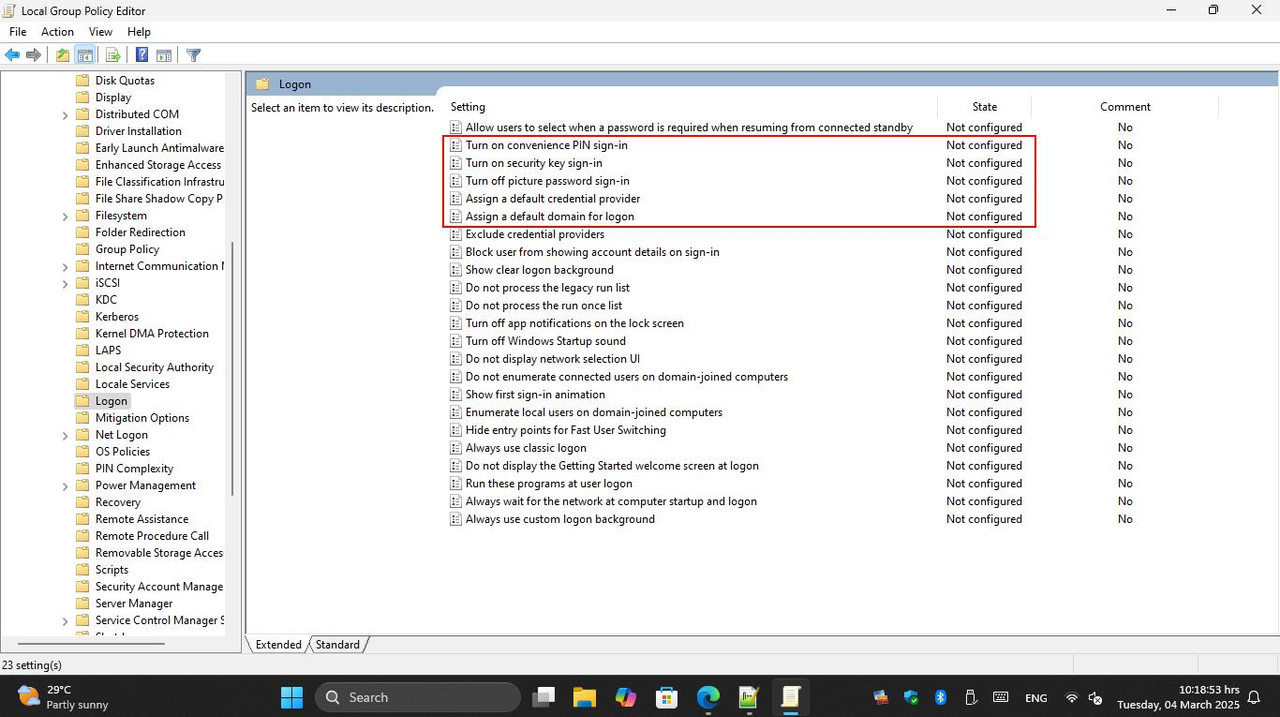
maybe you can play around in GPEDIT.MSC .. Computer Configuration > Administrative Templates > System > Logon
 |
|
|
Mar 4 2025, 10:43 AM
Return to original view | IPv6 | Post
#5
|
|
Senior Member
7,268 posts Joined: Nov 2008 From: SINGAPORE💃
|
QUOTE(sHawTY @ Mar 4 2025, 10:21 AM) You can also add a USB fingerprint sensor as a simple and affordable solution. It’s a one-time investment that makes logging in easier while keeping your system secure. not for me .. my Lenovo already has fingerprint, and I use it daily A decent USB fingerprint sensor costs less than RM100, making it a budget-friendly option worth considering. However, if this is a public-use computer, using a local account would be the better approach.  |
|
|
Mar 5 2025, 11:32 PM
Return to original view | IPv6 | Post
#6
|
|
Senior Member
7,268 posts Joined: Nov 2008 From: SINGAPORE💃
|
» Click to show Spoiler - click again to hide... « he already tried, same method la kawan https://forum.lowyat.net/topic/5511907# |
|
|
Mar 6 2025, 10:50 AM
Return to original view | IPv6 | Post
#7
|
|
Senior Member
7,268 posts Joined: Nov 2008 From: SINGAPORE💃
|
Windows 11 is meant for Cloud support, you cannot remove credentials .. unless you run the Windows as Local Account and disconnect the Microsoft Account
|
|
|
Mar 7 2025, 11:31 PM
Return to original view | IPv6 | Post
#8
|
|
Senior Member
7,268 posts Joined: Nov 2008 From: SINGAPORE💃
|
» Click to show Spoiler - click again to hide... « I made a video maybe you wanna have a look .. is this the thing you need?  This post has been edited by Xploit Machine: Mar 7 2025, 11:32 PM |
| Change to: |  0.0183sec 0.0183sec
 0.95 0.95
 7 queries 7 queries
 GZIP Disabled GZIP Disabled
Time is now: 19th December 2025 - 12:29 PM |
 Quote
Quote