QUOTE(nomar @ Mar 3 2025, 01:53 PM)
Hi , I have Asus Vivobook S16 (AMD), planning to upgrade ssd with clean install.
My understanding is Win 11 product key is embedded to motherboard, so if I buy new ssd, I can just install win 11 (download from Microsoft) and it will activate automatically?
I don’t know how to find product key since it came with preinstalled, and by win11 constantly giving BSOD currently.
Also any good n reasonably price ssd to recommend for 2 Tb. ? Thanks
Yes, you are correct.
1. Win11 Activation Keys are embedded in the UEFI (BIOS). No more stickers.

2. But it can still be check via the command prompt. Open --> CMD (run as admin) -->
wmic path softwareLicensingService get OA3xOriginalProductKey3. Download Windows 11 Media Creation Tool (https://www.microsoft.com/en-us/software-download/windows11), Select -->
Create Windows 11 Installation Media. And select "ISO" option.
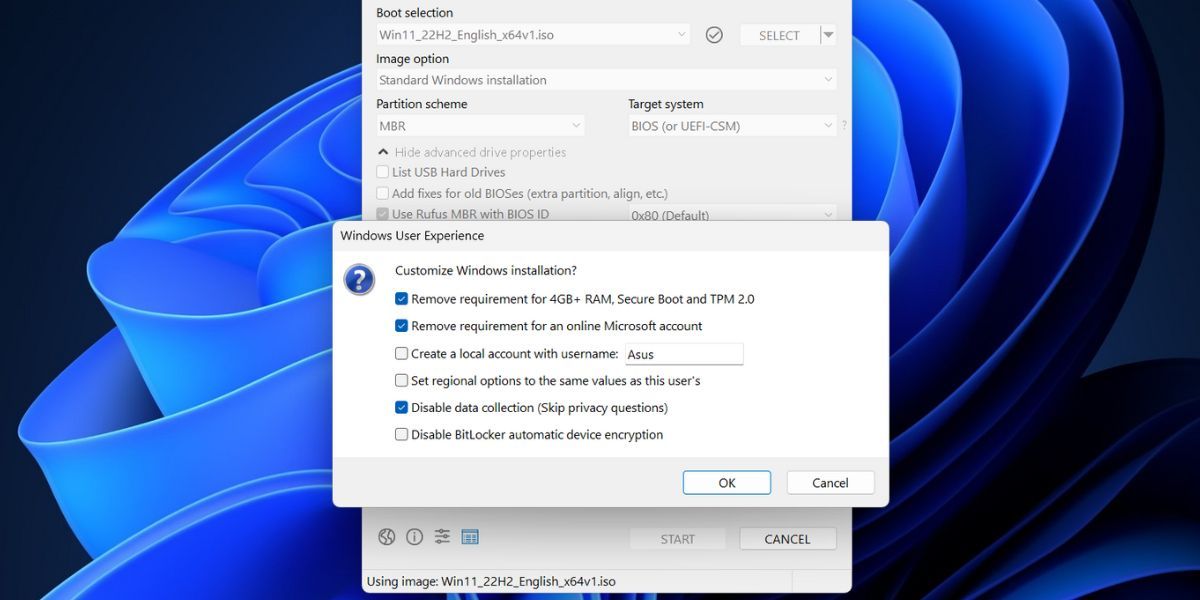
4. Then create a bootable USB flash drive either using Rufus (https://rufus.ie/en/) or your preferred utility.
5. During the installation of Win11, you may be prompted to key-in the "Activation Key", you can just click "I don't have the key" option and Win11 will still continue to install.
6. If your bundled Win11 is Home Edition, the installer will automatically select it. If it comes with both Home & Professional Edition, then the installer will prompt you to select which version.
7. Upon complete of installation and the laptop is connected to the internet, Win11 will perform the activation automatically itself.
Whether you have the key or not it doesn't matters, as long the computer is connected to the internet, Win11 can be activated automatically.
Hope this helps...



 Mar 3 2025, 01:53 PM, updated 10 months ago


 Quote
Quote








 0.0149sec
 1.02
1.02
 5 queries
 GZIP Disabled