QUOTE(chongkiatz @ Jun 14 2025, 04:11 PM)
i remember my note series that i use for long time until the phone hancur also never have the green line issues , until my S22plus and it happen , my fren de s20+ also greenline.
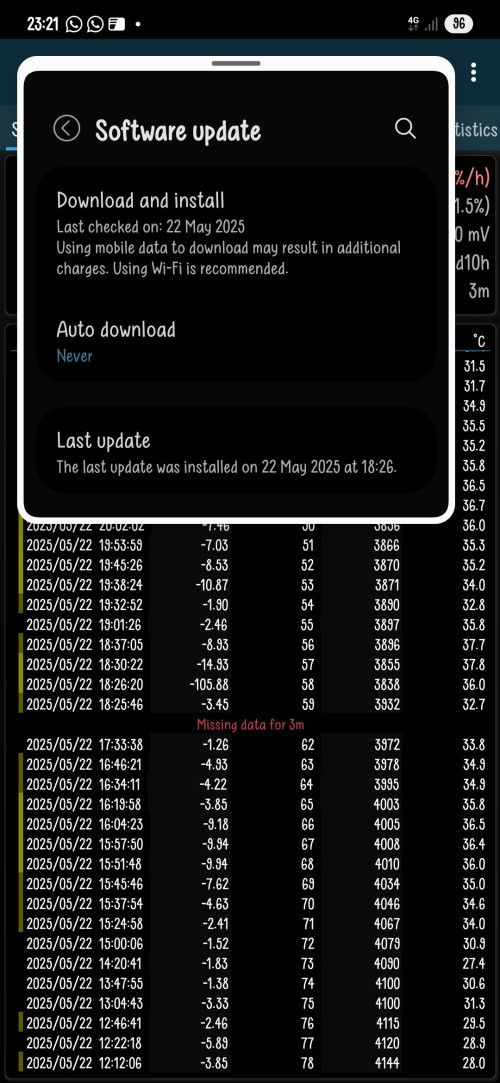
What i believe is it started when samsung make the screen more thin bazel for the phone , as u know the thinner the bazel , mean the contruction will be more weak , so anything heat up or drop might easily cause the component break down. So for those dont fall / water damage , most of time they get the light saber after updated the phone , because during updating , the phone will heat up and might be this reason the LINE component break down and causes light saber.
That why u notice alot of ppl making joke putting the phone in freeze during updating , or put in front of air-conditional

People getting pissy off because china thin bazel screen rarely face this kind of issues , but for samsung phone , the chance is very very high , so either samsung have to solve the heat issues during updating (maybe can throttle down the speed of upgrading so the phone doesnt heat up that much) , or improve with new technology to make the bazel more stronger.
Like the Vivo x90 pro series using samsung E6 display also often kena light saber , but vivo steady , a 3-4year old phone stil able to get free replacement screen without question
Yeah it's true that flexible oled with narrow bottom bezel easier to have light saber or worse white screen issues because flex ribbon is much more sensitive to heat and impact
There are few of true solutions
1. Starting with S25 series (and selected a series from a55 onwards) finally implemented seamless updates which not required rebooting into bootloader and wait for updates to be installed. With seamless updates, update is installed in separate system partition before reboot (requires a/b partition, cannot back port into older phones)
2. New display materials starting with s24 series (higher brightness at lower battery draw and heat output, but sacrifices the viewing angle due to micro lens technology)
3. Cpu with good enough efficiency which will not heat up during system updates or high brightness


 Jun 15 2025, 06:41 PM


 Quote
Quote











 0.0170sec
 0.69
0.69
 6 queries
 GZIP Disabled