I own a bravia just bought a new HP 22 LCD Widescreen monitor with HDMI :-) works nicely with PS3 will use this when balik kampung so berat to carry bravia
PS3 with LCD Monitor, finding one lcd monitor
PS3 with LCD Monitor, finding one lcd monitor
|
|
 Feb 9 2008, 01:30 AM Feb 9 2008, 01:30 AM
|
 
Senior Member
4,038 posts Joined: Aug 2005 From: Earth   
|
I own a bravia just bought a new HP 22 LCD Widescreen monitor with HDMI :-) works nicely with PS3 will use this when balik kampung so berat to carry bravia
|
|
|
|
|
|
Feb 9 2008, 01:56 AM
|

Senior Member
582 posts Joined: Jan 2007 From: Shah Alam
|
QUOTE(Rezuan78 @ Feb 9 2008, 12:51 AM)  bro jgn la membocorkan rahsia aku. bro jgn la membocorkan rahsia aku.    |
|
|
Feb 19 2008, 02:53 PM
|

Senior Member
875 posts Joined: Jan 2003
|
Hi all, I know most display below 40" can't see the difference between 720p and 1080p, so for a small room i m thinking of getting juz a 22" LCD Monitor. But problem with LCD monitor is that most doesn't support 1:1 mapping and thus the picture will be stretched vertically to fill the screen.
May i know which current LCD monitor supports 1:1 mapping? |
|
|
Feb 19 2008, 03:54 PM
|

Senior Member
4,000 posts Joined: Jul 2007 From: SomeWhereNearU
|
QUOTE(toytoy @ Feb 19 2008, 02:53 PM) Hi all, I know most display below 40" can't see the difference between 720p and 1080p, so for a small room i m thinking of getting juz a 22" LCD Monitor. But problem with LCD monitor is that most doesn't support 1:1 mapping and thus the picture will be stretched vertically to fill the screen. yes broMay i know which current LCD monitor supports 1:1 mapping? u r damm rite u should get a LCD TV |
|
|
Feb 19 2008, 04:37 PM
|

Junior Member
14 posts Joined: Feb 2007
|
check this out!! recently PS3 tourney in Cyberjaya... they used 10 Samsung LCD 32"....
 This post has been edited by azza484: Feb 19 2008, 05:18 PM Attached thumbnail(s) 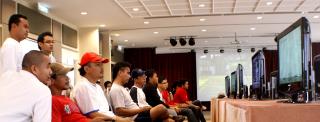
|
|
|
Feb 19 2008, 04:48 PM
|
|
All Stars
11,809 posts Joined: Jun 2006
|
official tourney... no official ps3.... dunno whether those ps3 got tax one or not.... but yet, its official
|
|
|
|
|
|
Feb 19 2008, 04:53 PM
|

Senior Member
5,366 posts Joined: Aug 2005 
|
QUOTE(toytoy @ Feb 19 2008, 02:53 PM) Hi all, I know most display below 40" can't see the difference between 720p and 1080p, so for a small room i m thinking of getting juz a 22" LCD Monitor. But problem with LCD monitor is that most doesn't support 1:1 mapping and thus the picture will be stretched vertically to fill the screen. it will just stretch about 80 pixels on vertical, hardly noticeableMay i know which current LCD monitor supports 1:1 mapping? |
|
|
Feb 19 2008, 05:31 PM
|
|
Junior Member
14 posts Joined: Feb 2007
|
QUOTE(rx330 @ Feb 19 2008, 04:48 PM) official tourney... no official ps3.... dunno whether those ps3 got tax one or not.... but yet, its official  what do you mean...haha.. official or not official.. what do you mean...haha.. official or not official.. |
|
|
Feb 19 2008, 06:05 PM
|
|
Junior Member
51 posts Joined: May 2007
|
Sori...saya nak tanya kalu sambung ps3 ke LCD monitor kena ada DVI kat LCD kan?
x mcm xbox360 cuma perlu VGA port aje.... kalu ps3 sambung kat LCD monitor guna DVI cable.... cam mana dgn sound? kena beli cable lain laie ke? VGA cable utk 360 ada skali cable audio? |
|
|
Feb 19 2008, 09:02 PM
|

Junior Member
139 posts Joined: Jun 2006
|
i have this bugging issue with my samsung 226bw that annoy me. dont get me wrong, the lcd itself is good for pc gaming, and even while playing ps3, it can display 720p perfectly. what bugging me is the error message that popup when the display setting is changed to 1080p. while under this setting, the picture quality is much more superior that 720p.
the question is, how can i disable this error message?it keep popping up when i exit menu and play game and back forth. i know the lcd somewhat downscale the display while in 1080p, but how can i choose not to display this message?anyone of you guys using the same lcd as mine?it does not pose any big prob, just annoyed with it. hope somebody can help me  This post has been edited by ravemaster: Feb 19 2008, 09:04 PM |
|
|
Feb 20 2008, 10:30 AM
|

Junior Member
408 posts Joined: Aug 2005
|
QUOTE(azza484 @ Feb 19 2008, 04:37 PM) check this out!! recently PS3 tourney in Cyberjaya... they used 10 Samsung LCD 32".... the pic in that samsung lcd isnt the best ..i think not using hdmi output rite that time.. |
|
|
Feb 20 2008, 10:53 AM
|

Senior Member
590 posts Joined: Aug 2005
|
@ravemaster, the BenQ FP94VW i'm using does the same thing if i choose 1080p. some msg always come out says "not supported settings" or something. after awhile, i don't mind the msg anymore, and it also helpful to tell me what games goes into 1080p mode and what games go into 720p mode.
although, 1080p or 720p on a 1440*900 monitor no difference at all, except placebo effect |
|
|
Feb 20 2008, 11:04 AM
|

Senior Member
2,792 posts Joined: Dec 2004 From: Neverland
|
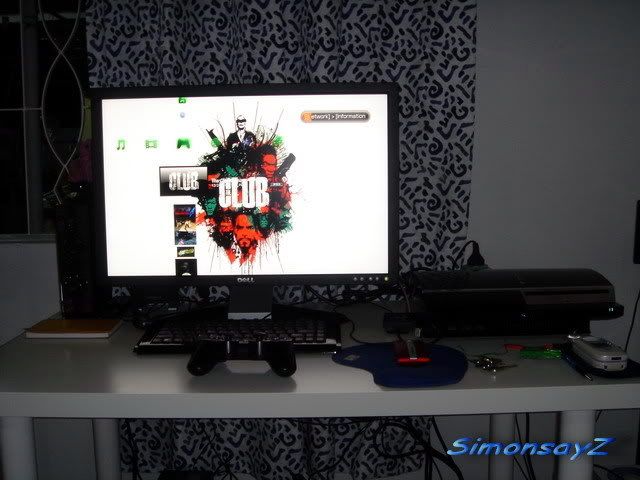
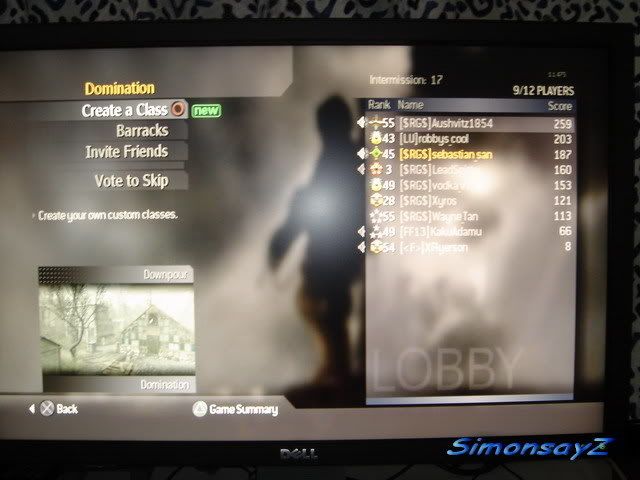
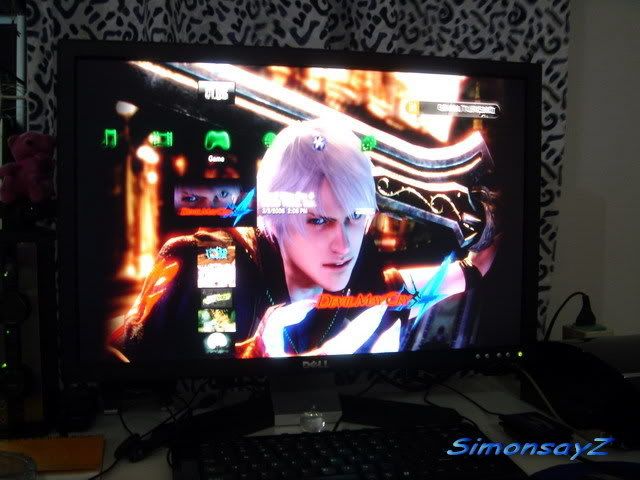
PS3 running on 24" Dell monitor in FULL HD, 1080p.
» Click to show Spoiler - click again to hide... « You be wrong if you say there is no difference in small screens. Some games is only 720p and when I run in 1080p, the textures are more pixelated and ugly. I can see alot difference. |
|
|
|
|
|
Feb 20 2008, 11:21 AM
|
|
Senior Member
590 posts Joined: Aug 2005
|
QUOTE Some games is only 720p and when I run in 1080p, the textures are more pixelated and ugly. I can see alot difference. huh!? typo? haha i mean for my small 19" 1440*900 monitor, i really can't spot much difference. on a bigger 24", sure can spot the difference. i still leave it set on 720p and 1080p, though. when running GT5P or T5DR in 1080p, i "convince" myself they look much better i don't have any BD movie to test. maybe just a placebo effect |
|
|
Feb 20 2008, 01:01 PM
|
|
Senior Member
5,366 posts Joined: Aug 2005
|
QUOTE(SimonsayZ @ Feb 20 2008, 11:04 AM) PS3 running on 24" Dell monitor in FULL HD, 1080p. u mean when running 720p on that 24" which has no 1:1 mapping, it will stretch to the entire screen?» Click to show Spoiler - click again to hide... « You be wrong if you say there is no difference in small screens. Some games is only 720p and when I run in 1080p, the textures are more pixelated and ugly. I can see alot difference. |
|
|
Feb 20 2008, 01:55 PM
|
|
Senior Member
2,792 posts Joined: Dec 2004 From: Neverland
|
QUOTE(dattebayo @ Feb 20 2008, 01:01 PM) u mean when running 720p on that 24" which has no 1:1 mapping, it will stretch to the entire screen? Not sure about mapping but on the monitor itself I can set if display in fullscreen or true 1080p, meaning with black bars at the top/bottom. QUOTE(acougan @ Feb 20 2008, 11:21 AM) huh!? typo? haha i mean for my small 19" 1440*900 monitor, i really can't spot much difference. on a bigger 24", sure can spot the difference. Not typo but my wrong way of description. What I mean is 720p is pixelated or not sharp compared to 1080p. i still leave it set on 720p and 1080p, though. when running GT5P or T5DR in 1080p, i "convince" myself they look much better i don't have any BD movie to test. maybe just a placebo effect  I use to run 19" at 720p and like you can't tell the difference between 720p and 1080i, except the text are smaller in size on 1080i. On a 24" I can tell the difference if the game is running on 720p and 1080p. i dunno but it looks different to me.  720p not that sharp. 720p not that sharp.1440x900, if Im not wrong can only go 1080i, interlaced. I dunno how you can manage to get 1080p when vertically you only have 900. Im not expert on so don't quote me on this. But its just my experience with my monitor. This post has been edited by SimonsayZ: Feb 20 2008, 02:00 PM |
|
|
Feb 20 2008, 02:21 PM
|
|
Senior Member
875 posts Joined: Jan 2003
|
QUOTE(megatron007 @ Feb 19 2008, 03:54 PM) yes bro Yeah bro, exactly why I am looking into getting a LCD TV now. But still can't decide on which one to get, looking at 32" hehe.u r damm rite u should get a LCD TV |
|
|
Feb 21 2008, 10:12 AM
|
|
Junior Member
14 posts Joined: Feb 2007
|
QUOTE(arroyos @ Feb 20 2008, 10:30 AM) the pic in that samsung lcd isnt the best ..i think not using hdmi output rite that time.. checked with the organizer... yeah... they not using hdmi... forgot to bring they said... |
|
|
Feb 23 2008, 04:22 PM
|

Senior Member
1,167 posts Joined: Jan 2007 From: ..Tsukuba..
|
if benq FP202W ok not for PS3?
|
|
|
Feb 23 2008, 04:36 PM
|

Senior Member
4,522 posts Joined: Apr 2006
|
QUOTE(SimonsayZ @ Feb 20 2008, 01:55 PM) Not sure about mapping but on the monitor itself I can set if display in fullscreen or true 1080p, meaning with black bars at the top/bottom. You can select 1080p for an output from the PS3 on a 1440x900 res, but it would be downscaled.Not typo but my wrong way of description. What I mean is 720p is pixelated or not sharp compared to 1080p. I use to run 19" at 720p and like you can't tell the difference between 720p and 1080i, except the text are smaller in size on 1080i. On a 24" I can tell the difference if the game is running on 720p and 1080p. i dunno but it looks different to me. 720p not that sharp.1440x900, if Im not wrong can only go 1080i, interlaced. I dunno how you can manage to get 1080p when vertically you only have 900. Im not expert on so don't quote me on this. But its just my experience with my monitor. I am also using the BenQ FP94VW, personally its pretty good. While it doesn't have 1:1 pixel mapping, the good thing is that it has a true direct 16:9 mode. Set it to 16:9 under HDMI and magically every PS3 game just looks great. Atleast for its price that is. |
| Change to: |  0.0254sec 0.0254sec
 0.42 0.42
 6 queries 6 queries
 GZIP Disabled GZIP Disabled
Time is now: 8th December 2025 - 12:00 PM |
 Quote
Quote