Outline ·
[ Standard ] ·
Linear+
How to make hole at back of casing smaller?, I have a problem.
|
TSCommodoreAmiga
|
 Mar 5 2024, 05:15 PM, updated 2y ago Mar 5 2024, 05:15 PM, updated 2y ago
|

|
Basically it's like this. I want to install this PCIE x1 Wifi card to my PC...which is a very slim desktop casing the size of a PS4 Fat. Basically, it doesn't have any rear slots because it doesn't expect you to add anything.... So i've decided to install a Pcie WIFI card anyway, with the use of a PCIE x1 extension cable/riser. I have drilled one hole at the back and enlarge an existing hole to allow the antenna point of the card to be pass through. But even if the Antenna are wired to the card, the thing is too loose and there is no support anywhere as the hole is kind of big (if it's too small, it cannot go through). Although it might work, but the card will be dangling inside the case with zero support. Is there anyway to make a tighter fit or with support? I was thinking how to fill the hole to make it smaller, tried adding stuff like double sided tape, masking tape to the card connection point to make it thicker in the middle so the hole can fit the card, but it doesn't work... Any ideas??? 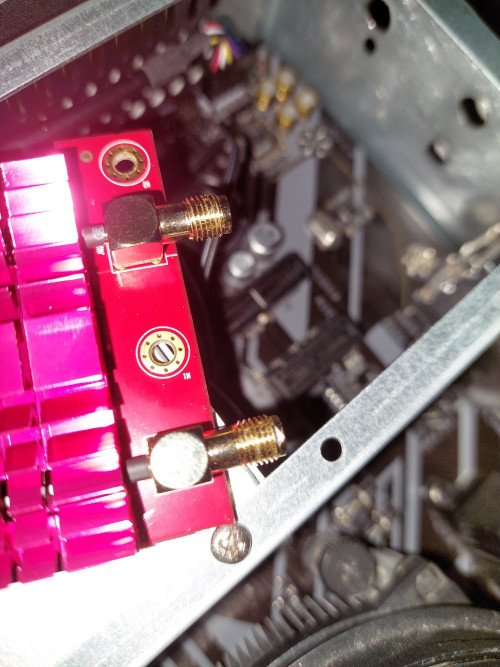 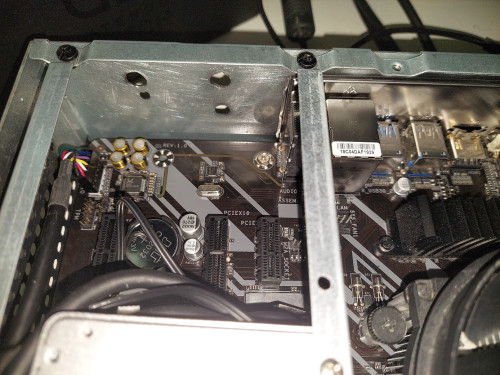 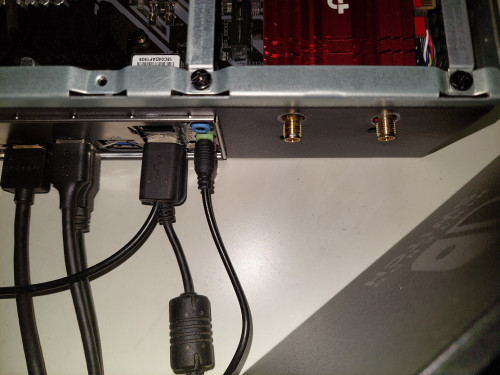 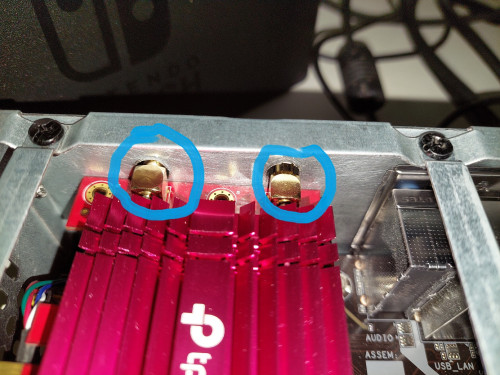 |
|
|
|
|
|
matrix88
|
Mar 5 2024, 05:41 PM
|
|
|
rubber bush, or silicone glue
|
|
|
|
|
|
TSCommodoreAmiga
|
Mar 5 2024, 05:53 PM
|
|
|
QUOTE(matrix88 @ Mar 5 2024, 05:41 PM) rubber bush, or silicone glue Hmm Something like this?? https://shopee.com.my/4.5mm-50.6mm-Silicone...48-29dc1f1785b0Tq |
|
|
|
|
|
stormer.lyn
|
Mar 5 2024, 06:00 PM
|
|
|
Install back the original bracket, but cut off the parts that are extra, like the bottom part and the top angle that is used for mounting.
Attach the bracket to the case. This will also support the card.
|
|
|
|
|
|
MISMan
|
Mar 5 2024, 06:12 PM
|
|
|
PTFE THREAD SEAL TAPE TEFLON TAPE PUTIH ... Shopee Malaysia https://shopee.com.my › ... › Hooks, Tapes & Adhesives plumbing tape from shopee.com.my Thread seal tape lubricates allowing for a deeper seating of the threads, and it helps prevent the threads from seizing when being unscrewed |
|
|
|
|
|
Satori 14118a
|
Mar 5 2024, 06:16 PM
|
|
|
QUOTE(CommodoreAmiga @ Mar 5 2024, 05:53 PM) Yep, cut one side and just squeeze it in between the gap This post has been edited by Satori 14118a: Mar 5 2024, 06:16 PM |
|
|
|
|
|
matrix88
|
Mar 5 2024, 06:59 PM
|
|
|
QUOTE(CommodoreAmiga @ Mar 5 2024, 05:53 PM) correct, but need to buy the right size (hole opening) good luck DIY |
|
|
|
|
|
TSCommodoreAmiga
|
Mar 6 2024, 09:24 PM
|
|
|
My PCI x1 cable finally arrived. Damn...the thing just fit ngam ngam....  it's a double right angle Pcie x1 extension. Almost need to make another two holes. The edge of the adapter is touching the side of the case... And i don't need to do anything to the holes...because everything in there is cramp the card pushed slightly upward due to pressure from the Pcie x1 cables underneath it. For now, i just let it be. Hope it runs ok and no overheating. Thanks all! |
|
|
|
|
|
matrix88
|
Mar 7 2024, 01:50 PM
|
|
|
QUOTE(CommodoreAmiga @ Mar 6 2024, 09:24 PM) My PCI x1 cable finally arrived. Damn...the thing just fit ngam ngam.... it's a double right angle Pcie x1 extension. Almost need to make another two holes. The edge of the adapter is touching the side of the case... And i don't need to do anything to the holes...because everything in there is cramp the card pushed slightly upward due to pressure from the Pcie x1 cables underneath it. For now, i just let it be. Hope it runs ok and no overheating. Thanks all! make sure it dont touch the casing ya, or you need to do something to insulate, else it might short circuit and burn. |
|
|
|
|
|
TSCommodoreAmiga
|
Mar 7 2024, 02:24 PM
|
|
|
QUOTE(matrix88 @ Mar 7 2024, 01:50 PM) make sure it dont touch the casing ya, or you need to do something to insulate, else it might short circuit and burn. Erm...the underneath of the PCIE x1 connector on the Wifi card side is touching the wall of the case...while the top heatsink part is probably touching the case as well(can see from photo above the red heatsink poking out the two holes, the cover just right over it.). Here is how the connector side of the Wifi card looks from outside the case, can see it clearly. 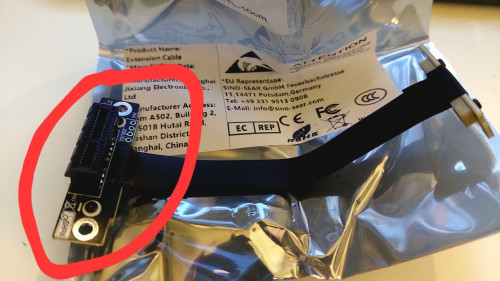 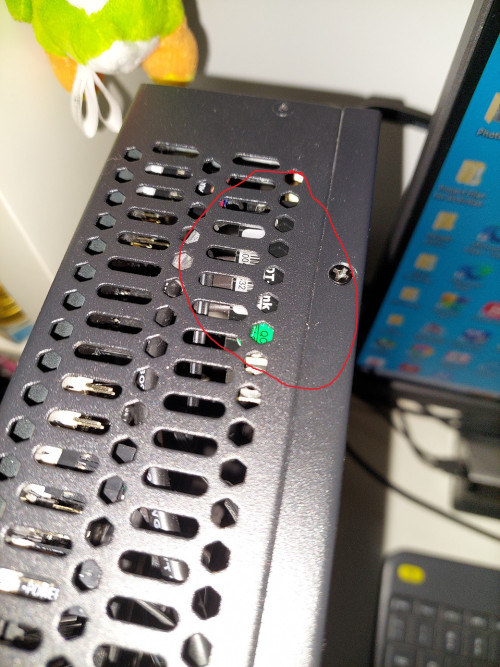 |
|
|
|
|



 Quote
Quote


 0.0173sec
 0.80
0.80
 5 queries
 GZIP Disabled