Outline ·
[ Standard ] ·
Linear+
Unifi Official TM UniFi High Speed Broadband Thread V42, READ 1ST PAGE FOR RELEVANT WIFI INFO!
|
lyc1982
|
 Jan 25 2024, 11:29 AM Jan 25 2024, 11:29 AM
|

|
sifus sekalian…
anyone here with previous Turbo upgrade with plan that includes the useless HyppTV ?
i would like to check if anyone with the above plan managed to remove the useless HyppTV or UnifiTV from the plan, then can remove the rm30 from monthly bill…
|
|
|
|
|
|
lyc1982
|
Jan 25 2024, 11:37 AM
|
|
|
QUOTE(blacktubi @ Jan 20 2024, 09:13 PM) Just buy the highest AX or BE number you can afford. An AX6000 dual band mesh will outperform an AX3600 tri-band mesh if both of them are of decent quality. hi.. my current plan is unifi 800Mbps i have ROG Gt-AX6000 (flashed to merlin), but when i use iphone 11 pro max to test the DL speed via wifi, will only achieve 300-400Mbps most of the time…what is the issue on this ? when first set up the AX6000, can achieve 690Mbps via wifi note: tested via asus router page shows 800+Mbps |
|
|
|
|
|
lyc1982
|
Jan 26 2024, 12:01 AM
|
|
|
QUOTE(YoungMan @ Jan 25 2024, 03:01 PM) Cannot remove the HyppTV. Even if you remove, TM will adjust back the price so that you still pay same amount. You either keep the plan or change to SWU plan. this sux… thanks for the info |
|
|
|
|
|
lyc1982
|
Jan 26 2024, 12:01 AM
|
|
|
QUOTE(countingcrows @ Jan 25 2024, 12:36 PM) Check your settings? I'm just using the free DIR X3060Z and the tests were conduicted when the internet was being used.   may i know what settings are you referring to ? |
|
|
|
|
|
lyc1982
|
Jan 26 2024, 12:05 AM
|
|
|
QUOTE(blacktubi @ Jan 25 2024, 12:01 PM) Use fast.com and change your minimum test duration to 30 seconds and try again. Make sure you are near to the router. Depending on network condition, Wi-Fi 6 may take some time to ramp up the throughput. On some devices or busy network, you will find that a 10-15 seconds speedtest is not long enough to reach the full speed. Further explanation: Wi-Fi 6/6e/7 use longer aggregates for data transmission, which means it can send more data at once before waiting for an acknowledgment (ACK). This approach can improve overall throughput but may introduce some latency in the acknowledgment process. If ACK frames take longer to be received due to longer aggregates, it could theoretically slow down the rate at which TCP congestion control ramps up its throughput. 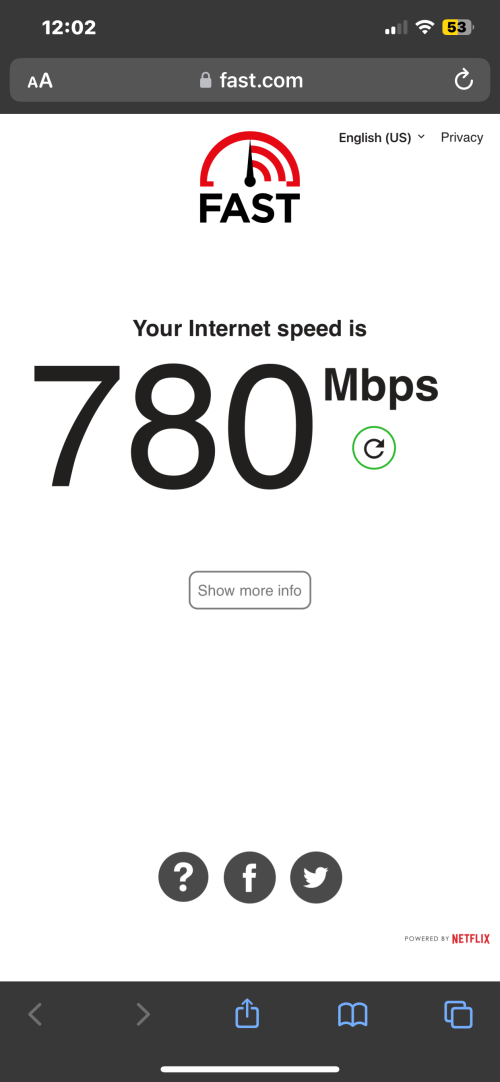 whoa…i used fast.com and it’s close to 800Mbps i never knew this website based speedtest before this thanks ! |
|
|
|
|



 Quote
Quote

 0.1331sec
 0.92
0.92
 7 queries
 GZIP Disabled