
Welcome Guest ( Log In | Register )

Bump Topic Topic Closed RSS Feed

Outline · [ Standard ] · Linear+

Unifi Official TM UniFi High Speed Broadband Thread V42, READ 1ST PAGE FOR RELEVANT WIFI INFO!

views
     
foxstertail
post Aug 14 2024, 11:58 AM

Getting Started
**
Junior Member
117 posts

Joined: Sep 2008
From: UEP Subang Jaya; Gombak


Selamat sejahtera sifu sifu sekalian.
Here to seek your knowledge & experience.

My home is using Unifi with the Huawei modem and Dlink router.
Router model is DIR-X3060Z.

I want to enable these settings on my network:

The following network components must be unblocked:

Multicast address 224.0.0.200
UDP port 2000
TCP port 18888

So at the router web interface, where do I find the settings for above?
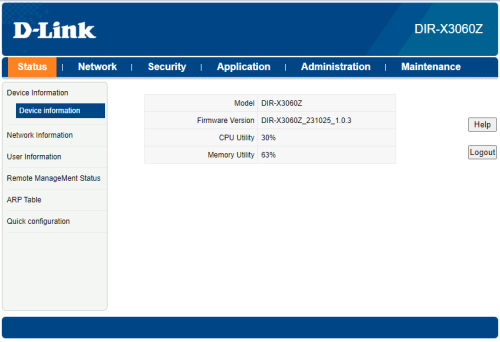
user posted image
foxstertail
post Aug 14 2024, 01:22 PM

Getting Started
**
Junior Member
117 posts

Joined: Sep 2008
From: UEP Subang Jaya; Gombak


QUOTE(tng55 @ Aug 14 2024, 02:10 PM)
i think you cannot port forward Dlink by TM and also cannot apply Google DNS always TM DNS due Firmware by TM

buy you own router can do port forward
*
ahh thought so. oh well.
can recommend any router for me to consider please?
that can set multicast address & port forward.

also, a PoE switch is basically a router right?
foxstertail
post Aug 14 2024, 07:35 PM

Getting Started
**
Junior Member
117 posts

Joined: Sep 2008
From: UEP Subang Jaya; Gombak


QUOTE(sHawTY @ Aug 14 2024, 02:41 PM)
Tell us how much you're willing to pay for a router
No. Most of them are not
*
300 - 400. Can go higher too.
What I'm looking for is a router that can do the following on my home network:

The following network components must be unblocked:

Multicast address 224.0.0.200
UDP port 2000
TCP port 18888

Ok so the PoE switch needs to be connected to the router not modem right?

foxstertail
post Aug 15 2024, 10:16 AM

Getting Started
**
Junior Member
117 posts

Joined: Sep 2008
From: UEP Subang Jaya; Gombak


QUOTE(PRSXFENG @ Aug 14 2024, 09:52 PM)
I think you may have confused some stuff

Firstly, what service is this that required these ports

2nd, a PoE switch is just a switch that also supplies PoE Power
So that say, you can connect 16 Cameras to it and then to your router, and the cameras get powered by your switch

Don't connect it to the modem

I wouldn't worry too much about the multicast address? Just forward those ports

EDIT: I found the source

https://support.hp.com/sg-en/document/ish_9047541-7890382-16

They mention disabling IGMP Snooping
I believe this is on by default on TM routers, so look into that
*
THANK YOU SOO MUCH!!
The disabling of ICMP Snooping was not stated in the guide I'm referring to: Manually pair the TC8 with a video system

I am trying to setup my home lab so I can work from home more often. biggrin.gif

Oh I wish I can belanja you teh tarik to say thanks. Haha

Topic ClosedOptions
 

Change to:
| Lo-Fi Version
0.0366sec    1.20    7 queries    GZIP Disabled
Time is now: 24th December 2025 - 03:37 PM