QUOTE(overfloe @ Jan 4 2023, 08:47 AM)
i wasn't aware that your legion only supports pcie 3.0. nevertheless, kc3000 will work on pcie 3.0 and will run at max speed of pcie 3.0. alternatively you can have a look at transcend MTE220s. the price between these two for 1TB size is about RM100+. MTE220s runs quite hot under full load (like copying large files).
kc3000 is cheap now you can even take it out and install in your newer notebook if you want to do it in the future.
Yeah, the model I'm using is 16ACHg6. KC3000 sounds tempting, I'll have to do some research on that...does it come with 2TB?
QUOTE(sHawTY @ Jan 4 2023, 12:00 PM)
Which generation is your Legion 7?
The latest generation for Legion 7 is 7th gen. Different generations have different configurations
If you are not sure, go to Lenovo support website, and type in your serial number then it'll display something like the image below
Lenovo support webpage:
https://pcsupport.lenovo.com/my/en/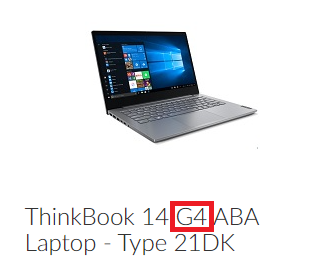
The G4 for that ThinkBook model means it's the 4th generation
My legion 7 model is 16ACHg6
QUOTE(teslaman @ Jan 4 2023, 02:08 PM)
No issue to put Gen 4 NVME, the disk itself is better rated then most Gen 4.
980 Pro is the best, and next recommended are those from SK Hynix. Great warranty support. Go for 2TB or 4TB if suited your budget. The bandwidth will not be saturated, as these are among the best reliable NVMe.
The model I'm using is 16ACHg6. Ok, will need to do some research into the 980 Pro...is SK Hynix actually decent? I'm actually looking at 2TB


 Dec 31 2022, 11:37 PM, updated 3y ago


 Quote
Quote


 0.0224sec
 0.67
0.67
 5 queries
 GZIP Disabled