

 Jul 12 2024, 01:58 PM


QUOTE(flautoeng @ Nov 21 2023, 04:11 PM)
Hi, like to share my experience.
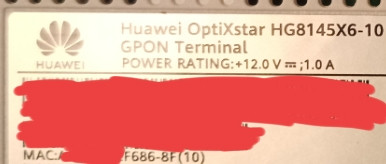
I signed up for Time 500Mbps plan, which comes with 2x Huawei 8145X6-10 routers. The Time installer set up 1x as a 2-in-1 (Modem + Router), and another 1x with Mesh.
I already had my own TP-Link AX73 with Unifi, and I decided to use the Huawei 8145X6-10 as a modem only.
I called Time helpline, and the technical team called back within 2 hours.
Apparently it can set it physically with it, the settings (as a modem only) needed to be adjusted on Time end to switch from 2-in-1 to modem only.
At my AX73, I need to made sure the LAN cable was connected from Huawei 8145X6-10 (LAN1) to the AX73 WAN port. And AX73 set with PPPoE method with the login credentials provided by Time. It worked. Hope this helps~

Hi, I'm using an old Unifi Router (D-Link DIR842). I've changed the firmware to v3.13.I signed up for Time 500Mbps plan, which comes with 2x Huawei 8145X6-10 routers. The Time installer set up 1x as a 2-in-1 (Modem + Router), and another 1x with Mesh.
I already had my own TP-Link AX73 with Unifi, and I decided to use the Huawei 8145X6-10 as a modem only.
I called Time helpline, and the technical team called back within 2 hours.
Apparently it can set it physically with it, the settings (as a modem only) needed to be adjusted on Time end to switch from 2-in-1 to modem only.
At my AX73, I need to made sure the LAN cable was connected from Huawei 8145X6-10 (LAN1) to the AX73 WAN port. And AX73 set with PPPoE method with the login credentials provided by Time. It worked. Hope this helps~
After Time CS, Changed my Modem to Bridge Mode.
I setup the router with the TIME PPPoE details, but it doesn't work at all.
Any suggestions?
Thanks
 Quote
Quote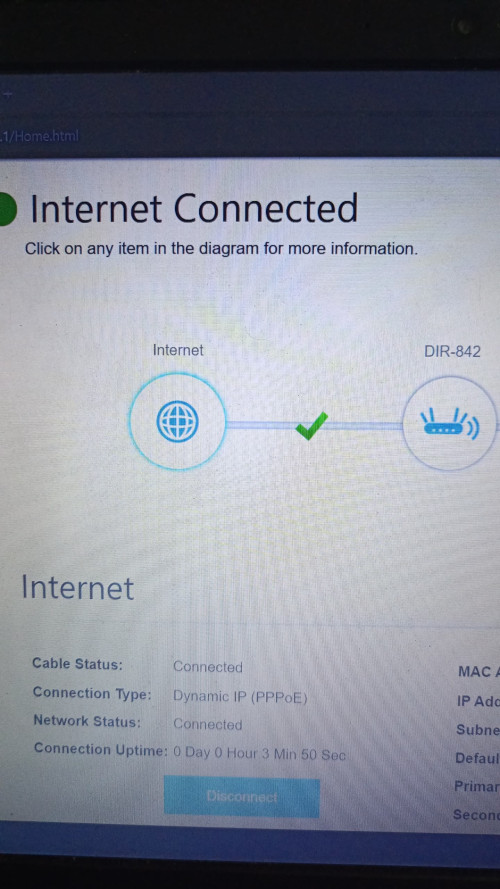

 0.0207sec
 0.73
0.73
 7 queries
 GZIP Disabled