Welcome Guest ( Log In | Register )

Outline · [ Standard ] · Linear+

 Win 10 BSOD help urgent

views
     
TStng55
post Oct 24 2022, 08:45 PM, updated 4y ago

Regular
******
Senior Member
1,441 posts

Joined: Sep 2021


Please help Urgent !!!!!!!

I still problem windows 10 bsod
Once reboot no detected SSD
I check bios no detected SSD SATA

I switch off power supply

Once 10min then i switch on
I go bios now ssd sata detected
Then boot windows 10 seen fine then once 5min over suddely bsod
Then unable boot
Then i go bios not detected ssd daam trouble

Then switch off 10min
Then once 10min i switch on
Got bootable windows 10

I download early and check ssd seen good healty
Once 5min over get bsod
Then no detected ssd again

Daam trouble

Motherboard ASUS PRIME H310M-K R2.0

I early download bios and updated bios latest

Still same resuit

SSD is samsung 860 PRO 256GB

Seee photo bsod


Attached thumbnail(s)
Attached Image Attached Image
TStng55
post Oct 24 2022, 09:11 PM

Regular
******
Senior Member
1,441 posts

Joined: Sep 2021


QUOTE(empstar2 @ Oct 24 2022, 08:57 PM)
TS
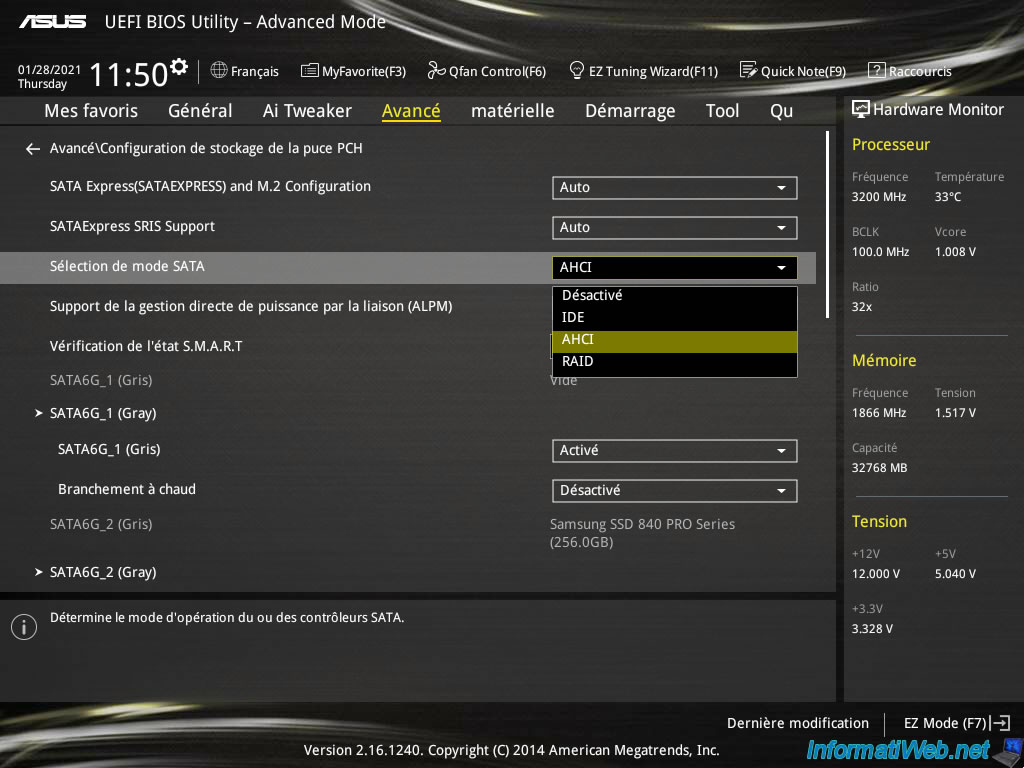
Suspect 1) When you install your windows , in bios the HDD/SSD/m.2 set to IDE or AHCI or RAID ?
make sure u use back the same setting as before coz u had updated the bios.

Suspect 2) sometime the SSD problem or K.O. then BSOD will appear

Suspect 3) RAM problem also can make windows BSOD.
*
Motherboard ASUS PRIME H310M-K R2.0

That mobo bios no there ACHI and IDE and RAID
I already find no there setting ACHI

Before bios i not yet update got bsod and not detected SSD
so i try update bios still same
TStng55
post Oct 24 2022, 09:13 PM

Regular
******
Senior Member
1,441 posts

Joined: Sep 2021


QUOTE(empstar2 @ Oct 24 2022, 08:59 PM)
with the thing u mention, i suspect is SSD dead.

unplug the SSD/m.2 then use another PC to play with the SSD/m.2
run testing, copy files delete files see got problem or not. reboot and reboot.
*
I did ssd check say good healty
File copy no error and delete no error
Speed copy file reading over 500mb/sec
Loading very faster
TStng55
post Oct 24 2022, 09:15 PM

Regular
******
Senior Member
1,441 posts

Joined: Sep 2021


QUOTE(acbc @ Oct 24 2022, 09:00 PM)
Maybe a faulty PSU?
*
PSU still fine
Sata power dvd drive no problem
Sata dvd drive detected seen fine
TStng55
post Oct 24 2022, 09:17 PM

Regular
******
Senior Member
1,441 posts

Joined: Sep 2021


QUOTE(Wedchar2912 @ Oct 24 2022, 09:14 PM)
have you copied all your important data out of the ssd first? do that first.
check if there are any lose cables (both power and sata).
check your bios battery.
reseat ur rams.

if you have a spare ssd/hdd, try installing new windows on that (after removing the original main ssd) and see what happens.
*
Cmos battery fine
Data backup already saved pendrive

Sata cable and power sata cable all already tight
No lose cable

Ram still fine
TStng55
post Oct 24 2022, 09:33 PM

Regular
******
Senior Member
1,441 posts

Joined: Sep 2021


QUOTE(empstar2 @ Oct 24 2022, 09:24 PM)
user posted image

TS sometime SSD can read and write dose not mean it is in good condition, my OLD SSD 128 GB also crazy like this, sometime can detect, sometime cannot detect. then when it can detect it can run no issue, but sometime the SSD will missing during BOOT. so I think is time to change new SSD.
*
Look seee
Attached Image
Attached Image
Attached Image

After 5 min then now empty ssd not detected
Attached Image
TStng55
post Oct 24 2022, 09:45 PM

Regular
******
Senior Member
1,441 posts

Joined: Sep 2021


QUOTE(empstar2 @ Oct 24 2022, 09:40 PM)
TS now can only suggest.
1) this PC, plug in another SSD/HDD and try install now windows. if this ok then con lan firm your SSD K.O.
2) unplug the SSD and test in another PC (if u have one) and test it. (best)
*
Dont have extra SSD

I already unplug ssd

I will test other pc ssd sata let to see

If working fine like 24+hours running

Then what problem pc rclxub.gif

This post has been edited by tng55: Oct 24 2022, 09:45 PM
TStng55
post Oct 24 2022, 10:46 PM

Regular
******
Senior Member
1,441 posts

Joined: Sep 2021


QUOTE(empstar2 @ Oct 24 2022, 09:47 PM)
this PC you use another HDD/SSD to install a new windows and see can or not , if cannot install or BSOD or HANG then motherboard problem. (please change IDE cable too.)
*
U mean IDE cable its old no longer IDE Cable like pata

I did try swap sata cable and other slot sata port
Still same

I will test other pc if work i get another SSD that pc fresh windows 10 let to see if still problem mean motherboard KO right
TStng55
post Oct 28 2022, 12:22 AM

Regular
******
Senior Member
1,441 posts

Joined: Sep 2021


i already checked SSD for other PC look same problem

not detected SSD confirmed SSD PROBLEM

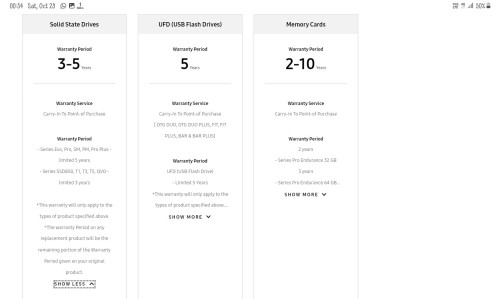
i know Samsung 860 PRO 5 Years Warranty

i looking how to claim warranty myself create RMA Samsung

i already ask seller they charge RM30 bangwall.gif bangwall.gif

seller very bad

i looking i want to do myself warranty RMA

i can do Postage no problem
TStng55
post Oct 29 2022, 12:11 AM

Regular
******
Senior Member
1,441 posts

Joined: Sep 2021


QUOTE(empstar2 @ Oct 28 2022, 02:16 PM)
SSD problem mostly. So get a new ssd.
*
i know Samsung 860 PRO 5 Years Warranty

i looking how to claim warranty myself create RMA Samsung
TStng55
post Oct 29 2022, 12:38 PM

Regular
******
Senior Member
1,441 posts

Joined: Sep 2021


QUOTE(PJng @ Oct 29 2022, 12:36 AM)
I just searching a bit, seem samsung malaysia does not able direct send

https://www.samsung.com/my/support/warranty/#info4

user posted image

Say send back to point of sale

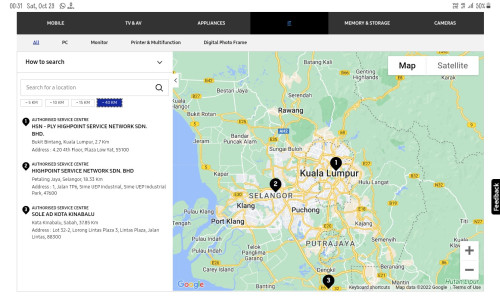
https://www.samsung.com/my/support/service-centre/

user posted image

If choose IT, lowyat,  if choose SSD, no service center
So look like must send back to seller
*
i looking how to claim warranty myself create RMA Samsung

i already ask seller they charge RM30 bangwall.gif bangwall.gif

seller very bad

i looking i want to do myself warranty RMA

i can do Postage no problem
TStng55
post Oct 29 2022, 01:06 PM

Regular
******
Senior Member
1,441 posts

Joined: Sep 2021


QUOTE(PJng @ Oct 29 2022, 12:53 PM)
I think you no read, instead reposting
Samsung website say send back to seller, no direct send to samsung
*
yes i already read i understand

i had ask samsung they told me send back to seller

i had contacted seller they charging me RM30

i know 5 year warranty no cost i am sure but seller charging RM30


Change to:
| Lo-Fi Version
0.0299sec    0.53    7 queries    GZIP Disabled
Time is now: 9th December 2025 - 03:10 AM