

 Feb 16 2025, 01:13 AM


QUOTE(FlierMateI @ Sep 12 2022, 06:18 PM)
I am attaching an app similar to "guicpuid.zip" (Linux GUI app) but in native Windows.
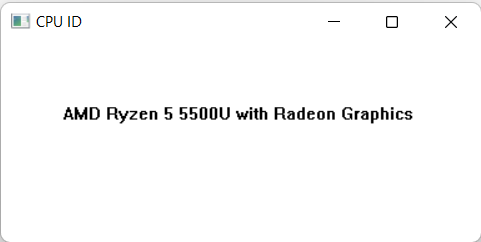
I use "TextOutA" from GDI32 (graphics device interface) API to display the processor name.
Full source: (Compile with FASM)
itextpad.com/ySabmqIr4U
Source file and binary executable (cpuid.asm & cpuid.exe) are included in the Zip file below.
Enjoy!

This is another version, I call it "CPU-Y", though it is an incompleted project. The complete project shall include detection of processor features like SSE3, SSE4.1 /4.2, AVX, AVX2, AVX512F.I use "TextOutA" from GDI32 (graphics device interface) API to display the processor name.
Full source: (Compile with FASM)
itextpad.com/ySabmqIr4U
Source file and binary executable (cpuid.asm & cpuid.exe) are included in the Zip file below.
Enjoy!
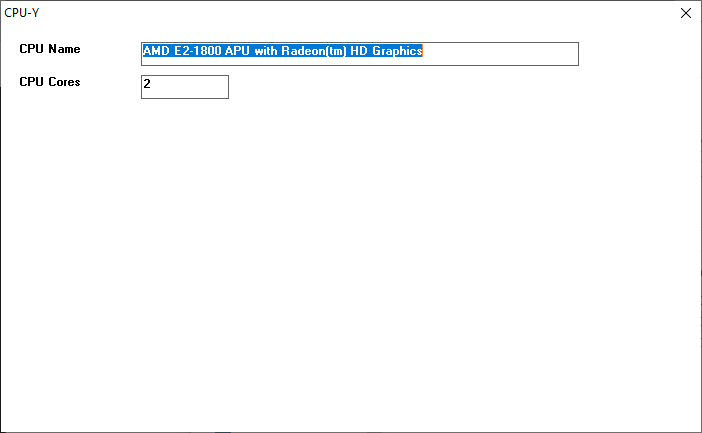
Currently it only shows CPU name and number of CPU cores (On Intel, it is the maximum number of logical processors supported, not actual number of CPU cores).
But this version, unlike the previous CPUID.EXE, allows user to copy the CPU name with right-click menu.
As usual, source file and Windows 32-bit EXE are included.
Attached File(s)
 cpuy.zip ( 2.44k )
Number of downloads: 10
cpuy.zip ( 2.44k )
Number of downloads: 10 Quote
Quote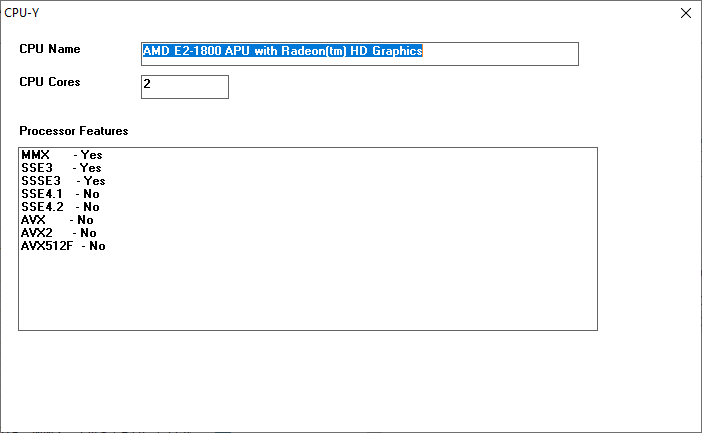

 0.0165sec
 0.89
0.89
 7 queries
 GZIP Disabled