Welcome Guest ( Log In | Register )

Outline · [ Standard ] · Linear+

 Minimal GUI app in Linux, 972 bytes only

views
     
TSFlierMate1
post Jun 23 2022, 02:27 PM, updated 4y ago

Getting Started
**
Validating
139 posts

Joined: Jun 2022
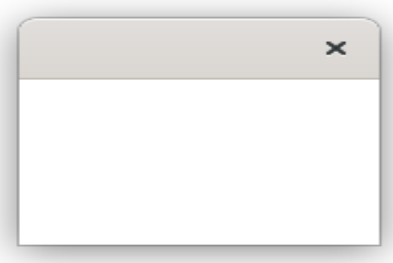
A Russian coder managed to create simple GUI app in Linux using pure Assembly (without the need for linking object file) in just 972 bytes! Terrific.

This is the GUI app (empty window):
user posted image

This app has string table defined as:
CODE

STRING_TABLE:                   db 0
str@libX11.so.6                 db 'libX11.so.6',0
str@XMapRaised                  db 'XMapRaised',0
str@XCreateSimpleWindow         db 'XCreateSimpleWindow',0
str@XNextEvent                  db 'XNextEvent',0
str@XSelectInput                db 'XSelectInput',0
str@XOpenDisplay                db 'XOpenDisplay',0


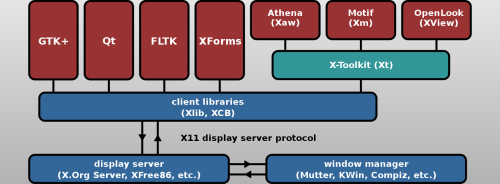
It connects to X Server.

Command-line to compile GUI.asm and the terminal message after running it.

user posted image


Attached File(s)
Attached File  gui.txt ( 3.66k ) Number of downloads: 23
TSFlierMate1
post Jun 23 2022, 04:55 PM

Getting Started
**
Validating
139 posts

Joined: Jun 2022
Xlib - C Language X Interface
https://www.x.org/releases/X11R7.7/doc/libX...X11/libX11.html

user posted image
TSFlierMate1
post Jun 28 2022, 05:13 PM

Getting Started
**
Validating
139 posts

Joined: Jun 2022
I ported my cpuname.asm to guicpuid.asm, so that now it can displays processor name in a windowed application, instead of in terminal window. biggrin.gif

The full source (compile with FASM) and Linux x64 app is attached in the guicpuid.zip file below, feel free to download and try.

https://itextpad.com/btTQfMRpBn

You can change the source code to display anything you want, all in a windowed application.

user posted image

To run the application, just double-click "guicpuid" icon.

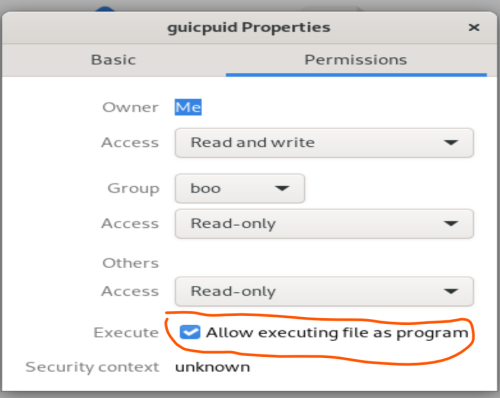
Maybe also need to enable "Execute" permission:
user posted image

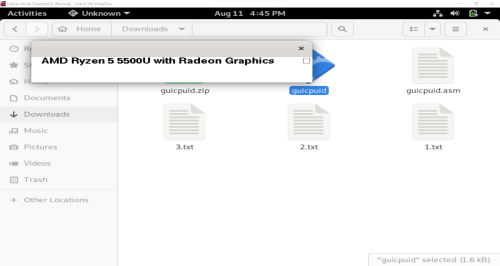
Then, double-click the blue icon:
user posted image

My app runs as GUI window on Linux:

user posted image

This post has been edited by FlierMate1: Aug 11 2022, 04:46 PM


Attached File(s)
Attached File  guicpuid.zip ( 2.64k ) Number of downloads: 10
TSFlierMate1
post Jul 7 2022, 05:03 PM

Getting Started
**
Validating
139 posts

Joined: Jun 2022
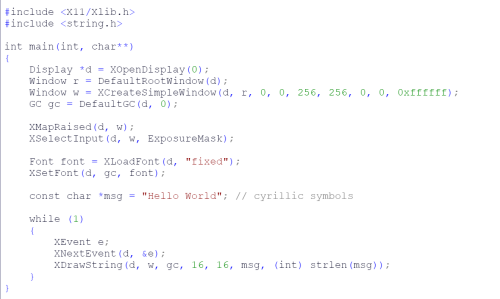
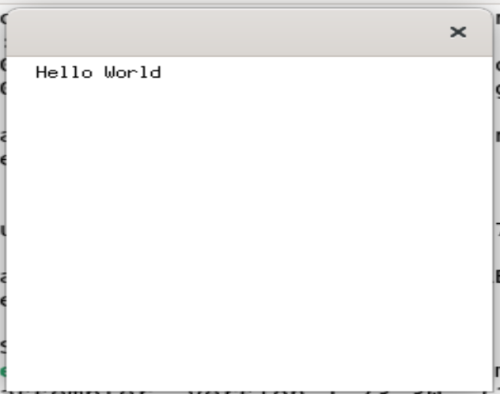
Actually the above can be done using C++.

user posted image

"fixed" is the default font. Can change to other font like "*helvetica-bold-r-normal--18*".

Compile using:
CODE
g++ -Wall -g -std=c++11 hello.cpp -L/usr/lib/X11 -lX11 -o hello


user posted image

(To download hello.cpp, click hello.zip below)


Attached File(s)
Attached File  hello.zip ( 480bytes ) Number of downloads: 6
FlierMateI
post Sep 12 2022, 06:18 PM

New Member
*
Validating
12 posts

Joined: Sep 2022
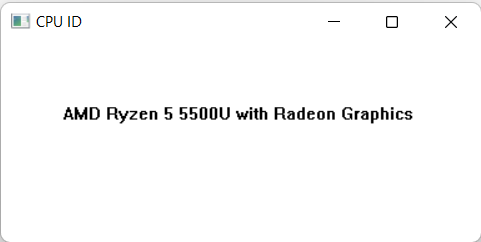
I am attaching an app similar to "guicpuid.zip" (Linux GUI app) but in native Windows.

user posted image

I use "TextOutA" from GDI32 (graphics device interface) API to display the processor name.

Full source: (Compile with FASM)
itextpad.com/ySabmqIr4U

Source file and binary executable (cpuid.asm & cpuid.exe) are included in the Zip file below.

Enjoy!


Attached File(s)
Attached File  cpuid.zip ( 2.04k ) Number of downloads: 20
FlierMate4
post Jan 15 2023, 10:55 PM

Getting Started
**
Validating
90 posts

Joined: Jan 2023
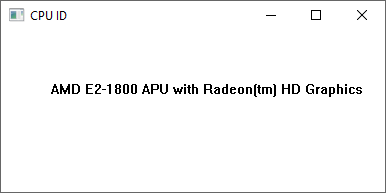
Running cpuid.exe above on another computer...

user posted image
angch
post Jan 16 2023, 10:44 AM

On my way
****
Junior Member
636 posts

Joined: Jul 2006
sad.gif You downgraded.
Mat Quasar
post Feb 16 2025, 01:13 AM

Getting Started
**
Validating
64 posts

Joined: Nov 2024
QUOTE(FlierMateI @ Sep 12 2022, 06:18 PM)
I am attaching an app similar to "guicpuid.zip" (Linux GUI app) but in native Windows.

user posted image

I use "TextOutA" from GDI32 (graphics device interface) API to display the processor name.

Full source: (Compile with FASM)
itextpad.com/ySabmqIr4U

Source file and binary executable (cpuid.asm & cpuid.exe) are included in the Zip file below.

Enjoy!
*
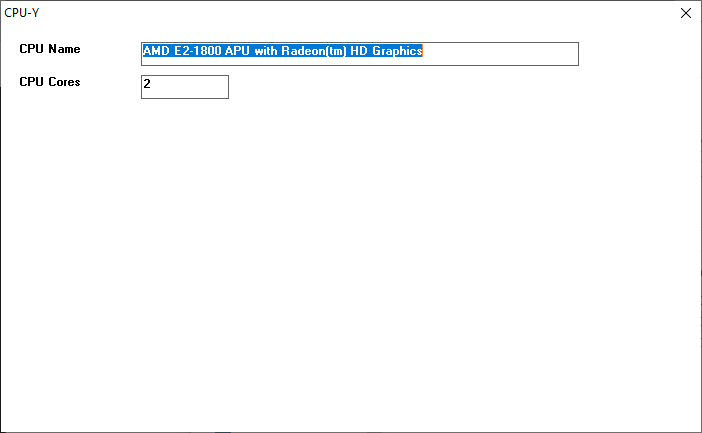
This is another version, I call it "CPU-Y", though it is an incompleted project. The complete project shall include detection of processor features like SSE3, SSE4.1 /4.2, AVX, AVX2, AVX512F.

user posted image

Currently it only shows CPU name and number of CPU cores (On Intel, it is the maximum number of logical processors supported, not actual number of CPU cores).

But this version, unlike the previous CPUID.EXE, allows user to copy the CPU name with right-click menu.

As usual, source file and Windows 32-bit EXE are included.


Attached File(s)
Attached File  cpuy.zip ( 2.44k ) Number of downloads: 10
meng6
post Feb 16 2025, 06:31 PM

Getting Started
**
Junior Member
63 posts

Joined: Aug 2020
Thanks for sharing
Mat Quasar
post Feb 20 2025, 06:43 PM

Getting Started
**
Validating
64 posts

Joined: Nov 2024
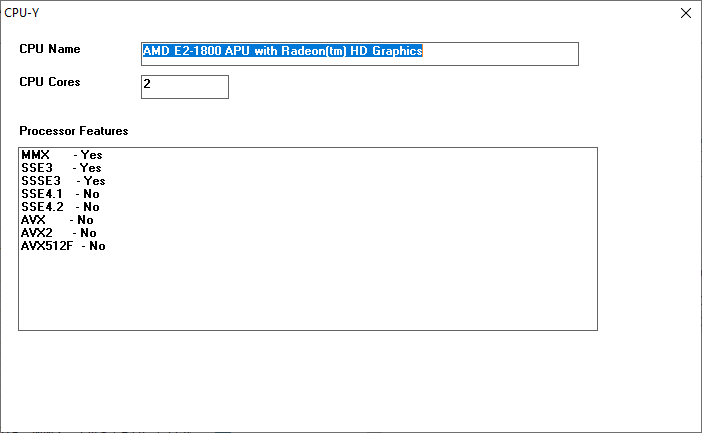
Hi, I have finalized the CPU-Y now to include processor features in listbox.

But it requires Windows 10, at least, according to Microsoft:

QUOTE
Support for PF_SSSE3_INSTRUCTIONS_AVAILABLE through PF_AVX512F_INSTRUCTIONS_AVAILABLE were added in the Windows SDK (19041) and are supported by Windows 10, Version 2004 (May 2020 Update) or later.


user posted image

This post has been edited by Mat Quasar: Feb 20 2025, 08:51 PM


Attached File(s)
Attached File  cpuy2.zip ( 3.23k ) Number of downloads: 5


Change to:
| Lo-Fi Version
0.0249sec    0.81    6 queries    GZIP Disabled
Time is now: 21st December 2025 - 12:45 PM