

 May 27 2023, 01:57 AM


As expected, there are issues when TM install stuff so I’m wondering if anyone can advise on some simple things. The change in router had messed up smart home settings and most doesn't work inc the Daikin AC via its app.
1. The previous router was 192.168.1.1 and this has been changed in the new router to 192.168.1.1. This is a pain because I have some devices with static IP eg Synology NAS, CCTV etc. The installer told her that we must use this address which was the same nonsense when they changed to the 1.1 address in the last router.
Apart from changing the new router to the old address and reconfiguring the static IP’s is there a simple way to access the 192.168.1.x network? I changed it manually but it would be useful to know.
2. The Wifi seems really slow at about 30 Mbps and when I look at the config its set to 2.4 Ghz which is what the TM told her that it needs to be. This is nonsense and its little wonder that its slow. I changed it to 5Ghz and its quicker at about 345 Mpbs. Why on earth would they say it needs to be set to 2.4Ghz?
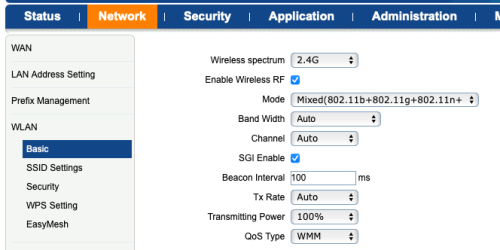
The number if SSID's seems quite limited on the model and there is no option for a combined SSID Like the Deco M9 or am misunderstanding it.
At the moment I'm running 2 SSIDS, 1 for each band.
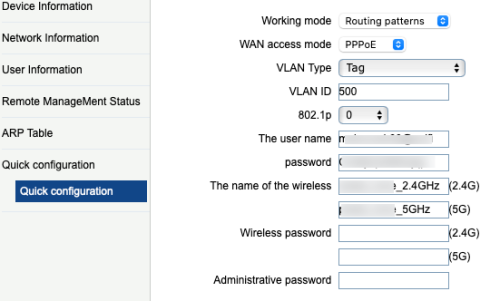
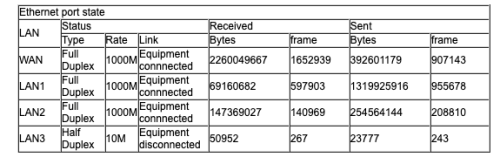
3. There are 3 LAN ports and LAN 3 doesn't seem to work. Looking at the config I note its half duplex. I cannot find any option to reconfigure this or understand why it doesn't work.
4. Are there any other user menu's because it's seems a little basic. I remember in the past there used to be multiple TM user ID's which gave you further access.
5. Any tips of useful things to know about this kit?
 Quote
Quote
 0.0244sec
 0.89
0.89
 7 queries
 GZIP Disabled