

 Aug 31 2021, 04:09 PM


QUOTE(ken431256 @ Aug 31 2021, 03:53 PM)
How to setup the bot? I don't see a copy trade function, only these options. And how to minimize the risk?
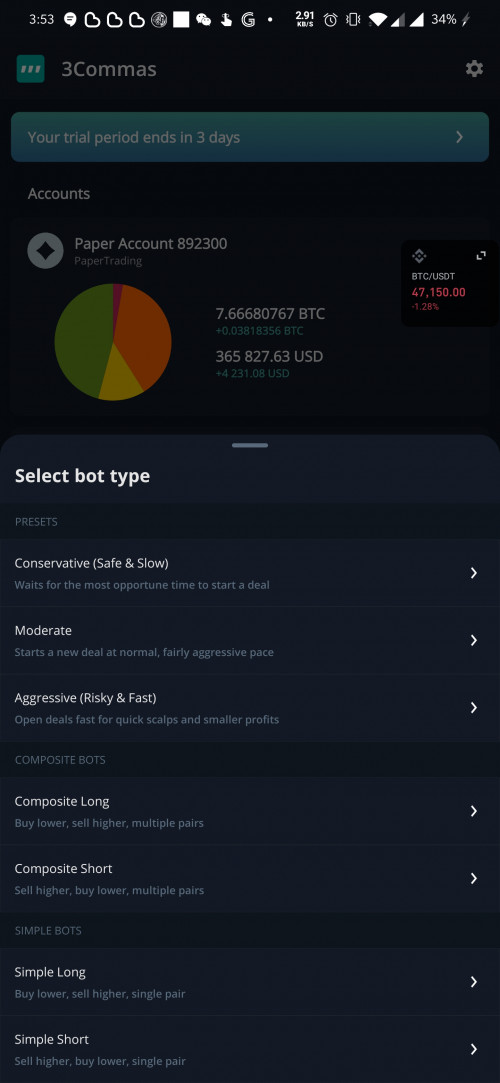

are you able to set up on PC instead?anyways, look for the below settings to create a bot.
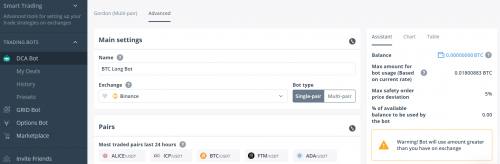
Then after you have chosen your pair.
My recommended strategy to cover at least a 30% drop in the market is:
Base order size: 10 USD, Safety Order size: 20 USd
Deal start condition: I usually have at least RSI-7 set to "55". But if you playing single pair, like LTC, ETH, ADA, BTC, etc, then set to 'start deal asap' should be okay too. Just don't aim coin that too risky.
Target profit:
Depends what you think the market is going to do with the pair, and whether you willing to hold profit short period or wait for longer, but make more profit . My recommendation is in between 1.5% - 4%.
turn off trailing take profit & stop loss. You don't need stop loss with my settings.
Max safety trade count: set to 15-25. You will notice once you change this setting and base order/safety order, the column on the right hand side will start showing how much $$ you need in the account to fully cover this bot.
max active safety trade count, set it to max 3. - this setting doesn't matter if you trading single pair. But if you have a gordon bot, then this will affect how many trades the bot will run at same time.
price deviation to open safety order - I set this to 1.2%-1.5% usually. This means that the pair price will drop 1.2% before it triggers the next safety order purchase.
safety order volume scale - this setting is how much more money you want to commit to your safety order size. I.e. if it is set to 20USD and you set this to 1.05, then the bot will take 20*1.05 = 21 dollars as the next buy in. And so on, so forth. Personally, I set this to 1.00, IF my safety order size is already double of my base order size. But some bots, I can set safety order size to the same as my base order size. Then, I will play around with this setting here. I.e. 10 base order, 10 safety order. then my volume scale, I set it to 1.2 or 1.3. Hope that makes sense.
safety order step scale - this setting is also how much of a drop you want to cover. I usually set this to 1.2-2.
That's all the settings I play with, after that, just make sure your right hand readings and parameters are 'green'. then hit save bot and let it run.


Remember, make sure your Max safety order price deviation has a value of at least 30%. This means, the bot can cover a 30% drop in the market. Very important. Don't run the bot unless you can cover a minimum 30% drop. The more drop you can cover, the safer.
This post has been edited by Liamness: Aug 31 2021, 04:20 PM
 Quote
Quote








 I sharing knowledge, but do your own research.

 0.0230sec
 0.90
0.90
 5 queries
 GZIP Disabled