Welcome Guest ( Log In | Register )

3 Pages  1 2 3 >Bottom

Outline · [ Standard ] · Linear+

 SONY TV 2021 available for order

views
     
tmc
post Dec 5 2021, 06:54 PM

Regular
******
Senior Member
1,185 posts

Joined: Dec 2011
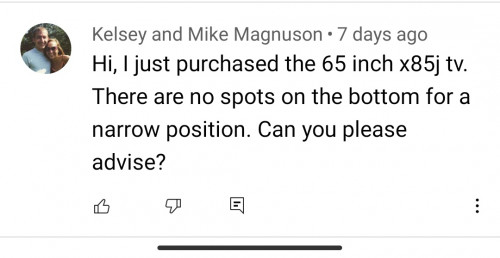
Can I find out from the owner of Sony 65 inch x85j TV about the TV stand ?

I saw some video that says the TV can be put on table top using both wide position and narrow position as well.

The wide position is 120 cm and the narrow position is 46 cm.

Because my table top is small, I want to use the narrow position.

Is that ok ? Is my understanding correct ?


user posted image

This post has been edited by tmc: Dec 5 2021, 07:25 PM
tmc
post Jan 7 2022, 09:57 PM

Regular
******
Senior Member
1,185 posts

Joined: Dec 2011

Sony X85j couldn't play properly a video I download from the net. I tried the media player and also Kodi, it is showing video with horizontal strips distortion. Same file play on pc is ok.


tmc
post Jan 12 2022, 03:35 PM

Regular
******
Senior Member
1,185 posts

Joined: Dec 2011
QUOTE(fruitie @ Jan 11 2022, 09:52 AM)
Hmm.. Noob question here, so to install apps (that are not available on Google Play), I just use its native browser and go to 3rd party APK sites to download and install? Or is there any better way?

Thanks guys!
*
I could not get the browser to install any APK, at least built in browser won't install it. I install a file manager called 'AnExplorer' and that allow me to browser the files in the TV and install it.

I couldn't even get the built in browser to download an app, so I have to use yet another program to transfer file to the TV, "Send Files to TV" is the program which allows me to transfer files from phone to TV.

"AnExplorer" and "send files to tv" can be installed via the play store.

This post has been edited by tmc: Jan 12 2022, 03:45 PM
tmc
post Jan 12 2022, 03:43 PM

Regular
******
Senior Member
1,185 posts

Joined: Dec 2011
QUOTE(drbone @ Jan 12 2022, 02:07 PM)
I had the same issue. Luckily I bough the tv from sen heng with 5 yr warranty. They will b coming over to check it out soon.
*
Let me know what they could do to fix it ! <Grin>

It is a Sony problem, I doubt they can do much about it.

In the end, I downloaded a 1080p Blu-ray MP4 version, it plays without problem.

The 4k mkv version mastered by netizen could not be handled correctly by the Sony TV.
tmc
post Jan 13 2022, 06:27 AM

Regular
******
Senior Member
1,185 posts

Joined: Dec 2011
QUOTE(andrekua2 @ Jan 13 2022, 06:11 AM)
Mkv is just a container. Need to see the codec used to encode the video.
*
I did try to find out the codec, it does not appear to be unusual. The point is that the file is decoded properly on PC and my phone, it is just not decoded properly on the Sony TV. If you search the internet, Sony and other branded TVs are common to have decoding problem with MKV.

https://www.reddit.com/r/AndroidTV/comments...d_usb_stick_on/


tmc
post Jan 14 2022, 08:32 AM

Regular
******
Senior Member
1,185 posts

Joined: Dec 2011
QUOTE(AVFAN @ Jan 13 2022, 08:12 AM)
TV apps for playback are basic.

they dun work well with certain rips.

TV and most boxes are built to do online streaming.

only certain dedicated media boxes can handle all/most videos for playback, esp big and complex ones.
*
Haha I don't know whether it is too much to expect or not, I have tested the file with pc, phone, and my little TV box. All are able to play except the Sony ( the only smart TV that I have ).

Also the WiFi of the Sony is rather flaky, occasionally it loses connection to the internet. I am very reluctant to use the TV with a repeater ( which feeds the TV with an ethernet port ) as it requires additional powered up device.

Now I am shifting my WiFi router to find the best spot for the TV to use. wink.gif

This post has been edited by tmc: Jan 14 2022, 08:35 AM
tmc
post Feb 2 2022, 05:46 PM

Regular
******
Senior Member
1,185 posts

Joined: Dec 2011
QUOTE(drbone @ Jan 31 2022, 02:55 PM)
Don't mind me asking, what's side load and how to get the apk separately?
*
Read this and ask questions if you still don't know what's needed :-

https://www.androidpolice.com/2021/02/23/ho...deloading%20Hub


tmc
post Feb 19 2022, 12:54 PM

Regular
******
Senior Member
1,185 posts

Joined: Dec 2011
QUOTE(rajlesta00 @ Feb 17 2022, 03:28 PM)
Hi yes i own a x900h as well and today started to experiencing that the built in wifi is disabled and wont be able to turn on.

I tried to restart and reset, but again it happened after a while.

Did you found any solution?,
*
I own a x85j, it similarly has wifi problem.

I think it is a driver stability issue, if the wifi signal is super strong, then it would have no problem. So after I shift my WiFi router to a better location giving stronger signal, the problem is gone.

But if you are unable to move the router to a better location, then you can consider buying another WiFi router ( eg ac1200 with 5 antennas about rm100+ ) will do. The additional router can provide a LAN port for the TV to use ( the new router connects to the original router as WiFi client ).

This post has been edited by tmc: Feb 19 2022, 01:08 PM
tmc
post Feb 19 2022, 06:30 PM

Regular
******
Senior Member
1,185 posts

Joined: Dec 2011
QUOTE(rajlesta00 @ Feb 19 2022, 04:10 PM)
Thanks for the suggestion
Unfortunately Sony technician confirm that the built in wifi module is faulty and need replacement. Common issue.

I am using deco m9 plus 3 units. Coverage is strong.
*
Gives Sony a bad reputation.
tmc
post Mar 23 2022, 07:58 AM

Regular
******
Senior Member
1,185 posts

Joined: Dec 2011
QUOTE(tmc @ Jan 7 2022, 09:57 PM)
Sony X85j couldn't play properly a video I download from the net. I tried the media player and also Kodi, it is showing video with horizontal strips distortion. Same file play on pc is ok.
*
Yesterday I got a firmware update, that fixes this problem with the mkv file, ie the said mkv file can be played now.

I hope Sony also fixes the poor WiFi connection problem with this upgrade. As this happens only intermittently I need to test longer time to find out if it does any improvement on the WiFi.
tmc
post Mar 25 2022, 06:40 PM

Regular
******
Senior Member
1,185 posts

Joined: Dec 2011
QUOTE(Scissorshand @ Mar 23 2022, 03:09 PM)
My X85J connected to 5ghz WiFi in which the AX20 router is placed on upper floor about approx 46' away. I've no issue streaming DV Netflix and it's stable
*
So your 5ghz and 2.4ghz on different SSID ?

Because I configured the 5G and 2.4G same SSID, I cannot tell if it is connected via 5G or 2.4G. Maybe I split it and see if the problem is from which frequency.
tmc
post Mar 27 2022, 05:09 PM

Regular
******
Senior Member
1,185 posts

Joined: Dec 2011
QUOTE(Scissorshand @ Mar 25 2022, 06:59 PM)
Yup split just for my office laptop as is a bit old
*
I split it and notice my 5G has only 2 bar, whereas the 2.4G has 3 bar. Only connection to 2.4G is successful. The 5G cannot never succeed.

I guess your 5G is much less wall and obstacles. My 5G is upstair - downstairs. Maybe the signal is less efficient for vertical distance.
tmc
post Mar 30 2022, 01:53 PM

Regular
******
Senior Member
1,185 posts

Joined: Dec 2011
QUOTE(Scissorshand @ Mar 28 2022, 12:49 AM)
Change to better router? 🤔
*
QUOTE(Matchy @ Mar 28 2022, 03:48 PM)
5G = high speed, but poor range
2.4G = good range, but low speed

if want to use 5G, better get better router or placing the router nearer to TV.
*
The issue here is that my phones and pc are able to use the 5g connection, and an additional cheap router can also connect to it. Only Sony cannot. So Sony 5G wifi is sub par. Period.

I could add a cheap router and use it as repeater it will work ( ie the additional router provides an ethernet for Sony and it connects WiFi 5g to the original internet router ). But that will require additional powered up device.

QUOTE(andrekua2 @ Mar 29 2022, 01:20 PM)
5G never succeed? Actually there's a trick to this. You can try manually select channel in your router. Aim for lower one around 4x-5x. It will help with 5G compatibility with cheaper wifi dongle as well.
*
My router has no such setting. Only can select 20/40/80 vs 20/40. Both setting making no difference. Cannot connect.

tmc
post Mar 30 2022, 04:39 PM

Regular
******
Senior Member
1,185 posts

Joined: Dec 2011
QUOTE(otnuus @ Mar 30 2022, 02:54 PM)
That’s the channel bandwidth. 20 will have lower throughput, supposedly better range. What andrekua2 mean is the 5Ghz band selection. Normally you have option like control channel 36, 40, 44, 48, 149,153,157, 161. Go for the lower channel theoretically will have a bit better range. Anyhow, looks like the built in wifi is very weak.
*
QUOTE(andrekua2 @ Mar 30 2022, 03:48 PM)
I'm pretty sure most router would have channel selection. Maybe got advanced wifi setting?
*
Okay okay I changed it to channel 40 it is able to connect using 5G. Let's see how stable it is. Tq for the suggestion.
tmc
post Mar 31 2022, 01:27 PM

Regular
******
Senior Member
1,185 posts

Joined: Dec 2011
QUOTE(andrekua2 @ Mar 30 2022, 09:10 PM)
By default, it should have been 3 digits channel unless they knew some stuffs about network. Moreover 5Ghz range is shorter and had poor wall penetration. More often than not, there won't be much interference from neighboring routers even when they were set to lower channel.
*
A channel in 5G is 20MHz, so I supposed it is understood that changing the auto channel selection to a fixed channel will mean limiting the WiFi bandwidth of the router to max that can be handled via 20MHz channel width.

My internet bandwidth is capped at 100Mbps, so I supposed it is not an issue, for me. But for those people who subscribe to higher internet bandwidth > 100Mbps, manual channel selection might limit the throughput of the router ?

This post has been edited by tmc: Mar 31 2022, 01:28 PM
tmc
post Apr 1 2022, 02:29 PM

Regular
******
Senior Member
1,185 posts

Joined: Dec 2011
QUOTE(otnuus @ Apr 1 2022, 01:19 PM)
The supplied power cable is rather short. I have long power cable for those three pin plug but not these connector. Any recommendation where to buy?
*
Not sure exactly what you are asking but I am pretty sure you can get what you want from visiting Mr DIY.
tmc
post Apr 1 2022, 03:28 PM

Regular
******
Senior Member
1,185 posts

Joined: Dec 2011
QUOTE(otnuus @ Apr 1 2022, 02:35 PM)
I’m wall mouting the tv. The supplied power cord is too short and I cannot properly route the power cable. Yeah, I think the power cord connector is IEC C7. Should be easy to find longer power cable with this connector. Or get IEC C14 to C7 adaptor since I already have long cable with C14 connector.
*
I don't know those IEC terms/lingos.

As for my Sony TV, they give me a EU two pin plug. But such plug can go into a UK 3 pin socket by either using a screw driver inserting into the earth pin, or get a RM 2 plastic cap from Mr DIY. smile.gif
tmc
post Apr 17 2022, 03:46 PM

Regular
******
Senior Member
1,185 posts

Joined: Dec 2011
QUOTE(andrekua2 @ Apr 17 2022, 08:45 AM)
I wonder if these roadshow can beat online offer... Unless they are not interested to carry them back or want to clear room for new stocks.

This morning tried my usb dac from stoner acoustic and surprisingly works with X90J. I remembered it didnt work with Hisense Android TV. Now can hold back my urge to buy soundbar.
*
Tell us more about this stoner acoustic usb DAC.

I cannot find "stoner acoustic" in Lazada or Shopee.


tmc
post Apr 20 2022, 10:44 PM

Regular
******
Senior Member
1,185 posts

Joined: Dec 2011
i want to know for x85j, how to receive audio with tv speaker together with another audio output ?

I read somewhere it is only possible with optical connection. The other connections using 3.5 mm headset jack or bluetooth can only have audio from one output, ie when one is on, the other will be muted.

This post has been edited by tmc: Apr 20 2022, 10:46 PM
tmc
post Apr 21 2022, 08:21 AM

Regular
******
Senior Member
1,185 posts

Joined: Dec 2011
QUOTE(otnuus @ Apr 20 2022, 10:56 PM)
Yeah I read that article before my post. I wonder anyone here has tried it. wink.gif

3 Pages  1 2 3 >Top
 

Change to:
| Lo-Fi Version
0.0695sec    0.27    7 queries    GZIP Disabled
Time is now: 8th December 2025 - 12:40 PM