Welcome Guest ( Log In | Register )

Outline · [ Standard ] · Linear+

 [WTA] Poor WIFI & Optimum Setting, Worst on 2.4Ghz for ~25ft away rooms

views
     
TSchuah_ph
post Feb 22 2021, 09:25 AM, updated 5y ago

Enthusiast
*****
Senior Member
951 posts

Joined: Sep 2004
From: Penang


I am currently using Asus AX11000, 2 of my rooms (condo) which is about ~25ft away but with ~3 walls show none optimum WIFI signal and worst for 2.4ghz. Previously was using TPlink AX6000 which was even poorer and AX11000 did showed more improvement but not superb even AX11000 consider 1 of the strongest WIFI coverage router in the market.

I do understand Aimesh or mesh system should work much better but I on hold it unless really nth can be enhance due to no power socket at the middle hallway and no prefer to locate the mesh router in either of the bedroom.

Below are few Asus AX11000 WIFI setting and seek for advice what are the optimum setting for coverage and their actual functions as google mainly show it able to improve performance and security.
- WIFI Agile Multiband. (Default Disabled)
- Protected Management Frames of Capable & Require. (Default Disable)
- Enable WMM No-Ackhowledgement. (Default Disable)
- Optimize AMPDU Agreegation. (Default Disable)
- OFDMA / 802.11AX Mu-Mimo (Default disable for 2.4ghz, not require for 2.4ghz rite?)
- WIFi 6 or AX should disable for better 2.4Ghz performance? Enabled will allowed much faster speed for device with AX capability.

FYI, I did played around with few WIFI channels but almost the same, disable WIFI 6 or AX didnt show massive improvement. My home quite a number of Smart Switch with wireless connection with it smart station but was told their frequency is different then WIFi so wondering any inferences.

By the way, the WIFI 160mhz only available on 5ghz band 1 but not 2, is it normal or mainly country restriction? Anyway to enable foe both band?

Thx
PH

This post has been edited by chuah_ph: Feb 22 2021, 09:42 AM
hft
post Feb 22 2021, 09:35 AM

Regular
******
Senior Member
1,081 posts

Joined: Aug 2018
not about coveragr alone but ability for it to listen back to your phone wifi signals

install repeaters for each room
TSchuah_ph
post Feb 22 2021, 09:39 AM

Enthusiast
*****
Senior Member
951 posts

Joined: Sep 2004
From: Penang


QUOTE(hft @ Feb 22 2021, 09:35 AM)
not about coveragr alone but ability for it to listen back to your phone wifi signals

install repeaters for each room
*
Agreed, repeater or mesh should work but have to place it in room haha!! Even though entire house already WIFI but just feel not so good hahaha, maybe just my own feeling hehe!!
Again if install in room not sure how much it help as incoming signals into the room kind of poor unless at my hallway with strong signals but unfortunately no power socket. Currently the room do have signal just not as strong as hallway area!!
Thx

This post has been edited by chuah_ph: Feb 22 2021, 09:41 AM
popopi
post Feb 22 2021, 09:42 AM

Regular
******
Senior Member
1,197 posts

Joined: Apr 2007


relocate ur Asus, place it middle of the unit... access to all door to your room.

happened same for my friend.. he also want buy those Asus Rm1k+++ wifi to fix... in the end the technician just move the wifi to middle of the house... settle everything...
TSchuah_ph
post Feb 22 2021, 09:43 AM

Enthusiast
*****
Senior Member
951 posts

Joined: Sep 2004
From: Penang


QUOTE(popopi @ Feb 22 2021, 09:42 AM)
relocate ur Asus, place it middle of the unit... access to all door to your room.

happened same for my friend.. he also want buy those Asus Rm1k+++ wifi to fix... in the end the technician just move the wifi to middle of the house... settle everything...
*
Yup, that definitely help but unfortunately no power socket at the middle of my condo aka hallway. sad.gif
Plus with Astro-Maxis Fiber, the AP (Router Mode) need to close to the main router unless you built in LAN cable or powerline LAN.
Thx

This post has been edited by chuah_ph: Feb 22 2021, 09:54 AM
hft
post Feb 22 2021, 10:41 AM

Regular
******
Senior Member
1,081 posts

Joined: Aug 2018
QUOTE(chuah_ph @ Feb 22 2021, 09:39 AM)
Agreed, repeater or mesh should work but have to place it in room haha!! Even though entire house already WIFI but just feel not so good hahaha, maybe just my own feeling hehe!!
Again if install in room not sure how much it help as incoming signals into the room kind of poor unless at my hallway with strong signals but unfortunately no power socket. Currently the room do have signal just not as strong as hallway area!!
Thx
*
its about lowest latency, not really mbps
heidarren
post Feb 22 2021, 10:42 AM

Getting Started
**
Junior Member
248 posts

Joined: Aug 2018
There r nothing much u can do since the biggest problem for 2.4G is interference, but I will try the following settings to maximize the coverage:

Use only 20MHz (20MHz has higher txpwr and lower interference)
Disable AX (MCS11 has lower txpwr UNLESS the 2.4G device u r using has AX supported, then enable AX might helps)
Try middle channels (normally channel 6 has the highest txpwr comparing to channel 1/11)
Use only MCS 7 in Modulation Scheme
Optimize the antennas position (this is kinda tricky, u should learn which antennas r broadcasting 2.4G, maybe is the front 4 or rear 4, for AC-RT5300 it's front 4 antennas. If u wanna cover multi-storey building, make it like "\||/", if same floor then make it like "||||", and try to make 4 of the 2.4G antennas face to the place which u wanna cover most, face to not point to)

These r the things I will try to do before adding an extra AP, if it doesn't help then get an extra AP is the only choice.
taqu
post Feb 22 2021, 10:56 AM

Enthusiast
*****
Junior Member
864 posts

Joined: May 2005
How strong 5Ghz signal at that point? -60 or -70 dbm? 25 feet & 3 (concrete) walls quite challenging even for mighty AX11000.
cawan
post Feb 22 2021, 11:01 AM

Casual
***
Junior Member
404 posts

Joined: Jul 2006


agree on how the wifi router should be place.

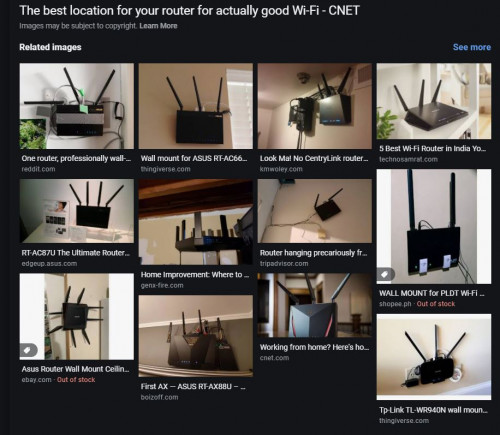
if not able to move to center of house, u need put it higher. much higher then table. try on the wall. elevated, clear spot. this is how wifi beam much optimize.

user posted image

This post has been edited by cawan: Feb 22 2021, 11:04 AM
popopi
post Feb 22 2021, 11:09 AM

Regular
******
Senior Member
1,197 posts

Joined: Apr 2007


QUOTE(chuah_ph @ Feb 22 2021, 09:43 AM)
Yup, that definitely help but unfortunately no power socket at the middle of my condo aka hallway. sad.gif
Plus with Astro-Maxis Fiber, the AP (Router Mode) need to close to the main router unless you built in LAN cable or powerline LAN.
Thx
*
no need way to the middle... just to the end of the wall where it opens up to the walkway to ur room is more then enough...
give it a try, since this cost almost Rm0.

Cheers. icon_rolleyes.gif
TSchuah_ph
post Feb 22 2021, 11:11 AM

Enthusiast
*****
Senior Member
951 posts

Joined: Sep 2004
From: Penang


QUOTE(popopi @ Feb 22 2021, 11:09 AM)
no need way to the middle... just to the end of the wall where it opens up to the walkway to ur room is more then enough...
give it a try, since this cost almost Rm0.

Cheers.  icon_rolleyes.gif
*
Now almost edge d!!! hehehe Thx
TSchuah_ph
post Feb 22 2021, 11:11 AM

Enthusiast
*****
Senior Member
951 posts

Joined: Sep 2004
From: Penang


QUOTE(hft @ Feb 22 2021, 10:41 AM)
its about lowest latency, not really mbps
*
Ya latency agreed, feedback slow. Thx
popopi
post Feb 22 2021, 11:13 AM

Regular
******
Senior Member
1,197 posts

Joined: Apr 2007


QUOTE(chuah_ph @ Feb 22 2021, 11:11 AM)
Now almost edge d!!! hehehe Thx
*
not sure the new tech beam forming help or not.. google see. alot new wifi model does support this already...
TSchuah_ph
post Feb 22 2021, 11:14 AM

Enthusiast
*****
Senior Member
951 posts

Joined: Sep 2004
From: Penang


QUOTE(heidarren @ Feb 22 2021, 10:42 AM)
There r nothing much u can do since the biggest problem for 2.4G is interference, but I will try the following settings to maximize the coverage:

Use only 20MHz (20MHz has higher txpwr and lower interference)
Disable AX (MCS11 has lower txpwr UNLESS the 2.4G device u r using has AX supported, then enable AX might helps)
Try middle channels (normally channel 6 has the highest txpwr comparing to channel 1/11)
Use only MCS 7 in Modulation Scheme
Optimize the antennas position (this is kinda tricky, u should learn which antennas r broadcasting 2.4G, maybe is the front 4 or rear 4, for AC-RT5300 it's front 4 antennas. If u wanna cover multi-storey building, make it like "\||/", if same floor then make it like "||||", and try to make 4 of the 2.4G antennas face to the place which u wanna cover most, face to not point to)

These r the things I will try to do before adding an extra AP, if it doesn't help then get an extra AP is the only choice.
*
Thx and I will tried again later when back home for all the recommended setting include MCS 7 as now on max 11.
Mine just single layer of condo so i assume should be "||||" rite?

Thx

TSchuah_ph
post Feb 22 2021, 11:15 AM

Enthusiast
*****
Senior Member
951 posts

Joined: Sep 2004
From: Penang


QUOTE(cawan @ Feb 22 2021, 11:01 AM)
agree on how the wifi router should be place.

if not able to move to center of house, u need put it higher. much higher then table. try on the wall. elevated, clear spot. this is how wifi beam much optimize.

user posted image
*
Now mine on edge of table haha but beside ada 1 home theater speaker.... need to see how to optimize the placement hehehe... thx a lot
TSchuah_ph
post Feb 22 2021, 11:15 AM

Enthusiast
*****
Senior Member
951 posts

Joined: Sep 2004
From: Penang


QUOTE(popopi @ Feb 22 2021, 11:13 AM)
not sure the new tech beam forming help or not.. google see. alot new wifi model does support this already...
*
Noted.

SUSnonamer
post Feb 22 2021, 11:17 AM

Getting Started
**
Junior Member
224 posts

Joined: Apr 2019
put a repeater on the other far end (serve only 2.4g)

tenda ac11 will be good because of the directional antenna design (better than omnidirectional in this scenario)

archer c80 also good and stronger 2.4g but i prefer the more flexible repeater software of tenda than WDS repeater of tplink

TSchuah_ph
post Feb 22 2021, 11:17 AM

Enthusiast
*****
Senior Member
951 posts

Joined: Sep 2004
From: Penang


QUOTE(taqu @ Feb 22 2021, 10:56 AM)
How strong 5Ghz signal at that point?  -60 or -70 dbm? 25 feet & 3 (concrete) walls quite challenging even for mighty AX11000.
*
I need to check again, for 2.4Ghz was -70 dbm... 5Ghz could be worst but need to check again later when back home.. thx

TSchuah_ph
post Feb 22 2021, 11:19 AM

Enthusiast
*****
Senior Member
951 posts

Joined: Sep 2004
From: Penang


QUOTE(nonamer @ Feb 22 2021, 11:17 AM)
put a repeater on the other far end (serve only 2.4g)

tenda ac11 will be good because of the directional antenna design (better than omnidirectional in this scenario)

archer c80 also good and stronger 2.4g but i prefer the more flexible repeater software of tenda than WDS repeater of tplink
*
No power socket at the hallway so the only way to place the repeated/mesh will be in the back room which kind of dont like in the room with direct beam on the sleeping person ahahah!!! Thx
laksamana
post Feb 22 2021, 11:20 AM

Regular
******
Senior Member
1,356 posts

Joined: Nov 2006
From: An Illuminati organization ..


I'm using AX86U with 2 other 5-series Asus routers as AiMesh nodes

House is 3 levels ~5,000 sq ft with no issues

Try to use only the 20Mhz channel width for 2.4G and 40Mhz for 5G, which will give you the best balance of speed / stability

If you would like to use the 80Mhz or 160 Mhz channel width for 5G, you will likely need to to setup some mesh nodes

Also, use the upper channel numbers for both 2.4 and 5 bands


2 Pages  1 2 >Top
 

Change to:
| Lo-Fi Version
0.0186sec    1.01    6 queries    GZIP Disabled
Time is now: 16th December 2025 - 05:27 PM