Welcome Guest ( Log In | Register )

5 Pages « < 2 3 4 5 >Bottom

Outline · [ Standard ] · Linear+

Chat universal charger for both laptops and phones, does such a device exist?

views
     
Supreme1394
post Jan 17 2021, 04:07 PM

Achieving Supremacy
*****
Senior Member
864 posts

Joined: Oct 2011
From: planet earth


QUOTE(azhar75 @ Jan 17 2021, 04:05 PM)
18Watt output can only charge laptop when the laptop is turn-off/standby... We need at least 45Watt to charge laptop when it's on...
*
Good tip, didn't think of that. But if I accidentally plug in laptop to 18W powerbank while it's on, will damage laptop or just won't charge?
msacras
post Jan 17 2021, 04:07 PM

Regular
******
Senior Member
1,767 posts

Joined: Jan 2019
QUOTE(azhar75 @ Jan 17 2021, 03:48 PM)
Sharing me's chargers (100W and 65W), powerbank (65W) and USB-IF/E-Mark 100W dual USB-C cable...

Laptop chargers for desktop and on-the-go variants...

Office desktop:
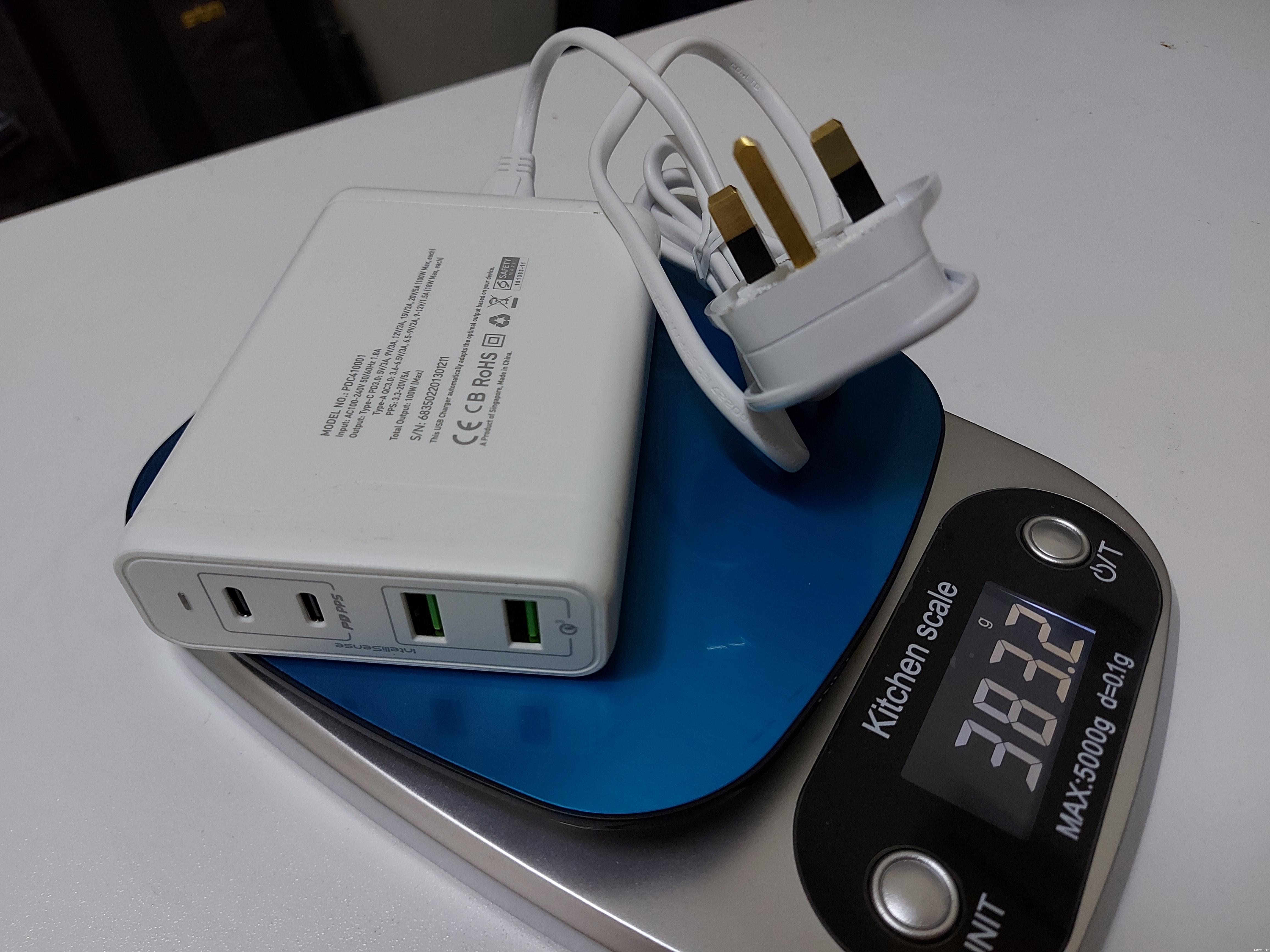
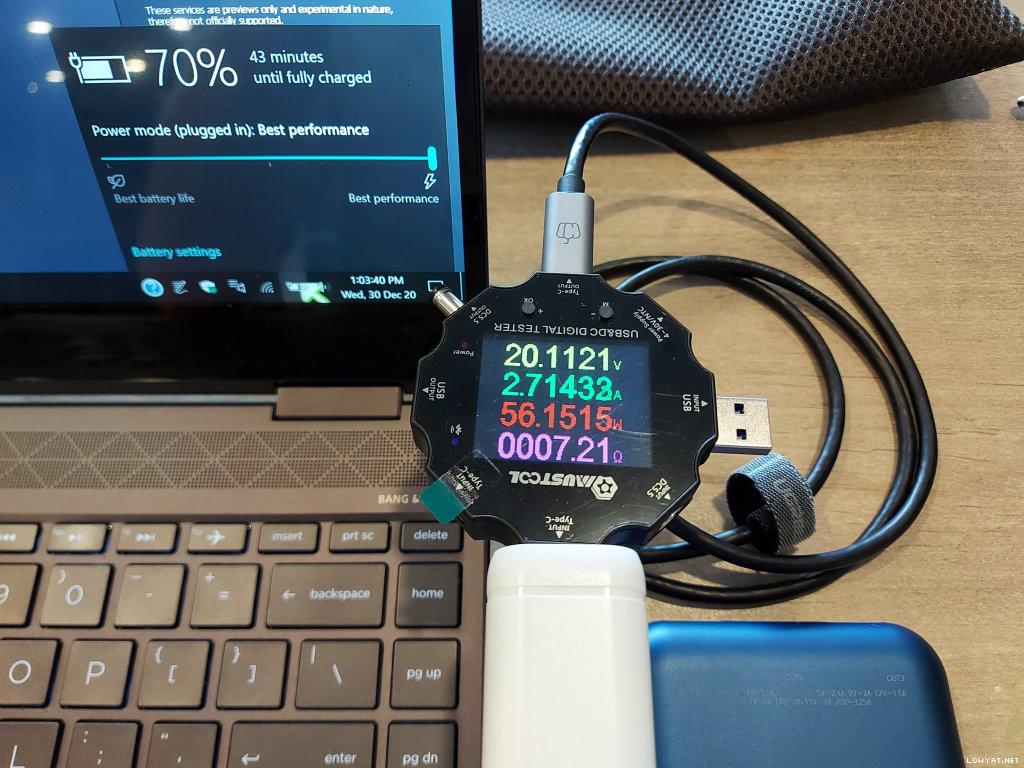
PROLiNK PDC410001 100W 4-Port USB Charger (Power Delivery with PPS; supports Samsung PD PPS 45W):
» Click to show Spoiler - click again to hide... «

user posted image

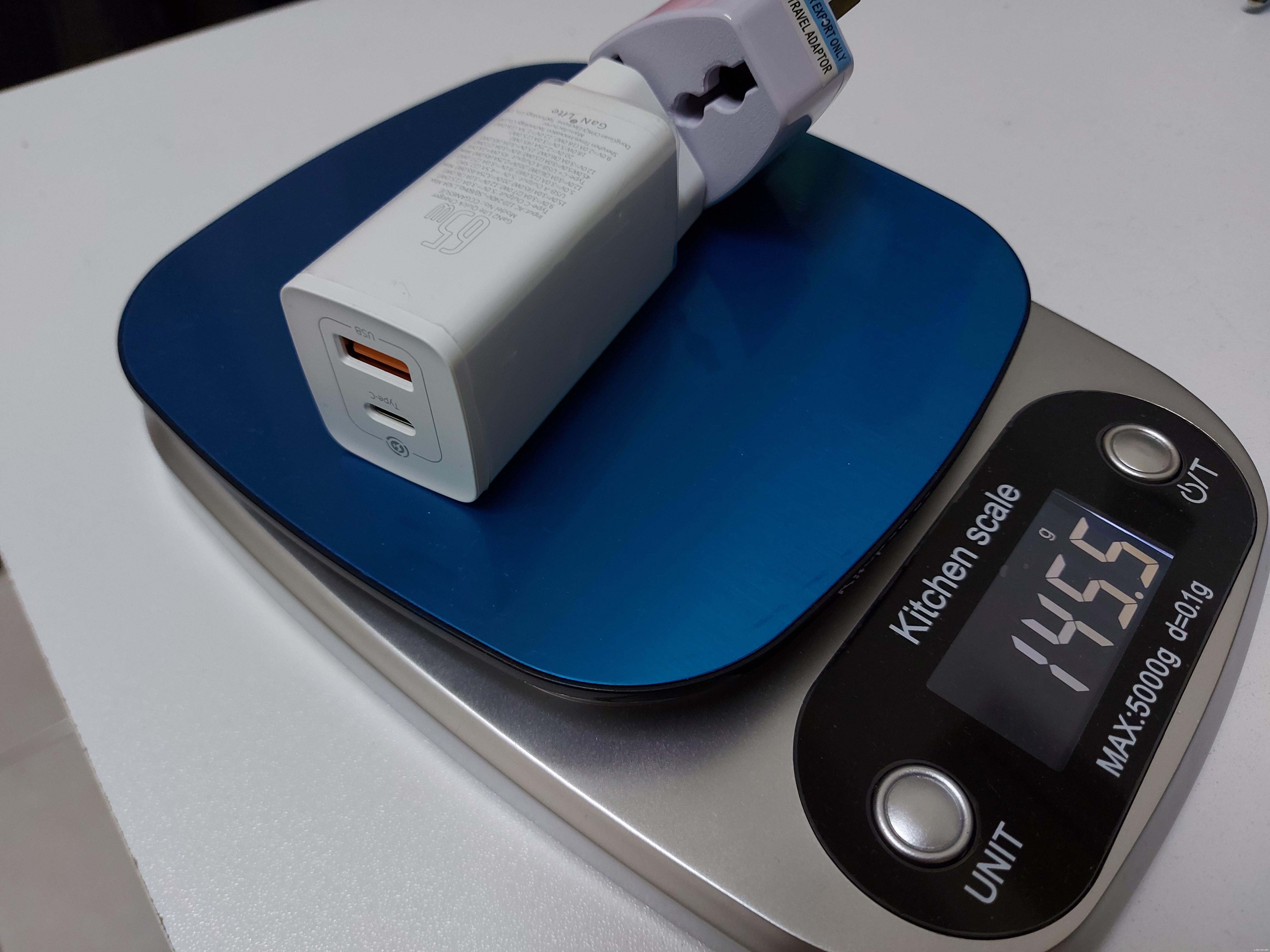
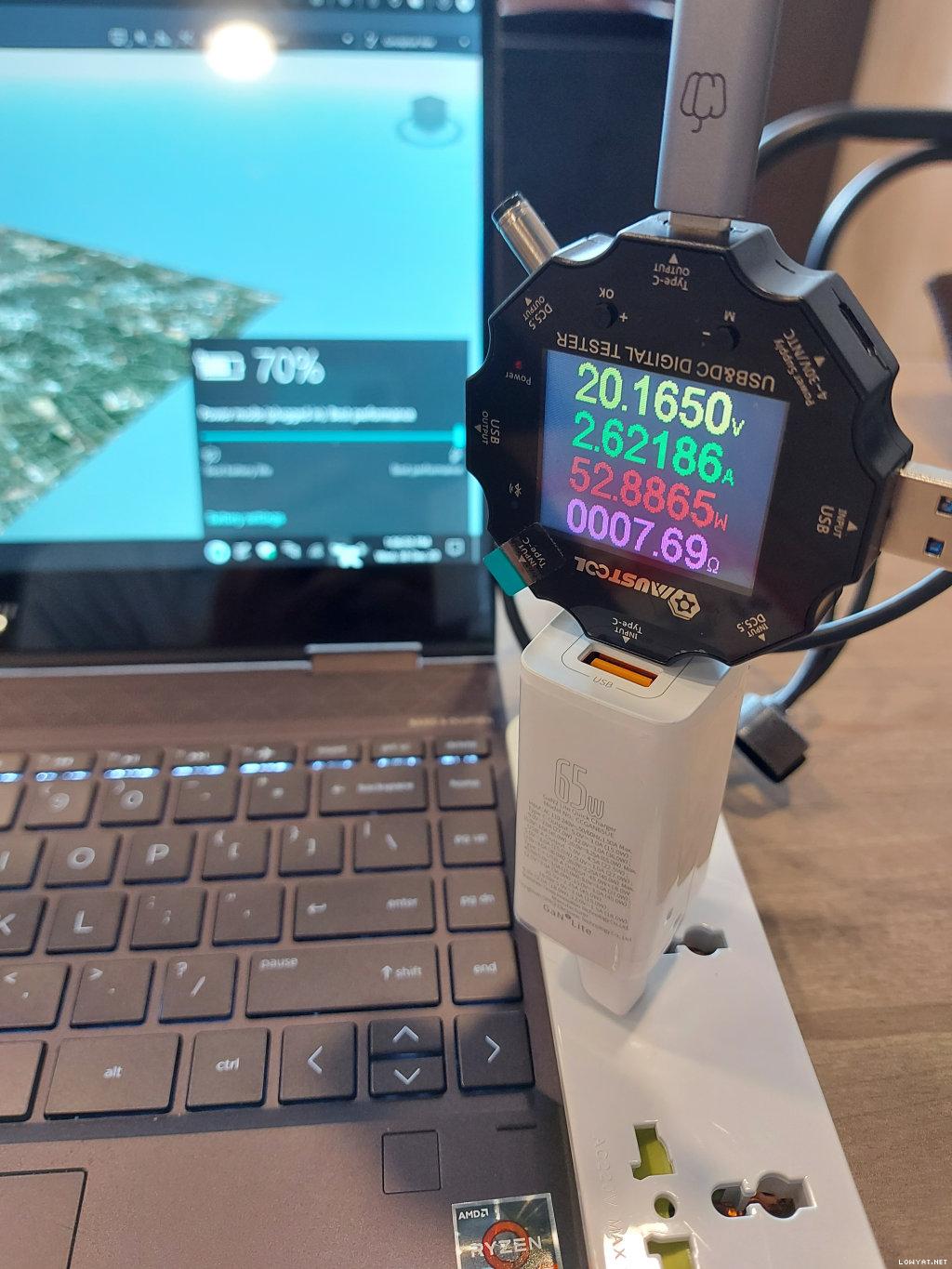
On-the-go and smaller 65W charger, me opted for Baseus Gan2 Lite (supports Samsung PD PPS 45W). Below is for the Pro version:
» Click to show Spoiler - click again to hide... «

user posted image[attachmentid=10741961]
p/s : Was studying the UGreen 65W GaN 4-port charger, but unfortunately, it does not support Samsung PD PPS 45W (please verify...)

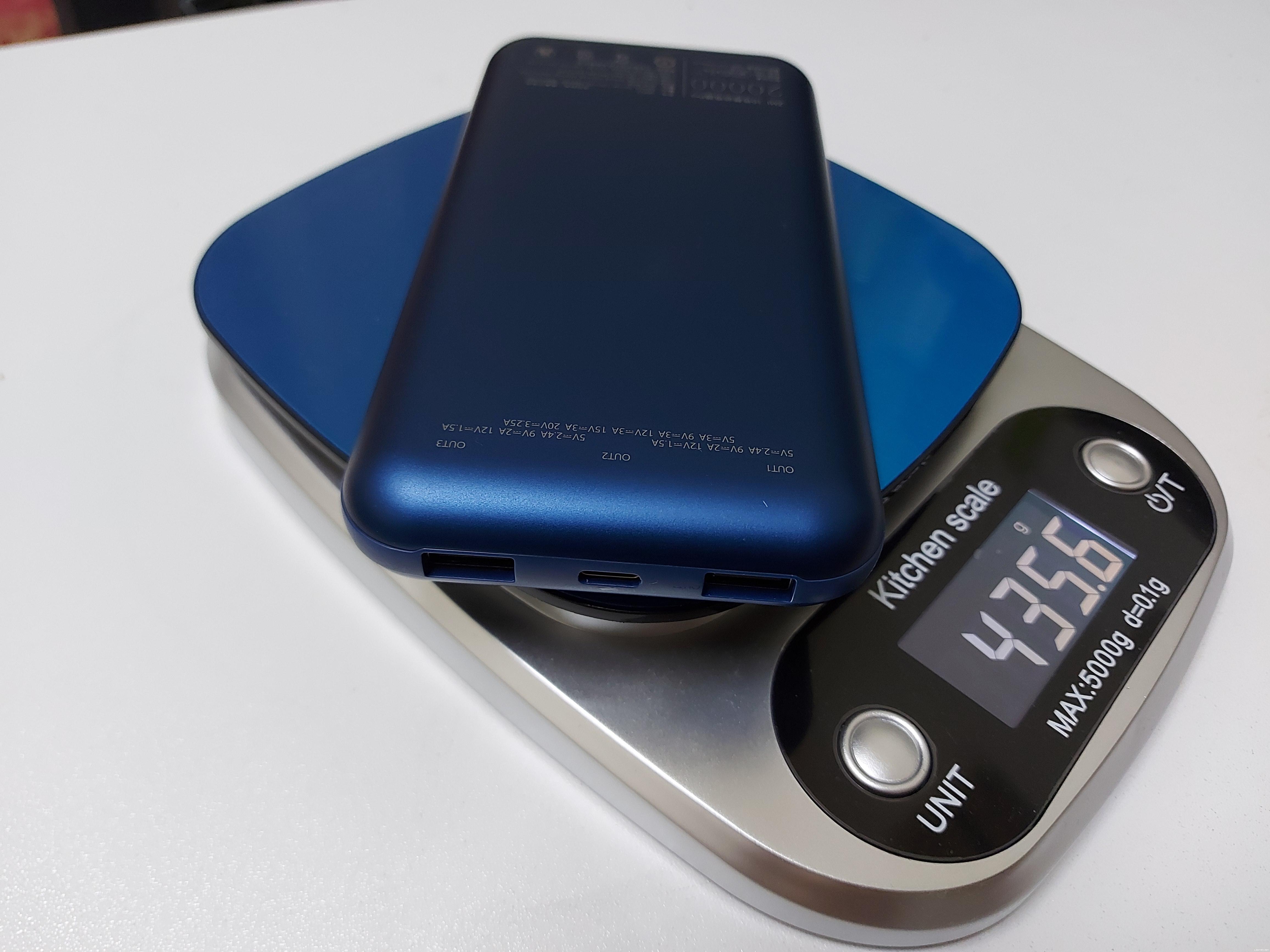
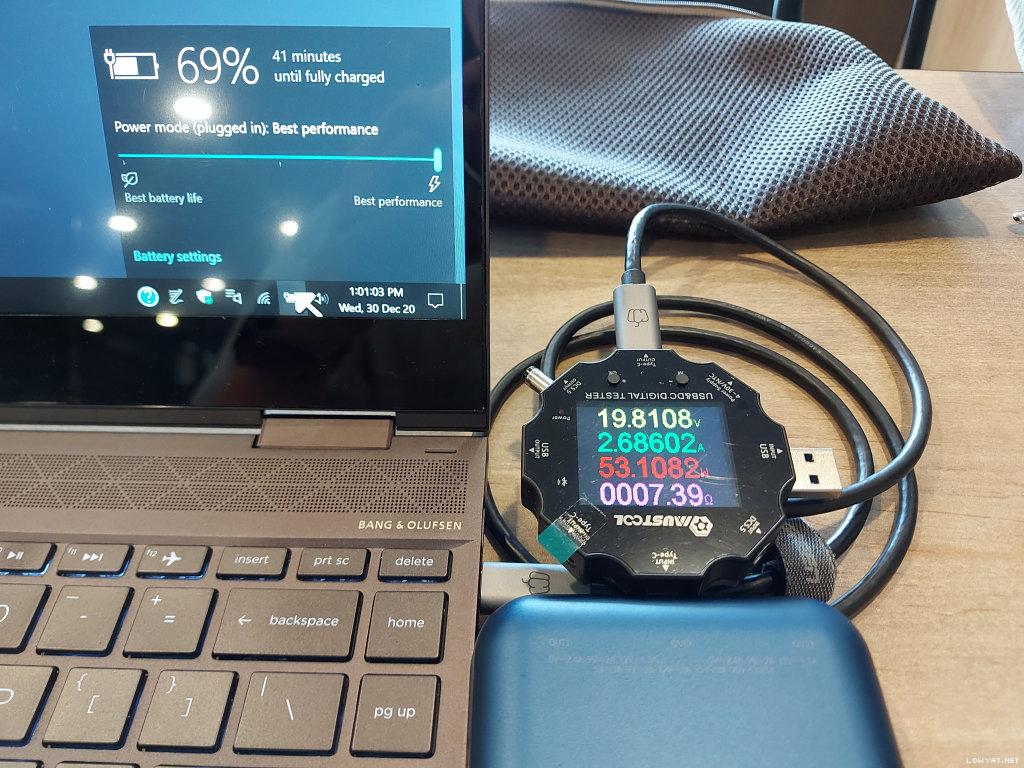
Laptop powerbank, ZMI PowerPack 20K Pro (also supports Samsung PD PPS 45W and USB Hub for external HDDs or thumb-drives):
» Click to show Spoiler - click again to hide... «

user posted image[attachmentid=10741966]

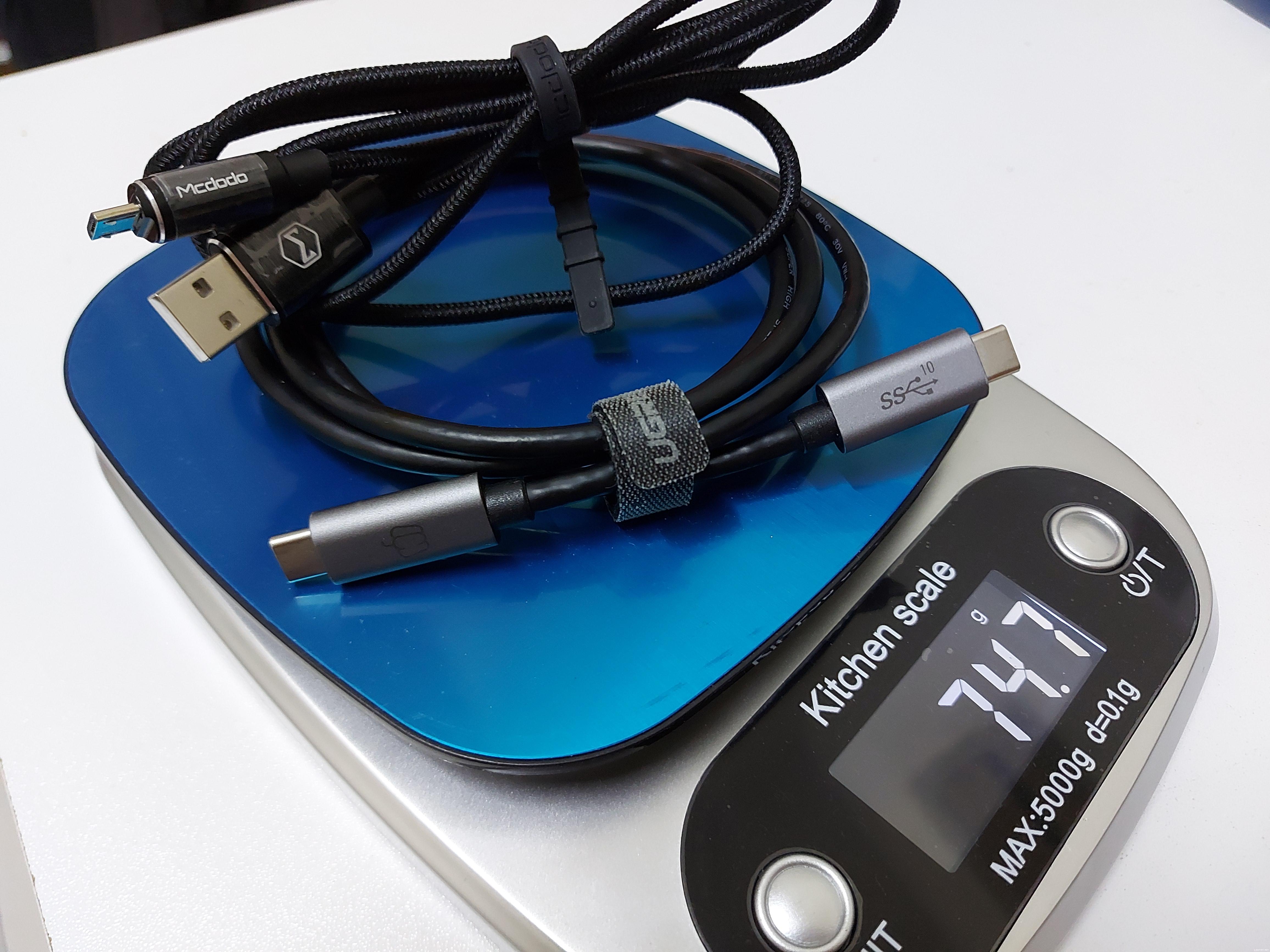
USB-IF/E-Mark certified dual USB-C cable = Pepper Jobs - C2CE1M USB 3.1 GEN 2 USB-C to USB-C Cable.

Micro-USB cable = McDodo Auto-Disconnect CA616
» Click to show Spoiler - click again to hide... «


Laptop : HP ENVY 13 X360; USB-C port supports the "Alternate Mode" (Display and Power Delivery).
*
Official specs did state PPS, though I don’t have my USB tester with me, so I can’t check what’s the actual result.
https://www.ugreen.com/products/65w-4-port-...-gan-pd-charger
svchia78
post Jan 17 2021, 04:08 PM

Enthusiast
*****
Junior Member
975 posts

Joined: Oct 2018
A PD 100W charger can charge any PD-compatible device right? The device and charger "communicate" between themselves to draw the correct voltage and current so as not to fry the electronics.
msacras
post Jan 17 2021, 04:09 PM

Regular
******
Senior Member
1,767 posts

Joined: Jan 2019
QUOTE(Supreme1394 @ Jan 17 2021, 04:07 PM)
Good tip, didn't think of that. But if I accidentally plug in laptop to 18W powerbank while it's on, will damage laptop or just won't charge?
*
Won’t damage. USB PD is designed to be smart and able to detect if the charger/power supply is fit to charge it.
azhar75
post Jan 17 2021, 04:10 PM

10k Club
********
All Stars
17,226 posts

Joined: Dec 2015


QUOTE(MR_alien @ Jan 17 2021, 04:00 PM)
my dell and my thinkpad are using different charging port...and it's not USB-C
*
user posted image
Supreme1394
post Jan 17 2021, 04:13 PM

Achieving Supremacy
*****
Senior Member
864 posts

Joined: Oct 2011
From: planet earth


QUOTE(msacras @ Jan 17 2021, 04:09 PM)
Won’t damage. USB PD is designed to be smart and able to detect if the charger/power supply is fit to charge it.
*
Thanks for clarifying, no worries then.
C-Fu
post Jan 17 2021, 04:15 PM

Ninja-Fu
******
Senior Member
1,051 posts

Joined: Apr 2005
From: Brisbane, QLD, Ostolia


QUOTE(Supreme1394 @ Jan 17 2021, 03:33 PM)
Is it possible to use a standard 20,000mah powerbank to charge it on-the-go?
*
no. you need at least powerbank with usb-c PD aka usb-c out.

that's assuming those samseng are not using proprietary shit that are famous with samseng.

also need > 18W. 45W is ok, 65W is perfect.


I started using laptops that are powerbank-chargeable since asus t100ta time. that time using micro usb as the port style, so while slow, can chage via powerbank, or at least make it discharge slower (at the expense of battery life).

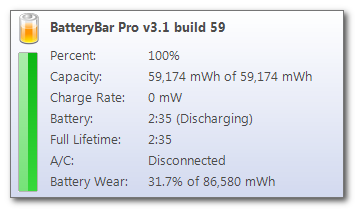
protip: install batterybar.

user posted image


it's free. also whenever you're buying a laptop, bring a thumbdrive with batterbar installer. install this first before receiving the laptop just so you know the laptop's battery is still 100%.

This post has been edited by C-Fu: Jan 17 2021, 04:16 PM
MR_alien
post Jan 17 2021, 04:15 PM

Mr.Alien on the loss
*******
Senior Member
3,582 posts

Joined: Oct 2007
From: everywhere in sabah


QUOTE(azhar75 @ Jan 17 2021, 04:10 PM)
user posted image
*
sadly no adaptor that fits my thinkpad

but since each of them comes with their own charges...didn't bother to go waste money on something that can do both
azhar75
post Jan 17 2021, 04:16 PM

10k Club
********
All Stars
17,226 posts

Joined: Dec 2015


QUOTE(Supreme1394 @ Jan 17 2021, 04:07 PM)
Good tip, didn't think of that. But if I accidentally plug in laptop to 18W powerbank while it's on, will damage laptop or just won't charge?
*
Won't damage coz no power is running thru the USB-C port at all... 18Watt is not enuff for the laptop to even power the Ryzen/Intel/Apple M1 chip....
azhar75
post Jan 17 2021, 04:18 PM

10k Club
********
All Stars
17,226 posts

Joined: Dec 2015


QUOTE(svchia78 @ Jan 17 2021, 04:08 PM)
A PD 100W charger can charge any PD-compatible device right? The device and charger "communicate" between themselves to draw the correct voltage and current so as not to fry the electronics.
*
Careful on the cable too... dual USB-C cable need to have the "e-Marker" chip for smart power distribution....

This post has been edited by azhar75: Jan 17 2021, 04:19 PM
msacras
post Jan 17 2021, 04:19 PM

Regular
******
Senior Member
1,767 posts

Joined: Jan 2019
QUOTE(C-Fu @ Jan 17 2021, 04:15 PM)
no. you need at least powerbank with usb-c PD aka usb-c out.

that's assuming those samseng are not using proprietary shit that are famous with samseng.

also need > 18W. 45W is ok, 65W is perfect.
I started using laptops that are powerbank-chargeable since asus t100ta time. that time using micro usb as the port style, so while slow, can chage via powerbank, or at least make it discharge slower (at the expense of battery life).

protip: install batterybar.

user posted image
it's free. also whenever you're buying a laptop, bring a thumbdrive with batterbar installer. install this first before receiving the laptop just so you know the laptop's battery is still 100%.
*
HWinfo64 is my to go tool to check for battery’s wear and tear, on top of a good check for RAM’s dual channel/latency and the monitor’s panel model.
azhar75
post Jan 17 2021, 04:23 PM

10k Club
********
All Stars
17,226 posts

Joined: Dec 2015


QUOTE(msacras @ Jan 17 2021, 04:07 PM)
Official specs did state PPS, though I don’t have my USB tester with me, so I can’t check what’s the actual result.
https://www.ugreen.com/products/65w-4-port-...-gan-pd-charger
*
Me saw on YT that it can go till 50 degrees Celsius... So, did ur unit gets extremely "hot" after 30 minutes usage...?
msacras
post Jan 17 2021, 04:26 PM

Regular
******
Senior Member
1,767 posts

Joined: Jan 2019
QUOTE(MR_alien @ Jan 17 2021, 04:15 PM)
sadly no adaptor that fits my thinkpad

but since each of them comes with their own charges...didn't bother to go waste money on something that can do both
*
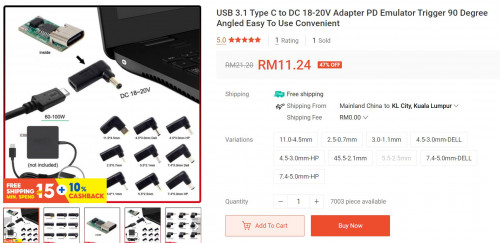
So long as your laptop is modern enough and utilising close to 19-20V input, there’s USB-C PD adapter for it.

Since such product is invented by Chinese market, the proper keyword for it is “PD诱骗” (literal translation to PD baiting?). There’s tons of selection for it on taobao, sure there will be one that fit.

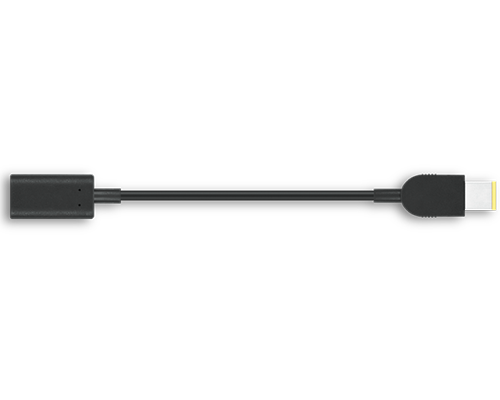
If your thinkpad is using the Lenovo square port, then Lenovo even have an official USB-C PD adapter for that. No worry of bad workmanship or sub-standard cable.
https://www.lenovo.com/my/en/accessories-an...er/p/4X90U45346

user posted image

This post has been edited by msacras: Jan 17 2021, 04:29 PM
svchia78
post Jan 17 2021, 04:27 PM

Enthusiast
*****
Junior Member
975 posts

Joined: Oct 2018
QUOTE(azhar75 @ Jan 17 2021, 04:18 PM)
Careful on the cable too... dual USB-C cable need to have the "e-Marker" chip for smart power distribution....
*
Janji pakai cables reputable manufacturers?
msacras
post Jan 17 2021, 04:28 PM

Regular
******
Senior Member
1,767 posts

Joined: Jan 2019
QUOTE(azhar75 @ Jan 17 2021, 04:23 PM)
Me saw on YT that it can go till 50 degrees Celsius... So, did ur unit gets extremely "hot" after 30 minutes usage...?
*
Nothing too uncomfortable when using with my 45W laptop or 45W PD powerbanms.

Though I’m not using more than 2 ports at once, so your mileage might differ.

This post has been edited by msacras: Jan 17 2021, 04:28 PM
MR_alien
post Jan 17 2021, 04:31 PM

Mr.Alien on the loss
*******
Senior Member
3,582 posts

Joined: Oct 2007
From: everywhere in sabah


QUOTE(msacras @ Jan 17 2021, 04:26 PM)
So long as your laptop is modern enough and utilising close to 19-20V input, there’s USB-C PD adapter for it.

Since such product is invented by Chinese market, the proper keyword for it is “PD诱骗” (literal translation to PD baiting?). There’s tons of selection for it on taobao, sure there will be one that fit.

If your thinkpad is using the Lenovo square port, then Lenovo even have an official USB-C PD adapter for that. No worry of bad workmanship or sub-standard cable.
https://www.lenovo.com/my/en/accessories-an...er/p/4X90U45346
user posted image
*
i know there is
but the only device i got for using USB C is only my phone and the adaptor is only 15W
so no point buying those adaptor for my different laptops yet

plus right now i got a bigger problem...my dell laptop's battery already bloated and cannot find a replacement
search the serial number in dell website returns nothing
search the model number on google return few models of battery that i don't know which fits, even my computer go to guy also rclxub.gif
azhar75
post Jan 17 2021, 04:35 PM

10k Club
********
All Stars
17,226 posts

Joined: Dec 2015


QUOTE(svchia78 @ Jan 17 2021, 04:27 PM)
Janji pakai cables reputable manufacturers?
*
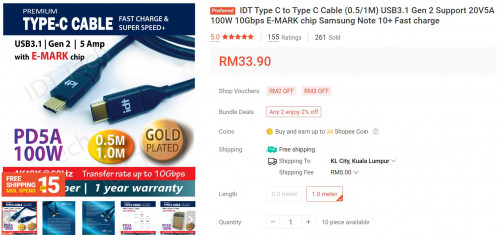
Tak perlu... janji ada certified USB-IF and e-Marker chip...
user posted image


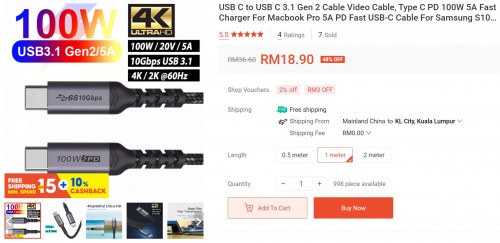
Ada banyak yg OEM bawah RM25 dari PRC....
user posted image


This post has been edited by azhar75: Jan 17 2021, 04:39 PM
msacras
post Jan 17 2021, 04:39 PM

Regular
******
Senior Member
1,767 posts

Joined: Jan 2019
QUOTE(svchia78 @ Jan 17 2021, 04:27 PM)
Janji pakai cables reputable manufacturers?
*
Reputable or not, there’s 2 standards at play here.

One is unspecified USB C-C cable, they’re generally rated for 3A of current, thus under the 20V PD, the maximum theoretical power it can go for is 60W.

Another standard is c-c cable with e-marker chip. Those cable is rated for 5A, and as a result can go for the maximum of 100W PD.

Since most laptops (with discrete GPU) are 65W and above. So if you’re planning to charge laptop, better using 65W charger and those e-marker rated cable. But one thing though, those e-marker rated cable may have compatibility issue with some devices, especially when using with non-standard adapter like the PD to power input adapter mentioned before. I tried once with Samsung Note9, also not working too well.

P/S: oh, and to make it even more complicated. There’s other factor such as USB2.0 vs 3.2 or thunderbolt3 standards for cables I mentioned above.

So you must know in first spot if you want data cables or charging cable.

This post has been edited by msacras: Jan 17 2021, 04:42 PM

svchia78
post Jan 17 2021, 04:46 PM

Enthusiast
*****
Junior Member
975 posts

Joined: Oct 2018
QUOTE(azhar75 @ Jan 17 2021, 04:35 PM)
Tak perlu... janji ada certified USB-IF and e-Marker chip...
user posted image
Ada banyak yg OEM bawah RM25 dari PRC....
user posted image
*
QUOTE(msacras @ Jan 17 2021, 04:39 PM)
Reputable or not, there’s 2 standards at play here.

One is unspecified USB C-C cable, they’re generally rated for 3A of current, thus under the 20V PD, the maximum theoretical power it can go for is 60W.

Another standard is c-c cable with e-marker chip. Those cable is rated for 5A, and as a result can go for the maximum of 100W PD.

Since most laptops (with discrete GPU) are 65W and above. So if you’re planning to charge laptop, better using 65W charger and those e-marker rated cable. But one thing though, those e-marker rated cable may have compatibility issue with some devices, especially when using with non-standard adapter like the PD to power input adapter mentioned before. I tried once with Samsung Note9, also not working too well.

P/S: oh, and to make it even more complicated. There’s other factor such as USB2.0 vs 3.2 or thunderbolt3 standards for cables I mentioned above.

So you must know in first spot if you want data cables or charging cable.
*
Haha.... so much for "USB-C" is the standard. Nothing standard about it after hearing from you guys.

So to conclude, say I have a PD charger and USB-C cable from a very recent Apple laptop, can safely use the same combination to charge a Pixel 5 phone?

This post has been edited by svchia78: Jan 17 2021, 04:49 PM
azhar75
post Jan 17 2021, 04:47 PM

10k Club
********
All Stars
17,226 posts

Joined: Dec 2015


QUOTE(MR_alien @ Jan 17 2021, 04:31 PM)
i know there is
but the only device i got for using USB C is only my phone and the adaptor is only 15W
so no point buying those adaptor for my different laptops yet

plus right now i got a bigger problem...my dell laptop's battery already bloated and cannot find a replacement
search the serial number in dell website returns nothing
search the model number on google return few models of battery that i don't know which fits, even my computer go to guy also rclxub.gif
*
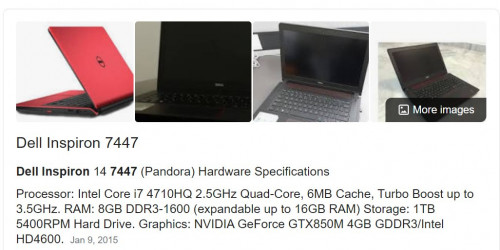
No offense, but, which dinosaur Dell is this... Me have the Inspiron 7447 (year 2015) and still can get replacement via Lazada/Shopee...

user posted image

This post has been edited by azhar75: Jan 17 2021, 04:48 PM

5 Pages « < 2 3 4 5 >Top
 

Change to:
| Lo-Fi Version
0.0207sec    0.96    6 queries    GZIP Disabled
Time is now: 17th December 2025 - 04:13 PM