Its a 1080p monitor, so its just like regular Joe monitor ....
Ultrawide isnt supported so I think if you get that you will get big black bars.
What you want to look at is resolution, refresh rate, HDMI type of the monitor, HDR support of the monitor, your budget, type of monitor panel.
I am planning on returning my 4k 60 UK670 monitor to get a Samsung G7 which is a 1440p monitor (not natively supported by PS5 as an output, but it takes the 4k signal and downscales to 1440p).
So if you aren't looking at high refresh rate monitors (you don't care about those kind of games that have a 120fps option, best to go for a 4K 60Hz monitor, you will have to watch reviews on which to go for, I would recommend the LG line, so UK600, UK650, UK670 etc. There are also other brands you can look at.
If you want a middle ground option (like me) 2K monitor with high refresh rate, you can look at LG GL850 or Samsung G7 or something around this range, you have the option to upscale from 1080p 120Hz or downscale from 4k 60Hz, a good middle ground until (if they do it) Sony allows 1440p output officially.
HDR is kinda shit for most monitors but it does make a small difference, people say HDR600 is what you should be looking for at least, I have had experience with HDR400 its ok larh, I don't really like HDR on monitors because it strains my eyes too much.
Whichever monitor you go for, do check the manual what resolution input it supports.
Make sure at least HDMI 2.0 port, panel its based on your own preferences there is IPS, VA, TN etc all have their own pros and cons.
I remember when the story first hit about monitors downscaling there were some concerns it might affect performance of games.. any reason to that? as I understand, it's the monitor that is doing it right? Or were they worried about input lag?


 Nov 22 2020, 11:11 AM


 Quote
Quote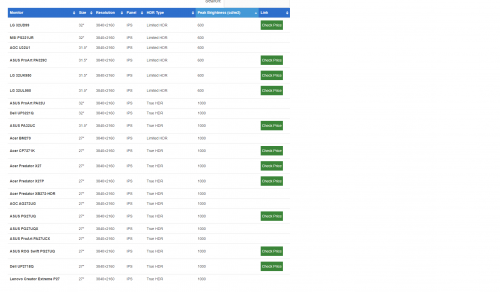







 0.0878sec
 1.48
1.48
 7 queries
 GZIP Disabled