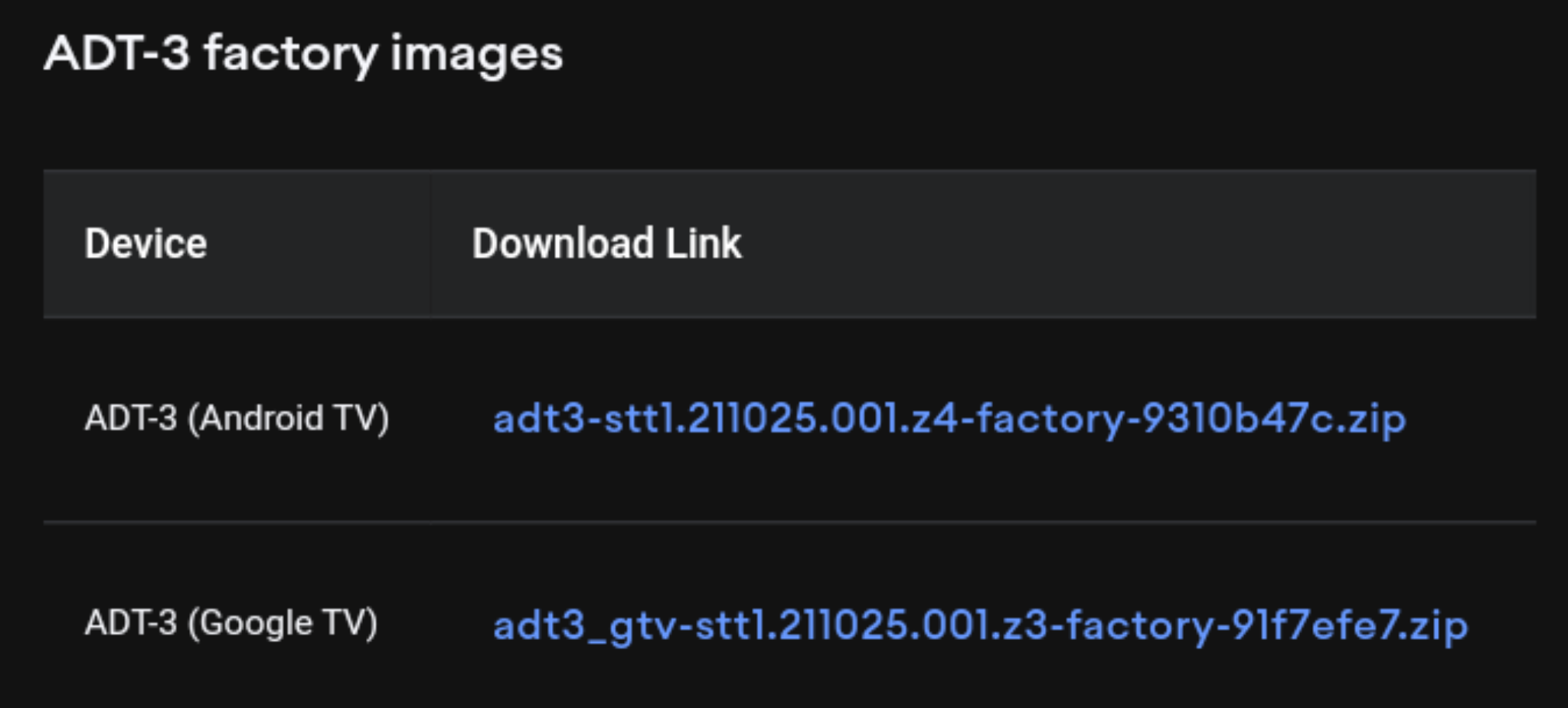
QUOTE(neuromancerx @ Mar 28 2022, 03:45 PM)
Display unit for C716 or C725?
Coz C725 just recently released.

C725, that buyer was saying C725 had been used for 10 days, after he checked the service menu.Coz C725 just recently released.
Tcl C716 QLED 4k tv
|
|
 Mar 28 2022, 09:26 PM Mar 28 2022, 09:26 PM
Return to original view | Post
#41
|
 
Junior Member
84 posts Joined: Mar 2009 
|
QUOTE(neuromancerx @ Mar 28 2022, 03:45 PM) Display unit for C716 or C725? C725, that buyer was saying C725 had been used for 10 days, after he checked the service menu.Coz C725 just recently released. |
|
|
|
|
|
Mar 30 2022, 05:09 PM
Return to original view | Post
#42
|
|
Junior Member
84 posts Joined: Mar 2009
|
QUOTE(@r3|4^2 @ Mar 29 2022, 12:07 PM) guna firmware mana ni bro? It’s just a Hack…This post has been edited by Packer: Mar 30 2022, 06:54 PM |
|
|
Mar 31 2022, 03:42 PM
Return to original view | Post
#43
|
|
Junior Member
84 posts Joined: Mar 2009
|
QUOTE(juzmafia @ Mar 31 2022, 02:46 PM) TV or device that comes with real Google TV UI use firmware that has Google TV UI/UX/features baked into it. Even though it is based on Android TV, it is still different because it is not just interface but 'more' than that. I don’t really care whether it’s Google TV or Android TV at the backendWhat you are referring to is new Android TV UI with 'Discover' tab that is included in the updated 'Android TV Home' and 'Android TV Core Services' app which will be activated via Google server when the times come. This is not Google TV. Even Google released two type of Android 12 firmware for ADT-3. One is based on Android TV and another one is based on Google TV. It is just matter of time when Google make it compulsory for OEM to use Google TV in future. » Click to show Spoiler - click again to hide... « as long as the Home Screen UI is Google TV, so to match with my new 50 C725…. This post has been edited by Packer: Mar 31 2022, 03:45 PM Attached thumbnail(s) 
|
|
|
Mar 31 2022, 08:37 PM
Return to original view | Post
#44
|
|
Junior Member
84 posts Joined: Mar 2009
|
QUOTE(stasio @ Mar 31 2022, 06:34 PM) You referring to me ? I paid RM2,106 during Laz Birthday Sales (with RM230 Laz bonus points deducted). FOC delivery from Pahang seller.I explain in short way (for C716 and not for C725). New C725 is with Google TV. How much you pay 50C725 ? Yet to open the box….Hope no bend TV again… stasio liked this post
|
|
|
Apr 1 2022, 11:06 AM
Return to original view | Post
#45
|
|
Junior Member
84 posts Joined: Mar 2009
|
QUOTE(juzmafia @ Mar 31 2022, 06:55 PM) Err..you replied to my post and didn't mention it was for specific model.. Now this is a proper hack…Refer: https://www.dignited.com/91743/google-tv-on-android-tv/ https://www.dignited.com/91872/google-tv-default-on-android/ I didn’t make Google TV the default launcher yet… every time I want Google TV home need to press the Home app… Now boot up will go to Discovery Home and no more old Android TV Home…. This post has been edited by Packer: Apr 1 2022, 12:03 PM Attached thumbnail(s) 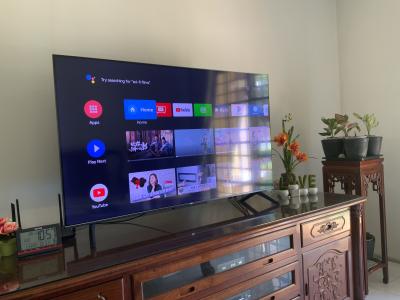


|
|
|
Apr 7 2022, 12:52 PM
Return to original view | Post
#46
|
|
Junior Member
84 posts Joined: Mar 2009
|
QUOTE(stasio @ Apr 1 2022, 09:47 AM) Thanks for posting... What is the latest OTA firmware for C725? My C725 is only V411 out of the box…. This is first OTA or second ,received by Auto update (as you received 2 OTA update) ? V411...V4??...V418 V418 OTA are still on TCL server. Also here is V418 IMG (recovery) file. Edit: latest Google TV firmware after V418.....as today...(P725 and C725)... V418.020389... Dec 10 2021...OTA and IMG R166.020438... Dec 21 2021...(custom) IMG V427.020524... Jan 26 2022...IMG V435.020548... Feb 17 2022...IMG |
|
|
|
|
|
Apr 8 2022, 06:16 PM
Return to original view | Post
#47
|
|
Junior Member
84 posts Joined: Mar 2009
|
[quote=stasio,Apr 8 2022, 07:54 AM]Google TV (R51MT05) (is also posted above, with R166...)
V418.020389... Dec 10 2021...OTA V427.020524... Jan 26 2022....IMG V435.020548... Feb 17 2022....IMG What is your Project ID number ? ID 879 receive V418 OTA by auto update. ID 869 and 947 not. project ID is 869 I am currently on V8-R51MT05-LF1V411.020328 This post has been edited by Packer: Apr 8 2022, 06:24 PM |
|
|
Apr 8 2022, 06:24 PM
Return to original view | Post
#48
|
|
Junior Member
84 posts Joined: Mar 2009
|
QUOTE(smaelz83 @ Apr 8 2022, 06:19 PM) At your TV Setting, About, Product Information Project ID is 869 |
|
|
Apr 12 2022, 12:00 PM
Return to original view | Post
#49
|
|
Junior Member
84 posts Joined: Mar 2009
|
QUOTE(stasio @ Apr 8 2022, 07:54 AM) Google TV (R51MT05) (is also posted above, with R166...) What’s the different between OTA and IMG?V418.020389... Dec 10 2021...OTA V427.020524... Jan 26 2022....IMG V435.020548... Feb 17 2022....IMG What is your Project ID number ? ID 879 receive V418 OTA by auto update. ID 869 and 947 not. |
|
|
Apr 12 2022, 12:08 PM
Return to original view | Post
#50
|
|
Junior Member
84 posts Joined: Mar 2009
|
QUOTE(jutamind @ Apr 9 2022, 10:39 AM) Looking at buying C725 QLED TV but have a few questions: I bought the 50 C725 for RM2,106 during Laz Birthday sales with RM230 bonus redeemed from the Pahang seller. This included shipping fee which is FOC… Most seller charged between RM30 to RM60 for shipping… This probably the best price I seen so far for C725…1. What is the best online shop to buy from at this moment? 2. What is the width between the stand for 50 and 55 inch? 3. What is the height of the stand for 50 and 55 inch? 4. Any Raya promotion for TCL or other TV brands? The reason for asking height and width of the TV stand is because I have the sound bar now in front of the TV. Hopefully the height of TV stand is higher than the height of the soundbar If you want cheaper price can consider C716 which was launched in 2020 Oct… kindly take note that C725 is not a replacement for C716, as C716 is being sold alongside C725. This post has been edited by Packer: Apr 12 2022, 12:14 PM Attached thumbnail(s) 
|
|
|
Apr 12 2022, 10:10 PM
Return to original view | Post
#51
|
|
Junior Member
84 posts Joined: Mar 2009
|
QUOTE(jutamind @ Apr 12 2022, 06:31 PM) Since 50" C725 is only having 270 nits, do you feel the screen is not bright when you view HDR movies/dramas? Any difference in terms of brightness if we vote normal SDR movies? I don’t know where you get this 270 nits… I put the TV in my room where I seldom open the windows… The TV is very bright for me regardless of SDR or HDR… In term of color accuracy I still prefer C716… The remote control C725 is better (new design)… |
|
|
Apr 12 2022, 10:21 PM
Return to original view | Post
#52
|
|
Junior Member
84 posts Joined: Mar 2009
|
QUOTE(stasio @ Apr 12 2022, 04:07 PM) OTA update (Over The Air) Thanks for the details…Method 1. Network Update TCL Android TV 1. Connect TCL Android TV to the Internet. 2. Goto the Android TV Setting Menu and find and select the System Update section. 3. Choose "Network Update" from the menu that is presented (usually it shows "The current firmware is actual"). 4. Follow the on-screen instructions to complete the update. Ensure not to turn off your TV until the installation is done. Method 2. Local Update TCL Android TV 1. Format a USB Flash drive using FAT32. 2. Copy the ZIP archive onto the drive (It needs to be the only file there). 3. Insert the USB drive in your TV's USB port (Android should recognise it, you can skip that message). 4. Goto the Android TV Setting Menu and find and select the System Update section. 5. Choose "Local Update" from the menu that is presented. 6. Wait and watch – it will take 5 minutes or so, then reboot, which will take 10 minutes or so. https://tclnordic.zendesk.com/hc/en-us/articles/360012583300 Method 3. Update TCL Android TV by Power Button 1. Format a USB Flash drive using FAT32. 2. Download the zip file containing the software for your TV to your computer. 3. Copy the software file to the root catalogue of the USB flash drive. 4. Unplug the power cord to your TV (or long press OFF on remote). 5. Insert the USB flash drive into the USB port on the back of the TV. 6. Press and hold the power button on the TV, not the remote. 7. While holding the button on the TV, plugin the power cord of the TV again. 8. When the software install message appears on the TV, release the power button. 9. Do not unplug the power cord during the software install. When the initial setup screen appears on the TV the software install is completed. This methods will not reset your settings and installed apps. IMG upgrade (Recovery) 1. Format a USB Flash drive using FAT32. 2. Download the zip file containing the software for your TV to your computer. 3. Unzip/extract the software. 4. Copy the "update.img" file to the root of the USB flash drive. 5. Unplug the power cord to your TV (or long press OFF on remote). 6. Insert the USB flash drive into the USB port on the back of the TV. 7. Press and hold the power button on the TV, not the remote. 8. While holding the button on the TV, plugin the power cord of the TV again. 9. When the software install message appears on the TV, release the power button. 10. Do not unplug the power cord during the software install. When the initial setup screen appears on the TV the software install is completed. https://tclnordic.zendesk.com/hc/en-us/arti...-to-your-TCL-TV This method will reset Android data and installed apps, initial setting is required. However, Picture and Sound setting will remain. So if I want to move from V701 back to V674, I need to use IMG file method? This post has been edited by Packer: Apr 12 2022, 10:23 PM |
|
|
Apr 12 2022, 10:25 PM
Return to original view | Post
#53
|
|
Junior Member
84 posts Joined: Mar 2009
|
QUOTE(smaelz83 @ Apr 12 2022, 08:50 PM) For C716 user who want to upgrade to Android 11, I suggest use IMG V674 which has been share in Telegram Group. .I believe V674 is the Official TCL Android 11 Firmware because user from Singapore TCL P615 has V674 from factory (mentioned in telegram Group). My audio issues when using V677 and V701 has gone in V674. Black level also improve from V645. Furthermore, Netflix in V674 also has ATMOS. (Sadly my A&S ATMOS soundbar is not recognize by Netflix). Any link to IMG V674? I was thinking of moving back to V674 from V701. |
|
|
|
|
|
Apr 15 2022, 08:55 AM
Return to original view | Post
#54
|
|
Junior Member
84 posts Joined: Mar 2009
|
QUOTE(stasio @ Apr 14 2022, 04:58 PM) Which version of Google Play Store you have installed? How to get to that screen about Play Protect certification?I have 29.9.13 and I change Google Play service to Android 11+ (v.22.09.20). I never play with V674, so can't comment much (V682 I also don't like). V701  How you install Google Play Store 29.9.13? APK? This post has been edited by Packer: Apr 15 2022, 08:57 AM |
|
|
Apr 16 2022, 08:46 PM
Return to original view | Post
#55
|
|
Junior Member
84 posts Joined: Mar 2009
|
QUOTE(smaelz83 @ Apr 15 2022, 06:43 PM)  This is my Google Play Store version 29.7.14-21 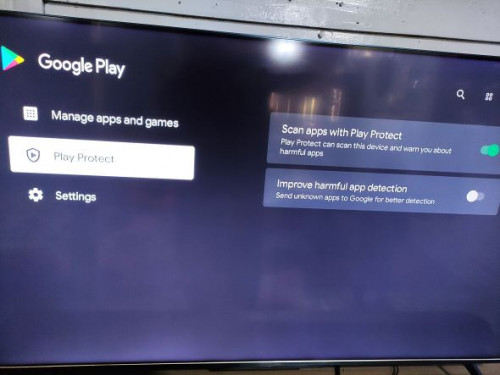 I don't know how, but after Google Play Store update to 29.7.14-21, Play Protect show under manage app. After update to Play Store 29.9.13, Device still not certified. My Play Service already latest, Google Play services (Android TV) 22.12.15. That's the only issue I found. I also just notice that Safety Guard in our TV can install apk. Doesn't need 3rd party explorer app.  However… I am able to install app but not sure about updating app (not sure all apps are up-to-date or not able to update app). This might be big issue as you can’t update to latest app. Are you able to update any app now? Edit: System update is not working properly, when I perform system update it take a long time to perform and give message like “no network connection detected, please check your network.” (Obviously, internet connection is not the issue here). This issue might be due to Play Protection not certified. Not really big deal as we still can manually system update. This post has been edited by Packer: Apr 17 2022, 11:21 AM Attached thumbnail(s) 

|
|
|
Apr 18 2022, 12:33 PM
Return to original view | Post
#56
|
|
Junior Member
84 posts Joined: Mar 2009
|
QUOTE(smaelz83 @ Apr 17 2022, 05:26 PM) Apps able to auto update as I set to auto update. Yup, just updated 2 apps today.Yes, the system update has some issue. Take too long and gave out error. Like you said that's not to concern as we can update the TV ourself. I am facing Bluetooth remote connectivity problem. After TV wake up, remote Bluetooth is not connecting automatically. I always need to pair back if this happen. This post has been edited by Packer: Apr 18 2022, 12:33 PM Attached thumbnail(s) 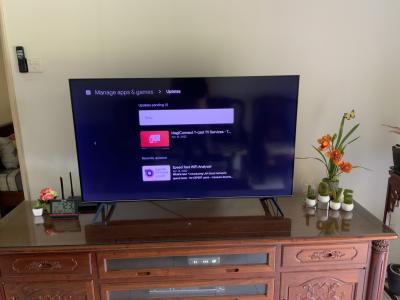
|
|
|
Apr 18 2022, 12:41 PM
Return to original view | Post
#57
|
|
Junior Member
84 posts Joined: Mar 2009
|
QUOTE(stasio @ Apr 13 2022, 03:14 AM) Yes. Just wonder whether possible to update my C716 to any of the Google TV firmwares below?C716.....Android 11 firmware..... V674...IMG (25.11.2021) V677...IMG (02.12.2021) V682...IMG (08.01.2022) V701...IMG and OTA (18.01.2022) V674 IMG: https://drive.google.com/file/d/1cR1VGnMTU0...FeeSQSH9Al/view V418.020389... Dec 10 2021...OTA and IMG R166.020438... Dec 21 2021...(custom) IMG V427.020524... Jan 26 2022...IMG V435.020548... Feb 17 2022...IMG Have any C716 owner successfully done so? This post has been edited by Packer: Apr 18 2022, 12:45 PM Packer liked this post
|
|
|
Apr 20 2022, 03:52 PM
Return to original view | Post
#58
|
|
Junior Member
84 posts Joined: Mar 2009
|
QUOTE(jutamind @ Apr 19 2022, 10:06 PM) Just bought C725 but have a few settings problem: Not sure when you encountered lagging?1. can't seem to enable Gboard. How to enable Gboard? 2. Only T-IME and virtual remote keyboard can be enabled. How to use virtual remote keyboard? I don't think we can download Google TV apps yet in MY but I could be wrong 3. I have an old Sony soundbar. Sound didn't seem to pass through to the eARC HDMI port to the soundcard. Only sound from tv speaker 4. Google TV seems to be a bit laggy. Having v418 which I updated via OTA after setting up the new TV My C725 navigation around is snappy… Only during boot up when entering Home screen that’s some lagging. This probably due fetching your home screen contents. |
|
|
Apr 20 2022, 03:58 PM
Return to original view | Post
#59
|
|
Junior Member
84 posts Joined: Mar 2009
|
QUOTE(ahpaul82 @ Apr 20 2022, 03:03 PM) Hey guys, We are only getting C725 old last year model…. Sad! China already shipping C735…Managed to get 55" C725 < RM3k.. [attachmentid=11138433] May I know what is the latest firmware ? |
|
|
Apr 20 2022, 07:37 PM
Return to original view | Post
#60
|
|
Junior Member
84 posts Joined: Mar 2009
|
QUOTE(smaelz83 @ Apr 20 2022, 05:46 PM) Ohh, that is a problem. I don't know what to tell you. Can just use MagiConnect to enter Chinese into your TV using your mobile phone or iPad. Just install MagiConnect to your mobile or iPad.This post has been edited by Packer: Apr 20 2022, 07:39 PM Attached thumbnail(s) 
|
| Change to: |  0.0530sec 0.0530sec
 0.29 0.29
 7 queries 7 queries
 GZIP Disabled GZIP Disabled
Time is now: 6th December 2025 - 01:33 PM |
 Quote
Quote