

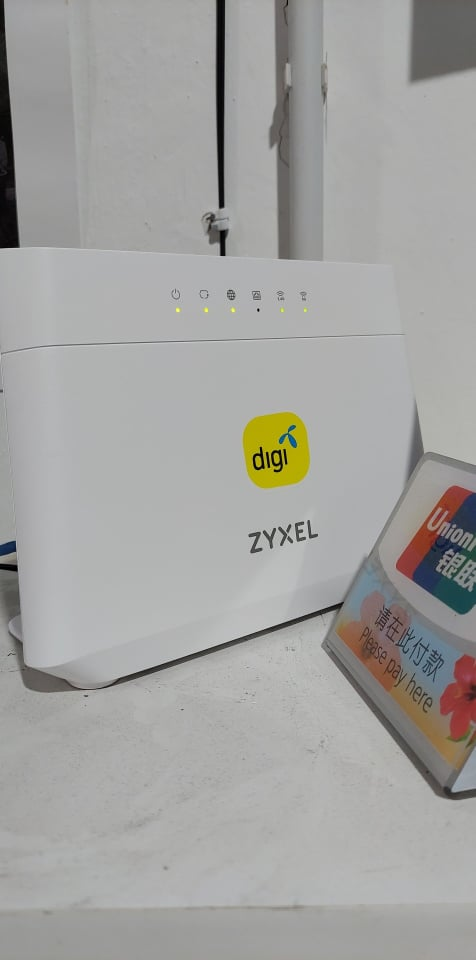
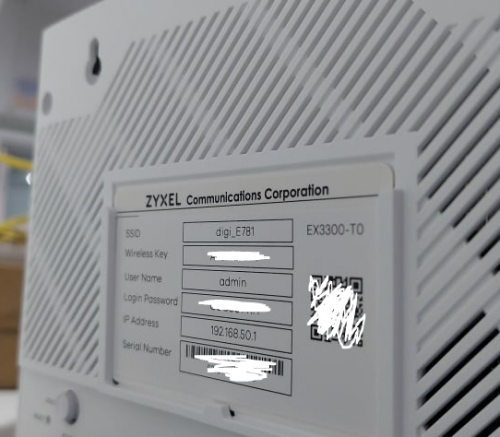
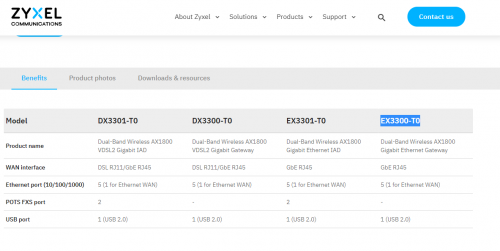
Seems to be a mesh capable wifi 6 router
This post has been edited by QuantumEdge: Jul 19 2021, 08:58 PM
Digi Fibre 50Mbps RM90/m. seems like on TM infra, read #1
|
|
 Jul 19 2021, 08:56 PM Jul 19 2021, 08:56 PM
Return to original view | IPv6 | Post
#1
|
 
Senior Member
1,595 posts Joined: Jan 2016  
|
My friend's shop installed Digi Business fiber 100mbps today, he got Fiberhome ONU+ZYXEL (EX3300-T0) Router Seems to be a mesh capable wifi 6 router This post has been edited by QuantumEdge: Jul 19 2021, 08:58 PM Gregar Forte liked this post
|
|
|
|
|
|
Jul 20 2021, 09:03 PM
Return to original view | IPv6 | Post
#2
|
|
Senior Member
1,595 posts Joined: Jan 2016
|
QUOTE(dreaming @ Jul 20 2021, 04:10 PM) How is the performance? So far no overheating, no walls in his shop so I cant test the coverageDg website stated that wifi 6 router will be given starting 15 Jul for fibre 130 and above whereas Fibre 90 will get wifi 5 router.  The router is fully locked down tho, cant change any settings Here's some ping test results if anyone is looking for it   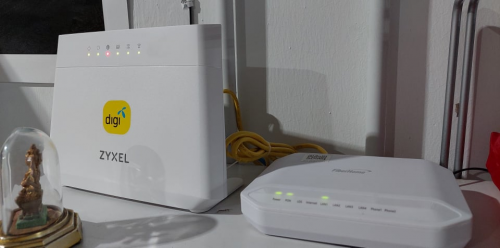 Oh yeah, just now his internet is down... |
|
|
Jul 20 2021, 11:07 PM
Return to original view | IPv6 | Post
#3
|
|
Senior Member
1,595 posts Joined: Jan 2016
|
QUOTE(lowck @ Jul 20 2021, 10:37 PM) digi at unifi infra use lan1? not use lan2 on BTU? Yes, Lan 1BTW, found something weird... 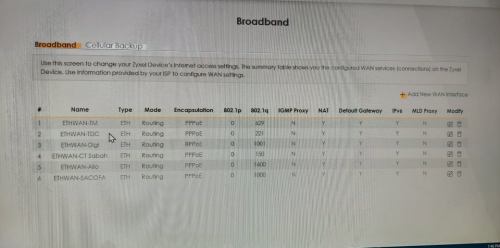 |
|
|
Jul 20 2021, 11:44 PM
Return to original view | IPv6 | Post
#4
|
|
Senior Member
1,595 posts Joined: Jan 2016
|
QUOTE(aniq8676 @ Jul 20 2021, 11:30 PM) Supposedly the VLAN ID for TNB infra is 1400. I think so? These should be VLAN profiles for digi on various infra right?Do they have changed the VLAN ID to 1600? |
|
|
Jul 22 2021, 11:42 AM
Return to original view | IPv6 | Post
#5
|
|
Senior Member
1,595 posts Joined: Jan 2016
|
QUOTE(aniq8676 @ Jul 20 2021, 10:46 PM) LAN1 is reserved for UNIFI users only. Unless there is a technical error. QUOTE(lowck @ Jul 21 2021, 12:19 AM) 1st time see like this using lan 1 Ok guys, my friend's internet was disconnected for 2 days after installation...Because DIGI's technician wrongly connected his WAN to LAN 1, should be using LAN 2 instead Been troubleshooting for 2 days, just now TM's technician came...just plug it into LAN 2 and boom... LAN 1 indeed worked for a few hours on the day of installation, after that it disconnected... 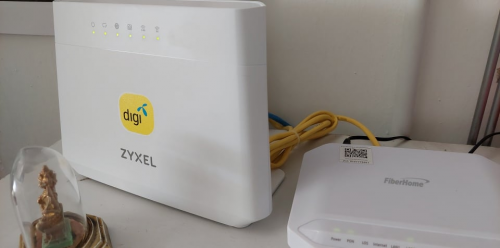 This post has been edited by QuantumEdge: Jul 22 2021, 12:05 PM |
|
|
Jul 22 2021, 01:24 PM
Return to original view | IPv6 | Post
#6
|
|
Senior Member
1,595 posts Joined: Jan 2016
|
QUOTE(lowck @ Jul 22 2021, 12:13 PM) that technician after installation didn't make a speedtest? He did, LAN 1 worked for a few hours Then it cut off for 2 days, till we plugged it into LAN 2... So I guess LAN 1 will work for a moment, but it'll locked few hours after installation |
|
|
|
|
|
Aug 11 2021, 11:26 AM
Return to original view | IPv6 | Post
#7
|
|
Senior Member
1,595 posts Joined: Jan 2016
|
QUOTE(sHawTY @ Aug 11 2021, 11:18 AM) Why? Just let them install the fiber. Who on earth doesn't want fiber? Yeah, good luck with thatAnd now you've lost the port, good luck in waiting for port availability again. You might have to wait years for TM to install new ports Last time TM told me, relocate is faster than waiting for them to install new ports  |
|
|
Nov 27 2021, 04:43 PM
Return to original view | IPv6 | Post
#8
|
|
Senior Member
1,595 posts Joined: Jan 2016
|
QUOTE(heLL_bOy @ Nov 27 2021, 04:27 PM) you using 100mbps ? 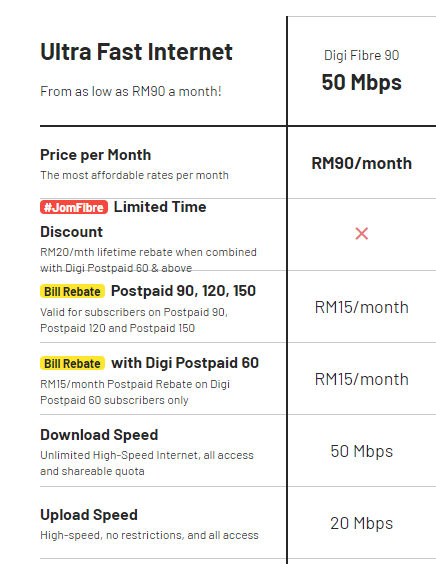 50mbps for sure |
|
|
Nov 27 2021, 08:14 PM
Return to original view | IPv6 | Post
#9
|
|
Senior Member
1,595 posts Joined: Jan 2016
|
QUOTE(heLL_bOy @ Nov 27 2021, 04:48 PM) didnt know about 50mbps plan.. seem promising speed only latency abit higher over speedtest location. Routing wise Digi is kinda meh right? |
|
|
Dec 15 2021, 08:52 PM
Return to original view | IPv6 | Post
#10
|
|
Senior Member
1,595 posts Joined: Jan 2016
|
QUOTE(mydurian @ Dec 15 2021, 08:34 PM) Was it straightforward in getting the DiGi? My area here has TM infra. After send in application, TM tells DiGi my area no more ports. Need to wait for 3 months then Unifi will open the ports to other ISP I think, last time my neighbour waited for 3 months then he finally get Maxis fibreBut new wifi SSID popping up one by one with @unifi name.  So kiamsap ka? Don't want competition? So kiamsap ka? Don't want competition?After that, despite multiple times TM DC, his always connected |
|
|
Feb 12 2022, 06:03 PM
Return to original view | IPv6 | Post
#11
|
|
Senior Member
1,595 posts Joined: Jan 2016
|
QUOTE(derthvadar @ Feb 12 2022, 05:44 PM) Digi told me that DF300Mbps not available at my building. Sigh. In that case just take TIME lah, even betterI only can pick between their 100Mbps/500Mbps/1Gbps plan. They informed me that the fibre infa is managed by TIME.  |
|
|
Feb 23 2022, 06:46 PM
Return to original view | IPv6 | Post
#12
|
|
Senior Member
1,595 posts Joined: Jan 2016
|
QUOTE(homerthewhopper @ Feb 23 2022, 05:19 PM) Anyone recently singed up for Digi 50mbps? Zyxel EX3300-T0, pretty solidWhat router they're giving now? Unifi now just give cheap brand router and modem to save cost. |
|
|
Mar 10 2022, 03:47 PM
Return to original view | IPv6 | Post
#13
|
|
Senior Member
1,595 posts Joined: Jan 2016
|
QUOTE(Hummingbird @ Mar 10 2022, 03:22 PM) So you have actually registered with Digi on the fibre? Yalah, TM counter offer with cheaper package |
| Change to: |  0.0549sec 0.0549sec
 0.90 0.90
 7 queries 7 queries
 GZIP Disabled GZIP Disabled
Time is now: 5th December 2025 - 05:07 AM |
 Quote
Quote