Outline ·
[ Standard ] ·
Linear+
Topaz Labs DeNoise AI Feedback, Did anyone used it before?
|
TSminizian
|
  Jul 28 2020, 11:46 AM, updated 6y ago Jul 28 2020, 11:46 AM, updated 6y ago
|

|
I just wanna ask if anyone of you actually used the above application? I know they have Trial version but I just want to be certain before I pull the trigger. Keep seeing various video review by photographers in YouTube which make it look like absolute real deal. However, it seems like most review and forum review are in a way sponsored by them via commission ( click on the link to buy) which I usually tend to take it with pinch of salt. Not sure if there any real user who can give real world feedback about this and since there is no active topic here so I decide to post it here. I primary shoot Canon Full Frame and Micro 4/3 and I am using RawTherapee as my raw processing tool for images.  This post has been edited by minizian: Jul 28 2020, 11:47 AM This post has been edited by minizian: Jul 28 2020, 11:47 AM |
|
|
|
|
|
N33d
|
Aug 13 2020, 06:47 PM
|
|
|
i like that app
too bad the AI still need some training..In some situation, it introduce artifacts.
I would rate is the best denoiser for most of the situation, DXO prime is near second.
But, if i were you, i would wait a little longer for their 'AI' stuff to mature a bit before I really spent $$
|
|
|
|
|
|
TSminizian
|
Aug 14 2020, 09:25 AM
|
|
|
QUOTE(N33d @ Aug 13 2020, 06:47 PM) i like that app too bad the AI still need some training..In some situation, it introduce artifacts. I would rate is the best denoiser for most of the situation, DXO prime is near second. But, if i were you, i would wait a little longer for their 'AI' stuff to mature a bit before I really spent $$ Thank you for the feedback. I did used based on my high ISO image via 6d and notice it is too clean and some small details were gone from it. I not sure what is the proper way to do it. Did some reading that most user will convert from RAW > TIFF > then only load into Denoise. On the other hand those folks in youtube with Olympus tend to praise this to the extend that I was skeptical to their claim as they are promoting this product. |
|
|
|
|
|
Yggdrasil
|
Aug 20 2020, 01:46 PM
|
|
|
If I'm not mistaken, you only convert RAW to TIFF only if you want to reduce the RAW file size without losing RAW data.
I shoot as a hobby but haven't picked up my camera lately.
I've used Topaz Denoise in the past but always use the default settings.
IIRC, there are profiles set for you. So you just need to click the profile that suits the image file, ISO or the way you want it to look.
For example, your photo may be shot on RAW with ISO 1600 using a crop frame.
ISO 1600 on crop frame will be quite noisy, so I will click RAW - Medium noise.
If I shoot RAW with ISO 1600 on a full frame, noise will be relatively low.
In this case, I will click RAW - Low noise.
There's a RAW - Very High (with debanding) option too meant for ISO12800 but it will make the photo look like a pastel painting.
The best way to make full use of it is to selectively apply the filter to selected parts of the image (i.e. background).
So you need to unapply the filter to several parts of the image you want to preserve (e.g. eyelids).
Despite all these noise reduction tools, some say that the best noise reduction software is in Photoshop itself.
I've tried some tutorials and the photos definitely has more details and lesser noise compared to the filters.
However, you need to tweak and experiment with every photo rather than bulk apply the filters.
|
|
|
|
|
|
N33d
|
Aug 21 2020, 05:02 PM
|
|
|
QUOTE(minizian @ Aug 14 2020, 09:25 AM) Thank you for the feedback. I did used based on my high ISO image via 6d and notice it is too clean and some small details were gone from it. I not sure what is the proper way to do it. Did some reading that most user will convert from RAW > TIFF > then only load into Denoise. On the other hand those folks in youtube with Olympus tend to praise this to the extend that I was skeptical to their claim as they are promoting this product. u need to disable the raw converter's own luma and color noise reduction first then only convert and import to the denoise then use the new 'low-light' toggle(for high iso with ugly color noise). The new low light toggle is built for dealing with color noise which the previous model tend to treat as fine pattern and 'enhanced' it once you satisfied with the Denoise's noise reduction(usually i have it around 40) and sharpness(up to you taste) then if it is too clean, use the recover ori detail slider to fine tune your detail back. of cos, the noise will be back too. that is how i use the Denoise just some sample before 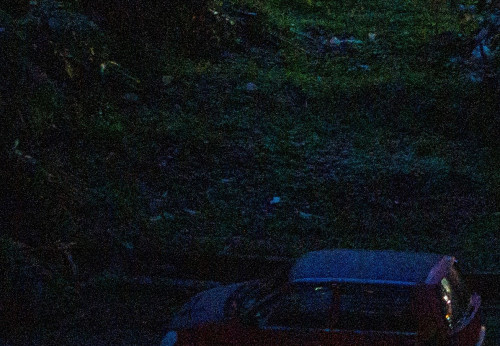 after 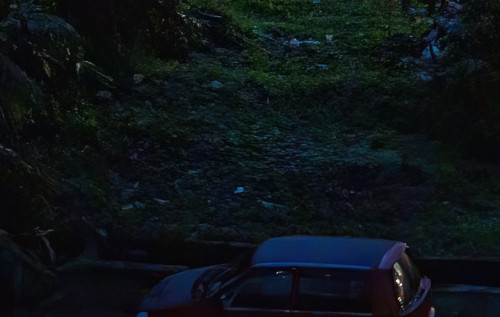 This post has been edited by N33d: Aug 21 2020, 05:11 PM This post has been edited by N33d: Aug 21 2020, 05:11 PM |
|
|
|
|



 Quote
Quote



 0.0236sec
 0.61
0.61
 5 queries
 GZIP Disabled