Outline ·
[ Standard ] ·
Linear+
Topaz Labs DeNoise AI Feedback, Did anyone used it before?
|
N33d
|
 Aug 13 2020, 06:47 PM Aug 13 2020, 06:47 PM
|

|
i like that app
too bad the AI still need some training..In some situation, it introduce artifacts.
I would rate is the best denoiser for most of the situation, DXO prime is near second.
But, if i were you, i would wait a little longer for their 'AI' stuff to mature a bit before I really spent $$
|
|
|
|
|
|
N33d
|
Aug 21 2020, 05:02 PM
|
|
|
QUOTE(minizian @ Aug 14 2020, 09:25 AM) Thank you for the feedback. I did used based on my high ISO image via 6d and notice it is too clean and some small details were gone from it. I not sure what is the proper way to do it. Did some reading that most user will convert from RAW > TIFF > then only load into Denoise. On the other hand those folks in youtube with Olympus tend to praise this to the extend that I was skeptical to their claim as they are promoting this product. u need to disable the raw converter's own luma and color noise reduction first then only convert and import to the denoise then use the new 'low-light' toggle(for high iso with ugly color noise). The new low light toggle is built for dealing with color noise which the previous model tend to treat as fine pattern and 'enhanced' it once you satisfied with the Denoise's noise reduction(usually i have it around 40) and sharpness(up to you taste) then if it is too clean, use the recover ori detail slider to fine tune your detail back. of cos, the noise will be back too. that is how i use the Denoise just some sample before 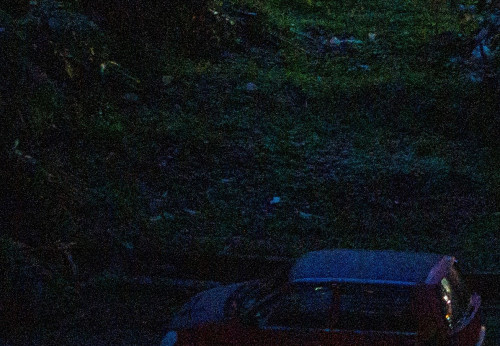 after 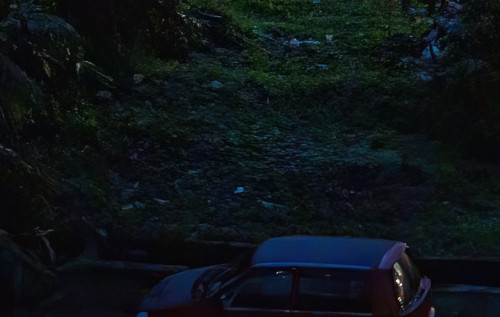 This post has been edited by N33d: Aug 21 2020, 05:11 PM This post has been edited by N33d: Aug 21 2020, 05:11 PM |
|
|
|
|



 Quote
Quote

 0.0151sec
 0.73
0.73
 6 queries
 GZIP Disabled