Welcome Guest ( Log In | Register )

Outline · [ Standard ] · Linear+

 Proton X50 2020 v1, B-Segment killer

views
     
muncheno
post Jun 27 2023, 12:38 AM

Enthusiast
*****
Senior Member
736 posts

Joined: Jun 2006
From: Ipoh
QUOTE(Raybk @ Jun 26 2023, 08:34 PM)
Mine version 617 with Xeon's script and added the optimization to disable auto update, however, today saw the newer version 644 is auto downloading and near completion. Question: what should i do to avoid the update? Will it update by itself? Please help
*
Unfortunately Akotek came out with rhe OTA app via Astore.
Did you remember that you installed the new OTA?

As for the 644 that downloading, I have no idea for now.
Just let it be and don't click "install now".
See if that will pop-up everytime you start car.
Sametime, if you got the hidden settings apk installed, then you can try look for that new ota app package name .
Disabled that new OTA app might help.

This post has been edited by muncheno: Jun 27 2023, 12:39 AM
muncheno
post Jul 9 2023, 05:55 PM

Enthusiast
*****
Senior Member
736 posts

Joined: Jun 2006
From: Ipoh
Anyone know what is sales volume for X50 in Q2/2023 ?
I think it is slowing down and Proton not dare to make news out of it 🤔
muncheno
post Aug 6 2023, 10:18 AM

Enthusiast
*****
Senior Member
736 posts

Joined: Jun 2006
From: Ipoh
QUOTE(laytiong @ Aug 4 2023, 04:11 PM)
user posted image

user posted image

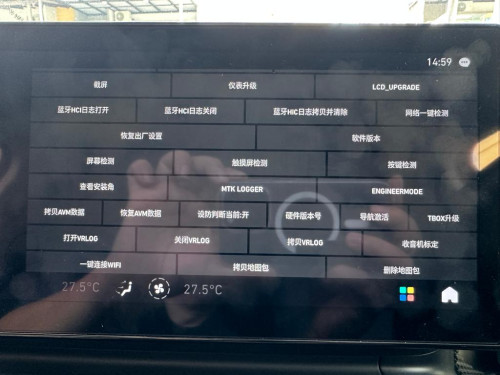
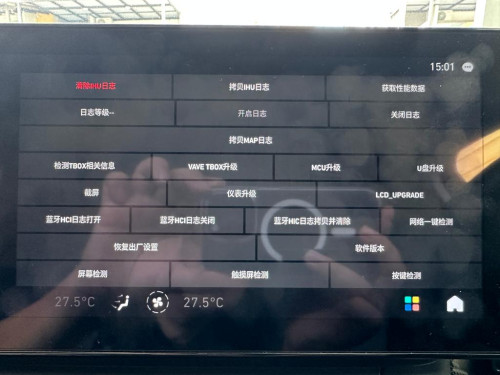
@xeon1989 @muncheno these are the pics from hidden menu of X90. Does any of these can help you in getting a working APK sideload patch?

Let me know if you need anything further. Maybe can work something out. I'm located in Pg
*
I will honest here, without script access and system/rooot access right, it is tough to hack. I gave up at the moment, busy with works.

I hope someone able to hack/hijack the A-Store and get it installed own apks. Alternative if someone found loop in the other system to install apk also would be great.

muncheno
post Dec 10 2023, 10:12 AM

Enthusiast
*****
Senior Member
736 posts

Joined: Jun 2006
From: Ipoh
QUOTE(james2306 @ Dec 7 2023, 01:36 PM)
Hello friends..

So i bought this
https://shopee.com.my/Carlinkit-CCPA-Wirele...674.19211500322

But im having issue right now that 80% of the time, when it starts, it doesnt show full screen, it is like pushed down, with big black bar area on top.
Any idea on a fix? Im using the default apks from xeon's installer

also any recommendations for best settings for the resolution, etc?

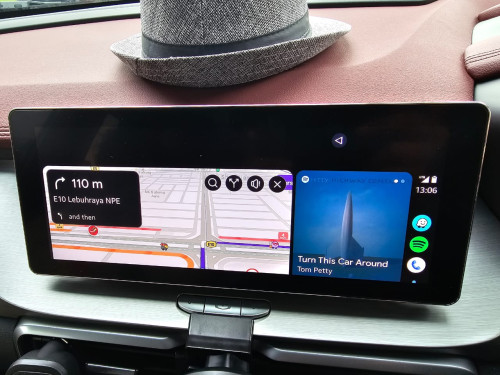
user posted image
*
Try not connect immediately or on automatically.
Pull out and connect the carlinkit should give you a normal view.

muncheno
post Apr 23 2024, 09:54 PM

Enthusiast
*****
Senior Member
736 posts

Joined: Jun 2006
From: Ipoh
QUOTE(feimeng @ Apr 23 2024, 07:20 PM)
hello sir, saw you mentioned about incorrect filename,
is that the script filename has to be changed once changed something in the scripts? i tried to make some modifications to the scripts but ended up the scripts don't want to execute at all, not just the part i modified.

how can i generate the correct scripts filename to make it work?
*
what are you trying to do?
muncheno
post Apr 24 2024, 11:29 AM

Enthusiast
*****
Senior Member
736 posts

Joined: Jun 2006
From: Ipoh
QUOTE(feimeng @ Apr 23 2024, 10:01 PM)
such as the xeon1989 uninstall script, i want to make it just uninstall certain app instead of uninstall everything everytime, i just altered a part of the script, folder name, file name all remain the same but it just won't execute
*
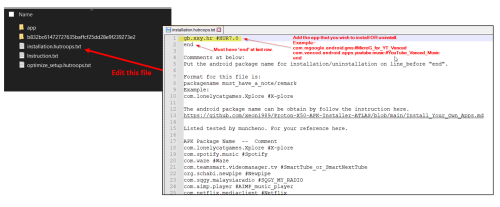
If you want to edit the specific apps that you wanted to install or uninstall.
Just edit the the filename "installation.hutroops.txt", no need to touch the script.

user posted image

reminder:
For the Installation, make sure the car audio volume not '0' before plug in the USBDrive with script.
For the Uninstallation, make sure the car audio volume is '0' before plug in the USBDrive with script.

17 Pages « < 15 16 17Top
 

Change to:
| Lo-Fi Version
0.0269sec    0.58    7 queries    GZIP Disabled
Time is now: 14th December 2025 - 08:30 PM