unifi home install at end of 2017 for unifi Bonanza RM139 30Mbps, FiberHome ONU, tested with other account confirmed that ONU was Capped at 100Mbps, SpeedTest 96Mbps. Receive 10x free speed upgrade at October 2018, Speedtest around 310Mbps, SpeedTest with other account would get abit more. recently, SpeedTest with both accounts would get same SpeedTest result, not abit more anymore. there is single port out of 1-65535 port open at the FiberHome ONU, but not sure when, all ports was closed out of 1-65535 port. unifi installer Didn't provide unifi fibre port password, unifi username, unifi password, unifi phone number, unifi phone number password.
unifi biz install at September 2019, right before 2019 free 3 Months 2 Years Contracts Year End Promo, did subscribe and received YEP after install, Huawei HG8240H5 Universal ONU, Modem Webpages can login with Default Admin and User Password, unifi installer even write down unifi fibre port password, unifi username, unifi password, unifi phone number, unifi phone number password at the fibre modem box. Huawei HG8240H5 Universal ONU is uncapped or maxcapped, confirmed by testing with other account.
remember that alot of, huge percentage of, but not every streamyx 1Mbps account is capped 1.5Mbps at account level?
QUOTE(Anime4000 @ Jul 24 2020, 01:05 PM)
ONT can be configured and provision by OLT to enforce speed limit, for Unifi User on Unifi Network seen has no speed limit, the speed limit was on Account, that's is why you get extra speed, software defined is not hard as Hardware Level.
because of this, TM can exactly speed cap on other competitors riding on Unifi Network.
ONT speed limit is like physical link speed, so can't get real speed since TCP/IP Overhead!
Way Unifi Provisioning Maxis for example, they cap exactly 300mbps (Internet + VoIP + Management), this very reason when having heavy traffic, VoIP calls can't get through.
during MCO, my VoIP have issue, Maxis login into my Router and they can't get in, so I need stop internet for a while.
I trying to hack Unifi ONT via TTL to RS232, it can be done, just need time to find out.
QUOTE(Alpha_Tay @ Oct 29 2019, 05:04 AM)
unifi installation around 2 years ago, the installer cut the fibre and connect the fibre connector by hand, without install Fibre Wall Socket, there's no Soft Yellow Fibre Cable, Black Fibre Cable Straight into FIBERHOME ONU, it's still working today, without any issue.
unifi installation last month, at the same taman, before connect the Fibre Cable to the Distribution Point On TM Pole, unifi installer Fusion splicing the Fibre Cable with a Factory Packaged few Meter Fibre Cable with Fibre Connector Pre-installed, after pulling the Fibre Cable to the Destination, unifi installer Fusion splicing again the Fibre Cable with a Factory Packaged few Meter Fibre Cable with Fibre Connector Pre-installed, both cable are Black, have Steel wire Support, without install Fibre Wall Socket, there's no Soft Yellow Fibre Cable, Black Fibre Cable Straight into Huawei HG8240H5 claim to be Universal ONU Fibre modem, while the whole city unifi and other HSBB Provider was using FIBERHOME ONU. same taman few months ago new unifi installation still receive FIBERHOME ONU, just the new unifi branding at the plastic cover instead of older TM branding. this taman still has plenty of port left during 1st installation of unifi Distribution Point, not yet receive 2nd installation of unifi Distribution Point, while some other area of this city has receive it recently some months ago.
unifi installer write down unifi fibre port password, unifi username, unifi password, unifi phone number, unifi phone number password at the fibre modem box.
Huawei HG8240H5 can login with Default Username Password, Web GUI still Enabled.
at the same city, just saw a maxis fibre 30Mbps customer at Shop Lot Biz Area with Huawei HG8240H ONU Fibre modem that has TM Logo. he claim install it around Years ago.
» Click to show Spoiler - click again to hide... «
https://www.shutterstock.com/image-photo/ma...odem-1072796903there is at least 2 case i have seen with my own eye, that unifi installation at different Shop Lot Biz Area, Black fibre cable was coming from front Entrance through wall, but before the fibre cable through the wall, there's 2 fibre cable Connector to connect both fibre cable, i would provide the photo later if i found it.
Photo Uploaded
[attachmentid=10343807]


 Jul 12 2020, 08:18 PM


 Quote
Quote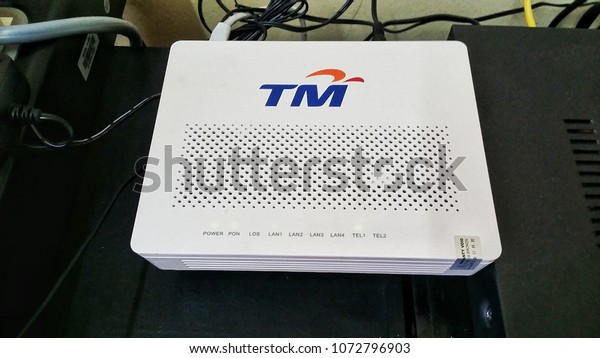


 0.0535sec
 1.75
1.75
 9 queries
 GZIP Disabled