Welcome Guest ( Log In | Register )

Outline · [ Standard ] · Linear+

 Anyway to get good internet speed in double storey

views
     
TSRiriRuruRara
post Jun 29 2020, 02:20 PM, updated 6y ago

Regular
******
Senior Member
1,011 posts

Joined: Aug 2014


Hi please help, i am staying in a double storey house and in my room on the second floor i am getting good 90mbps speed. But my parent downstairs are getting 9-20mbps, which kind of disappoint my father bcs he is paying the rm136 every month and he is getting slow speeds. Is there any proven gadget that will work to make the ground floor speed better???
Boom Mortar
post Jun 29 2020, 02:21 PM

Getting Started
**
Junior Member
227 posts

Joined: Sep 2013
Father go 1st floor

ts go ground floor
FusionXY
post Jun 29 2020, 02:22 PM

LAZZIE ON VACATION
*******
Senior Member
3,836 posts

Joined: Aug 2016

QUOTE(RiriRuruRara @ Jun 29 2020, 02:20 PM)
Hi please help, i am staying in a double storey house and in my room on the second floor i am getting good 90mbps speed. But my parent downstairs are getting 9-20mbps, which kind of disappoint my father bcs he is paying the rm136 every month and he is getting slow speeds. Is there any proven gadget that will work to make the ground floor speed better???
*
Hello, what's your stock router model.

Thanks.
lalakiki
post Jun 29 2020, 02:22 PM

Casual
***
Junior Member
452 posts

Joined: Oct 2006
change wifi router...
upcars
post Jun 29 2020, 02:22 PM

Getting Started
**
Junior Member
95 posts

Joined: Feb 2017
dlink mesh router.

buy as many nodes as u require.
acbc
post Jun 29 2020, 02:22 PM

Look at all my stars!!
*******
Senior Member
9,050 posts

Joined: Jan 2003
Upgrade your wireless router to a mesh WiFi.
BronzePlate
post Jun 29 2020, 02:23 PM

New Member
*
Junior Member
22 posts

Joined: Apr 2020
How about you move out of your parents house and get your own place?
Fyonne
post Jun 29 2020, 02:24 PM

Enthusiast
Group Icon
VIP
904 posts

Joined: Nov 2006
From: Penang (Mainland)
coz ur hogging the bandwith
tahfeikei
post Jun 29 2020, 02:25 PM

TALK TO MY ENGRISH
******
Senior Member
1,248 posts

Joined: Feb 2013
From: opis
QUOTE(upcars @ Jun 29 2020, 02:22 PM)
dlink mesh router.

buy as many nodes as u require.
*
QUOTE(acbc @ Jun 29 2020, 02:22 PM)
Upgrade your wireless router to a mesh WiFi.
*
+1

mesh is the answer
jetblast
post Jun 29 2020, 02:25 PM

Regular
******
Senior Member
1,039 posts

Joined: Oct 2006


Your parents probably using 2.4ghz. Set their phone/tablets to 5ghz
lalakiki
post Jun 29 2020, 02:26 PM

Casual
***
Junior Member
452 posts

Joined: Oct 2006
change to ubiquiti
Mr.RW
post Jun 29 2020, 02:26 PM

Getting Started
**
Junior Member
65 posts

Joined: Feb 2019
Buy two RT-AX86U than use ASUS AiMesh.
fantasy1989
post Jun 29 2020, 02:27 PM

Look at all my stars!!
*******
Senior Member
4,707 posts

Joined: May 2008


Mesh Wifi

or

get powerline with wifi.. since your max is 80Mbps ..then should be enough ..my 3 story house ..from ground floor to 2nd floor with powerline ..max i could get is about ~70Mbps

This post has been edited by fantasy1989: Jun 29 2020, 02:27 PM
TSRiriRuruRara
post Jun 29 2020, 02:30 PM

Regular
******
Senior Member
1,011 posts

Joined: Aug 2014


QUOTE(FusionXY @ Jun 29 2020, 02:22 PM)
Hello, what's your stock router model.

Thanks.
*
QUOTE(upcars @ Jun 29 2020, 02:22 PM)
dlink mesh router.

buy as many nodes as u require.
*
QUOTE(acbc @ Jun 29 2020, 02:22 PM)
Upgrade your wireless router to a mesh WiFi.
*
QUOTE(tahfeikei @ Jun 29 2020, 02:25 PM)
+1

mesh is the answer
*
QUOTE(fantasy1989 @ Jun 29 2020, 02:27 PM)
Mesh Wifi

or

get powerline with wifi.. since your max is 80Mbps ..then should be enough ..my 3 story house ..from ground floor to 2nd floor with powerline ..max i could get is about ~70Mbps
*
hi can recommend which brand and model to get that 100% works? Bcs a computer shop did sell my father a rm200 wifi booster or something like that but didnt work at all...
fantasy1989
post Jun 29 2020, 02:31 PM

Look at all my stars!!
*******
Senior Member
4,707 posts

Joined: May 2008


QUOTE(RiriRuruRara @ Jun 29 2020, 02:30 PM)
hi can recommend which brand and model to get that 100% works? Bcs a computer shop did sell my father a rm200 wifi booster or something like that but didnt work at all...
*
something like this for powerline

https://www.lazada.com.my/products/tp-link-...NBoCQvoQAvD_BwE

wifi adapter put at ground floor


if mesh i think you need to upgrade your existing router also iinm

This post has been edited by fantasy1989: Jun 29 2020, 02:31 PM
takemethere
post Jun 29 2020, 02:31 PM

New Member
*
Junior Member
33 posts

Joined: Sep 2009
mesh wifi for sure... go for the tp-link m5, 2 nodes good enough to cover double storey house... put 1 in each floor.
jetblast
post Jun 29 2020, 02:32 PM

Regular
******
Senior Member
1,039 posts

Joined: Oct 2006


Where is the router located? Using WiFi or wired? When you go downstairs what speed you getting? What devices connected?
fireballs
post Jun 29 2020, 02:33 PM

10101
*******
Senior Member
5,650 posts

Joined: Mar 2012
lay cable
chemnz
post Jun 29 2020, 02:34 PM

Getting Started
**
Junior Member
181 posts

Joined: May 2006


Get one of those powerline network with WiFi end
kaiserreich
post Jun 29 2020, 02:34 PM

Pendekar Papan Kekunci
*******
Senior Member
4,234 posts

Joined: Sep 2006
Plashspeed router is the best
unknown_2
post Jun 29 2020, 02:35 PM

On my way
****
Junior Member
573 posts

Joined: Mar 2012


QUOTE(RiriRuruRara @ Jun 29 2020, 02:20 PM)
Hi please help, i am staying in a double storey house and in my room on the second floor i am getting good 90mbps speed. But my parent downstairs are getting 9-20mbps, which kind of disappoint my father bcs he is paying the rm136 every month and he is getting slow speeds. Is there any proven gadget that will work to make the ground floor speed better???
*
buy another gigabit router.
pull a physical LAN cable from main router to the 2nd router downstairs.
zerorating
post Jun 29 2020, 02:35 PM

Miskin Adab
*****
Senior Member
975 posts

Joined: Aug 2007
From: Lokap Polis


buy multiple wireless APs is the way to go.
also please note that mobile phone wifi hardware are not much good to start with, even if you get 20-30mbps on the different floor is pretty much good.

using mimo capable router with 3-4 antenna might help improve the speed, if you choose to do single single router setup.

tahfeikei
post Jun 29 2020, 02:41 PM

TALK TO MY ENGRISH
******
Senior Member
1,248 posts

Joined: Feb 2013
From: opis
QUOTE(takemethere @ Jun 29 2020, 02:31 PM)
mesh wifi for sure... go for the tp-link m5, 2 nodes good enough to cover double storey house... put 1 in each floor.
*
+1
ayam using m5 also...good enough for me...no more ip conflicts, no more dead zones
ihavenoidea
post Jun 29 2020, 02:45 PM

Regular
******
Senior Member
1,301 posts

Joined: Sep 2012
QUOTE(RiriRuruRara @ Jun 29 2020, 02:30 PM)
hi can recommend which brand and model to get that 100% works? Bcs a computer shop did sell my father a rm200 wifi booster or something like that but didnt work at all...
*
Repeater and extender are usually shit. a powerline + a 2nd router or change everything to mesh wifi is better.

btw 9 mbps your dad can feel slow something else is wrong, more like instability of the wifi
blanket84
post Jun 29 2020, 02:46 PM

Regular
******
Senior Member
1,521 posts

Joined: May 2008
QUOTE(takemethere @ Jun 29 2020, 02:31 PM)
mesh wifi for sure... go for the tp-link m5, 2 nodes good enough to cover double storey house... put 1 in each floor.
*
Actually how do we connect the two nodes? Through wifi signal as well or through Ethernet port (say both floors got port, is it connected?).

Sorry me buta IT.
waghyu
post Jun 29 2020, 02:46 PM

Look at all my stars!!
*******
Senior Member
3,389 posts

Joined: Sep 2019
QUOTE(RiriRuruRara @ Jun 29 2020, 02:20 PM)
Hi please help, i am staying in a double storey house and in my room on the second floor i am getting good 90mbps speed. But my parent downstairs are getting 9-20mbps, which kind of disappoint my father bcs he is paying the rm136 every month and he is getting slow speeds. Is there any proven gadget that will work to make the ground floor speed better???
*
Multi repeater setup - this is cheapest solution.

Another solution is more costly, but both works well.
KamisF
post Jun 29 2020, 02:48 PM

Getting Started
**
Junior Member
178 posts

Joined: Jun 2013


im using both, pull 1 LAN cable to 1 room, and another room use powerline adapter, best result if u pull the LAN cable.
duperam
post Jun 29 2020, 02:50 PM

New Member
*
Newbie
33 posts

Joined: Jan 2019
QUOTE(RiriRuruRara @ Jun 29 2020, 02:20 PM)
Hi please help, i am staying in a double storey house and in my room on the second floor i am getting good 90mbps speed. But my parent downstairs are getting 9-20mbps, which kind of disappoint my father bcs he is paying the rm136 every month and he is getting slow speeds. Is there any proven gadget that will work to make the ground floor speed better???
*
Put additional AP in your parent's room. Set the SSID and password to be identical with the main router.
zerorating
post Jun 29 2020, 02:50 PM

Miskin Adab
*****
Senior Member
975 posts

Joined: Aug 2007
From: Lokap Polis


QUOTE(blanket84 @ Jun 29 2020, 02:46 PM)
Actually how do we connect the two nodes? Through wifi signal as well or through Ethernet port (say both floors got port, is it connected?).

Sorry me buta IT.
*
most ideal will be via ethernet port.
but wireless AP as a wifi client is not bad la, can say it is different level compared to what your laptop/semakphone have, so you can still enjoy high internet speed as long as the distance between those two router are not far with wireless connectivity between two routers.

This post has been edited by zerorating: Jun 29 2020, 02:51 PM
dadurtyz
post Jun 29 2020, 02:52 PM

On my way
****
Senior Member
658 posts

Joined: May 2006
From: Melaka


Use repeater or extender.

If u have more budget, go for mesh, get 2 unit mesh will fix it
elvatra
post Jun 29 2020, 02:53 PM

New Member
*
Junior Member
36 posts

Joined: Jun 2010
is either you go for mesh or add in additional repeater
blanket84
post Jun 29 2020, 02:53 PM

Regular
******
Senior Member
1,521 posts

Joined: May 2008
QUOTE(zerorating @ Jun 29 2020, 02:50 PM)
most ideal will be via ethernet port.
but wireless AP as a wifi client is not bad la, can say it is different level compared to what your laptop/semakphone have, so you can still enjoy high internet speed as long as the distance between those two router are not far with wireless connectivity between two routers.
*
Thanks.

Normally if the developer provided one ethernet port each floor, does the two ethernet port readily connected? For double storey house, is using 2 wifi mesh adequate? Floor area approximately 2300sqft.
woodentiger86
post Jun 29 2020, 02:55 PM

Budding DIY Detailer & Avid Gamer
*******
Senior Member
2,414 posts

Joined: Mar 2016


~Park for updates too~

Will it work fine if I get Deco M5 and just try to set it up in the areas where the connection seems weak, i.e, at the kitchen/upstairs area?
fireballs
post Jun 29 2020, 02:55 PM

10101
*******
Senior Member
5,650 posts

Joined: Mar 2012
since alrady have ethernet port, then can be easier. try trace where is the wire goes. potentially hidden in the stair case store room or near by the tv area.

if is connected, then just plug your cable into the router lan port, and the other side your laptop. once confirmed, plug in another router on your upstairs.
orangtua
post Jun 29 2020, 03:02 PM

Getting Started
**
Junior Member
108 posts

Joined: Jul 2006
QUOTE(RiriRuruRara @ Jun 29 2020, 02:20 PM)
Hi please help, i am staying in a double storey house and in my room on the second floor i am getting good 90mbps speed. But my parent downstairs are getting 9-20mbps, which kind of disappoint my father bcs he is paying the rm136 every month and he is getting slow speeds. Is there any proven gadget that will work to make the ground floor speed better???
*
How big is the house? I only need a single router (Asus RT-AC86U) to cover my double storey house (20x70). Placement of the router is very important - try to find a centralized place for maximum coverage. I was planning for mesh too but wasn't sure if I really need one. So I bought an Asus which is Aimesh-ready, thinking I can get another one and link them together if needed. Turn out 1 is enough for me.
FusionXY
post Jun 29 2020, 03:07 PM

LAZZIE ON VACATION
*******
Senior Member
3,836 posts

Joined: Aug 2016

QUOTE(RiriRuruRara @ Jun 29 2020, 02:30 PM)
hi can recommend which brand and model to get that 100% works? Bcs a computer shop did sell my father a rm200 wifi booster or something like that but didnt work at all...
*
What's your budget and plan speed.

Thanks.
JoeYoung
post Jun 29 2020, 03:14 PM

Getting Started
**
Junior Member
153 posts

Joined: Apr 2007
Use wiremesh for seamless connection.
Here is router with range extender (wire mesh) combo

https://www.lazada.com.my/products/d-link-d...EtBCXm&search=1
https://www.lazada.com.my/products/d-link-d...148c3cERMI&mp=1
https://www.lazada.com.my/products/d-link-d...3L8ciC&search=1. This choice has the best price router + range extender

This post has been edited by JoeYoung: Jun 29 2020, 03:15 PM
Current Events guy
post Jun 29 2020, 03:16 PM

Enthusiast
*****
Junior Member
966 posts

Joined: Nov 2009
I bought a deco m5 and now all areas of my house got 100mbps
Blofeld
post Jun 29 2020, 03:19 PM

Look at all my stars!!
*******
Senior Member
4,703 posts

Joined: Mar 2012
buy new single storey house
blanket84
post Jun 29 2020, 03:19 PM

Regular
******
Senior Member
1,521 posts

Joined: May 2008
QUOTE(Current Events guy @ Jun 29 2020, 03:16 PM)
I bought a deco m5 and now all areas of my house got 100mbps
*
How many units you use? And you house's built up area?
19 Degree South
post Jun 29 2020, 03:22 PM

Regular
******
Senior Member
1,682 posts

Joined: Oct 2012
Rooms are tough right even with these mesh set up.
Current Events guy
post Jun 29 2020, 03:25 PM

Enthusiast
*****
Junior Member
966 posts

Joined: Nov 2009
QUOTE(blanket84 @ Jun 29 2020, 03:19 PM)
How many units you use? And you house's built up area?
*
3

One in the living room upstairs, that's where the unifi router is.

Another one also upstairs, in the bedroom where the gaming PC is.

One in the loving room downstairs where the TV is for netflix/PS4. Enough for all rooms downstairs.

25 x 85
stupiak07
post Jun 29 2020, 03:27 PM

Casual
***
Junior Member
397 posts

Joined: Oct 2007
From: broken heart land, single forever~
lay cable and get an access point
TSRiriRuruRara
post Jun 29 2020, 03:28 PM

Regular
******
Senior Member
1,011 posts

Joined: Aug 2014


QUOTE(fantasy1989 @ Jun 29 2020, 02:31 PM)
something like this for powerline

https://www.lazada.com.my/products/tp-link-...NBoCQvoQAvD_BwE

wifi adapter put at ground floor
if mesh i think you need to upgrade your existing router also iinm
*
my router is the black color tp link by tm, need to upgrade also?

QUOTE(jetblast @ Jun 29 2020, 02:32 PM)
Where is the router located? Using WiFi or wired? When you go downstairs what speed you getting? What devices connected?
*
router on the second floor, all using wireless.

QUOTE(tahfeikei @ Jun 29 2020, 02:41 PM)
+1
ayam using m5 also...good enough for me...no more ip conflicts, no more dead zones
*
you using the rm700 one i see on lazada?


QUOTE(FusionXY @ Jun 29 2020, 03:07 PM)
What's your budget and plan speed.

Thanks.
*
hard to say a budget, bcs i just want something that works but not something crazy expensive. Like i mention a computer shop cheated my father rm200 by selling him a gadget that doesnt work.
blanket84
post Jun 29 2020, 03:30 PM

Regular
******
Senior Member
1,521 posts

Joined: May 2008
QUOTE(Current Events guy @ Jun 29 2020, 03:25 PM)
3

One in the living room upstairs, that's where the unifi router is.

Another one also upstairs, in the bedroom where the gaming PC is.

One in the loving room downstairs where the TV is for netflix/PS4. Enough for all rooms downstairs.

25 x 85
*
I am thinking to do the same arrangement, 1 upstairs and 2 downstairs since the one upstairs are more centered in term of position. But I wonder if one per floor is more than enough. Have you tried switching off one downstairs and test the signal at furthers point?
TSRiriRuruRara
post Jun 29 2020, 03:32 PM

Regular
******
Senior Member
1,011 posts

Joined: Aug 2014


QUOTE(JoeYoung @ Jun 29 2020, 03:14 PM)
Use wiremesh for seamless connection.
Here is router with range extender (wire mesh) combo

https://www.lazada.com.my/products/d-link-d...EtBCXm&search=1
https://www.lazada.com.my/products/d-link-d...148c3cERMI&mp=1
https://www.lazada.com.my/products/d-link-d...3L8ciC&search=1. This choice has the best price router + range extender
*
thanks, so i need to buy a new router also? Cannot just use the black color tp link that i have now by tm? Bcs i also buta huruf these i.t stuff, i buy that i will have a hard time to start it up. Anything that can just plug and play?

QUOTE(Current Events guy @ Jun 29 2020, 03:16 PM)
I bought a deco m5 and now all areas of my house got 100mbps
*
Wow nice, can share which one did you get? Have to change the router also???
9m2w
post Jun 29 2020, 03:33 PM

Victoria Concordia Crescit
******
Senior Member
1,035 posts

Joined: Feb 2007


QUOTE(chemnz @ Jun 29 2020, 02:34 PM)
Get one of those powerline network with WiFi end
*
Normally I would recommend a powerline but they wont work well in 3 phase households, especially if both socket outlets are on different phases. Had the misfortune once in my old place.


BlueSpark
post Jun 29 2020, 03:36 PM

Casual
***
Junior Member
430 posts

Joined: Sep 2009
1) You need to consider the exact position of your router and where are the thick walls
2) Identify the model of your current router. Black tplink router doesn't mean anything.
3) Then consider if you need to move your router, get a stronger router or get the mesh network

kygt99
post Jun 29 2020, 03:40 PM

New Member
*
Junior Member
49 posts

Joined: Feb 2012
TS, will running an ethernet cable from upstairs to downstairs be an issue?

If it's not an issue, I suggest TS to run one from upstairs to downstairs.

Plug one end of the cable to your router upstairs.

Then get an AP/Router for downstairs. Plug the other end to this AP/Router downstairs.

Essentially, it's like extension. But through cable instead of WIFI.

Cable is the preferred way all day every day.

A WIFI signal extension is definitely not recommended.

2 simple reasons.

Disconnection issues and speed issues.

As for the third solution, Powerline Adapter, has the issue of what phase your electric wiring is. If single phase then ok. Otherwise, it's a waste of money and time.

If running an ethernet cable from upstairs to downstairs is a no-no for TS and your house electric wiring is not single phase, then TS has no choice but to do WIFI extension. Which the result, I can confirm TS will not be satisfied.

Cheers.

This post has been edited by kygt99: Jun 29 2020, 03:50 PM
FusionXY
post Jun 29 2020, 03:41 PM

LAZZIE ON VACATION
*******
Senior Member
3,836 posts

Joined: Aug 2016

QUOTE(RiriRuruRara @ Jun 29 2020, 03:28 PM)
my router is the black color tp link by tm, need to upgrade also?
router on the second floor, all using wireless.
you using the rm700 one i see on lazada?
hard to say a budget, bcs i just want something that works but not something crazy expensive. Like i mention a computer shop cheated my father rm200 by selling him a gadget that doesnt work.
*
If you are using 100Mbps line.

Then get the Deco M5 as everyone suggested.
Your father bought what?

EDIT: How big is your house?
Consider getting 2 pack if you're living in a 2 Storey House.

Thanks.

This post has been edited by FusionXY: Jun 29 2020, 03:44 PM
Pop The Bubbles
post Jun 29 2020, 03:41 PM

Getting Started
**
Junior Member
219 posts

Joined: Jan 2009
Use power line adapter
Current Events guy
post Jun 29 2020, 03:45 PM

Enthusiast
*****
Junior Member
966 posts

Joined: Nov 2009
QUOTE(blanket84 @ Jun 29 2020, 03:30 PM)
I am thinking to do the same arrangement, 1 upstairs and 2 downstairs since the one upstairs are more centered in term of position. But I wonder if one per floor is more than enough. Have you tried switching off one downstairs and test the signal at furthers point?
*
I did not. However you could buy the 2 in a pack and then buy 1 standalone later if it doesn't suit your expectation.


QUOTE(RiriRuruRara @ Jun 29 2020, 03:32 PM)
Wow nice, can share which one did you get? Have to change the router also???
*
No I'm using the default unifi router.

Go to lazada or shopee and type tp link deco m5. I bought the 3 in 1 pack

This post has been edited by Current Events guy: Jun 29 2020, 03:46 PM
jetblast
post Jun 29 2020, 03:47 PM

Regular
******
Senior Member
1,039 posts

Joined: Oct 2006


When you go downstairs what is your speed?
blanket84
post Jun 29 2020, 03:50 PM

Regular
******
Senior Member
1,521 posts

Joined: May 2008
QUOTE(Current Events guy @ Jun 29 2020, 03:45 PM)
I did not. However you could buy the 2 in a pack and then buy 1 standalone later if it doesn't suit your expectation.
No I'm using the default unifi router.

Go to lazada or shopee and type tp link deco m5. I bought the 3 in 1 pack
*
I thought you don't need to use router since TP link deco is already a router itself, no?

I need to recalculate the savings of buying pack of 3 instead of 2+1. If not much difference than I might go for 2+1. Otherwise it wouldn't hurt having more than less.

Thanks for sharing.
pisces88
post Jun 29 2020, 03:50 PM

Look at all my stars!!
*******
Senior Member
3,970 posts

Joined: Nov 2007


Don't buy booster. Buy mesh je
pisces88
post Jun 29 2020, 03:53 PM

Look at all my stars!!
*******
Senior Member
3,970 posts

Joined: Nov 2007


QUOTE(blanket84 @ Jun 29 2020, 03:50 PM)
I thought you don't need to use router since TP link deco is already a router itself, no?

I need to recalculate the savings of buying pack of 3 instead of 2+1. If not much difference than I might go for 2+1. Otherwise it wouldn't hurt having more than less.

Thanks for sharing.
*
The deco is not router. Still need a router..

Connect one m5 to router. Then place the rest around the house
Current Events guy
post Jun 29 2020, 03:55 PM

Enthusiast
*****
Junior Member
966 posts

Joined: Nov 2009
QUOTE(blanket84 @ Jun 29 2020, 03:50 PM)
I thought you don't need to use router since TP link deco is already a router itself, no?

I need to recalculate the savings of buying pack of 3 instead of 2+1. If not much difference than I might go for 2+1. Otherwise it wouldn't hurt having more than less.

Thanks for sharing.
*
You could use it as a router i think, but it only has two ethernet ports while the normal router has 4. I have some devices on the top floor still connected to the router via cable.

This post has been edited by Current Events guy: Jun 29 2020, 03:56 PM
pisces88
post Jun 29 2020, 03:55 PM

Look at all my stars!!
*******
Senior Member
3,970 posts

Joined: Nov 2007


QUOTE(Current Events guy @ Jun 29 2020, 03:45 PM)
I did not. However you could buy the 2 in a pack and then buy 1 standalone later if it doesn't suit your expectation.
No I'm using the default unifi router.

Go to lazada or shopee and type tp link deco m5. I bought the 3 in 1 pack
*
Did u plug one of the mesh into the unifi router with lan cable? Or can move it around freely after setting up?

Mine only works if one of the m5 is connected to the router with Lan
Jay Chua CC
post Jun 29 2020, 03:57 PM

~Dont settle for good. Demand great~
*******
Senior Member
5,907 posts

Joined: Dec 2012
From: Taiping,Perak


char siew!
Current Events guy
post Jun 29 2020, 03:57 PM

Enthusiast
*****
Junior Member
966 posts

Joined: Nov 2009
QUOTE(pisces88 @ Jun 29 2020, 03:55 PM)
Did u plug one of the mesh into the unifi router with lan cable? Or can move it around freely after setting up?

Mine only works if one of the m5 is connected to the router with Lan
*
It's connected to the router via cable. I didnt consider disconnecting it before.
wahidzeb
post Jun 29 2020, 03:58 PM

New Member
*
Junior Member
44 posts

Joined: Feb 2017


QUOTE(RiriRuruRara @ Jun 29 2020, 02:20 PM)
Hi please help, i am staying in a double storey house and in my room on the second floor i am getting good 90mbps speed. But my parent downstairs are getting 9-20mbps, which kind of disappoint my father bcs he is paying the rm136 every month and he is getting slow speeds. Is there any proven gadget that will work to make the ground floor speed better???
*
buy a repeater
blanket84
post Jun 29 2020, 03:59 PM

Regular
******
Senior Member
1,521 posts

Joined: May 2008
QUOTE(pisces88 @ Jun 29 2020, 03:53 PM)
The deco is not router. Still need a router..

Connect one m5 to router. Then place the rest around the house
*
What does they mean by "Router/access point mode" in their specification?
pisces88
post Jun 29 2020, 03:59 PM

Look at all my stars!!
*******
Senior Member
3,970 posts

Joined: Nov 2007


QUOTE(Current Events guy @ Jun 29 2020, 03:57 PM)
It's connected to the router via cable. I didnt consider disconnecting it before.
*
So ur configuration is :

Mesh A connect to router via lan

Mesh B and C placed in other parts of the house without Lan


Right?
Cheeky
post Jun 29 2020, 04:00 PM

Getting Started
**
Junior Member
168 posts

Joined: Nov 2004


QUOTE(RiriRuruRara @ Jun 29 2020, 02:20 PM)
Hi please help, i am staying in a double storey house and in my room on the second floor i am getting good 90mbps speed. But my parent downstairs are getting 9-20mbps, which kind of disappoint my father bcs he is paying the rm136 every month and he is getting slow speeds. Is there any proven gadget that will work to make the ground floor speed better???
*
https://www.mi.com/global/mi-wifi-range-extender-pro/

blanket84
post Jun 29 2020, 04:02 PM

Regular
******
Senior Member
1,521 posts

Joined: May 2008
QUOTE(Current Events guy @ Jun 29 2020, 03:55 PM)
You could use it as a router i think, but it only has two ethernet ports while the normal router has 4. I have some devices on the top floor still connected to the router via cable.
*
If I can use it as router, then I prefer to not use unifi router since it is ugly. I don't need more than 1 ethernet ports since everyone is using wifi in my house. Even TV also I use wifi instead of LAN cable.
chemnz
post Jun 29 2020, 04:04 PM

Getting Started
**
Junior Member
181 posts

Joined: May 2006


QUOTE(9m2w @ Jun 29 2020, 03:33 PM)
Normally I would recommend a powerline but they wont work well in 3 phase households, especially if both socket outlets are on different phases. Had the misfortune once in my old place.
*
Ah. That sucks.
I guess repeater/extender is the way to go.

Also wanna sell your powerline? Huehuehuehie

This post has been edited by chemnz: Jun 29 2020, 04:05 PM
novblaze
post Jun 29 2020, 04:05 PM

Casual
***
Junior Member
328 posts

Joined: Jan 2015
Mesh
JimbeamofNRT
post Jun 29 2020, 04:05 PM

the Original Lanji@_ Chicken Rice Shop Since 2002
******
Senior Member
1,902 posts

Joined: Sep 2012

QUOTE(RiriRuruRara @ Jun 29 2020, 02:20 PM)
Hi please help, i am staying in a double storey house and in my room on the second floor i am getting good 90mbps speed. But my parent downstairs are getting 9-20mbps, which kind of disappoint my father bcs he is paying the rm136 every month and he is getting slow speeds. Is there any proven gadget that will work to make the ground floor speed better???
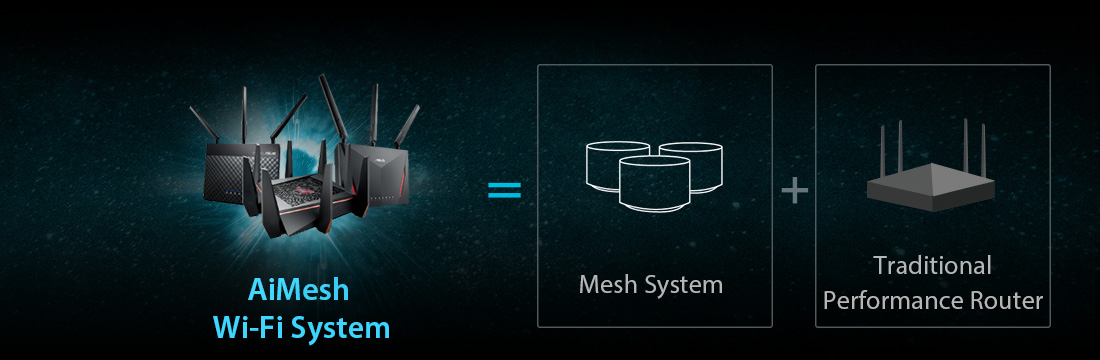
*
bro ClericKilla

here we go again!

here RiriRuruRara

some good info

https://forum.lowyat.net/index.php?showtopic=4856061&hl=


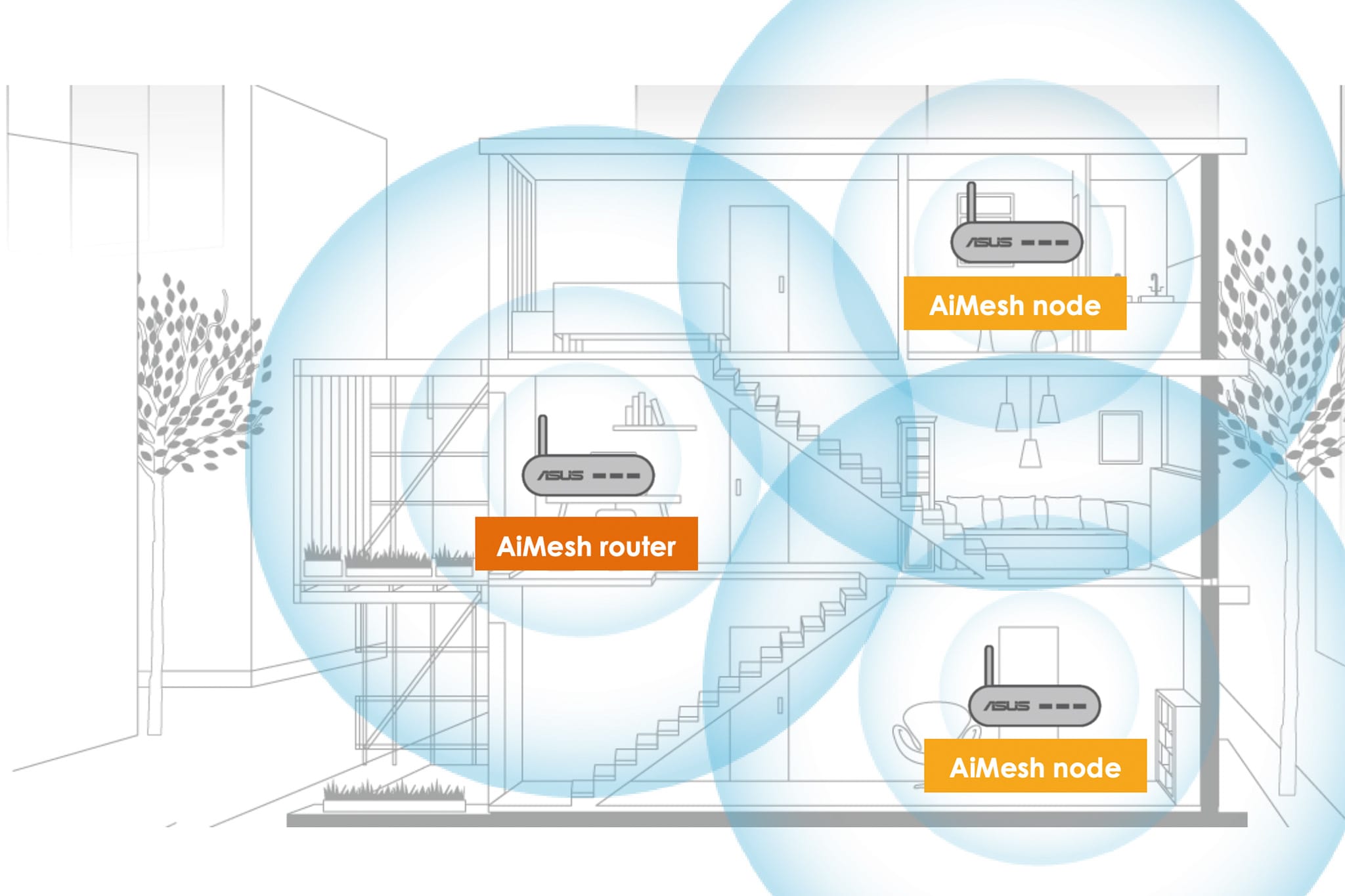
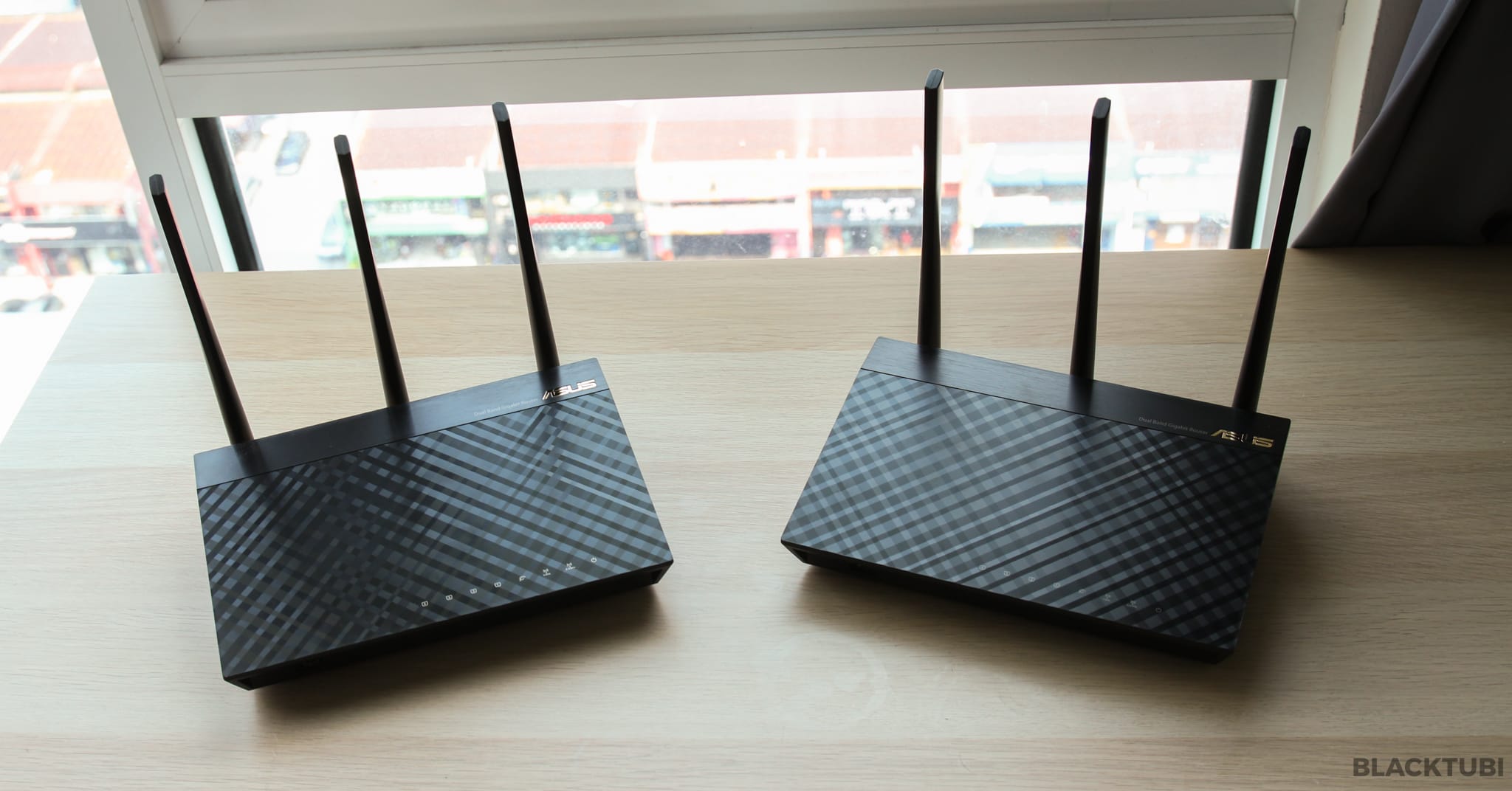
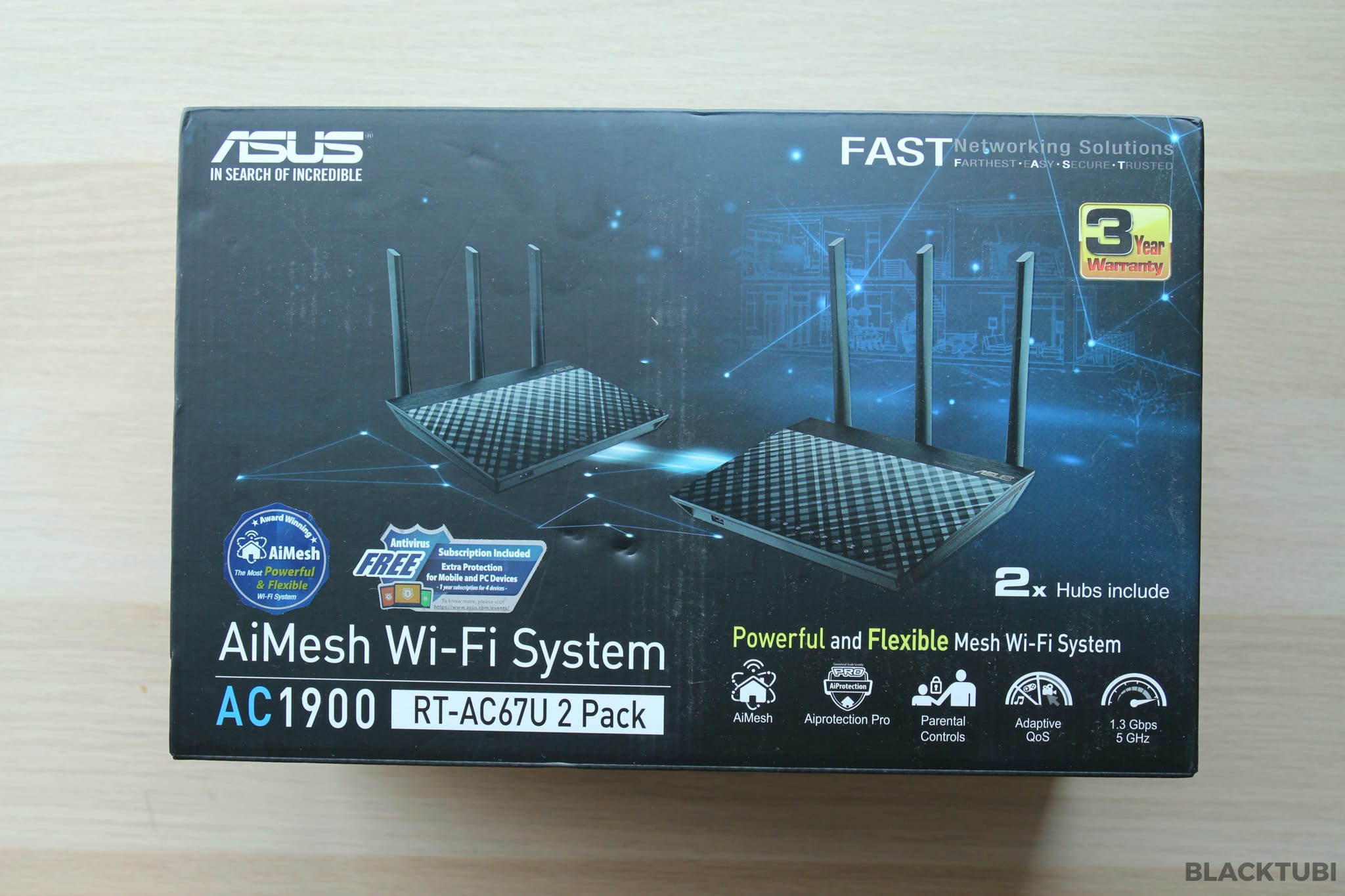
right now I would like to recommend ASUS RT-AC67U AC1900 AiMesh RM 748 for two routers

can be linked with aimesh system

https://www.asus.com/my/Business-Networking...T-AC67U-2-Pack/

review by blacktubi

https://www.blacktubi.com/review/asus-rt-ac67u/

user posted image

user posted image

excerpts from his review


ASUS AiMesh is the most feature rich and flexible mesh WiFi system in the market today. ASUS RT-AC67U is an AC1900 mesh WiFI system unlike more mesh WiFi system you have seen in the market. It is developed to cover your entire home with strong WiFi coverage and fast WiFi speed.

The performance of the RT-AC67U is really impressive. Previously, the WiFi speed at point D is barely usable due to multiple walls in between and the use of metal door in my apartment. By having the RT-AC67U mesh WiFi system, it effectively improve the WiFi speed and coverage in my entire apartment. The AiMesh node will help due to my rectangular shape layout. There is only so much a WiFi router can transmit due to regulation.


This post has been edited by JimbeamofNRT: Jun 29 2020, 04:11 PM
fantasy1989
post Jun 29 2020, 04:06 PM

Look at all my stars!!
*******
Senior Member
4,707 posts

Joined: May 2008


QUOTE(9m2w @ Jun 29 2020, 03:33 PM)
Normally I would recommend a powerline but they wont work well in 3 phase households, especially if both socket outlets are on different phases. Had the misfortune once in my old place.
*
my house is 3 phase landed .. and it works (i have 4 powerline connected across whole house) ..just bandwidth is not good as advertise..

AV1300 only can get ~200Mbps ..if same floor will get close to 800Mbps

This post has been edited by fantasy1989: Jun 29 2020, 04:07 PM
Current Events guy
post Jun 29 2020, 04:07 PM

Enthusiast
*****
Junior Member
966 posts

Joined: Nov 2009
QUOTE(pisces88 @ Jun 29 2020, 03:59 PM)
So ur configuration is :

Mesh A connect to router via lan

Mesh B and C placed in other parts of the house without Lan
Right?
*
Yep.

QUOTE(blanket84 @ Jun 29 2020, 04:02 PM)
If I can use it as router, then I prefer to not use unifi router since it is ugly. I don't need more than 1 ethernet ports since everyone is using wifi in my house. Even TV also I use wifi instead of LAN cable.
*
You might want to check on reviews if the deco can be used as a router to confirm.
Chrix
post Jun 29 2020, 04:10 PM

Regular
******
Senior Member
1,187 posts

Joined: Nov 2006
4 storey

only 1 repeater

modem+router in 3rd floor
repeater on 2nd floor
blanket84
post Jun 29 2020, 04:10 PM

Regular
******
Senior Member
1,521 posts

Joined: May 2008
QUOTE(Current Events guy @ Jun 29 2020, 04:07 PM)
Yep.
You might want to check on reviews if the deco can be used as a router to confirm.
*
Yeah. I have been reading reviews, but I didn't really pay attention on the router part. I need to re-read and look for the keyword sweat.gif

One more thing I was wondering, is it worth to pay more for M9 Plus or M5 is more than enough? Did you make research on that before?
asdasd
post Jun 29 2020, 04:11 PM

Casual
***
Junior Member
337 posts

Joined: Nov 2004


TS, get professional help since all this is new to you. dont waste time and money trying out solutions when you dont know the source of the problem.

just my 2sen
9m2w
post Jun 29 2020, 04:11 PM

Victoria Concordia Crescit
******
Senior Member
1,035 posts

Joined: Feb 2007


QUOTE(chemnz @ Jun 29 2020, 04:04 PM)
Ah. That sucks.
I guess repeater/extender is the way to go.

Also wanna sell your powerline? Huehuehuehie
*
I gave it away haha. You can consider repeater/extender or wire if its not too much of a hassle. When i moved into my new place I had CAT6 cables pulled from the fibre modem to the unifi router on the ground and one from there to another router acting as an accesspoint in my study.


QUOTE(fantasy1989 @ Jun 29 2020, 04:06 PM)
my house is 3 phase landed .. and it works ..just bandwidth is not good as advertise..

AV1300 only can get ~200Mbps ..if same floor will get close to 800Mbps
*
I was using a TP-Link and if was lucky i got anywhere from 10 to 50 mbps. And it wasnt stable. My luck i guess.
JimbeamofNRT
post Jun 29 2020, 04:13 PM

the Original Lanji@_ Chicken Rice Shop Since 2002
******
Senior Member
1,902 posts

Joined: Sep 2012

QUOTE(blanket84 @ Jun 29 2020, 04:10 PM)
Yeah. I have been reading reviews, but I didn't really pay attention on the router part. I need to re-read and look for the keyword sweat.gif

One more thing I was wondering, is it worth to pay more for M9 Plus or M5 is more than enough? Did you make research on that before?
*
how big is your mansion boss?

get the ASUS RT-AC67U review by blacktubi before,can check my reply above
arshad
post Jun 29 2020, 04:13 PM

Blessed
******
Senior Member
1,527 posts

Joined: Apr 2005
From: Heaven


mesh wfi
tahfeikei
post Jun 29 2020, 04:14 PM

TALK TO MY ENGRISH
******
Senior Member
1,248 posts

Joined: Feb 2013
From: opis
TS

this one :

https://www.lazada.com.my/products/tp-link-...s216647939.html


but ayam not sure if mine is ac1200 or ac 1300 ...cant remember

no need to change the unifi modem
soulseeker6187
post Jun 29 2020, 04:15 PM

Look at all my stars!!
*******
Senior Member
2,774 posts

Joined: Jun 2009


Just use mesh wifi. Any brand can do if for 2 story 100mbps speed. Very easy to setup. Font bother about repeater/range extender bullshit.

Deco m4 is enough for 2 node less than rm 400

This post has been edited by soulseeker6187: Jun 29 2020, 04:16 PM
JimbeamofNRT
post Jun 29 2020, 04:16 PM

the Original Lanji@_ Chicken Rice Shop Since 2002
******
Senior Member
1,902 posts

Joined: Sep 2012

QUOTE(9m2w @ Jun 29 2020, 04:11 PM)
I gave it away haha. You can consider repeater/extender or wire if its not too much of a hassle. When i moved into my new place I had CAT6 cables pulled from the fibre modem to the unifi router on the ground and one from there to another router acting as an accesspoint in my study.
I was using a TP-Link and if was lucky i got anywhere from 10 to 50 mbps. And it wasnt stable. My luck i guess.
*
repeater is always 50/50 I kid you not-definitely for TS who seems clueless about all this

during normal days it works as it should, but on some days when u need it the most it will gone haywire and you need to start all over again with the setup

good if you have extra router to play around

not good if you dont have any and thinking to save some money and buy one


JimbeamofNRT
post Jun 29 2020, 04:17 PM

the Original Lanji@_ Chicken Rice Shop Since 2002
******
Senior Member
1,902 posts

Joined: Sep 2012

QUOTE(tahfeikei @ Jun 29 2020, 04:14 PM)
TS

this one :

https://www.lazada.com.my/products/tp-link-...s216647939.html
but ayam not sure if mine is ac1200 or ac 1300 ...cant remember

no need to change the unifi modem
*
dont waste your money boss for that

https://www.lazada.com.my/products/asus-rt-...E4d9iR&search=1

Current Events guy
post Jun 29 2020, 04:18 PM

Enthusiast
*****
Junior Member
966 posts

Joined: Nov 2009
QUOTE(blanket84 @ Jun 29 2020, 04:10 PM)
Yeah. I have been reading reviews, but I didn't really pay attention on the router part. I need to re-read and look for the keyword sweat.gif

One more thing I was wondering, is it worth to pay more for M9 Plus or M5 is more than enough? Did you make research on that before?
*
I initially got an M3 for my parents and thought that was decent, so I got one step higher which is the m5. That's the extent of my research.

HOWEVER consider that current devices and routers are offering wifi 6 / AX. If I had a package with 500 mbps or 1 Gbps, I would look into an ax router and the deco that supports ax so that I make full use of the wifi 6/ax that my devices have (Samsung S10, pc built last year, future PS5). Since I only have unifi offering 100mbps for RM140 then using the default router and deco that support wifi 5/ac is enough.
JimbeamofNRT
post Jun 29 2020, 04:18 PM

the Original Lanji@_ Chicken Rice Shop Since 2002
******
Senior Member
1,902 posts

Joined: Sep 2012

QUOTE(soulseeker6187 @ Jun 29 2020, 04:15 PM)
Just use mesh wifi. Any brand can do if for 2 story 100mbps speed. Very easy to setup. Font bother about repeater/range extender bullshit.

Deco m4 is enough for 2 node less than rm 400
*
deco m4 2 nodes is enough for small apartment /1 storey house

try that on double storey house see the result cool2.gif


blanket84
post Jun 29 2020, 04:20 PM

Regular
******
Senior Member
1,521 posts

Joined: May 2008
QUOTE(JimbeamofNRT @ Jun 29 2020, 04:13 PM)
how big is your mansion boss?

get the ASUS RT-AC67U review by blacktubi before,can check my reply above
*
Not mansion la boss. Double storey terrace only. 2300sqft.

I need to ensure that the whole house to have good internet coverage since me and my wife will be working from home a lot. I don't want weak signal during meeting since we will be in closed door room away from the kids and TV noises sweat.gif
TSRiriRuruRara
post Jun 29 2020, 04:20 PM

Regular
******
Senior Member
1,011 posts

Joined: Aug 2014


QUOTE(BlueSpark @ Jun 29 2020, 03:36 PM)
1) You need to consider the exact position of your router and where are the thick walls
2) Identify the model of your current router. Black tplink router doesn't mean anything.
3) Then consider if you need to move your router, get a stronger router or get the mesh network
*
the router is in the middle of the house on the 2nd floor.
the boxs says archer c1200

QUOTE(kygt99 @ Jun 29 2020, 03:40 PM)
TS, will running an ethernet cable from upstairs to downstairs be an issue?

If it's not an issue, I suggest TS to run one from upstairs to downstairs.

Plug one end of the cable to your router upstairs.

Then get an AP/Router for downstairs. Plug the other end to this AP/Router downstairs.

Essentially, it's like extension. But through cable instead of WIFI.

Cable is the preferred way all day every day.

A WIFI signal extension is definitely not recommended.

2 simple reasons.

Disconnection issues and speed issues.

As for the third solution, Powerline Adapter, has the issue of what phase your electric wiring is. If single phase then ok. Otherwise, it's a waste of money and time.

If running an ethernet cable from upstairs to downstairs is a no-no for TS and your house electric wiring is not single phase, then TS has no choice but to do WIFI extension. Which the result, I can confirm TS will not be satisfied.

Cheers.
*
yes it will be an issue, would prefer everything to be wireless.

QUOTE(jetblast @ Jun 29 2020, 03:47 PM)
When you go downstairs what is your speed?
*
highest i got was 20mbps when no one around downstairs.

Boldnut
post Jun 29 2020, 04:21 PM

Look at all my stars!!
*******
Senior Member
2,209 posts

Joined: Nov 2010
QUOTE(JimbeamofNRT @ Jun 29 2020, 04:18 PM)
deco m4 2 nodes is enough for small apartment /1 storey house

try that on double storey house see the result  cool2.gif
*

add 3rd node at stair area then...

soulseeker6187
post Jun 29 2020, 04:21 PM

Look at all my stars!!
*******
Senior Member
2,774 posts

Joined: Jun 2009


QUOTE(JimbeamofNRT @ Jun 29 2020, 04:18 PM)
deco m4 2 nodes is enough for small apartment /1 storey house

try that on double storey house see the result  cool2.gif
*
My cousin use this for his 2 story house.

No problem for 100mbps connection. If higher speed may be not enough.
JimbeamofNRT
post Jun 29 2020, 04:24 PM

the Original Lanji@_ Chicken Rice Shop Since 2002
******
Senior Member
1,902 posts

Joined: Sep 2012

QUOTE(Current Events guy @ Jun 29 2020, 04:18 PM)
I initially got an M3 for my parents and thought that was decent, so I got one step higher which is the m5. That's the extent of my research.

HOWEVER consider that current devices and routers are offering wifi 6 / AX. If I had a package with 500 mbps or 1 Gbps, I would look into an ax router and the deco that supports ax so that I make full use of the wifi 6/ax that my devices have (Samsung S10, pc built last year, future PS5). Since I only have unifi offering 100mbps for RM140 then using the default router and deco that support wifi 5/ac is enough.
*
asus RT-AX56U 802.11ax - also support asus aimesh system - less than rm500

user posted image

This post has been edited by JimbeamofNRT: Jun 29 2020, 04:25 PM
JimbeamofNRT
post Jun 29 2020, 04:27 PM

the Original Lanji@_ Chicken Rice Shop Since 2002
******
Senior Member
1,902 posts

Joined: Sep 2012

QUOTE(blanket84 @ Jun 29 2020, 04:20 PM)
Not mansion la boss. Double storey terrace only. 2300sqft.

I need to ensure that the whole house to have good internet coverage since me and my wife will be working from home a lot. I don't want weak signal during meeting since we will be in closed door room away from the kids and TV noises sweat.gif
*
personally I recommend ASUS RT-AC67U price wise also more or less like m5

if you have use asus router before u will know how easy to set it up

furthermore in the future if u move to bigger mansion u can always add on another asus mesh/router that support aimesh


blanket84
post Jun 29 2020, 04:30 PM

Regular
******
Senior Member
1,521 posts

Joined: May 2008
QUOTE(Current Events guy @ Jun 29 2020, 04:18 PM)
I initially got an M3 for my parents and thought that was decent, so I got one step higher which is the m5. That's the extent of my research.

HOWEVER consider that current devices and routers are offering wifi 6 / AX. If I had a package with 500 mbps or 1 Gbps, I would look into an ax router and the deco that supports ax so that I make full use of the wifi 6/ax that my devices have (Samsung S10, pc built last year, future PS5). Since I only have unifi offering 100mbps for RM140 then using the default router and deco that support wifi 5/ac is enough.
*
I will be subscribing 100Mbps only as well. But because of that I need the signal to be good at every corner of my house. If I subscribe to better packages, I can afford even 30% from max speed signal.

I guess i need to study more before making decision. I have about two months or so to go. I don't want to be like the current situation where everyone is at the dining table during online meeting sweat.gif

If I malas then I just ask my wife to ask her network colleague to advise instead laugh.gif
JimbeamofNRT
post Jun 29 2020, 04:30 PM

the Original Lanji@_ Chicken Rice Shop Since 2002
******
Senior Member
1,902 posts

Joined: Sep 2012

QUOTE(Boldnut @ Jun 29 2020, 04:21 PM)
add 3rd node at stair area then...
*
it is a bit tricky actually

some cheap router kenot "beam" properly especially if you have many thick walls

I kana before
blanket84
post Jun 29 2020, 04:34 PM

Regular
******
Senior Member
1,521 posts

Joined: May 2008
QUOTE(JimbeamofNRT @ Jun 29 2020, 04:27 PM)
personally I recommend ASUS RT-AC67U price wise also more or less like m5

if you have use asus router before u will know how easy to set it up

furthermore in the future if u move to bigger mansion u can always add on another asus mesh/router that support aimesh
*
But single router is enough to cover 2 storeys considering all the bricks and closed door reducing the signal?

So, if I buy RT-AC67U, they have compatible mesh to pair with the router in case I am not satisfy with the signal?
bamkai
post Jun 29 2020, 04:37 PM

Getting Started
**
Junior Member
167 posts

Joined: Jan 2010
cheap2 repeater je
JimbeamofNRT
post Jun 29 2020, 04:37 PM

the Original Lanji@_ Chicken Rice Shop Since 2002
******
Senior Member
1,902 posts

Joined: Sep 2012

QUOTE(blanket84 @ Jun 29 2020, 04:34 PM)
But single router is enough to cover 2 storeys considering all the bricks and closed door reducing the signal?

So, if I buy RT-AC67U, they have compatible mesh to pair with the router in case I am not satisfy with the signal?
*
RT-AC67U comes with two routers cool2.gif

u may read the review here

https://www.blacktubi.com/review/asus-rt-ac67u/

user posted image

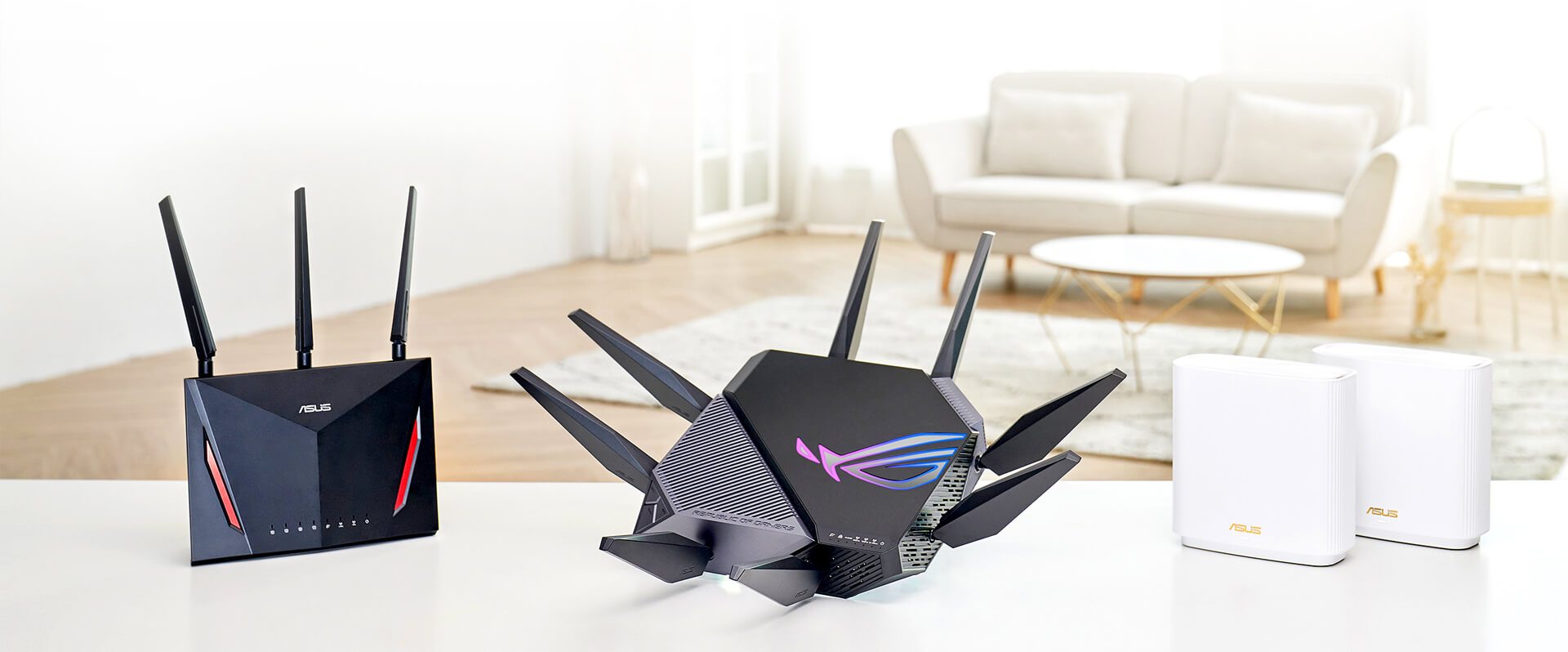
yes they have many compatible mesh to pair

https://www.asus.com/microsite/AiMesh/en/index.html

user posted image

all these are compatible with aimesh system

the list
https://www.asus.com/Search/results.aspx?SearchKey=aimesh


darn now I sound like asus rep lol...

This post has been edited by JimbeamofNRT: Jun 29 2020, 04:38 PM
munak991
post Jun 29 2020, 04:41 PM

ZONIC!
*******
Senior Member
2,746 posts

Joined: Mar 2006
From: 21st century


Get mesh wifi
TSRiriRuruRara
post Jun 29 2020, 04:47 PM

Regular
******
Senior Member
1,011 posts

Joined: Aug 2014


QUOTE(tahfeikei @ Jun 29 2020, 04:14 PM)
TS

this one :

https://www.lazada.com.my/products/tp-link-...s216647939.html
but ayam not sure if mine is ac1200 or ac 1300 ...cant remember

no need to change the unifi modem
*
is the difference between this and the m4 is just the amount of nodes?

QUOTE(soulseeker6187 @ Jun 29 2020, 04:15 PM)
Just use mesh wifi. Any brand can do if for 2 story 100mbps speed. Very easy to setup. Font bother about repeater/range extender bullshit.

Deco m4 is enough for 2 node less than rm 400
*
this one seem good enough for me and also it is easy to setup. Also may i know what speed were you getting b4 you bought this?

QUOTE(JimbeamofNRT @ Jun 29 2020, 04:18 PM)
deco m4 2 nodes is enough for small apartment /1 storey house

try that on double storey house see the result  cool2.gif
*
are you talking from experience that these things dont work in double storey house? bcs this seem good enough to solve my problem, reasonable price + easy instalation.
blanket84
post Jun 29 2020, 04:55 PM

Regular
******
Senior Member
1,521 posts

Joined: May 2008
QUOTE(JimbeamofNRT @ Jun 29 2020, 04:37 PM)
RT-AC67U comes with two routers  cool2.gif

u may read the review here

https://www.blacktubi.com/review/asus-rt-ac67u/

user posted image

yes they have many compatible mesh to pair

https://www.asus.com/microsite/AiMesh/en/index.html

user posted image

all these are compatible with aimesh system

the list
https://www.asus.com/Search/results.aspx?SearchKey=aimesh
darn now I sound like asus rep lol...
*
Thanks for the link. You do sound like asus rep sweat.gif

I read blacktubi before. He recommended deco M9 plus over RT-AC67U. Not to mention the antenaless deco looks better than RT-AC67U. Maybe I should read more "vs" review before deciding which one to buy..
incubus69
post Jun 29 2020, 04:59 PM

Getting Started
**
Junior Member
179 posts

Joined: Oct 2018
From: Promised Land


interesting
Momo33
post Jun 29 2020, 05:00 PM

Regular
******
Senior Member
1,448 posts

Joined: Oct 2019
QUOTE(RiriRuruRara @ Jun 29 2020, 03:20 PM)
Hi please help, i am staying in a double storey house and in my room on the second floor i am getting good 90mbps speed. But my parent downstairs are getting 9-20mbps, which kind of disappoint my father bcs he is paying the rm136 every month and he is getting slow speeds. Is there any proven gadget that will work to make the ground floor speed better???
*
many solutions depends how much you want to spend .

1. run LAN cable to ground floor , buy a cheap wireless router as AP .... 150 rm
2. buy a mesh system 600 rm
3. buy a better router 400 rm .
4. Buy the best ..900 rm .

for normal double storey house 24x 70 , unifi 100 Mbps ...
easy to achieve 90 to 100 mbps on wifi in all rooms , with a Asus AC1300 . my house is proof nod.gif


This post has been edited by Momo33: Jun 29 2020, 05:10 PM
Ashadiya
post Jun 29 2020, 05:06 PM

Getting Started
**
Junior Member
215 posts

Joined: Jan 2019
QUOTE(9m2w @ Jun 29 2020, 03:33 PM)
Normally I would recommend a powerline but they wont work well in 3 phase households, especially if both socket outlets are on different phases. Had the misfortune once in my old place.
*
Yeah, 3 phase wiring is causing problem with my powerline
Boldnut
post Jun 29 2020, 05:11 PM

Look at all my stars!!
*******
Senior Member
2,209 posts

Joined: Nov 2010
QUOTE(JimbeamofNRT @ Jun 29 2020, 04:30 PM)
it is a bit tricky actually

some cheap router kenot "beam" properly especially if you have many thick walls

I kana before
*

usually wifi "OK" with 1 layer thick wall

After 2 layer = GG already.

This is why when new house always renovation 1 RJ45 backbone between floors.

JimbeamofNRT
post Jun 29 2020, 05:12 PM

the Original Lanji@_ Chicken Rice Shop Since 2002
******
Senior Member
1,902 posts

Joined: Sep 2012

QUOTE(RiriRuruRara @ Jun 29 2020, 04:47 PM)
is the difference between this and the m4 is just the amount of nodes?
this one seem good enough for me and also it is easy to setup. Also may i know what speed were you getting b4 you bought this?
are you talking from experience that these things dont work in double storey house? bcs this seem good enough to solve my problem, reasonable price + easy instalation.
*
first of all we dunno how big is your house

summore we dunno where exactly u put your router

but stock router is sucks

if u think the router that u gonna buy is good enough then just buy and let us know the result

we can learn from other positive/negative experience

another thing is, you can ask around if your friends can loan their mesh system and try it at your house
TSRiriRuruRara
post Jun 29 2020, 05:12 PM

Regular
******
Senior Member
1,011 posts

Joined: Aug 2014


Guys currently i am planning to get this in the link below. Any comments???

https://www.lazada.com.my/products/tp-link-...ksoscw&search=1
Chaud
post Jun 29 2020, 05:13 PM

Regular
******
Senior Member
1,119 posts

Joined: Jun 2007


use LAN cable
JimbeamofNRT
post Jun 29 2020, 05:13 PM

the Original Lanji@_ Chicken Rice Shop Since 2002
******
Senior Member
1,902 posts

Joined: Sep 2012

QUOTE(Boldnut @ Jun 29 2020, 05:11 PM)
usually wifi "OK" with 1 layer thick wall

After 2 layer = GG already.

This is why when new house always renovation 1 RJ45 backbone between floors.
*
my peasant setinggan garden got no rj45 outlet sad.gif
Enjoise
post Jun 29 2020, 05:14 PM

Casual
***
Junior Member
463 posts

Joined: Jan 2011
I use powerline, works like magic
kyan :)
post Jun 29 2020, 05:15 PM

SOH
****
Senior Member
637 posts

Joined: Nov 2005


TPLINK DECO E4 wiFi Mesh solved my wifi deadspots problem. Max capacity is 100MBPS, if house is 2500 Sqft, 2 towers should be sufficient.
Momo33
post Jun 29 2020, 05:16 PM

Regular
******
Senior Member
1,448 posts

Joined: Oct 2019
QUOTE(RiriRuruRara @ Jun 29 2020, 05:20 PM)
the router is in the middle of the house on the 2nd floor.
the boxs says archer c1200
yes it will be an issue, would prefer everything to be wireless.
highest i got was 20mbps when no one around downstairs.
*
the router antenna is directional.

i am sure you got them in the wrong direction to get 20 mbps ! nod.gif


laihuhng
post Jun 29 2020, 05:16 PM

On my way
****
Junior Member
603 posts

Joined: Jun 2005


QUOTE(Mr.RW @ Jun 29 2020, 02:26 PM)
Buy two RT-AX86U than use ASUS AiMesh.
*
One is good enough for a double storey house. Unless TS house is huge.

I can get signal at every corner of my house with 2.4G even at 3rd floor but frankly, I didn't run speedtest to test the speed.


Oppsss ... please ignore. Mine is AC86U, not AX86U. Having said that AX86U should perform much better than my AC86U.

This post has been edited by laihuhng: Jun 29 2020, 05:20 PM
JimbeamofNRT
post Jun 29 2020, 05:18 PM

the Original Lanji@_ Chicken Rice Shop Since 2002
******
Senior Member
1,902 posts

Joined: Sep 2012

QUOTE(blanket84 @ Jun 29 2020, 04:55 PM)
Thanks for the link. You do sound like asus rep sweat.gif

I read blacktubi before. He recommended deco M9 plus over RT-AC67U. Not to mention the antenaless deco looks better than RT-AC67U. Maybe I should read more "vs" review before deciding which one to buy..
*
yup you should do more on homework on this cool2.gif

but one thing about asus I hardly have problems with it

unlike dlink and tplink sweat.gif

blanket84
post Jun 29 2020, 05:19 PM

Regular
******
Senior Member
1,521 posts

Joined: May 2008
QUOTE(Boldnut @ Jun 29 2020, 05:11 PM)
usually wifi "OK" with 1 layer thick wall

After 2 layer = GG already.

This is why when new house always renovation 1 RJ45 backbone between floors.
*
What is RJ45? I did quick googled looks like normal ethernet cable only.

I am doing reno soon. Maybe I can put this thing you recommended.
JimbeamofNRT
post Jun 29 2020, 05:20 PM

the Original Lanji@_ Chicken Rice Shop Since 2002
******
Senior Member
1,902 posts

Joined: Sep 2012

smile.gif+Jun 29 2020, 05:15 PM-->
QUOTE(kyan smile.gif @ Jun 29 2020, 05:15 PM)
TPLINK DECO E4 wiFi Mesh solved my wifi deadspots problem. Max capacity is 100MBPS, if house is 2500 Sqft, 2 towers should be sufficient.
*
the lan speed capped at 100Mbps ... really a pity


MeToo
post Jun 29 2020, 05:21 PM

Look at all my stars!!
*******
Senior Member
9,338 posts

Joined: May 2009
Follow for future house setup up....
blanket84
post Jun 29 2020, 05:22 PM

Regular
******
Senior Member
1,521 posts

Joined: May 2008
QUOTE(JimbeamofNRT @ Jun 29 2020, 05:18 PM)
yup you should do more on homework on this  cool2.gif

but one thing about asus I hardly have problems with it

unlike dlink and tplink  sweat.gif
*
Yeah. When comes to router people always recommend ASUS, I guess because of its reliability. But when comes to mesh, I always see TPlink deco pops up.

I always decide based on my homework. But I will ask around to narrow down the scope of my homework. I am not a student so I don't have time to do much homework from scratch sweat.gif
JimbeamofNRT
post Jun 29 2020, 05:23 PM

the Original Lanji@_ Chicken Rice Shop Since 2002
******
Senior Member
1,902 posts

Joined: Sep 2012

QUOTE(blanket84 @ Jun 29 2020, 05:19 PM)
What is RJ45? I did quick googled looks like normal ethernet cable only.

I am doing reno soon. Maybe I can put this thing you recommended.
*
take your time to read this

https://forum.lowyat.net/topic/3790881/+100
ClericKilla
post Jun 29 2020, 05:24 PM

Regular
******
Senior Member
1,789 posts

Joined: Aug 2009


QUOTE(JimbeamofNRT @ Jun 29 2020, 04:13 PM)
how big is your mansion boss?

get the ASUS RT-AC67U review by blacktubi before,can check my reply above
*
Knn house so big just mesh la.

Me connect one room to one room I use power line ok je
JimbeamofNRT
post Jun 29 2020, 05:24 PM

the Original Lanji@_ Chicken Rice Shop Since 2002
******
Senior Member
1,902 posts

Joined: Sep 2012

QUOTE(blanket84 @ Jun 29 2020, 05:22 PM)
Yeah. When comes to router people always recommend ASUS, I guess because of its reliability. But when comes to mesh, I always see TPlink deco pops up.

I always decide based on my homework. But I will ask around to narrow down the scope of my homework. I am not a student so I don't have time to do much homework from scratch sweat.gif
*
yes that's what this forum is all about . ask and you may get the answer. cool2.gif

everyone need to learn from somewhere.
JimbeamofNRT
post Jun 29 2020, 05:24 PM

the Original Lanji@_ Chicken Rice Shop Since 2002
******
Senior Member
1,902 posts

Joined: Sep 2012

QUOTE(ClericKilla @ Jun 29 2020, 05:24 PM)
Knn house so big just mesh la.

Me connect one room to one room I use power line ok je
*
ahhhhh ... power line mastah has arrived! cool2.gif
ClericKilla
post Jun 29 2020, 05:25 PM

Regular
******
Senior Member
1,789 posts

Joined: Aug 2009


QUOTE(JimbeamofNRT @ Jun 29 2020, 05:24 PM)
ahhhhh ... power line mastah has arrived!  cool2.gif
*
You recommend RM748

Me spent only RM250

biggrin.gif
JimbeamofNRT
post Jun 29 2020, 05:27 PM

the Original Lanji@_ Chicken Rice Shop Since 2002
******
Senior Member
1,902 posts

Joined: Sep 2012

QUOTE(ClericKilla @ Jun 29 2020, 05:25 PM)
You recommend RM748

Me spent only RM250

biggrin.gif
*
user posted image

good stuff always come in two boss

cool2.gif
SUSkastam
post Jun 29 2020, 05:27 PM

New Member
*
Junior Member
18 posts

Joined: May 2020
buy single storey
blanket84
post Jun 29 2020, 05:37 PM

Regular
******
Senior Member
1,521 posts

Joined: May 2008
QUOTE(JimbeamofNRT @ Jun 29 2020, 05:23 PM)
Thanks. So it is basically the normal ethernet port. I have that. Now I need to find a way to test it without internet connection.

QUOTE(JimbeamofNRT @ Jun 29 2020, 05:24 PM)
yes that's what this forum is all about . ask and you may get the answer. cool2.gif

everyone need to learn from somewhere.
*
Ask, and you will receive, seek, and you will find.

Thanks thumbup.gif
tahfeikei
post Jun 29 2020, 05:37 PM

TALK TO MY ENGRISH
******
Senior Member
1,248 posts

Joined: Feb 2013
From: opis
QUOTE(JimbeamofNRT @ Jun 29 2020, 04:17 PM)
bought 6months ago
very happy with mesh
no more ipconflicts and dead zones

orangtua
post Jun 29 2020, 05:39 PM

Getting Started
**
Junior Member
108 posts

Joined: Jul 2006
QUOTE(laihuhng @ Jun 29 2020, 05:16 PM)
One is good enough for a double storey house. Unless TS house is huge.

I can get signal at every corner of my house with 2.4G even at 3rd floor but frankly, I didn't run speedtest to test the speed.


Oppsss ... please ignore. Mine is AC86U, not AX86U. Having said that AX86U should perform much better than my AC86U.
*
Me too, 1 AC86U then kaotim my puny 2 storey. Router at upstairs can get 300mbps (my maxis fibre cap) inside furthest toilet downstairs.
Previously hand itchy wanted to try mesh, would be an overkill if I really went for it.
sunami
post Jun 29 2020, 05:40 PM

A CAT that can Bark. LMAO
******
Senior Member
1,534 posts

Joined: Jul 2006
using 2.4?
change the network mode to N only
TSRiriRuruRara
post Jun 29 2020, 05:45 PM

Regular
******
Senior Member
1,011 posts

Joined: Aug 2014


QUOTE(Momo33 @ Jun 29 2020, 05:16 PM)
the router antenna is  directional.

i am sure you got  them in the wrong direction  to get  20 mbps  !  nod.gif
*
i didnt touch any from when the tm technician installed it.
Momo33
post Jun 29 2020, 05:49 PM

Regular
******
Senior Member
1,448 posts

Joined: Oct 2019
QUOTE(RiriRuruRara @ Jun 29 2020, 06:45 PM)
i didnt touch any from when the tm technician installed it.
*
you need to adjust your self lah doh.gif

you should have some antena pointing parallel to floor . this way it shoot beam to the ground floor .


google and read how the radio wave coverage area .

This post has been edited by Momo33: Jun 29 2020, 06:20 PM
laihuhng
post Jun 29 2020, 09:17 PM

On my way
****
Junior Member
603 posts

Joined: Jun 2005


QUOTE(orangtua @ Jun 29 2020, 05:39 PM)
Me too, 1 AC86U then kaotim my puny 2 storey. Router at upstairs can get 300mbps (my maxis fibre cap) inside furthest toilet downstairs.
Previously hand itchy wanted to try mesh, would be an overkill if I really went for it.
*
Yup! 2 sets would be overkill for a double storey. Stable and best ever so far. Running 24/7 without reboot required.
blanket84
post Jun 29 2020, 09:20 PM

Regular
******
Senior Member
1,521 posts

Joined: May 2008
QUOTE(laihuhng @ Jun 29 2020, 09:17 PM)
Yup! 2 sets would be overkill for a double storey. Stable and best ever so far. Running 24/7 without reboot required.
*
HD video streaming at furthers point no lagging?
laihuhng
post Jun 29 2020, 09:38 PM

On my way
****
Junior Member
603 posts

Joined: Jun 2005


QUOTE(blanket84 @ Jun 29 2020, 09:20 PM)
HD video streaming at furthers point no lagging?
*
Ground (aka 1st) floor (router located at living hall)
5G
user posted image
2.4G
user posted image

2nd floor (in the room)
5G
user posted image
2.4G
user posted image

3rd floor (furthest point)
5G, not working

2.4G
user posted image

This post has been edited by laihuhng: Jun 29 2020, 09:42 PM
Imp Bron
post Jun 29 2020, 09:41 PM

Getting Started
**
Junior Member
143 posts

Joined: Aug 2014
Mesh la. Just upgraded to mesh nearly a month ago
Before speed upstairs 3 mpbs now 95mpbs+ out of full 100mpbs downstairs

Bought cheaper mesh deco m4 because my house not that big
orangtua
post Jun 29 2020, 09:57 PM

Getting Started
**
Junior Member
108 posts

Joined: Jul 2006
QUOTE(blanket84 @ Jun 29 2020, 09:20 PM)
HD video streaming at furthers point no lagging?
*
Just tried Aquaman trailer @1080 on YouTube in the toilet with no lag... I place my router near the center of 1st floor so it's probably about 8-9m direct distance with 1 concrete floor and 1 brick wall in between. Speed test 230mbps download 63mbps upload.
blanket84
post Jun 29 2020, 10:38 PM

Regular
******
Senior Member
1,521 posts

Joined: May 2008
QUOTE(laihuhng @ Jun 29 2020, 09:38 PM)
Ground (aka 1st) floor (router located at living hall)
5G
user posted image
2.4G
user posted image

2nd floor (in the room)
5G
user posted image
2.4G
user posted image

3rd floor (furthest point)
5G, not working

2.4G
user posted image
*
Looks good. thumbup.gif

QUOTE(orangtua @ Jun 29 2020, 09:57 PM)
Just tried Aquaman trailer @1080 on YouTube in the toilet with no lag... I place my router near the center of 1st floor so it's probably about 8-9m direct distance with 1 concrete floor and 1 brick wall in between. Speed test 230mbps download 63mbps upload.
*
thumbup.gif
kyan :)
post Jun 30 2020, 11:10 AM

SOH
****
Senior Member
637 posts

Joined: Nov 2005


QUOTE(JimbeamofNRT @ Jun 29 2020, 05:20 PM)
the lan speed capped at 100Mbps ... really a pity
*
Depends on what usage, my household usage is low, only 4 ppl, browse internet through phone, no TV, Laptop streaming minimal. 100MBPS more than enough. Many underutilize.
JimbeamofNRT
post Jun 30 2020, 12:20 PM

the Original Lanji@_ Chicken Rice Shop Since 2002
******
Senior Member
1,902 posts

Joined: Sep 2012

QUOTE(tahfeikei @ Jun 29 2020, 05:37 PM)
bought 6months ago
very happy with mesh
no more ipconflicts and dead zones
*
that's great to hear bro

too bad here we kenot purchase and test it first if kenot work can return back to the store

but if shop start doing it I think buyers will start abusing the privilege


this router business is kinda hit and miss stuff. it might work for me ( setinggan house with no thick walls ) but not for you mansion dwellers

liddat one lah
JimbeamofNRT
post Jun 30 2020, 12:22 PM

the Original Lanji@_ Chicken Rice Shop Since 2002
******
Senior Member
1,902 posts

Joined: Sep 2012

smile.gif+Jun 30 2020, 11:10 AM-->
QUOTE(kyan smile.gif @ Jun 30 2020, 11:10 AM)
Depends on what usage, my household usage is low, only 4 ppl, browse internet through phone, no TV, Laptop streaming minimal. 100MBPS more than enough. Many underutilize.
*
I mean the mesh itself. lan cable capped at 100mbps

but I guess you will never need it huh
JimbeamofNRT
post Jun 30 2020, 12:24 PM

the Original Lanji@_ Chicken Rice Shop Since 2002
******
Senior Member
1,902 posts

Joined: Sep 2012

QUOTE(orangtua @ Jun 29 2020, 05:39 PM)
Me too, 1 AC86U then kaotim my puny 2 storey. Router at upstairs can get 300mbps (my maxis fibre cap) inside furthest toilet downstairs.
Previously hand itchy wanted to try mesh, would be an overkill if I really went for it.
*
knn tongue.gif your AC86U spec gooding already lah boss

user posted image

but this one support aimesh already so good lah in the future just get the asus wifi 6 router then just connect it
tahfeikei
post Jun 30 2020, 12:27 PM

TALK TO MY ENGRISH
******
Senior Member
1,248 posts

Joined: Feb 2013
From: opis
QUOTE(JimbeamofNRT @ Jun 30 2020, 12:20 PM)
that's great to hear bro

too bad here we kenot purchase and test it first if kenot work can return back to the store

but if shop start doing it I think buyers will start abusing the privilege
this router business is kinda hit and miss stuff. it might work for me ( setinggan house with no thick walls ) but not for you mansion dwellers

liddat one lah
*
you business tycoon dont say lidat la
i have a few useless routers and AP lying around. bought and turn them on but got issues with ipconflict. one device walk from one zone to another zone and the whole wifi network goes down. maybe i dont know how to configure the settings properly...ayam not network expert
really happy with mesh now

This post has been edited by tahfeikei: Jun 30 2020, 12:28 PM
JimbeamofNRT
post Jun 30 2020, 12:35 PM

the Original Lanji@_ Chicken Rice Shop Since 2002
******
Senior Member
1,902 posts

Joined: Sep 2012

QUOTE(tahfeikei @ Jun 30 2020, 12:27 PM)
you business tycoon dont say lidat la
i have a few useless routers and AP lying around. bought and turn them on but got issues with ipconflict. one device walk from one zone to another zone and the whole wifi network goes down. maybe i dont know how to configure the settings properly...ayam not network expert
really happy with mesh now
*
that's what I told /k/ before, jgn pening pening just get mesh system
why u want to waste your time pening pening with repeater ap setting and all

enter your user id pwd then just connect as simple as that


for those who still clueless about mesh setup or those who still think twice about mesh , do watch these videos


kygt99
post Jul 2 2020, 10:58 AM

New Member
*
Junior Member
49 posts

Joined: Feb 2012
QUOTE(RiriRuruRara @ Jun 29 2020, 04:20 PM)
the router is in the middle of the house on the 2nd floor.
the boxs says archer c1200
yes it will be an issue, would prefer everything to be wireless.
highest i got was 20mbps when no one around downstairs.
*
Sorry to hear that. Then I guess unfortunately the only solution is to extend the WIFI signal. I highly doubt the speed and stability will be good especially through concrete walls unless the distance is very very near.
There's also Powerline if you have single phase electrical wiring.

All the best!
kevyon6
post Jul 2 2020, 11:18 AM

Getting Started
**
Junior Member
179 posts

Joined: May 2006
From: Kuala Lumpur


what wifi adapter is recommended for 300mbps unifi?
fabianz03
post Jul 2 2020, 11:20 AM

Look at all my stars!!
*******
Senior Member
4,649 posts

Joined: Aug 2008
From: Tāmaki Makaurau
Wifi extender is so 2010

Mesh is the way to go 100000000%
If you a bit savvy get ubiquiti unifi enterprise AP hnnnnggghhhhhh
drowning
post Jul 2 2020, 11:32 AM

Getting Started
**
Junior Member
86 posts

Joined: Mar 2013


Mesh wifi with LAN backhaul


Change to:
| Lo-Fi Version
0.1541sec    1.57    5 queries    GZIP Disabled
Time is now: 17th December 2025 - 02:43 PM