Welcome Guest ( Log In | Register )

8 Pages « < 3 4 5 6 7 > » Bottom

Outline · [ Standard ] · Linear+

 Anyway to get good internet speed in double storey

views
     
Current Events guy
post Jun 29 2020, 04:18 PM

Enthusiast
*****
Junior Member
966 posts

Joined: Nov 2009
QUOTE(blanket84 @ Jun 29 2020, 04:10 PM)
Yeah. I have been reading reviews, but I didn't really pay attention on the router part. I need to re-read and look for the keyword sweat.gif

One more thing I was wondering, is it worth to pay more for M9 Plus or M5 is more than enough? Did you make research on that before?
*
I initially got an M3 for my parents and thought that was decent, so I got one step higher which is the m5. That's the extent of my research.

HOWEVER consider that current devices and routers are offering wifi 6 / AX. If I had a package with 500 mbps or 1 Gbps, I would look into an ax router and the deco that supports ax so that I make full use of the wifi 6/ax that my devices have (Samsung S10, pc built last year, future PS5). Since I only have unifi offering 100mbps for RM140 then using the default router and deco that support wifi 5/ac is enough.
JimbeamofNRT
post Jun 29 2020, 04:18 PM

the Original Lanji@_ Chicken Rice Shop Since 2002
******
Senior Member
1,902 posts

Joined: Sep 2012

QUOTE(soulseeker6187 @ Jun 29 2020, 04:15 PM)
Just use mesh wifi. Any brand can do if for 2 story 100mbps speed. Very easy to setup. Font bother about repeater/range extender bullshit.

Deco m4 is enough for 2 node less than rm 400
*
deco m4 2 nodes is enough for small apartment /1 storey house

try that on double storey house see the result cool2.gif


blanket84
post Jun 29 2020, 04:20 PM

Regular
******
Senior Member
1,521 posts

Joined: May 2008
QUOTE(JimbeamofNRT @ Jun 29 2020, 04:13 PM)
how big is your mansion boss?

get the ASUS RT-AC67U review by blacktubi before,can check my reply above
*
Not mansion la boss. Double storey terrace only. 2300sqft.

I need to ensure that the whole house to have good internet coverage since me and my wife will be working from home a lot. I don't want weak signal during meeting since we will be in closed door room away from the kids and TV noises sweat.gif
TSRiriRuruRara
post Jun 29 2020, 04:20 PM

Regular
******
Senior Member
1,011 posts

Joined: Aug 2014


QUOTE(BlueSpark @ Jun 29 2020, 03:36 PM)
1) You need to consider the exact position of your router and where are the thick walls
2) Identify the model of your current router. Black tplink router doesn't mean anything.
3) Then consider if you need to move your router, get a stronger router or get the mesh network
*
the router is in the middle of the house on the 2nd floor.
the boxs says archer c1200

QUOTE(kygt99 @ Jun 29 2020, 03:40 PM)
TS, will running an ethernet cable from upstairs to downstairs be an issue?

If it's not an issue, I suggest TS to run one from upstairs to downstairs.

Plug one end of the cable to your router upstairs.

Then get an AP/Router for downstairs. Plug the other end to this AP/Router downstairs.

Essentially, it's like extension. But through cable instead of WIFI.

Cable is the preferred way all day every day.

A WIFI signal extension is definitely not recommended.

2 simple reasons.

Disconnection issues and speed issues.

As for the third solution, Powerline Adapter, has the issue of what phase your electric wiring is. If single phase then ok. Otherwise, it's a waste of money and time.

If running an ethernet cable from upstairs to downstairs is a no-no for TS and your house electric wiring is not single phase, then TS has no choice but to do WIFI extension. Which the result, I can confirm TS will not be satisfied.

Cheers.
*
yes it will be an issue, would prefer everything to be wireless.

QUOTE(jetblast @ Jun 29 2020, 03:47 PM)
When you go downstairs what is your speed?
*
highest i got was 20mbps when no one around downstairs.
Boldnut
post Jun 29 2020, 04:21 PM

Look at all my stars!!
*******
Senior Member
2,209 posts

Joined: Nov 2010
QUOTE(JimbeamofNRT @ Jun 29 2020, 04:18 PM)
deco m4 2 nodes is enough for small apartment /1 storey house

try that on double storey house see the result  cool2.gif
*

add 3rd node at stair area then...

soulseeker6187
post Jun 29 2020, 04:21 PM

Look at all my stars!!
*******
Senior Member
2,774 posts

Joined: Jun 2009


QUOTE(JimbeamofNRT @ Jun 29 2020, 04:18 PM)
deco m4 2 nodes is enough for small apartment /1 storey house

try that on double storey house see the result  cool2.gif
*
My cousin use this for his 2 story house.

No problem for 100mbps connection. If higher speed may be not enough.
JimbeamofNRT
post Jun 29 2020, 04:24 PM

the Original Lanji@_ Chicken Rice Shop Since 2002
******
Senior Member
1,902 posts

Joined: Sep 2012

QUOTE(Current Events guy @ Jun 29 2020, 04:18 PM)
I initially got an M3 for my parents and thought that was decent, so I got one step higher which is the m5. That's the extent of my research.

HOWEVER consider that current devices and routers are offering wifi 6 / AX. If I had a package with 500 mbps or 1 Gbps, I would look into an ax router and the deco that supports ax so that I make full use of the wifi 6/ax that my devices have (Samsung S10, pc built last year, future PS5). Since I only have unifi offering 100mbps for RM140 then using the default router and deco that support wifi 5/ac is enough.
*
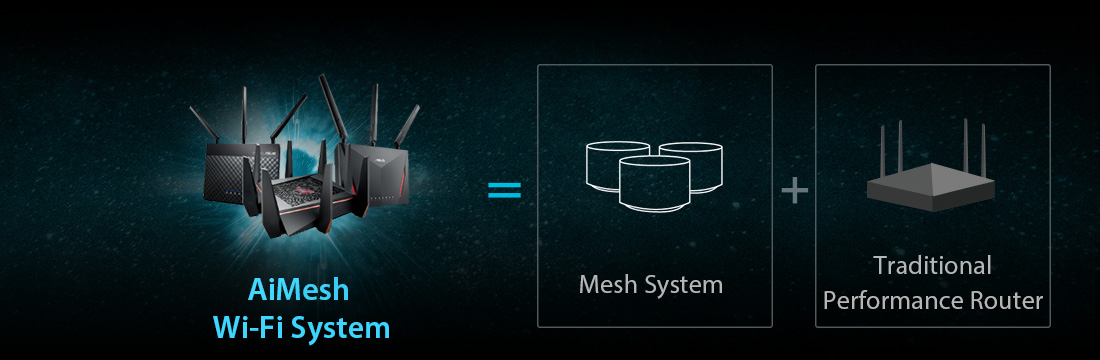
asus RT-AX56U 802.11ax - also support asus aimesh system - less than rm500

user posted image

This post has been edited by JimbeamofNRT: Jun 29 2020, 04:25 PM
JimbeamofNRT
post Jun 29 2020, 04:27 PM

the Original Lanji@_ Chicken Rice Shop Since 2002
******
Senior Member
1,902 posts

Joined: Sep 2012

QUOTE(blanket84 @ Jun 29 2020, 04:20 PM)
Not mansion la boss. Double storey terrace only. 2300sqft.

I need to ensure that the whole house to have good internet coverage since me and my wife will be working from home a lot. I don't want weak signal during meeting since we will be in closed door room away from the kids and TV noises sweat.gif
*
personally I recommend ASUS RT-AC67U price wise also more or less like m5

if you have use asus router before u will know how easy to set it up

furthermore in the future if u move to bigger mansion u can always add on another asus mesh/router that support aimesh


blanket84
post Jun 29 2020, 04:30 PM

Regular
******
Senior Member
1,521 posts

Joined: May 2008
QUOTE(Current Events guy @ Jun 29 2020, 04:18 PM)
I initially got an M3 for my parents and thought that was decent, so I got one step higher which is the m5. That's the extent of my research.

HOWEVER consider that current devices and routers are offering wifi 6 / AX. If I had a package with 500 mbps or 1 Gbps, I would look into an ax router and the deco that supports ax so that I make full use of the wifi 6/ax that my devices have (Samsung S10, pc built last year, future PS5). Since I only have unifi offering 100mbps for RM140 then using the default router and deco that support wifi 5/ac is enough.
*
I will be subscribing 100Mbps only as well. But because of that I need the signal to be good at every corner of my house. If I subscribe to better packages, I can afford even 30% from max speed signal.

I guess i need to study more before making decision. I have about two months or so to go. I don't want to be like the current situation where everyone is at the dining table during online meeting sweat.gif

If I malas then I just ask my wife to ask her network colleague to advise instead laugh.gif
JimbeamofNRT
post Jun 29 2020, 04:30 PM

the Original Lanji@_ Chicken Rice Shop Since 2002
******
Senior Member
1,902 posts

Joined: Sep 2012

QUOTE(Boldnut @ Jun 29 2020, 04:21 PM)
add 3rd node at stair area then...
*
it is a bit tricky actually

some cheap router kenot "beam" properly especially if you have many thick walls

I kana before
blanket84
post Jun 29 2020, 04:34 PM

Regular
******
Senior Member
1,521 posts

Joined: May 2008
QUOTE(JimbeamofNRT @ Jun 29 2020, 04:27 PM)
personally I recommend ASUS RT-AC67U price wise also more or less like m5

if you have use asus router before u will know how easy to set it up

furthermore in the future if u move to bigger mansion u can always add on another asus mesh/router that support aimesh
*
But single router is enough to cover 2 storeys considering all the bricks and closed door reducing the signal?

So, if I buy RT-AC67U, they have compatible mesh to pair with the router in case I am not satisfy with the signal?
bamkai
post Jun 29 2020, 04:37 PM

Getting Started
**
Junior Member
167 posts

Joined: Jan 2010
cheap2 repeater je
JimbeamofNRT
post Jun 29 2020, 04:37 PM

the Original Lanji@_ Chicken Rice Shop Since 2002
******
Senior Member
1,902 posts

Joined: Sep 2012

QUOTE(blanket84 @ Jun 29 2020, 04:34 PM)
But single router is enough to cover 2 storeys considering all the bricks and closed door reducing the signal?

So, if I buy RT-AC67U, they have compatible mesh to pair with the router in case I am not satisfy with the signal?
*
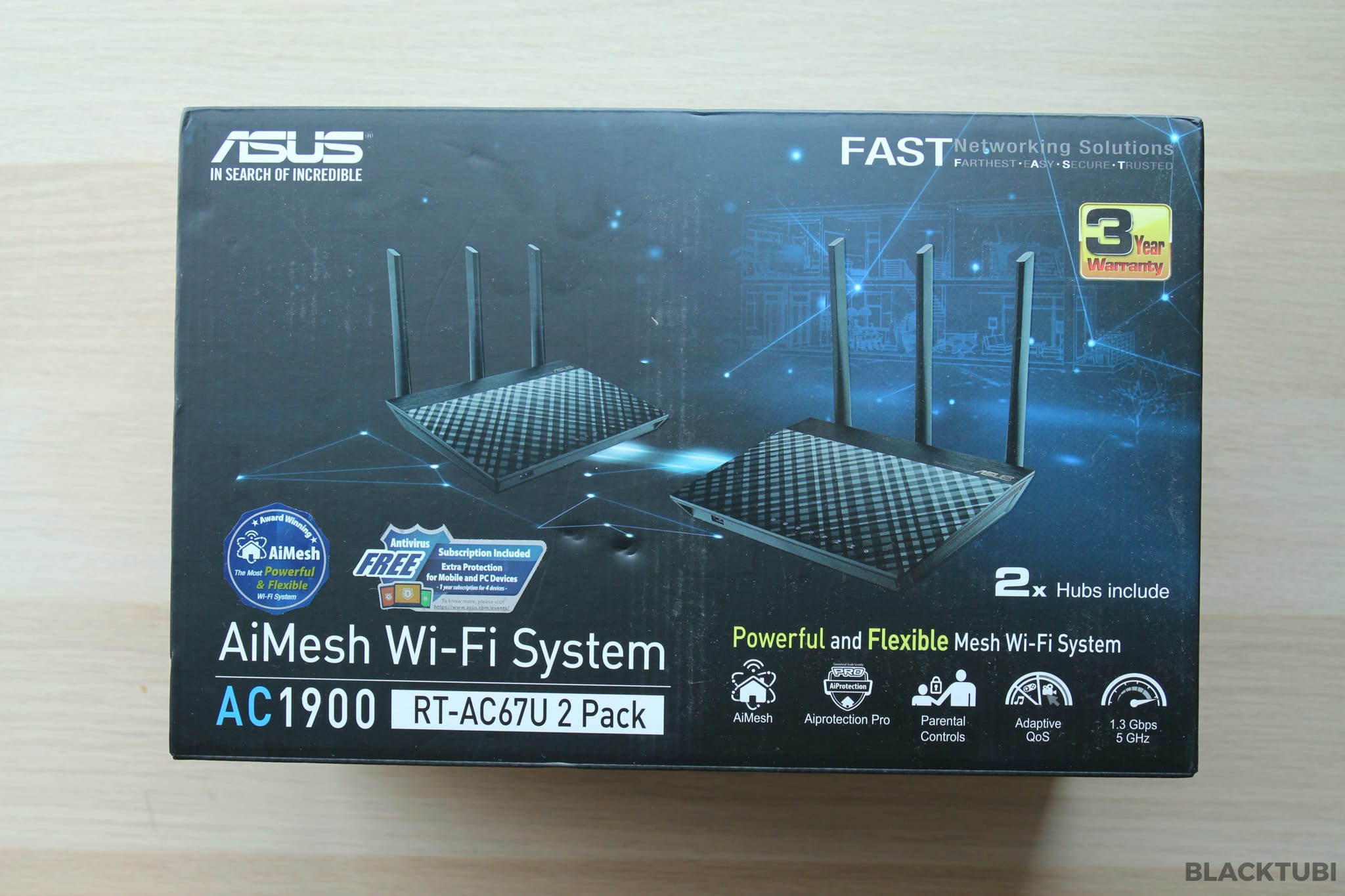
RT-AC67U comes with two routers cool2.gif

u may read the review here

https://www.blacktubi.com/review/asus-rt-ac67u/

user posted image

yes they have many compatible mesh to pair

https://www.asus.com/microsite/AiMesh/en/index.html

user posted image

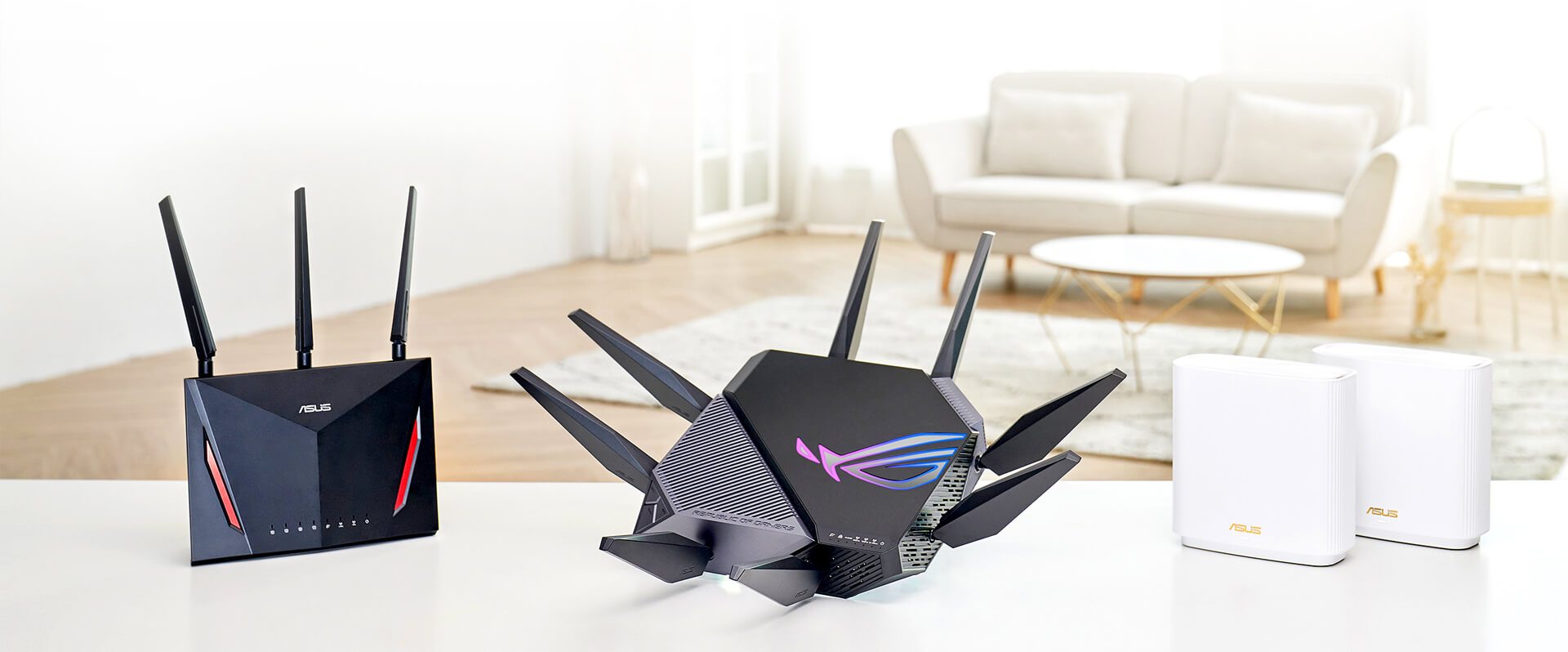
all these are compatible with aimesh system

the list
https://www.asus.com/Search/results.aspx?SearchKey=aimesh


darn now I sound like asus rep lol...

This post has been edited by JimbeamofNRT: Jun 29 2020, 04:38 PM
munak991
post Jun 29 2020, 04:41 PM

ZONIC!
*******
Senior Member
2,746 posts

Joined: Mar 2006
From: 21st century


Get mesh wifi
TSRiriRuruRara
post Jun 29 2020, 04:47 PM

Regular
******
Senior Member
1,011 posts

Joined: Aug 2014


QUOTE(tahfeikei @ Jun 29 2020, 04:14 PM)
TS

this one :

https://www.lazada.com.my/products/tp-link-...s216647939.html
but ayam not sure if mine is ac1200 or ac 1300 ...cant remember

no need to change the unifi modem
*
is the difference between this and the m4 is just the amount of nodes?

QUOTE(soulseeker6187 @ Jun 29 2020, 04:15 PM)
Just use mesh wifi. Any brand can do if for 2 story 100mbps speed. Very easy to setup. Font bother about repeater/range extender bullshit.

Deco m4 is enough for 2 node less than rm 400
*
this one seem good enough for me and also it is easy to setup. Also may i know what speed were you getting b4 you bought this?

QUOTE(JimbeamofNRT @ Jun 29 2020, 04:18 PM)
deco m4 2 nodes is enough for small apartment /1 storey house

try that on double storey house see the result  cool2.gif
*
are you talking from experience that these things dont work in double storey house? bcs this seem good enough to solve my problem, reasonable price + easy instalation.
blanket84
post Jun 29 2020, 04:55 PM

Regular
******
Senior Member
1,521 posts

Joined: May 2008
QUOTE(JimbeamofNRT @ Jun 29 2020, 04:37 PM)
RT-AC67U comes with two routers  cool2.gif

u may read the review here

https://www.blacktubi.com/review/asus-rt-ac67u/

user posted image

yes they have many compatible mesh to pair

https://www.asus.com/microsite/AiMesh/en/index.html

user posted image

all these are compatible with aimesh system

the list
https://www.asus.com/Search/results.aspx?SearchKey=aimesh
darn now I sound like asus rep lol...
*
Thanks for the link. You do sound like asus rep sweat.gif

I read blacktubi before. He recommended deco M9 plus over RT-AC67U. Not to mention the antenaless deco looks better than RT-AC67U. Maybe I should read more "vs" review before deciding which one to buy..
incubus69
post Jun 29 2020, 04:59 PM

Getting Started
**
Junior Member
179 posts

Joined: Oct 2018
From: Promised Land


interesting
Momo33
post Jun 29 2020, 05:00 PM

Regular
******
Senior Member
1,448 posts

Joined: Oct 2019
QUOTE(RiriRuruRara @ Jun 29 2020, 03:20 PM)
Hi please help, i am staying in a double storey house and in my room on the second floor i am getting good 90mbps speed. But my parent downstairs are getting 9-20mbps, which kind of disappoint my father bcs he is paying the rm136 every month and he is getting slow speeds. Is there any proven gadget that will work to make the ground floor speed better???
*
many solutions depends how much you want to spend .

1. run LAN cable to ground floor , buy a cheap wireless router as AP .... 150 rm
2. buy a mesh system 600 rm
3. buy a better router 400 rm .
4. Buy the best ..900 rm .

for normal double storey house 24x 70 , unifi 100 Mbps ...
easy to achieve 90 to 100 mbps on wifi in all rooms , with a Asus AC1300 . my house is proof nod.gif


This post has been edited by Momo33: Jun 29 2020, 05:10 PM
Ashadiya
post Jun 29 2020, 05:06 PM

Getting Started
**
Junior Member
215 posts

Joined: Jan 2019
QUOTE(9m2w @ Jun 29 2020, 03:33 PM)
Normally I would recommend a powerline but they wont work well in 3 phase households, especially if both socket outlets are on different phases. Had the misfortune once in my old place.
*
Yeah, 3 phase wiring is causing problem with my powerline
Boldnut
post Jun 29 2020, 05:11 PM

Look at all my stars!!
*******
Senior Member
2,209 posts

Joined: Nov 2010
QUOTE(JimbeamofNRT @ Jun 29 2020, 04:30 PM)
it is a bit tricky actually

some cheap router kenot "beam" properly especially if you have many thick walls

I kana before
*

usually wifi "OK" with 1 layer thick wall

After 2 layer = GG already.

This is why when new house always renovation 1 RJ45 backbone between floors.


8 Pages « < 3 4 5 6 7 > » Top
 

Change to:
| Lo-Fi Version
0.0205sec    1.22    5 queries    GZIP Disabled
Time is now: 18th December 2025 - 02:32 PM