

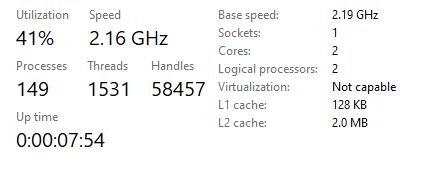
Virtualization not capable
Virtualization not capable
|
|
 Apr 22 2020, 12:01 PM, updated 6y ago Apr 22 2020, 12:01 PM, updated 6y ago
Show posts by this member only | IPv6 | Post
#1
|
 
Junior Member
182 posts Joined: Apr 2018  
|
Why is my virtualization in task manager not capable? I cannot find Virtualization in my BIOS, PC is Optiplex 330, Windows 10 64-bit.
|
|
|
|
|
|
Apr 22 2020, 12:11 PM
Show posts by this member only | Post
#2
|
|
Senior Member
718 posts Joined: Apr 2009 From: KL
|
update bios and see?
|
|
|
Apr 22 2020, 12:12 PM
Show posts by this member only | Post
#3
|

Senior Member
3,217 posts Joined: Dec 2006 From: City of Neko~~Nyaa~
|
CPU can’t support virtualization......
Core 2 duo correct? |
|
|
Apr 22 2020, 12:13 PM
Show posts by this member only | IPv6 | Post
#4
|

Junior Member
350 posts Joined: Jan 2018
|
QUOTE(Muz1234 @ Apr 22 2020, 12:01 PM) Why is my virtualization in task manager not capable? I cannot find Virtualization in my BIOS, PC is Optiplex 330, Windows 10 64-bit. Use LeoMoon CPU-V to detect whether your CPU supports Hardware Virtualization that supports 32-bit and 64-bit Windows. https://leomoon.com/downloads/desktop-apps/leomoon-cpu-v/ For Android development: Install the Intel Hardware Accelerated Execution Manager (Intel HAXM), a hardware-assisted virtualization engine (hypervisor) that uses Intel Virtualization Technology (Intel VT) to speed up Android development. https://github.com/intel/haxm/wiki/Installa...ions-on-Windows |
|
|
Apr 22 2020, 12:17 PM
Show posts by this member only | IPv6 | Post
#5
|

Junior Member
931 posts Joined: Jan 2017 From: Kuala Lumpur
|
QUOTE(Muz1234 @ Apr 22 2020, 12:01 PM) Why is my virtualization in task manager not capable? I cannot find Virtualization in my BIOS, PC is Optiplex 330, Windows 10 64-bit. What is your processor model? Check on Intel website if your processor capable of Virtualisation, then check at BIOS if has been enabled. |
|
|
Apr 22 2020, 12:41 PM
Show posts by this member only | IPv6 | Post
#6
|
|
Junior Member
350 posts Joined: Jan 2018
|
LeoMoon CPU-V is the easiest way to know whether everything, including your CPU, BIOS and system supports VT or not.
QUOTE LeoMoon CPU-V is the only application on the Internet that will help you to detect if your CPU supports Hardware Virtualization that supports 32-bit and 64-bit Windows. It also detects if Hardware Virtualization is enabled in BIOS and also if Intel Trusted Execution is enabled. Features: . Detect if CPU supports Hardware Virtualization . Detect if Harware Virtualization is Enabled in BIOS . Detect if Intel Trusted Execution is Enabled in BIOS . Supports 32-bit and 64-bit Windows . English, Chinese, and Persian interface 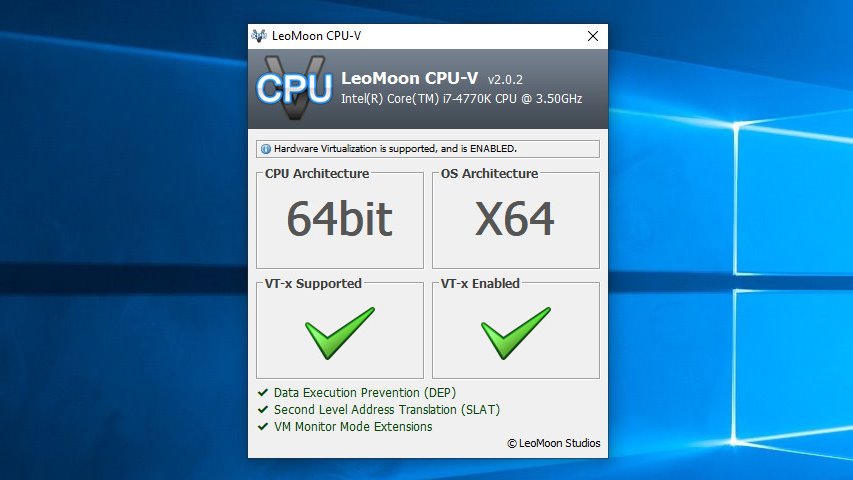 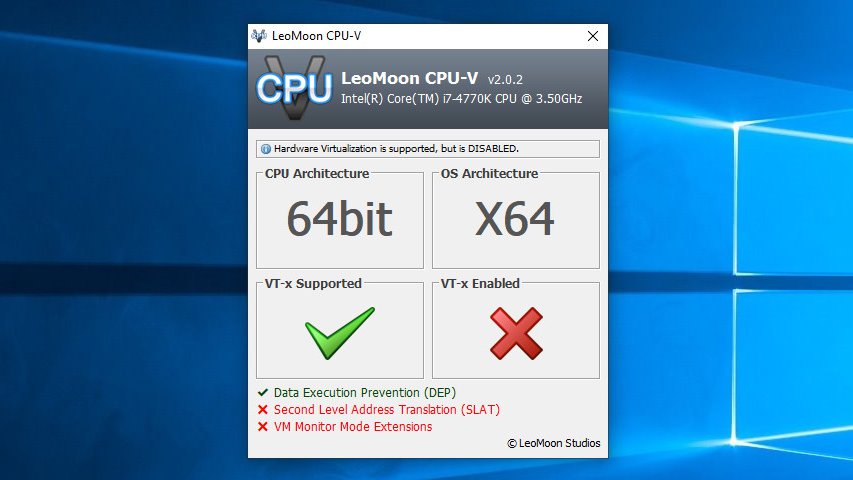 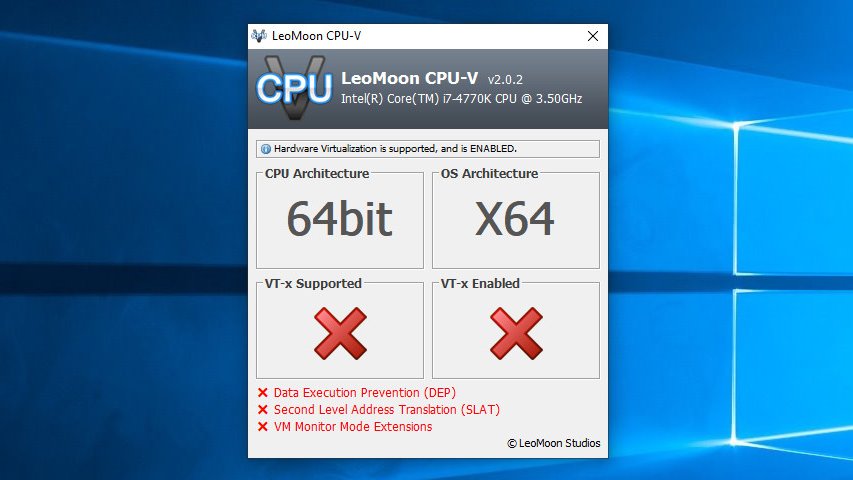 https://leomoon.com/static/?file=leomoon-cpu-v_win.zip |
| Change to: |  0.0159sec 0.0159sec
 0.81 0.81
 5 queries 5 queries
 GZIP Disabled GZIP Disabled
Time is now: 15th December 2025 - 09:43 PM |
 Quote
Quote