Welcome Guest ( Log In | Register )

31 Pages < 1 2 3 4 5 > » Bottom

Outline · [ Standard ] · Linear+

Home Networking Ditch ONU, use GPON SFP on Business Grade Router, 2.5G ONU for Unifi & Maxis, NO NEED VLAN

views
     
TSAnime4000
post Sep 24 2020, 08:55 PM

Look at all my stars!!
*******
Senior Member
2,399 posts

Joined: Jul 2009
From: /dev/null


QUOTE(pacat @ Sep 24 2020, 05:21 AM)
Have you put the mac address into bridgeLTE's mac address? Passthrough mac address is only a filter to pass a client's mac address to the dongle (in case the interface connected to multiple hosts).

Searching for your dongle vid and pid leads to this https://www.development-cycle.com/2017/04/2...e-mf823-inside/. Though not same as yours, is it able to telnet into? Password might not be same.
*
I tried run nmap scan, none sad.gif
» Click to show Spoiler - click again to hide... «


QUOTE(miloaisdino @ Sep 24 2020, 09:57 AM)
can't switch usb device
sd 0:0:0:1: [sda] we have tried 10 times, but the USB device is still not ready, just return here!
sd 0:0:0:1: [sda] media is not present, wait for 0.5 seconds
getConfigFromMergeFile 150 decrypt mode_switch.conf successfully

and

usbcore: registered new interface driver cdc_ether
usbcore: registered new interface driver rndis_host
Failed to to open /proc/tty/driver/usbserial

clue from here onwards

and maybe the uart password can be found from router backup config file (downloaded from webui)?
*
router backup config is encrypted, cannot see inside, unless I extract router flash and binwalk it, find shadow file and run password crack?

This post has been edited by Anime4000: Sep 24 2020, 09:56 PM
TSAnime4000
post Sep 24 2020, 10:14 PM

Look at all my stars!!
*******
Senior Member
2,399 posts

Joined: Jul 2009
From: /dev/null


QUOTE(miloaisdino @ Sep 24 2020, 08:59 PM)
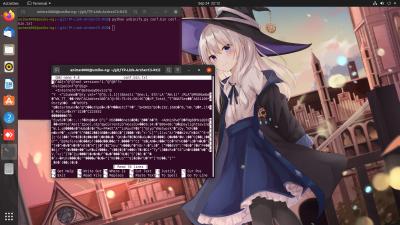
it works half way, some can be read
Attached Image
TSAnime4000
post Sep 25 2020, 12:53 AM

Look at all my stars!!
*******
Senior Member
2,399 posts

Joined: Jul 2009
From: /dev/null


QUOTE(pacat @ Sep 24 2020, 11:25 PM)
USB dongle connected to PC or router?
*
plug directly, so I it can print randomized device MAC Address

QUOTE(miloaisdino @ Sep 24 2020, 11:30 PM)
now thats some weird encoding :/
anyways the config looks like the "TR069 xml IGD style" of config, probably because customised for maxis
*
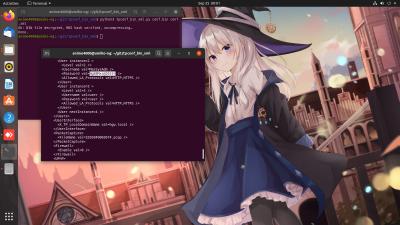
it appear XML type.

QUOTE(pacat @ Sep 24 2020, 11:25 PM)
I trying in my Linux Box:
Attached Image
It works!!! I love you pcat miloaisdin!!! XD

I found something inside XML:
CODE
       <User instance=2 >
         <Level val=2 />
         <Username val=MaxSysAdm />
         <Password val=Ng88Mxs@2019! />
         <Allowed_LA_Protocols val=HTTP,HTTPS />
       </User>


Login with "administrator" & "SN" as password:
Attached Image
admin

Login with "MaxSysAdm" & "Ng88Mxs@2019!" as password:
Attached Image
root

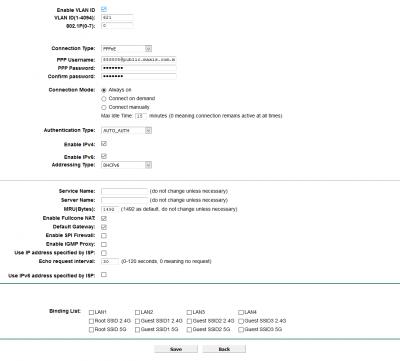
With root, now can set "Full Cone NAT" for Xbox and PlayStation! no need UPNP or Port Forward, since automatic incoming 1:1 NAT
Attached Image

I made a quick guide here: https://hitoha.ga/hack-stock-maxis-router-t...ink-archer-c5v/

Since I have extra Archer C5v, I going to sacrifice this for Research! I going to share conf.xml file while 4G Dongle attached!
TSAnime4000
post Sep 25 2020, 01:23 AM

Look at all my stars!!
*******
Senior Member
2,399 posts

Joined: Jul 2009
From: /dev/null


QUOTE(miloaisdino @ Sep 25 2020, 01:18 AM)
wow nice that fullcone works. but ive seen routers that dont support hw nat when fullcone is enabled, might have performance penalty for faster connections,wonder if tplink is liddat
*
during UART Serial sessions, I notice this router have 4 core @ 900MHz CPU
TSAnime4000
post Sep 25 2020, 02:19 AM

Look at all my stars!!
*******
Senior Member
2,399 posts

Joined: Jul 2009
From: /dev/null


QUOTE(miloaisdino @ Sep 25 2020, 01:28 AM)
i suspect its actually dual core (2 physical core) but presented as 4 logical core in linux (not 100% sure), anyway most regular ac routers max out at about 700+ mbps without hw nat, should not be an issue unless >800mbps package!

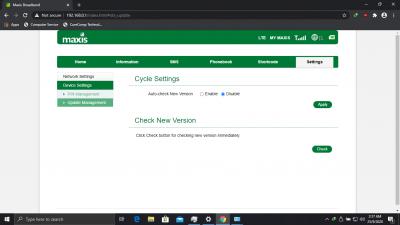
edit: good to disable tr069 and vlan 821 in case maxis releases a fw update to change the password and hash the password entry in the config file!!
*
I simply disable vlan821 bridge on Mikrotik~

here conf.xml, log.txt and putty.log dump
https://gist.github.com/Anime4000/38db42c2e...a7792005420262d

I notice something this section:
» Click to show Spoiler - click again to hide... «


Especially:
» Click to show Spoiler - click again to hide... «

it is possible 4G Dongle reject traffic that not come from a hostname?
possible to replicate this in Mikrotik without change Mikrotik hostname, just unique hostname to USB 4G
TSAnime4000
post Sep 25 2020, 10:51 AM

Look at all my stars!!
*******
Senior Member
2,399 posts

Joined: Jul 2009
From: /dev/null


QUOTE(pacat @ Sep 25 2020, 04:32 AM)
https://gist.github.com/Anime4000/38db42c2e...-conf-xml-L2291
Take note remote syslog to their server was enabled.
*
My TP-Link now served as VoIP Gateway, and VLAN 822 get bridged

QUOTE(miloaisdino @ Sep 25 2020, 10:09 AM)
<ExternalIPAddress val=192.168.0.144 /> i was looking at this.. could this be static ip on mikrotik side required for lte to work?!

<APN val=internet /> must apn manually be set to "internet"?
DHCPC: Send DISCOVER with request ip 0.0.0.0 and unicast flag 0 (from D8:0D:17:BB:00:00 to FF:FF:FF:FF:FF:FF) zte should assign ip 144 if this mac address is set on mikrotik somehow
*
To be safe:
» Click to show Spoiler - click again to hide... «


I run some test on some laptop:
» Click to show Spoiler - click again to hide... «


Now I know why biggrin.gif
Proceed to Mikrotik LTE USB

QUOTE(pacat @ Sep 25 2020, 04:07 AM)
Try these commands
CODE
/ip dhcp-client option add name=lte_hostname code=12 value="'Maxis_Archer_C5v'"
/ip dhcp-client set dhcp-options=lte_hostname,clientid [find interface=lte1]
/ip dhcp-client release [find interface=lte1]
/ip dhcp-client renew [find interface=lte1]

*
Finally! Maxis 4G Backup Dongle works on Mikrotik!
Attached Image

Now can configure Mikrotik dual WAN fail-over~
TSAnime4000
post Sep 25 2020, 02:05 PM

Look at all my stars!!
*******
Senior Member
2,399 posts

Joined: Jul 2009
From: /dev/null


QUOTE(miloaisdino @ Sep 25 2020, 11:04 AM)
congrats! dhcp option 12 is really sneaky by maxis tongue.gif

the speedtest dl 6.53mbps is abit disappointing, maybe external antenna might help doh.gif
*
this dongle don't have external antenna port, I guess buy long USB cable and put at roof for maximum signal?

QUOTE(pacat @ Sep 25 2020, 12:32 PM)
The dongle nat iptables might be created specifically for that hostname, or created upon successful assignment of an ip with that hostname. Still better than mac address since it can change.
*
Yea, many user know 4G dongle locked by MAC Address, CS also said same thing.

After we discovered, it limit by hostname, this dongle can be plugged to any router brand with maxis stuff.

QUOTE(miloaisdino @ Sep 25 2020, 01:28 PM)
btw does voip work over the lte dongle too?
*
By default, VoIP router will choose 4G if fiber down.
I tested, VoIP router also work with fiber, as long VoIP have internet access.

Can be override for VoIP use VLAN 822 by login as MaxSysAdm
TSAnime4000
post Sep 25 2020, 09:10 PM

Look at all my stars!!
*******
Senior Member
2,399 posts

Joined: Jul 2009
From: /dev/null


pacat miloaisdino

I make a mistake, "gatal tangan" press reset button on ONT
Attached Image

now I got this speed 😂

this mean, ONT control subscriber speed?

This post has been edited by Anime4000: Oct 3 2020, 04:15 PM
TSAnime4000
post Sep 26 2020, 03:08 PM

Look at all my stars!!
*******
Senior Member
2,399 posts

Joined: Jul 2009
From: /dev/null


QUOTE(miloaisdino @ Sep 25 2020, 10:26 PM)
oops. for unifi users i heard (think @soonwai) if the config is cleared (but correct gpon password) the olt will auto reprovision the ont in about 5 mins. not sure abt maxis. this probably needs maxis technician and/or tm to fix onsite :/
*
you are right, in few minutes, it revert back to original speed, due to exactly cap + TCP/IP overhead, this is max I can get:
Attached Image
TSAnime4000
post Sep 26 2020, 08:15 PM

Look at all my stars!!
*******
Senior Member
2,399 posts

Joined: Jul 2009
From: /dev/null


pacat miloaisdino

This should be enough for Dual WAN Fail Over?
Attached Image
TSAnime4000
post Sep 27 2020, 02:09 AM

Look at all my stars!!
*******
Senior Member
2,399 posts

Joined: Jul 2009
From: /dev/null


QUOTE(pacat @ Sep 26 2020, 09:08 PM)
Should be enough. Depend on how long you can tolerate downtime before pppoe-out1 interface timeout. Only then will the route via pppoe-out1 removed and route via lte1 become active.

But when pppoe-out1 up again, default route via pppoe-out1 will not active, like current lte1 default route. Only after lte1 reconnected will pppoe-out1 route become active again.
*
QUOTE(miloaisdino @ Sep 26 2020, 10:54 PM)
maybe need ping watchdog script to be safe!
*
I change lte1 default route distance to 2,
once pppoe-out1 active, traffic redirect to pppoe-out1 gateway,
so far I test, this works for now
TSAnime4000
post Sep 30 2020, 09:19 PM

Look at all my stars!!
*******
Senior Member
2,399 posts

Joined: Jul 2009
From: /dev/null


thankyou miloaisdino pacat
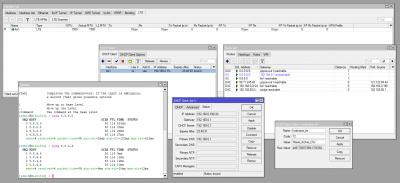
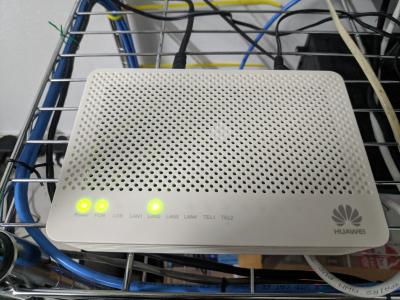
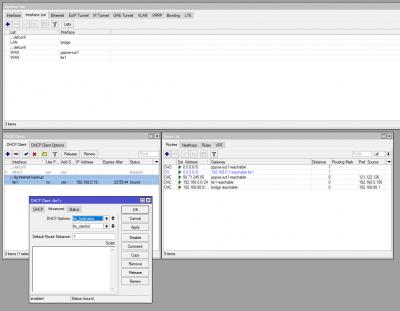
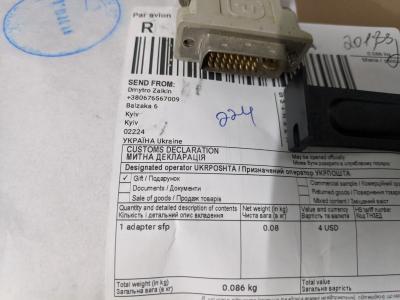
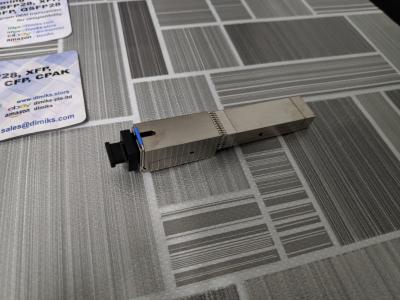
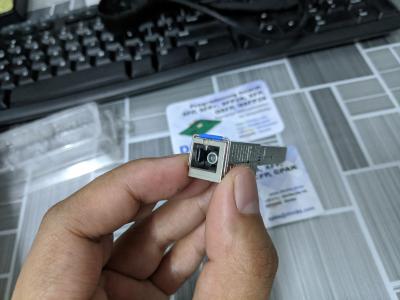
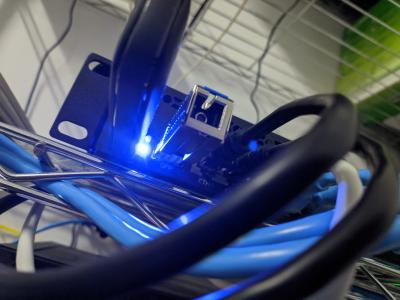
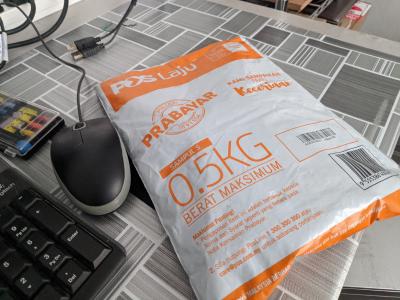
Today I received ONT SFP Stick,
I gonna try use on RB3012UiAS-RM
Attached Image
Attached Image
Attached Image
Attached Image

Hope Configuration same like thankyou

This post has been edited by Anime4000: Sep 30 2020, 11:43 PM
TSAnime4000
post Oct 1 2020, 05:15 AM

Look at all my stars!!
*******
Senior Member
2,399 posts

Joined: Jul 2009
From: /dev/null


I have setup mine!
Attached Image
Attached Image
Attached Image
Attached Image
Attached Image
Attached Image

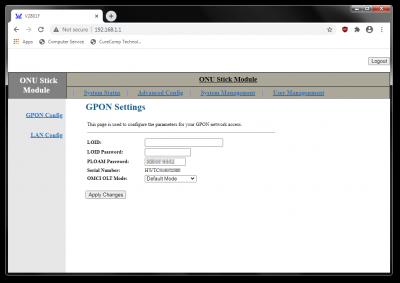
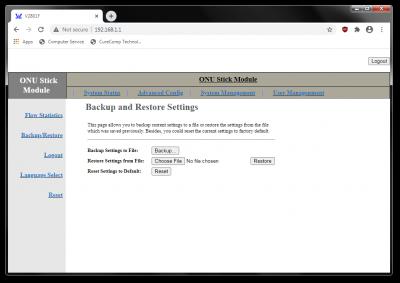
WebGUI, Telnet Login:
CODE

admin
stdONU101


Unifi dont use LOID Authentication, and WebGUI dont accept blank, what I do:
1. Backup and download config.xml
2. Edit config.xml
3. Find and set Value="":
CODE

 <Value Name="LOID" Value=""/>
 <Value Name="LOID_PASSWD" Value=""/>
 <Value Name="LOID_OLD" Value=""/>
 <Value Name="LOID_PASSWD_OLD" Value=""/>

4. Save
5. Upload edited config.xml

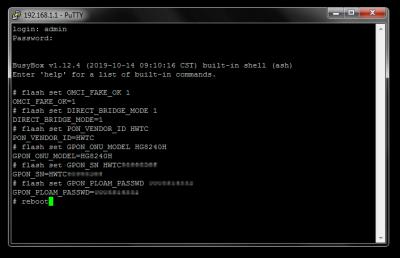
ONT SFP I have, having limited GUI, so need to configure via Telnet:
Attached Image

Execute these command:
CODE

flash set OMCI_FAKE_OK 1
flash set DIRECT_BRIDGE_MODE 1
flash set PON_VENDOR_ID HWTC
flash set GPON_ONU_MODEL HG8240H
flash set GPON_SN HWTC12345678
flash set GPON_PLOAM_PASSWD 1234567890
reboot

» Click to show Spoiler - click again to hide... «


ONT SFP I have is full bridge, no need set VLAN like thankyou and have internet.
After Mikrotik starts, there is delay, apparently SFP power on same time with LAN ports.

Since I have internet, I set VLAN bridge for VoIP as usual, but maxis router give up so quickly to get IP from DHCP, I tried DHCP client on Mikrotik, it quite slow to get an IP from VLAN 822 via SFP, any idea? miloaisdino pacat
Attached Image
TSAnime4000
post Oct 1 2020, 07:46 PM

Look at all my stars!!
*******
Senior Member
2,399 posts

Joined: Jul 2009
From: /dev/null


QUOTE(miloaisdino @ Oct 1 2020, 10:49 AM)
a script to request dhcp after x seconds after link up if ping fails might work!
*
What I found that, ONT SFP that I have, might using smart/monitor traffic then automatically bridge VLAN, this is reason DHCP request take too long...

Kind sad, I might need buy thankyou ODI stick my self, since WebGUI have rich interface, allow configure VLAN without monitor packet/automatic VLAN. Then Maxis VoIP works.

Or using main Internet for VoIP? I saw Maxis TP-Link Router automatic switch VoIP to 4G data, so calling still works

QUOTE(miloaisdino @ Oct 1 2020, 10:49 AM)
unrelated: actually i wonder if we get one of those cheap gpon OLT sticks maybe we can reconfigure some tm ONUs via omci too!
*
not working that way, you need OLT device to do that.
TSAnime4000
post Oct 3 2020, 01:18 AM

Look at all my stars!!
*******
Senior Member
2,399 posts

Joined: Jul 2009
From: /dev/null


QUOTE(pacat @ Oct 1 2020, 11:28 PM)
Unless you can setup vlan 822 in your sfp, I do not know any workaround to make it faster. Is there any vlan config found in backup config file? Or any way to configure vlan using telnet?
To make maxis router to retry dhcp again, try adding script onto bridge822 interface dhcp client. This script will disable and enable ether2 (I think this is where your maxis router located) interface with 5 seconds delay
CODE
:if ($bound=1) do={
   /interface ethernet disable ether2;
   :delay 5s;
   /interface ethernet enable ether2;
}

Or use this command
CODE
/ip dhcp-client set \
script=":if (\$bound=1) do={\r\
\n    /interface ethernet disable ether2;\r\
\n    :delay 5s;\r\
\n    /interface ethernet enable ether2;\r\
\n}" \
[find interface=bridge822]

*
XPON SFP ONU I have cannot explicitly define VLAN, everything is automatically detect by reading the traffic, no wonder DHCP request take too long and give up so easily
Attached Image

I guess I need spend by my self, buy what thankyou using, base on his screenshot, can define VLAN, thus no need SFP stick read every packet to auto set VLAN.

pacat it is possible to have 2 different NAT? I thinking let Mikrotik get VLAN 822 DHCP and NAT + DMZ to VoIP LAN port
TSAnime4000
post Oct 3 2020, 01:51 PM

Look at all my stars!!
*******
Senior Member
2,399 posts

Joined: Jul 2009
From: /dev/null


pacat miloaisdino thankyou

Here I dump my ONT Stick telnet and config:
https://gist.github.com/Anime4000/522b021d0...34e95c42603ed2f
TSAnime4000
post Oct 3 2020, 04:57 PM

Look at all my stars!!
*******
Senior Member
2,399 posts

Joined: Jul 2009
From: /dev/null


QUOTE(pacat @ Oct 3 2020, 04:17 PM)
Also can. But maxis SIP use fqdn in their OutboundProxy (homegw01.maxis.com.my), so need to resolve to know the ip address. Resolve using dns from vlan822 dhcp to get ip to route to vlan822, resolve using public dns will get public ip that can be connected using regular internet.
*
I tried your command, Mikrotik and Maxis Router can ping each other.
Yet cannot register VoIP, something happen with FQDN you said earlier.

QUOTE(pacat @ Oct 3 2020, 04:17 PM)
Any info on VLAN_MANU_MODE?
What happen when set VLAN_MANU_MODE to 1 (Tagging). Any difference in webUI?
*
in vlan.asp page, only 1 tag can be set, thus Internet Only.

XPON SFP ONU, V2801F using Realtek Chipset (RTL8672)
thankyou DFP-34G-2C2 seem using ZTE Chipset

Google search "stdONU101" password lead to:
https://bsnlteleservices.com/netlink-onu-co...voice-internet/
WebGUI look same

QUOTE(pacat @ Oct 3 2020, 04:17 PM)
Can extract /home/httpd/web from the stick?
*
Extract via TFTP ?
TSAnime4000
post Oct 3 2020, 07:18 PM

Look at all my stars!!
*******
Senior Member
2,399 posts

Joined: Jul 2009
From: /dev/null


QUOTE(miloaisdino @ Oct 3 2020, 06:49 PM)
prob because mikrotik resolved the fqdn as public ip so cant connect since public ip not accessible by vlan822? maybe set the mikrotik dhcp server to return a hardcoded maxis dns ip from vlan822 so the maxis router will resolve the fqdn as internal vlan822 ip instead?

alternative is manually create mikrotik script to up/down the ethernet facing the maxis router whenever the "state" of vlan822 changes. eg initially, the eth port dedicated to maxis router is like a regular port (dns resolution and traffic all through internet), when mikrotik successfully pings through vlan822, script "brings down" that eth port and adds it to vlan822 bridge, then bring up eth again. maxis router should obtain ip from 822 successfully as it is forced to reconnect

of course another sloppy way is to just set static dns record in the mikrotik itself to rewrite all of homegw01.maxis.com.my to the internal vlan822 ip... but then voip wont work when fibre is down!
*
yea, ONT Stick I have not much can handle, once VLAN 621 has been bridged, other VLAN hard to bridge, thus DHCP Client request under Realtek ONT Stick take too long.

I have try many solution, none of it works.

I guess use DFP-34G-2C2 as thankyou showed to us, can make many VLAN as we like.

Afraid to ask my Japanese friend that ONT Stick he buy not really working 100%
So I need buy my own

QUOTE(miloaisdino @ Oct 3 2020, 07:07 PM)
i was thinking maybe omci could be used to read/overwrite ont login credentials or enable telnet/webui, since i doubt the olt will push the entire config (eg passwords, telnet/web acls etc) whenever the ont is connected?
*
OLT Stick is cheap, but OLT Device are not cheap, even for Ubiquiti UFiber OLT cost you near RM 5K.

If everyone willing to invest together, we can make Pirate OLT Provisioning, ONT connected to VPNed OLT biggrin.gif
TSAnime4000
post Oct 5 2020, 08:51 PM

Look at all my stars!!
*******
Senior Member
2,399 posts

Joined: Jul 2009
From: /dev/null


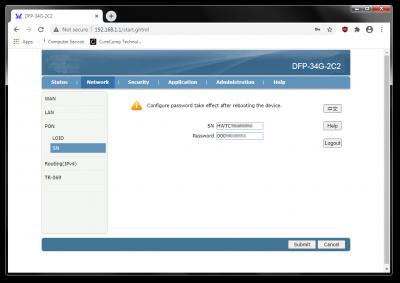
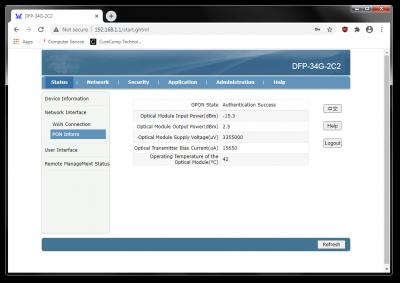
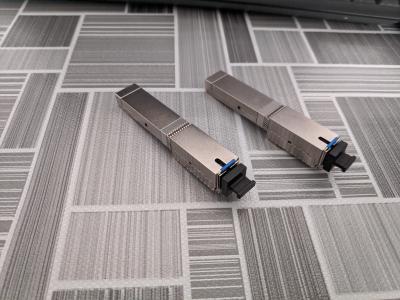
Today, I received thankyou ONT Stick for 'Education' purpose~
Attached Image
Attached Image
Attached Image
Attached Image

Unfortunately, it didn't work with Maxis riding Unifi, because has no LAN 2 (eth1) port.
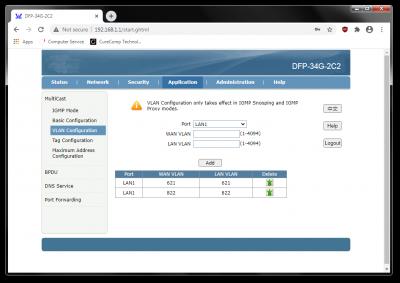
VLAN Tag at Multicast menu is no required to set, this stick works same like Realtek, making full bridge.

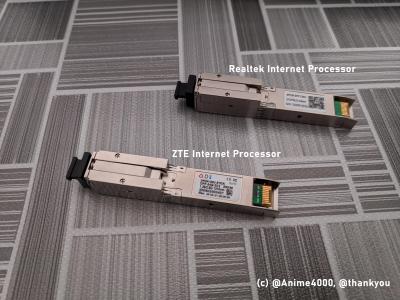
Comparison between Realtek and ZTE Stick:
Attached Image
Attached Image

Here some telnet log:
https://github.com/Anime4000/DFP-34G-2C2/bl...i_onu_stick.log

Unfortunate, the config file is encrypted & compressed?
https://github.com/Anime4000/DFP-34G-2C2/bl...ter/_config.bin

All Stick content are available here:
https://github.com/Anime4000/DFP-34G-2C2
TSAnime4000
post Oct 20 2020, 11:51 PM

Look at all my stars!!
*******
Senior Member
2,399 posts

Joined: Jul 2009
From: /dev/null


QUOTE(thankyou @ Oct 20 2020, 11:07 AM)
I don't think ER-12 is friendly for home use due to house ambient temperature...

It's running quite hot all the time... Had ordered router fan hopefully to cool it down...

RB4011 (non Wifi) is running around 40-45c most of the time

https://forum.mikrotik.com/viewtopic.php?t=147051
*
My RB3011UiAS-RM temp is 38°C

thankyou can you help what they say?
» Click to show Spoiler - click again to hide... «

Taken from: https://www.txrjy.com/thread-938218-1-1.html

31 Pages < 1 2 3 4 5 > » Top
 

Change to:
| Lo-Fi Version
0.0757sec    0.39    7 queries    GZIP Disabled
Time is now: 13th December 2025 - 09:49 AM