Welcome Guest ( Log In | Register )

Bump Topic Topic Closed RSS Feed

Outline · [ Standard ] · Linear+

 W10 did not detect hdd in caddy, Hdd in caddy (optical drive)

views
     
TSclass_sick
post Mar 3 2020, 12:35 PM, updated 6y ago

Getting Started
**
Junior Member
84 posts

Joined: May 2007

Hi,

I just upgrade my old Dell Inspiron 14R 5421 with SSD.
The old hdd i put in the hdd caddy at optical drive.

I already install Windows 10 (fresh install) at the SSD.

In BIOS detect both drive (SSD & old hdd)
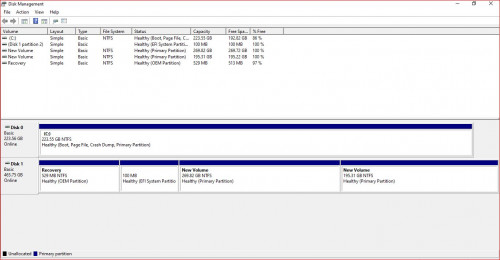
In Disk Management also detect the both drive.

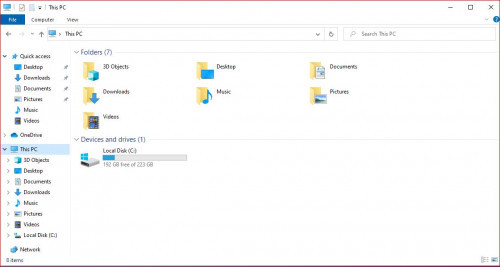
But in My Computer only show SSD.
The old hdd drive cannot view.

I already update all driver but still cannot view the old hdd drive.

Anyone can help me?

Thank you
user posted image
user posted image
kedai2020
post Mar 3 2020, 12:40 PM

New Member
*
Newbie
11 posts

Joined: Jan 2016


try check if your hdd is on GPT or MBR. If the system use GPT your old hdd need to convert to GPT and vice versa. backup the file first before change it
abubin
post Mar 3 2020, 12:41 PM

10k Club
********
All Stars
10,429 posts

Joined: Jan 2003


Well, it can be detected by Windows as evident in the disk management. Can you try to right client on the volumes and assign drive letter to the partitions?
sHawTY
post Mar 3 2020, 12:43 PM

Frequent Reporter
********
All Stars
14,909 posts

Joined: Jul 2005

The old HDD is not mounted in the disk management. Look at your own screenshot, no drive letter is assigned to them
Assign a drive letter to them

But the best method is to transfer the data inside there to another disk, remove all partitions then create a single partition inside the 2nd HDD
And change it to GPT instead of MBR
TSclass_sick
post Mar 3 2020, 05:49 PM

Getting Started
**
Junior Member
84 posts

Joined: May 2007

QUOTE(kedai2020 @ Mar 3 2020, 12:40 PM)
try check if your hdd is on GPT or MBR. If the system use GPT your old hdd need to convert to GPT and vice versa. backup the file first before change it
*
Both drive are GPT.
TSclass_sick
post Mar 3 2020, 05:59 PM

Getting Started
**
Junior Member
84 posts

Joined: May 2007

QUOTE(sHawTY @ Mar 3 2020, 12:43 PM)
The old HDD is not mounted in the disk management. Look at your own screenshot, no drive letter is assigned to them
Assign a drive letter to them

But the best method is to transfer the data inside there to another disk, remove all partitions then create a single partition inside the 2nd HDD
And change it to GPT instead of MBR
*
Thanks!!!
Its work happy.gif
TSclass_sick
post Mar 3 2020, 06:00 PM

Getting Started
**
Junior Member
84 posts

Joined: May 2007

QUOTE(abubin @ Mar 3 2020, 12:41 PM)
Well, it can be detected by Windows as evident in the disk management. Can you try to right client on the volumes and assign drive letter to the partitions?
*
Thanks!!!
Its work happy.gif

Topic ClosedOptions
 

Change to:
| Lo-Fi Version
0.0150sec    0.34    5 queries    GZIP Disabled
Time is now: 12th December 2025 - 12:37 AM