Welcome Guest ( Log In | Register )

Outline · [ Standard ] · Linear+

 Just upgraded to 300mbps unifi, Need sifus advise on best router to get

views
     
junclj
post Feb 19 2020, 04:43 PM

Look at all my stars!!
*******
Senior Member
2,347 posts

Joined: Apr 2008


QUOTE(Grayson @ Feb 19 2020, 12:36 PM)
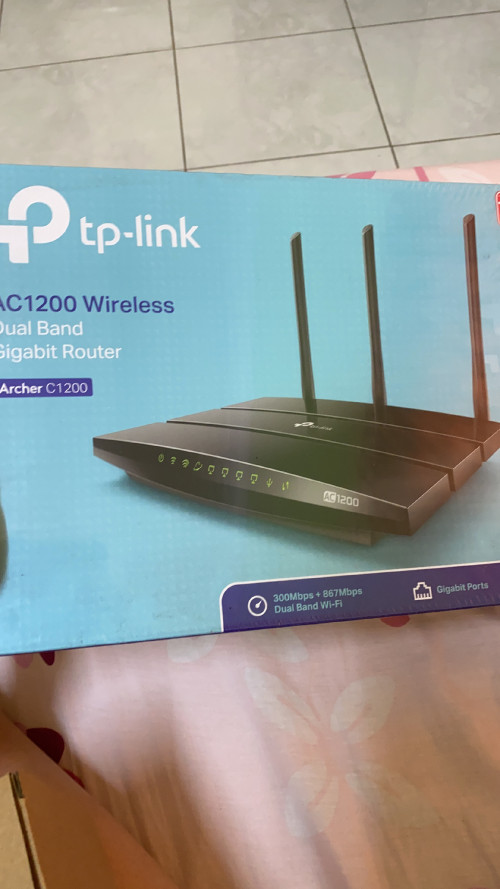
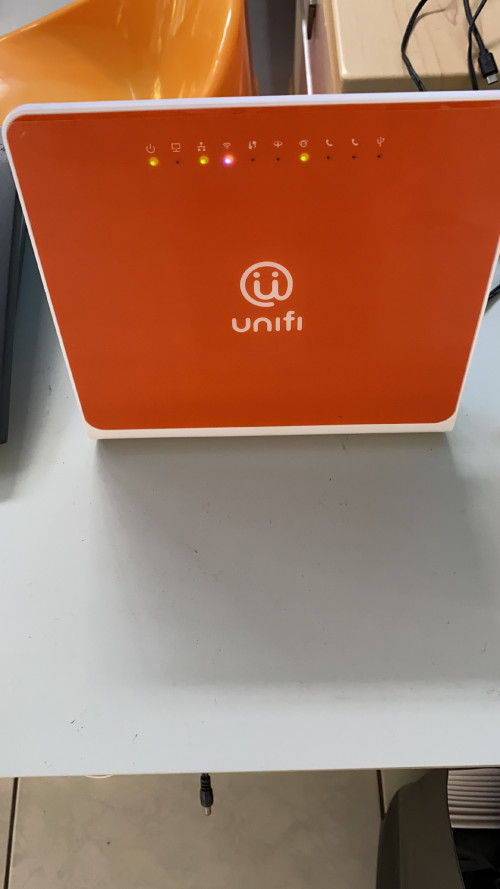
Hi dear sifus, so I just upgraded to 300mbps, any recommendation for which router to get in the market besides this 2 for best gaming experience with minimum lag or dc..

Currently I’m using this 2 router which is given to me by Abang tm, one is when I’m using 100mbps, another is when I upgraded to 300mpbs.
Thanks sifus!

user posted image
user posted image
*
TP-Link AC1200 is better because my office is here is using this router now. However, this router max only can reach 300mbps on wifi 5GHz (Unifi 500mbps). Coverage is not bad, probably office here all the wall are made by wood. That's why I still can get good reception even the router is placed in front of office.

Me myself sure won't use this TP-Link router, my home for me personal, I was upgraded mine to RT-AC86U.

This post has been edited by junclj: Feb 19 2020, 05:08 PM
junclj
post Feb 19 2020, 08:05 PM

Look at all my stars!!
*******
Senior Member
2,347 posts

Joined: Apr 2008


QUOTE(Grayson @ Feb 19 2020, 07:27 PM)
How bout the gt version? For eg. The gt-ac2900?
*
This one is too expensive for me, RT-AC86U is more than enough for my 500mbps. I just bought the China set for RM600 only. I bought 2 units and set aimesh. 2 units RT-AC86U vs 1 unit GT-AC2900. So you think which one has wider wifi coverage.

junclj
post Feb 19 2020, 11:31 PM

Look at all my stars!!
*******
Senior Member
2,347 posts

Joined: Apr 2008


QUOTE(Grayson @ Feb 19 2020, 11:00 PM)
So 86 ftw.. But haven’t release yet? And price wise? What’s the difference between ac and ax version?
*
this is the rumor design of RT-AX86U from CES 2020
user posted image
junclj
post Feb 19 2020, 11:33 PM

Look at all my stars!!
*******
Senior Member
2,347 posts

Joined: Apr 2008


QUOTE(Grayson @ Feb 19 2020, 11:01 PM)
Sorry for asking this but how do I do it? Through the IP address setting?
*
It is a wireless settings inside the router
user posted image
junclj
post Feb 19 2020, 11:35 PM

Look at all my stars!!
*******
Senior Member
2,347 posts

Joined: Apr 2008


QUOTE(Grayson @ Feb 19 2020, 11:02 PM)
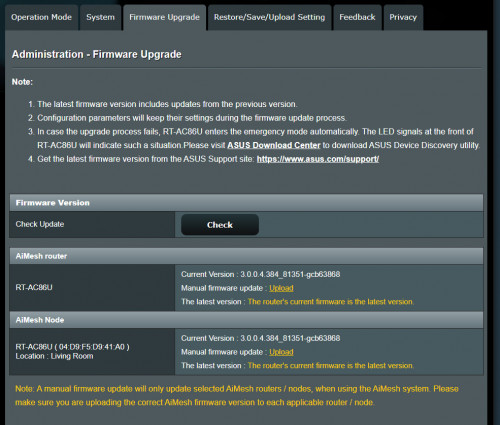
I see.. how do we update it? Through ip adress? Thanks sifu
*
Just click the check button
user posted image
junclj
post Feb 19 2020, 11:38 PM

Look at all my stars!!
*******
Senior Member
2,347 posts

Joined: Apr 2008


QUOTE(Grayson @ Feb 19 2020, 10:58 PM)
So putting 2 units across your home connected to each other to increase the coverage? Hmm hmm.gif and what is aimesh sorry for asking..
*
Simple explanation about aimesh

junclj
post Feb 19 2020, 11:59 PM

Look at all my stars!!
*******
Senior Member
2,347 posts

Joined: Apr 2008


QUOTE(Grayson @ Feb 19 2020, 11:56 PM)
Should I just type my ip adress to go inside this website or?.. thanks
*
once you get your router, you need to type 192.168.1.1 or http://router.asus.com on the web browser.


Change to:
| Lo-Fi Version
0.0173sec    0.51    6 queries    GZIP Disabled
Time is now: 1st December 2025 - 02:04 PM