QUOTE(WebWalker @ Nov 1 2019, 09:02 AM)
The key word is "Print Server".
If your router is "Printer Server" capable and yes your might able to connect your printer to router USB port to print
QUOTE(netmatrix @ Nov 1 2019, 09:21 AM)
You bought a Wireless capable printer, but you want to connect it directly to USB via router to make it wireless........

So why did you buy a wireless capable printer in the first place?

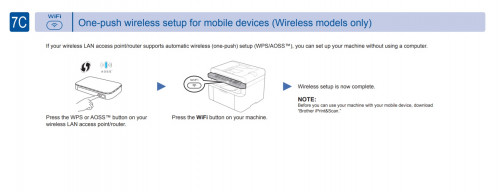
Use the printer front panel to connect to Wi-Fi. After connected, when you install printer driver in PC it will find the printer so long you are connected to the same wifi network.
Thank you for your prompt response.
I have 2 PCs (both desktops without Wifi capability) in 2 separate rooms, both are connected to the D-Link DIR-842 router by LAN cable, but the MFC-1910W printer is only connected directly to 1 PC (ie. A) via an USB printer cable. I have printed documents from my tablet and android phone via WiFi but I want to also print from PC (ie. B) that is too far to connect by USB printer cable.
So I guess, my question should be whether my DIR-842 router can act at a print server since it has an USB port.
If the DIR-842 cannot be used as a printer server, then I may have to consider one of the following options:
1) buying another printer for PC (B), or
2) buying a separate print server, or
3) buying a new router which has a built-in print server, or
4) buying a WiFi adapter for PC (B).
The cheapest solution for me is to find a way to connect my printer to the existing router for sharing with my 2 desktops.
Thank you.


 Oct 31 2019, 04:22 PM, updated 7y ago


 Quote
Quote




 0.0216sec
 0.71
0.71
 6 queries
 GZIP Disabled