Welcome Guest ( Log In | Register )

Outline · [ Standard ] · Linear+

 Software for Legal Firm / Lawyer, Client"s Account

views
     
TSBuilder288
post Jul 14 2019, 08:26 PM, updated 4d ago

Getting Started
**
Junior Member
122 posts

Joined: Jun 2014


Item(s): Software for Legal Firm / Lawyer

Package includes:


Warranty: One year for USB Dongle

Dealing method:

Location: Ipoh, Perak

Contact method/details: Arbirage@gmail.com
---

Item(s) conditions: New

Picture : user posted image

Reason for sale: Reseller by

Arbirage Sdn Bhd .
(927246W)


Client's Account : Feature highlights


Account Maintenance

Account Group

Batch

Client Maintenance

Lawyer Details

Project / Department

User Access Rights

GST


Coding License -

Selling Price Additional User each

Client’s Account : RM1,199.00 : RM300.00
(for Legal Firm)

Accounting : RM899.00 RM300.00

Accounting & Invoicing : RM1,399.00 RM450.00

Payroll 30 : RM599.00 RM300.00

Payroll 60 : RM1,199.00 RM300.00

Payroll Maxi : RM1,899.00 RM300.00


Module upgrade from P30 to P60 or PMAX is not allowed.


Dongle License


Single Dongle License

Client’s Account (Legal Firm) : RM1,499.00

Accounting : RM1,199.00

Accounting & Billing : RM1,199.00

Payroll 30 : RM899.00

Payroll 60 : RM1,499.00

Payroll Maxi : RM2,199.00


LAN Dongle License - c/w 3 users (3 single USB Key)

Client’s Account (Legal Firm) : RM3,699.00

LAN Dongle License - c/w 10 users

Accounting : RM2,899.00

Accounting & Billing : RM3,699.00

Payroll Maxi : RM3,999.00


The above system c/w USB Key.
12 months warranty for USB key with terms and condition.
No upgrade of payroll module is allowed.


Price excluding training, installation,support, courier , travelling.etc


This post has been edited by Builder288: Sep 8 2019, 07:53 PM
TSBuilder288
post Aug 4 2019, 09:27 PM

Getting Started
**
Junior Member
122 posts

Joined: Jun 2014


Become certified trainer of Million Client's Account Software for Legal / Lawyer firm

https://arbirage.blogspot.com/2019/09/becom...of-million.html


We have been selling Clinic Management Software, Veterinary Management Software for healthcare professional since 2015.


We intended to diversified to other professional like Lawyer,Accountant etc as it has synergy with our existing healthcare professional software..


We have explore to become dealer / reseller for Million Client's Account for Legal and Lawyer Firm.


After some course and examination.


I obtain a trainer Certificate for Million Client's Account on 3 September 2019.


user posted image


Now we add a software product in our product range, for Legal professional or lawyer.


This is a great milestone for our company since 2015.

This post has been edited by Builder288: Sep 8 2019, 10:31 PM
TSBuilder288
post Sep 8 2019, 07:42 PM

Getting Started
**
Junior Member
122 posts

Joined: Jun 2014


Online demo / Training : Software for Legal / Lawyer firm

http://www.arbirage.com/pages/online-demo-...l---lawyer-firm


Chapter 5: Generate Group for Legal Cases
This section illustrated the way to maintain the group for legal cases as user able categorized their
client according to group.

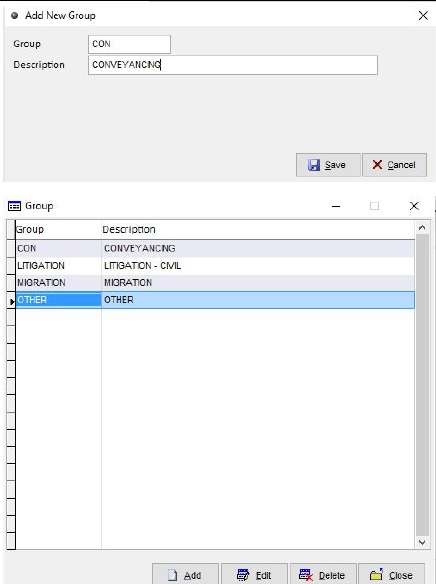
5.1 Add Group for legal class

Group..........................................Description
CON............................................CONVEYANCING
LITIGATION..................................LITIGATION-CIVIL
MIGRATION..................................MIGRATION
OTHER.........................................OTHER


user posted image


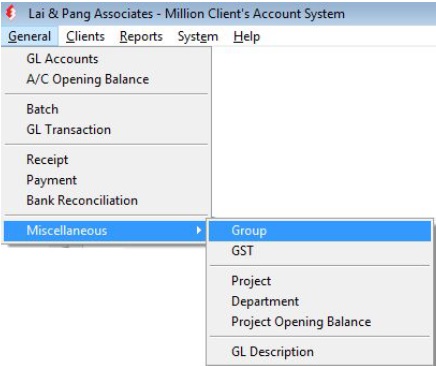
1. Go to General then Miscellaneous select
Group.


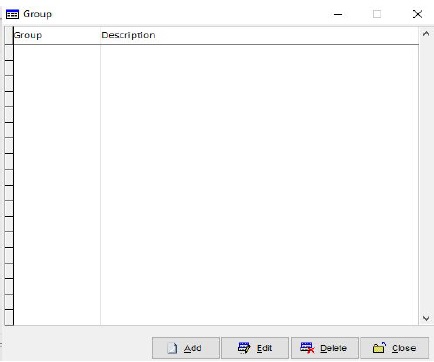
2. Click on Add.

user posted image

3. Enter data according to Table 5.1
4. Click on Save
5. After completed, click on Close

user posted image


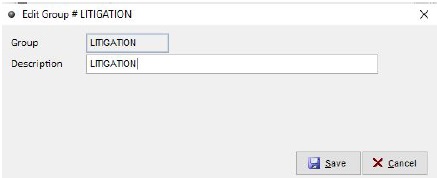
5.2 Edit Group for legal class

Group.....................Description
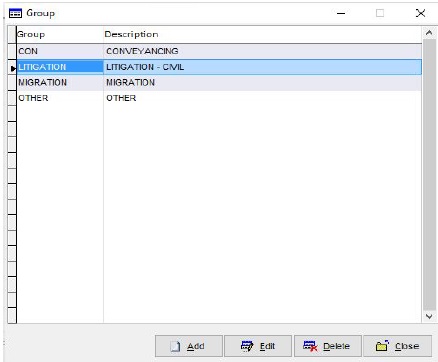
LITIGATION.............LITIGATION

Table 5.2 Edit Group


user posted image

1. Select the group accordingly


2. Click on Edit


3. Edit information according to Table 5.2.


4. Click on Save upon done

user posted image


Chapter 6: Generate File Categories for Legal Cases


This section covers the ways to maintain the file categories by group of legal cases.

6.1 Add File Categories

File Categories.......Description
CONY....................Sales & Purchases
LAN.......................Bank Loan
CON......................Breach of Contract
COS......................Bankruptcy
DIV.......................Divorce
DIS.......................Succession Disputes
TEN.......................Tenancy
D..........................Administrative
Table 6.1 Add File Categories

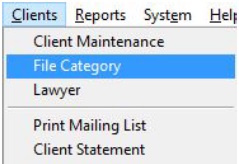
user posted image1. Go to Client then File Category


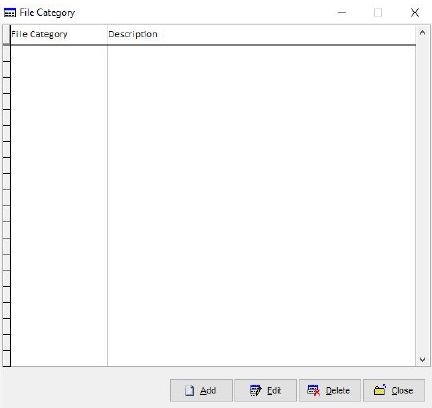
user posted image2. Click on Add

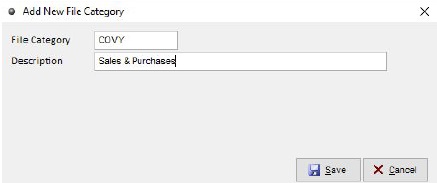
3. Enter information according to Table 6.1

user posted image

4. Click Save upon complete

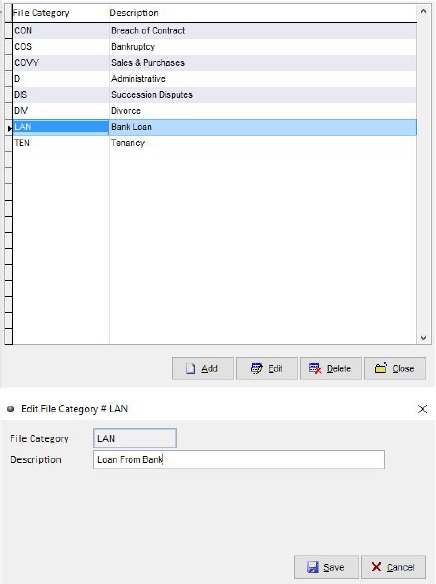
6.2 Edit File Categories

File Categories.....Description
LAN.....................Loan From Bank

Table 6.2: Edit File Categories

user posted image

1. Select data then click Edit


2. Edit information according to Table 6.2


3. Click Save upon complete


Change to:
| Lo-Fi Version
0.0183sec    0.68    5 queries    GZIP Disabled
Time is now: 17th December 2025 - 04:00 AM